
How do I find testimonials with public or private consent?
If you enable the Consent page in your form, the consent info will appear in your customer's testimonial.
This is applicable to any Senja plans: Free, Starter, and Pro.
Finding the consent info
Go to your Proof page: https://app.senja.io/
Click on the testimonial you want to check the consent on
The consent information will be shown under the testimonial on these template copies
Public consent: You can use my testimonial publicly in your marketing and sales
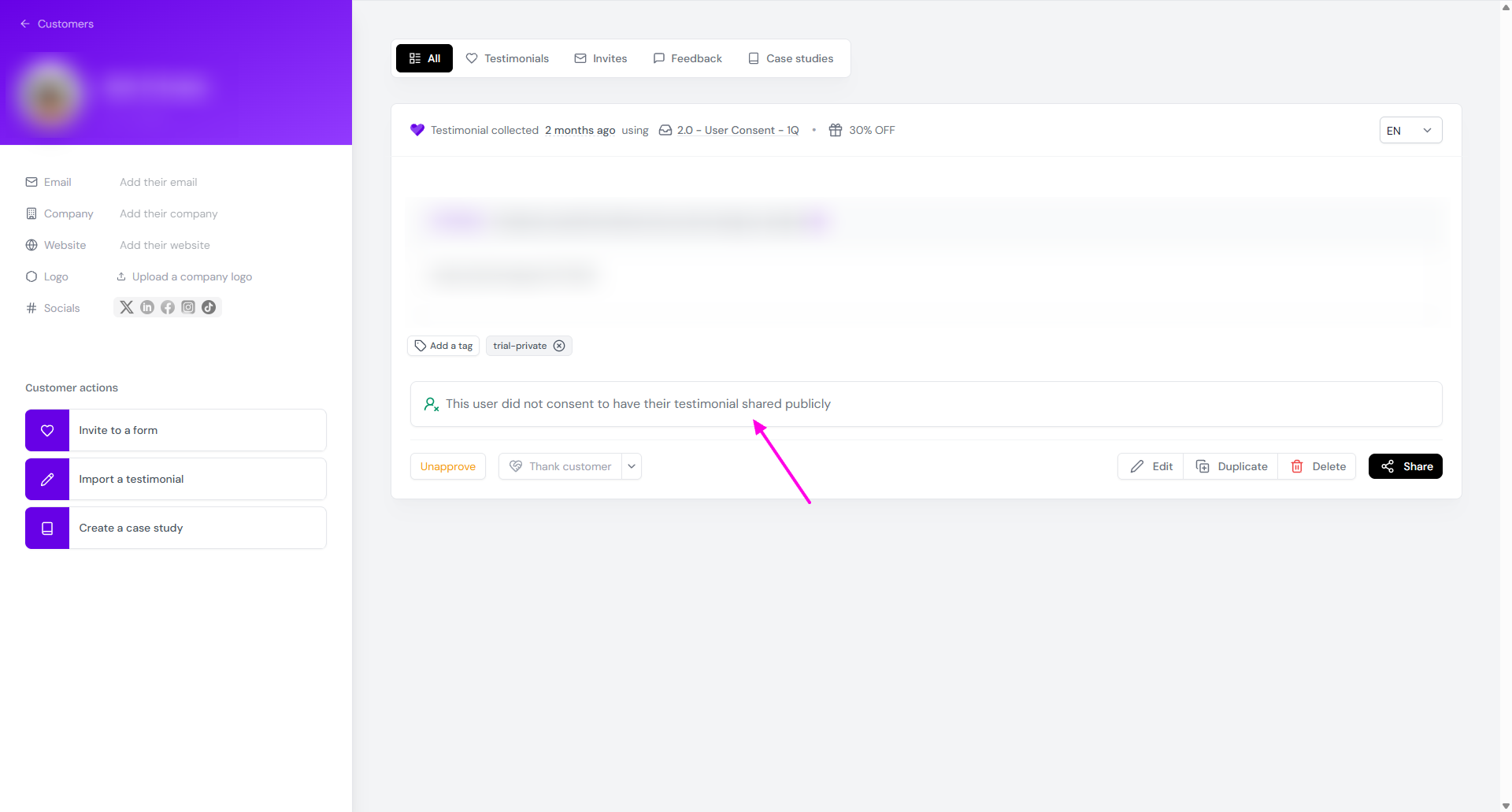
Private consent: This user did not consent to have their testimonial shared publicly
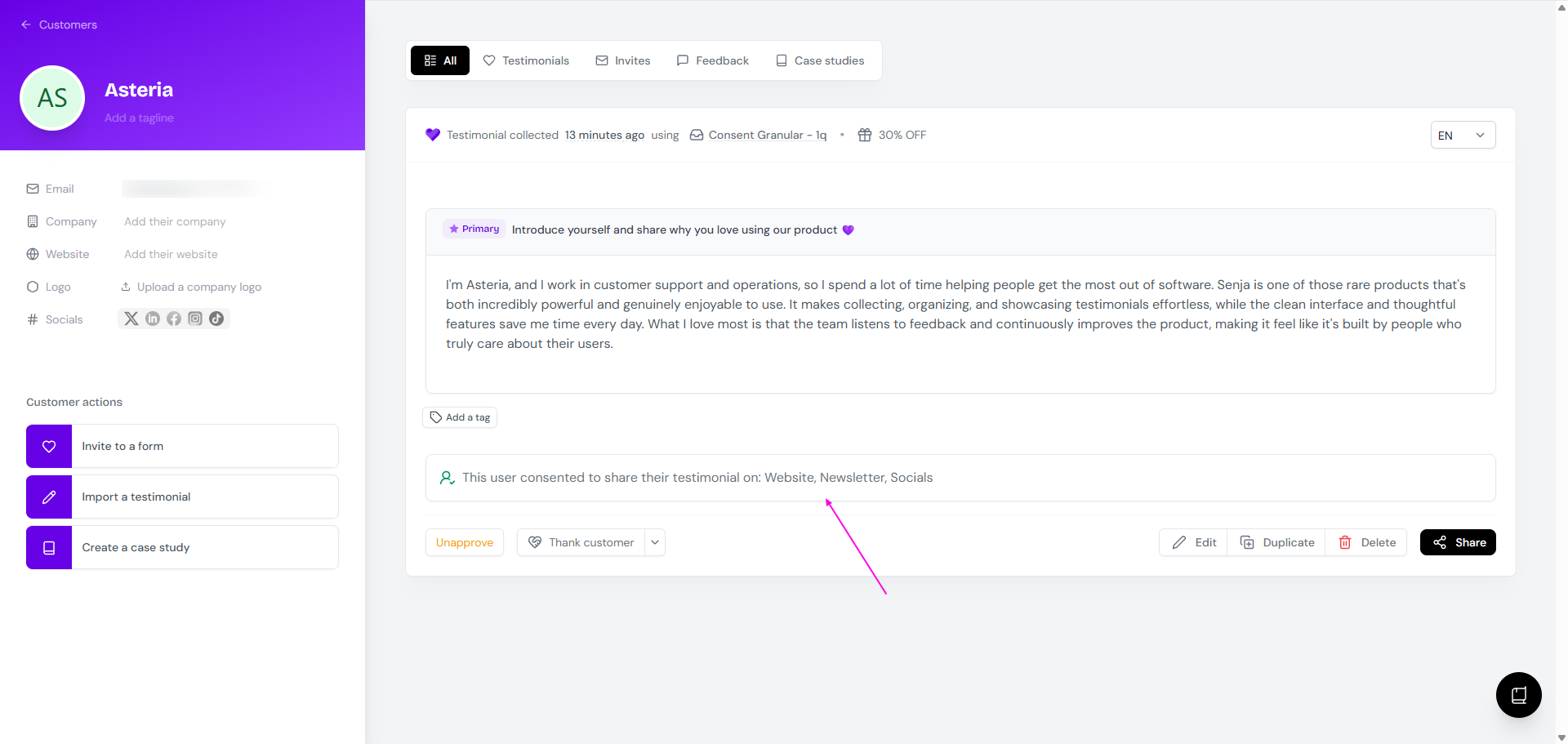
Granular consent: This user consented to share their testimonial on: ...
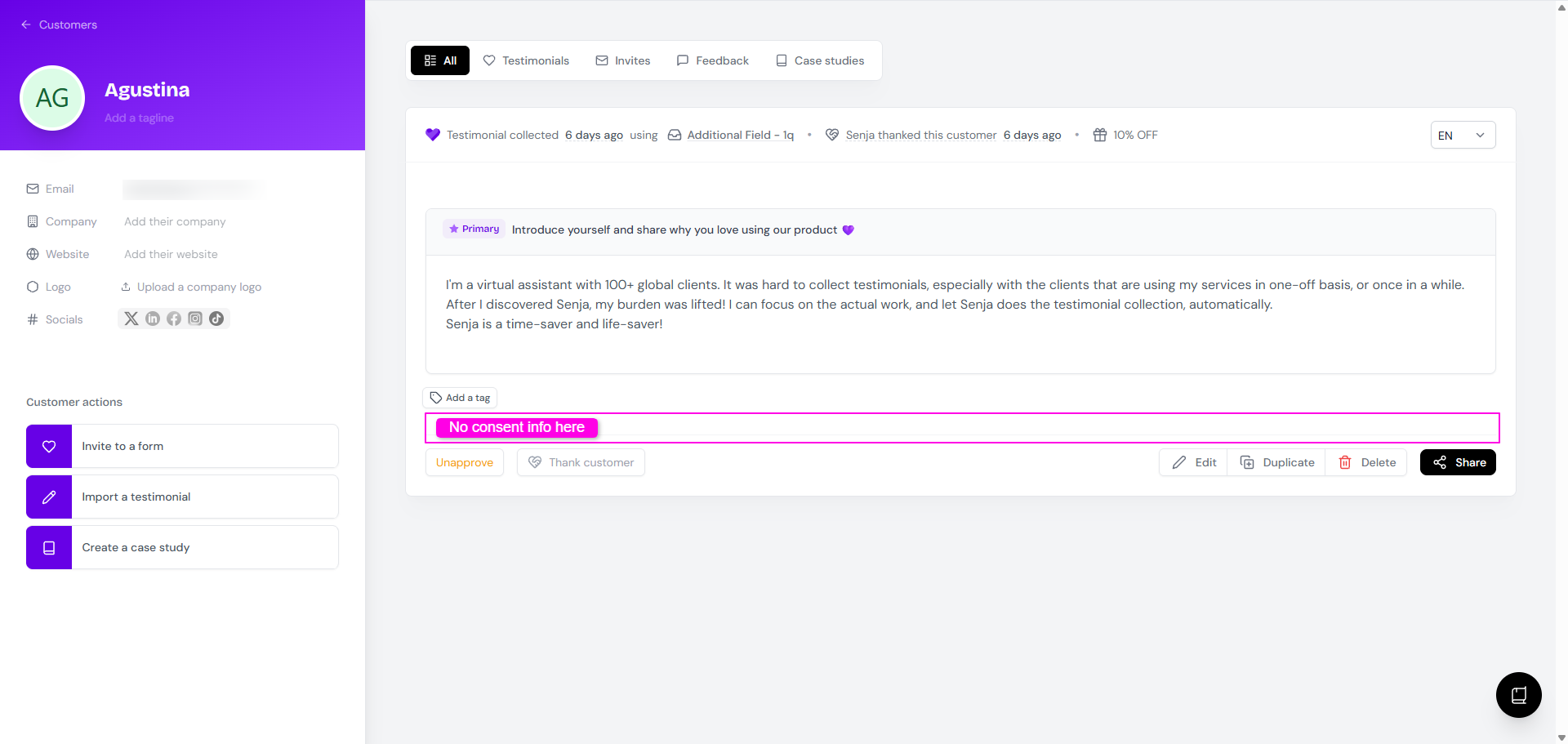
If you turn off the consent page in your form
What you see in your form
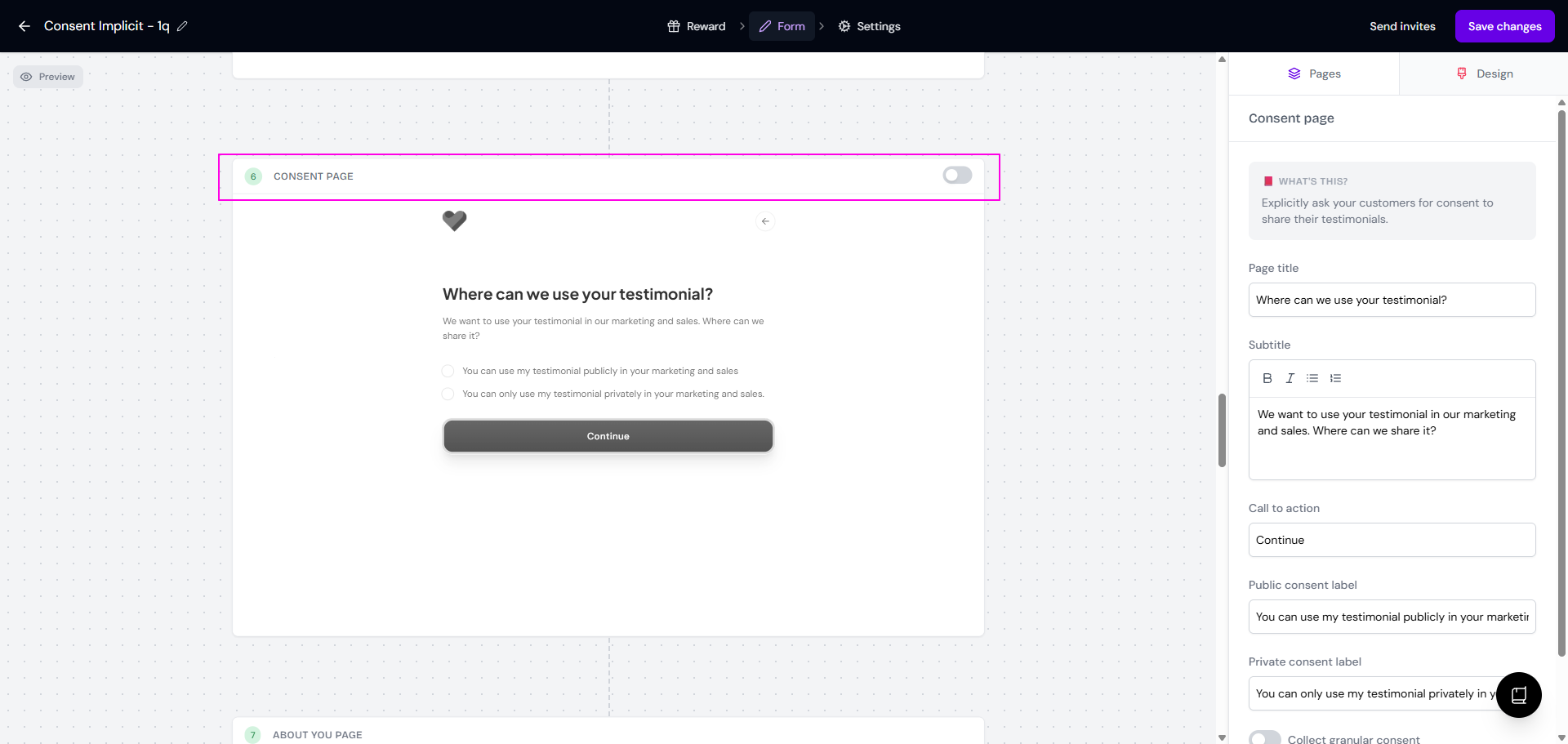
What you see in customer details
If the consent page is on
What you see in your form
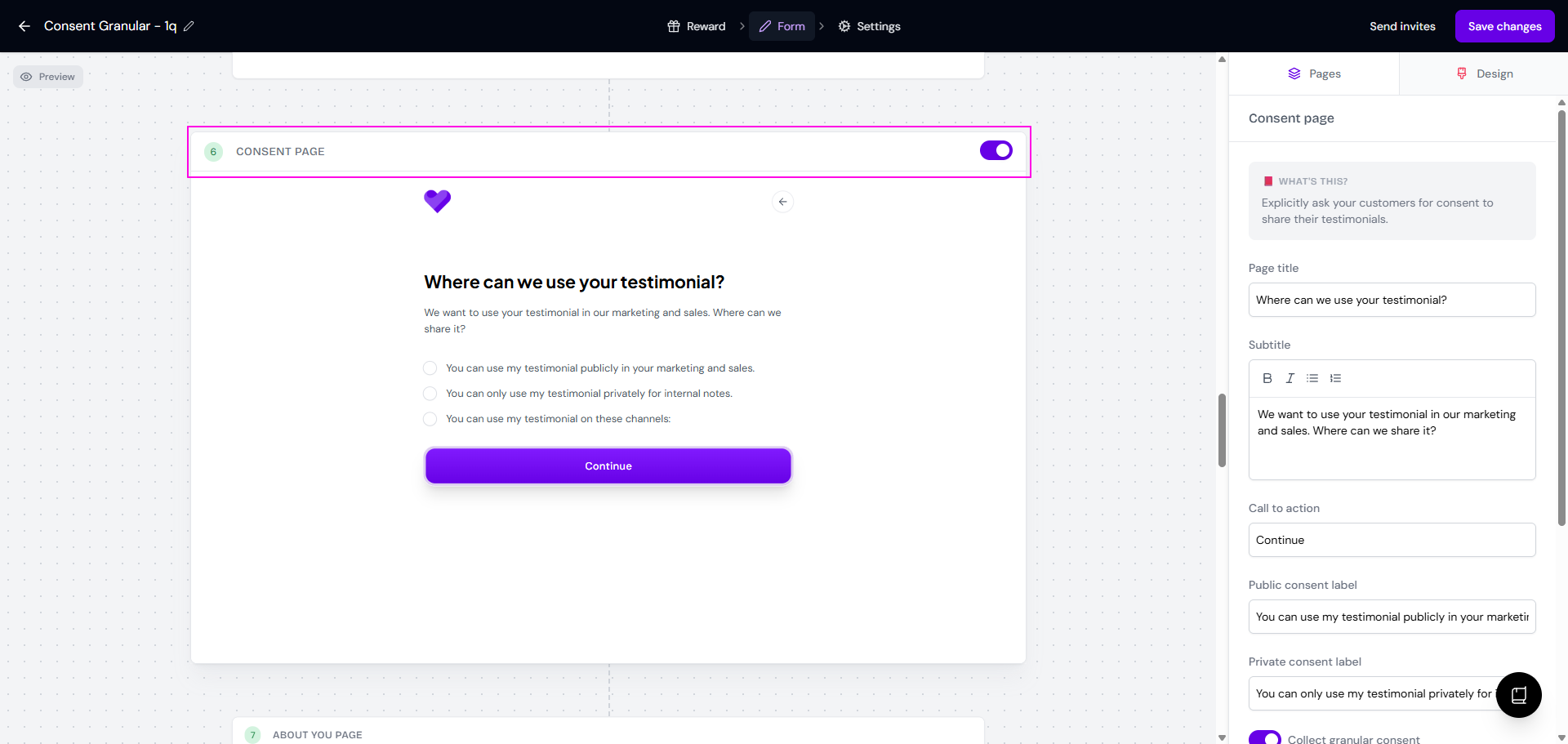
What you see in customer details
If the customer gives public consent
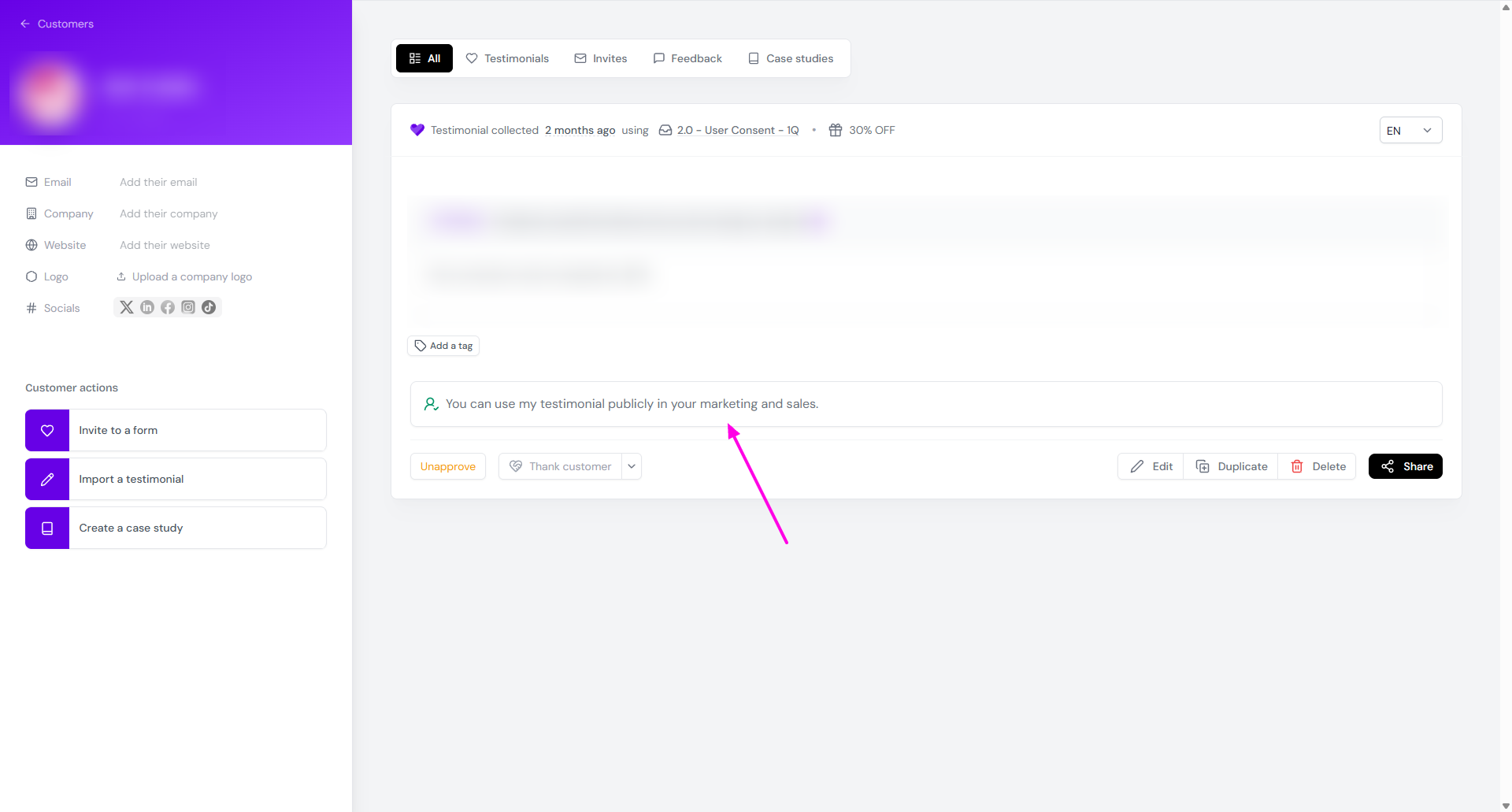
If the customer gives private consent
If the customer gives granular consent
Filtering testimonials by consent type
It's not possible to filter testimonials by consent in both Proof page and inside the editing mode of the Studio.
If you want to find your testimonials easily by the consent type, use tags.
Go to Proof page
Open the customer's testimonial
Add tag Public or Private or Granular to mark the testimonial
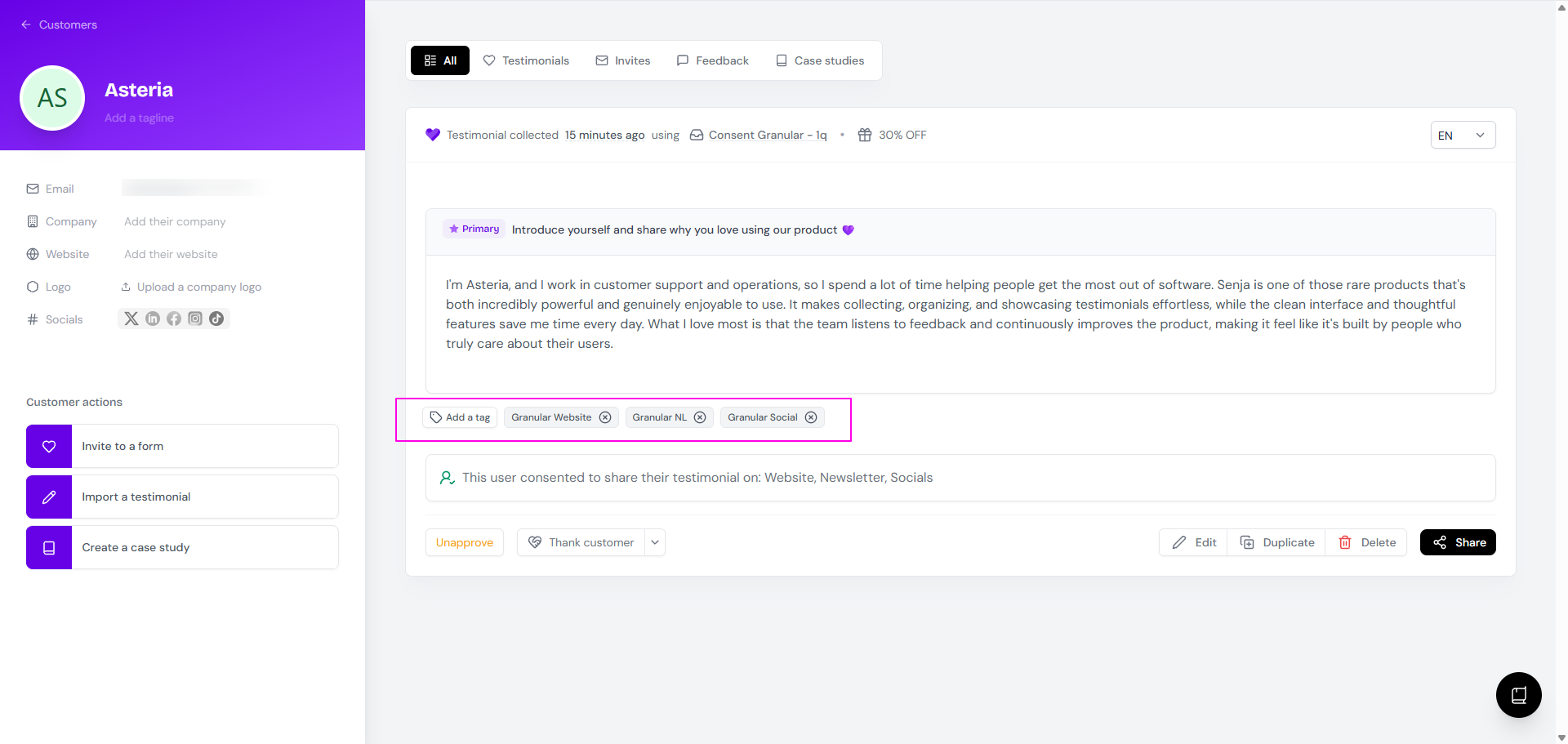
Now you can filter the testimonials based on consent type
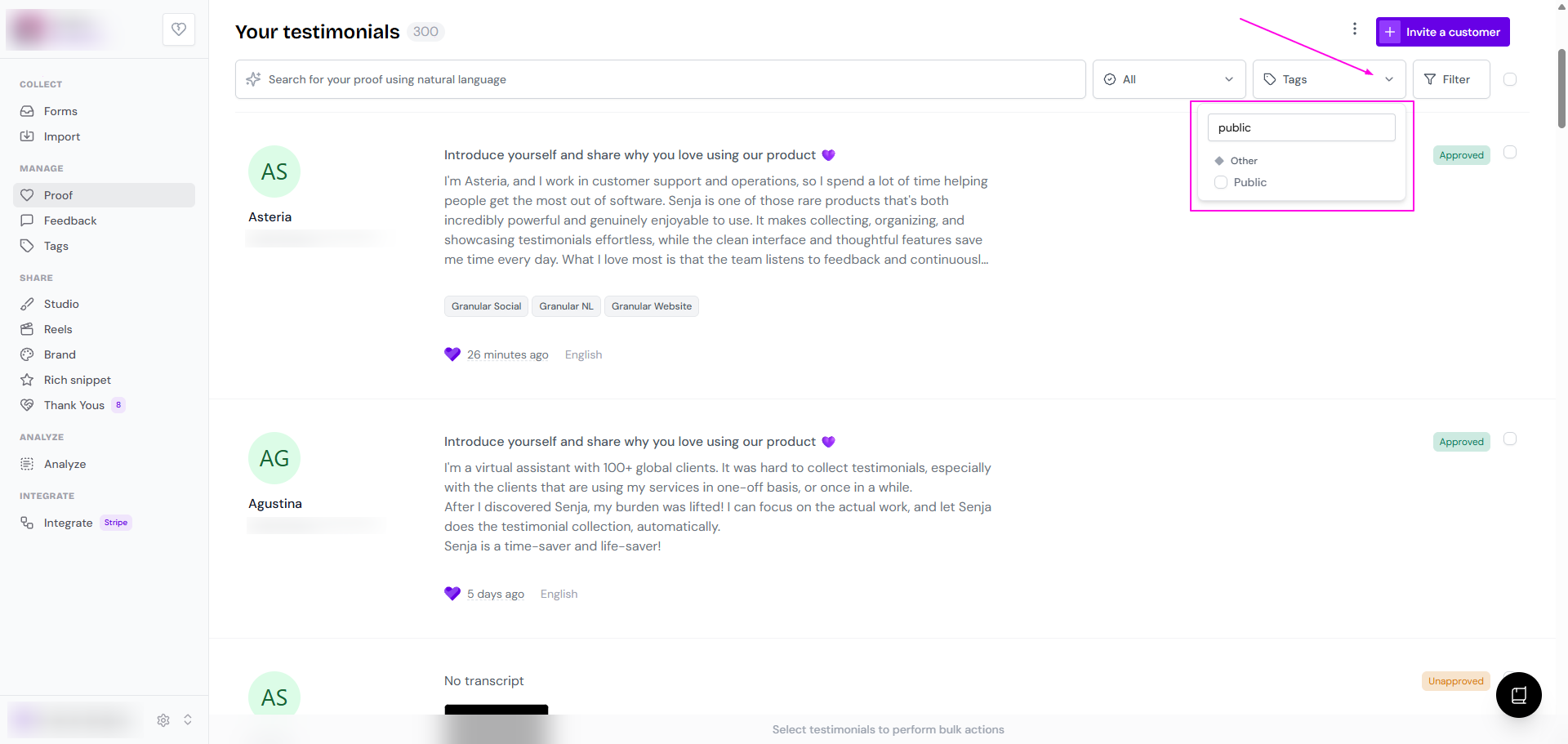
You can also do the tagging in bulk, read How to add tags to multiple testimonials at once.