
Can I display only the initials of my customer?
Some businesses work in sensitive topics, where customers identity needs a strong privacy protection. In the case where you need to redact the contact information of your customer, you can do the adjustment in Senja.
This is applicable for any Senja plan: Free, Starter, and Pro.
Start from the form setup
When you create your form, you can already setup the limitation as follows:
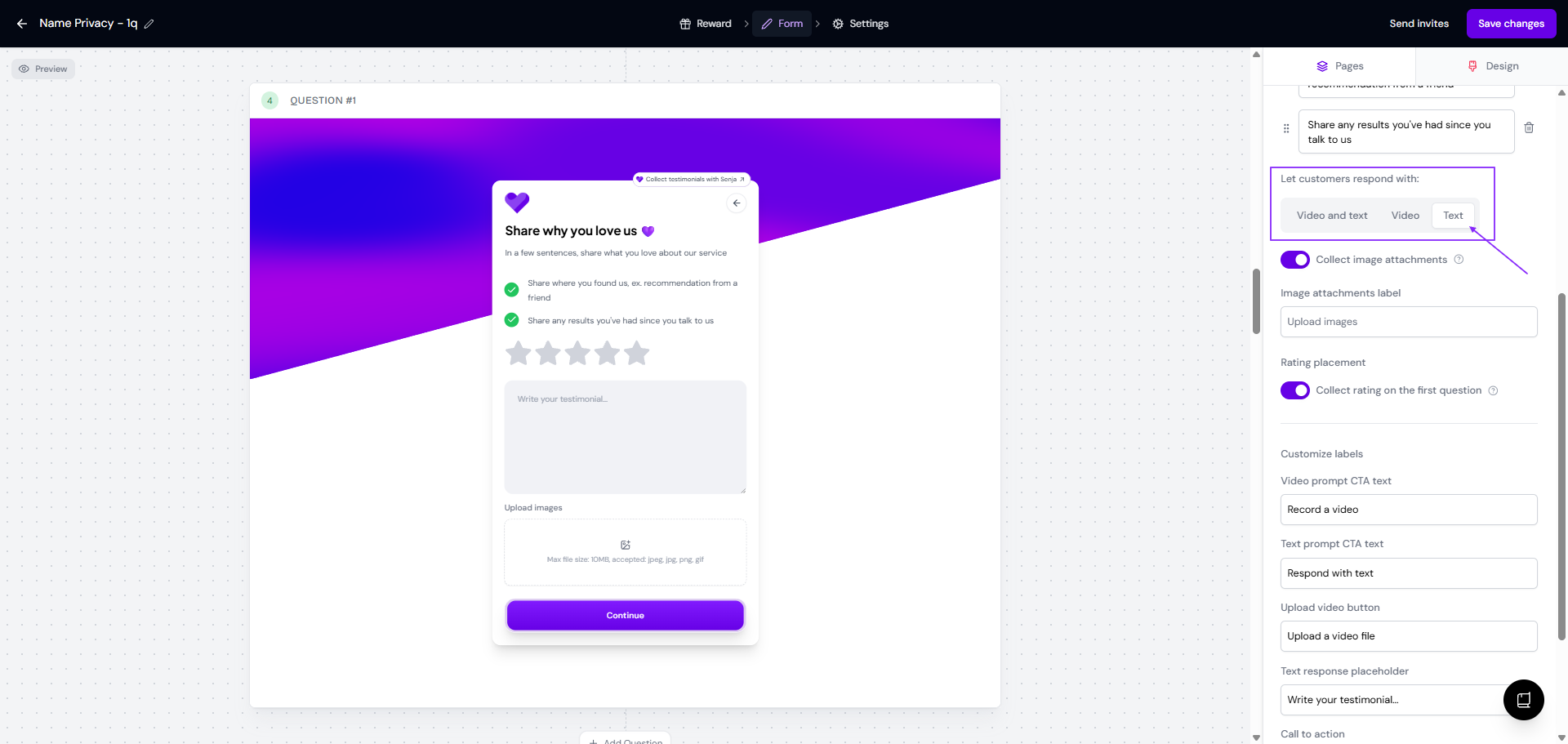
On the Question page, enable only Text response under Let customers respond with
On the About you page, add the information on how to leave their name on the Customer name field
Put Customer email as mandatory, so you'll have the record of the customers that already submitted their testimonials
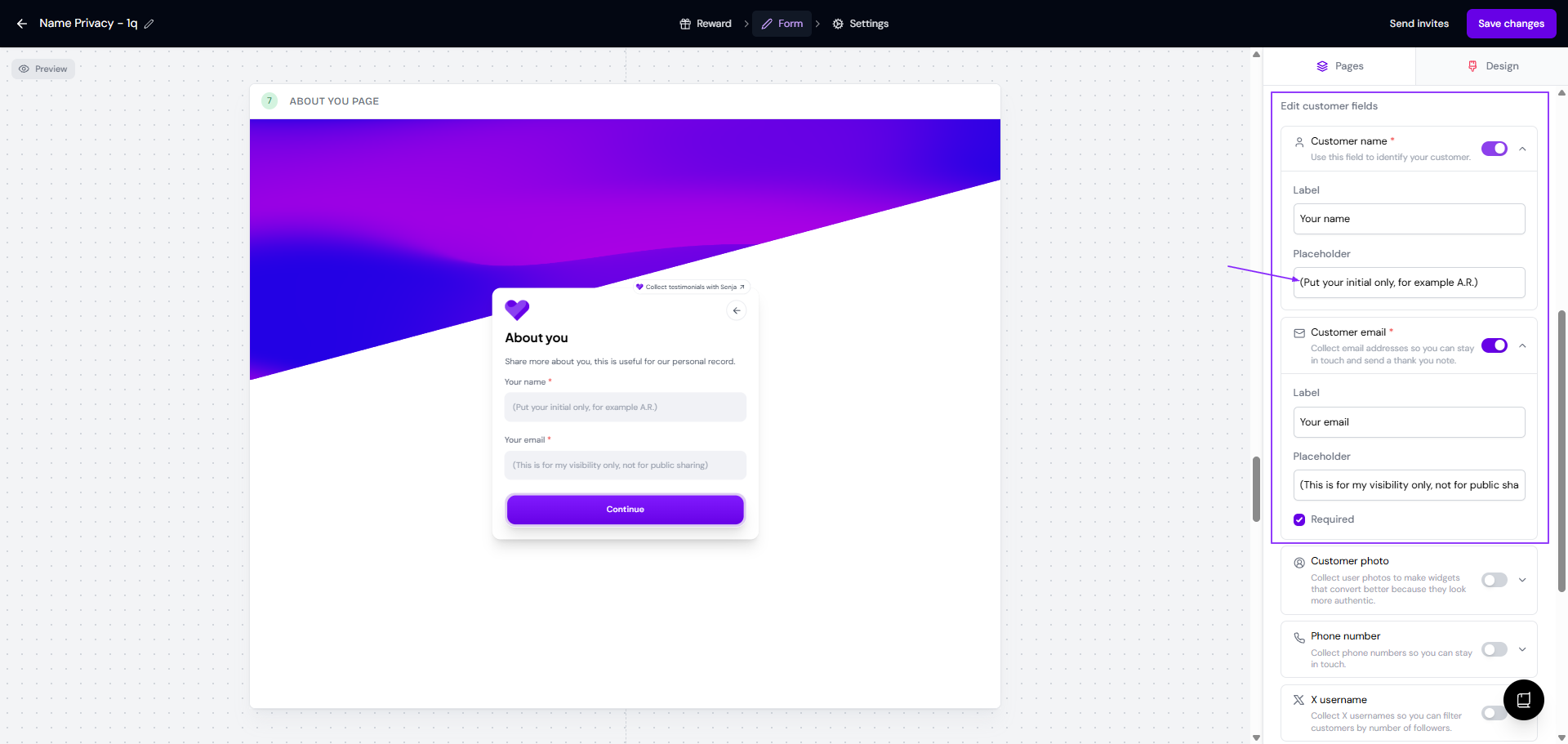
This way, you don't need to make manual adjustment on the customer details after the testimonials from the Form are collected to your Proof page.
Update the customer name
If you already have testimonials coming to your page and you want to keep the name private, you have to update the names manually:
Go to your Proof page: https://app.senja.io/
Click the testimonial with the name you want to change
Change the name to the format that you want
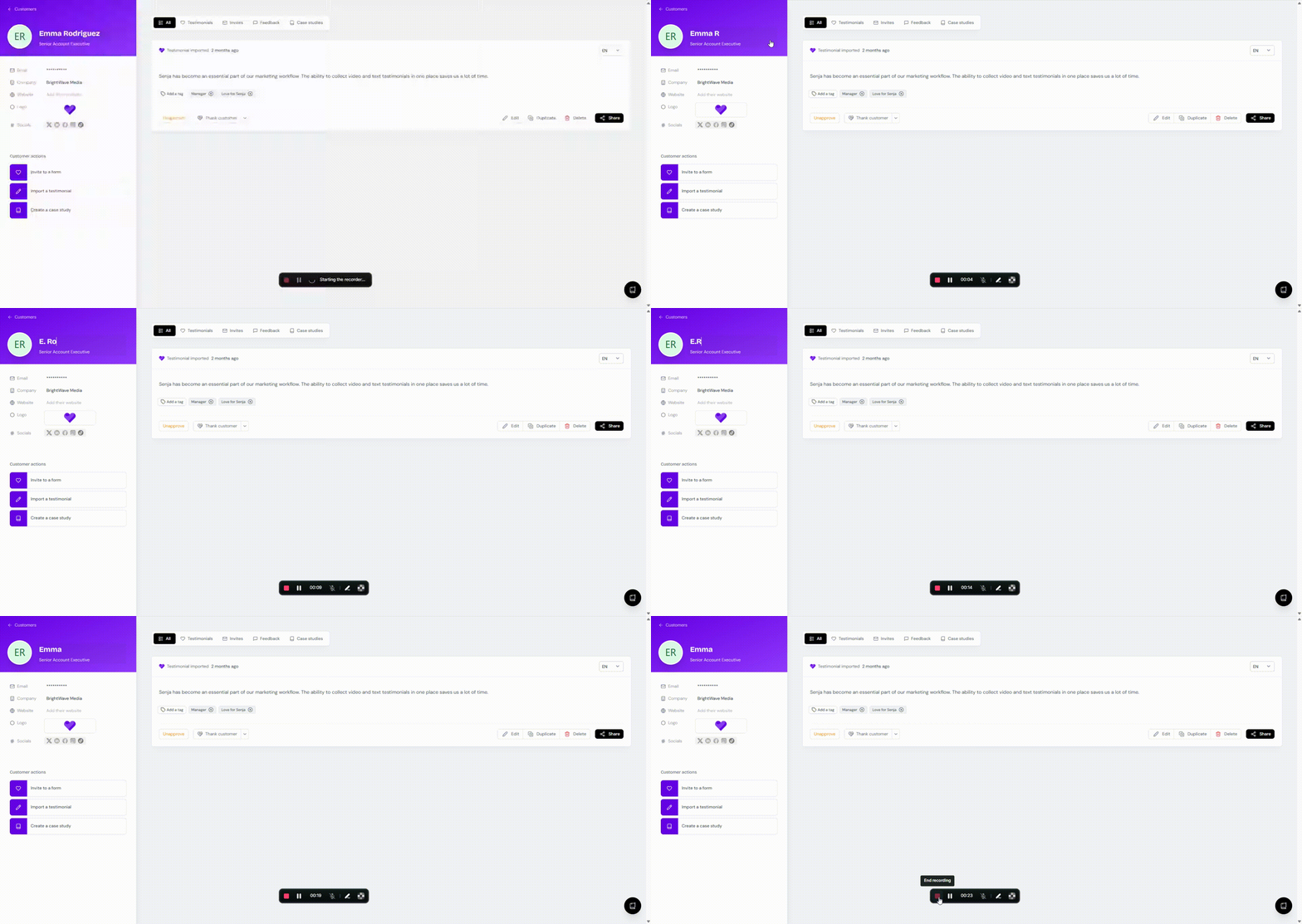
If you have multiple customers whose name you want to change to initials, you have to do it one at a time, manually.
Update in bulk with re-import
If you have a lot of testimonials that you want to have the name updated, opening the customer details one at a time might be very time consuming. There's a middle way to do this:
Go to your Proof page: https://app.senja.io/
Click the 3-dots next to Invite a customer button
Click Export all to CSV
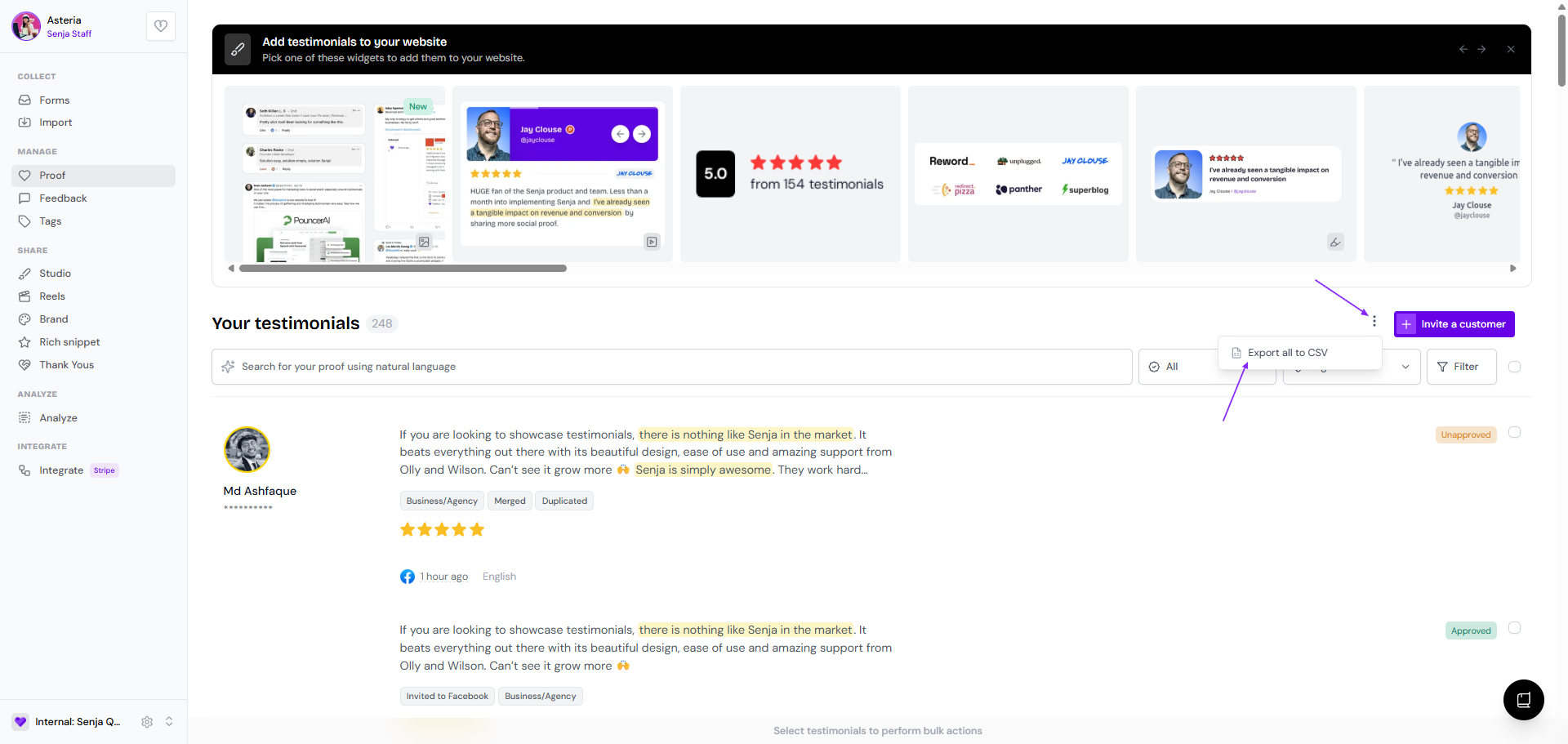
In the CSV, update the names in the Customer_name column to the format that you want (full initial, or first name and last name as initial, etc.)
Remove the current testimonials in your Proof page, to avoid duplicates
Import the testimonials from the updated CSV, following Can I import testimonials in bulk?