
How to delete testimonials in bulk
Bulk delete lets you remove multiple testimonials at once.
This is permanent. Deleted testimonials can't be recovered.
This is applicable on any Senja plans: Free, Starter, and Pro. You have to be an Owner, Admin, or Editor to delete testimonials.
Deleting testimonials
Go to your Proof page: https://app.senja.io/
There are 3 ways to select the testimonials
Cherry pick manually
Using filter to select testimonials matching some criteria
Selecting all testimonials to remove everything
Once you've selected one or more testimonials, a floating bar appears at the bottom showing how many are selected
Click the red Delete button (trash icon)
A confirmation dialog will ask you to confirm
Click Delete to proceed, or Cancel to go back
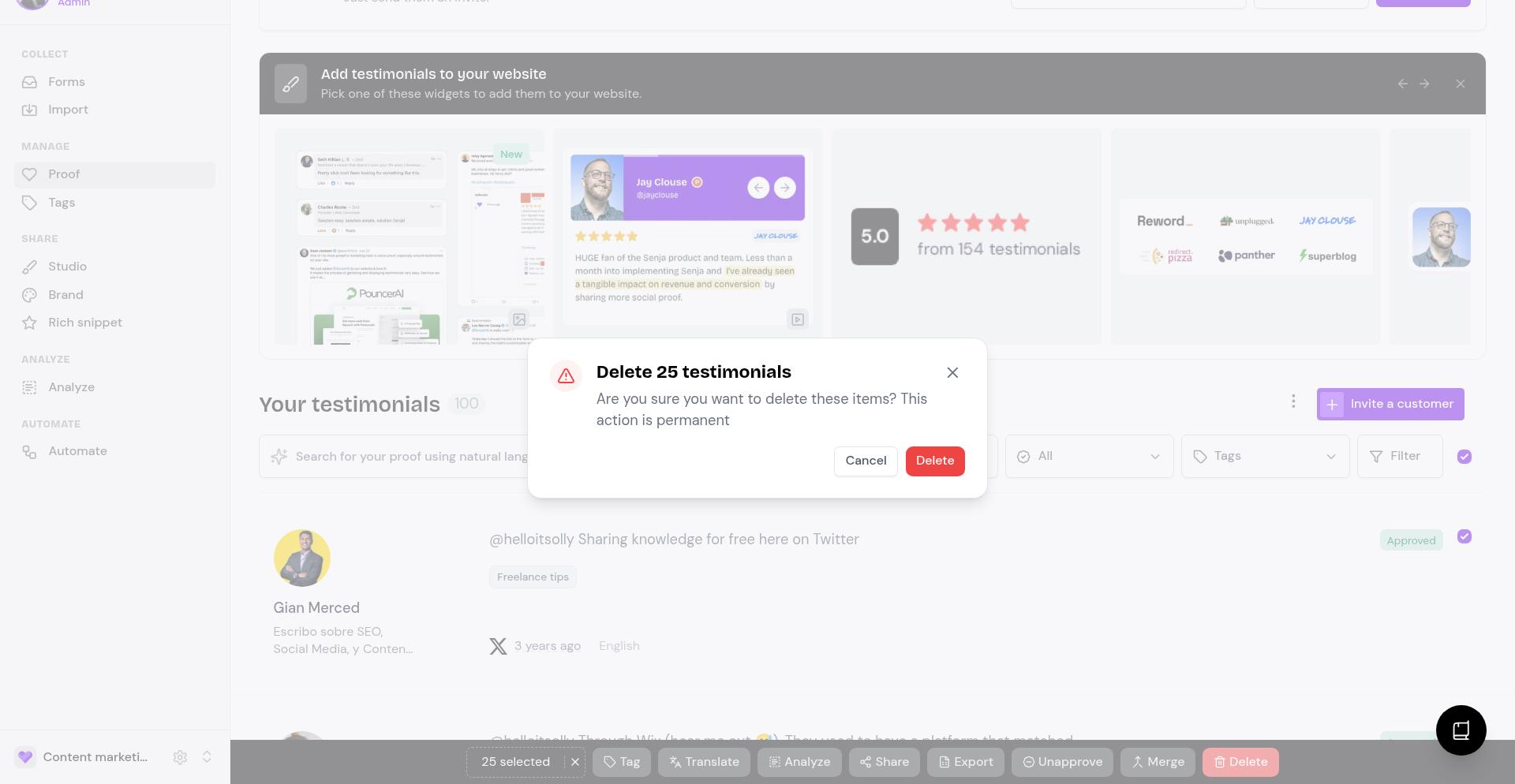
Your selected testimonials will be permanently deleted
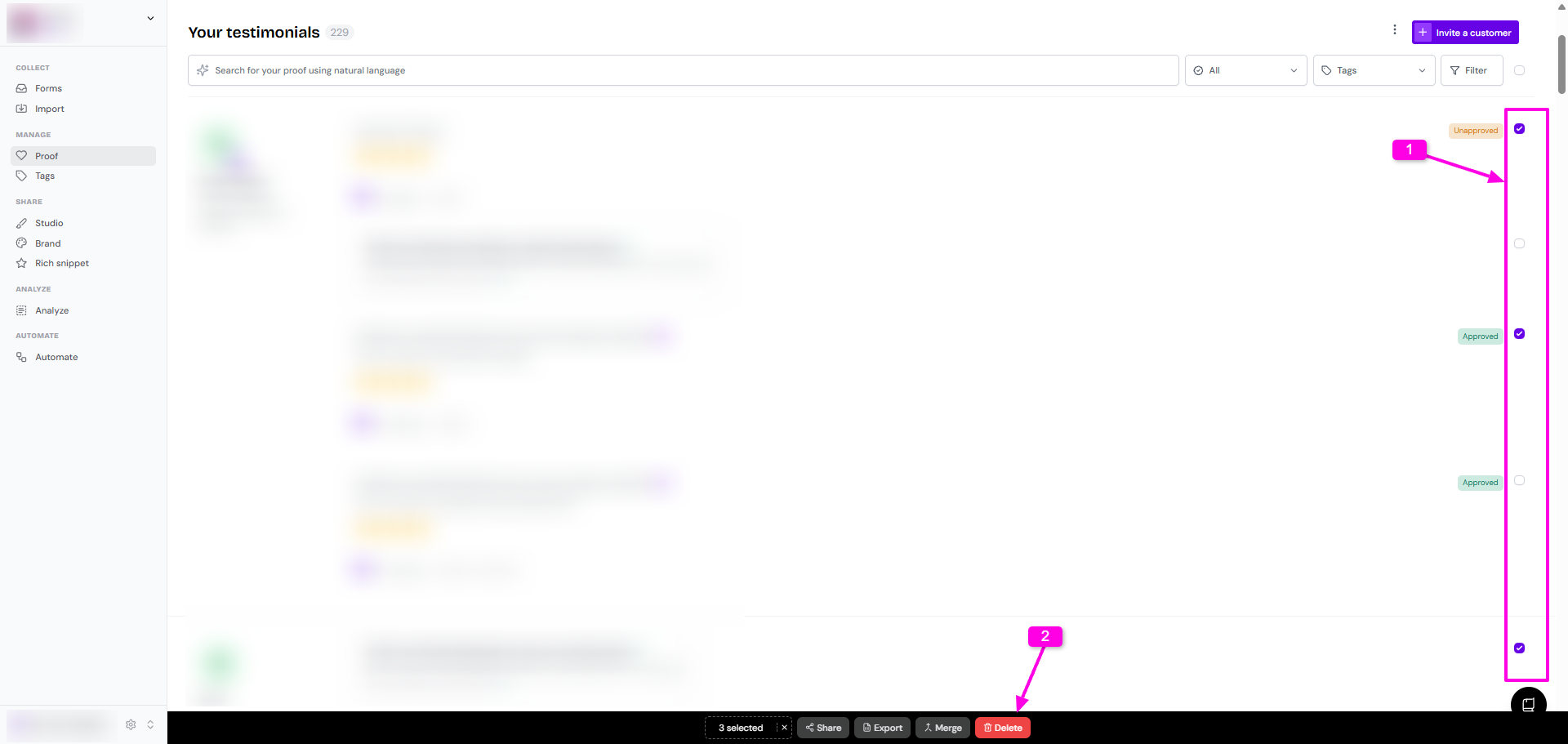
Manual selection
Tick the check-box next to the testimonials you want to delete
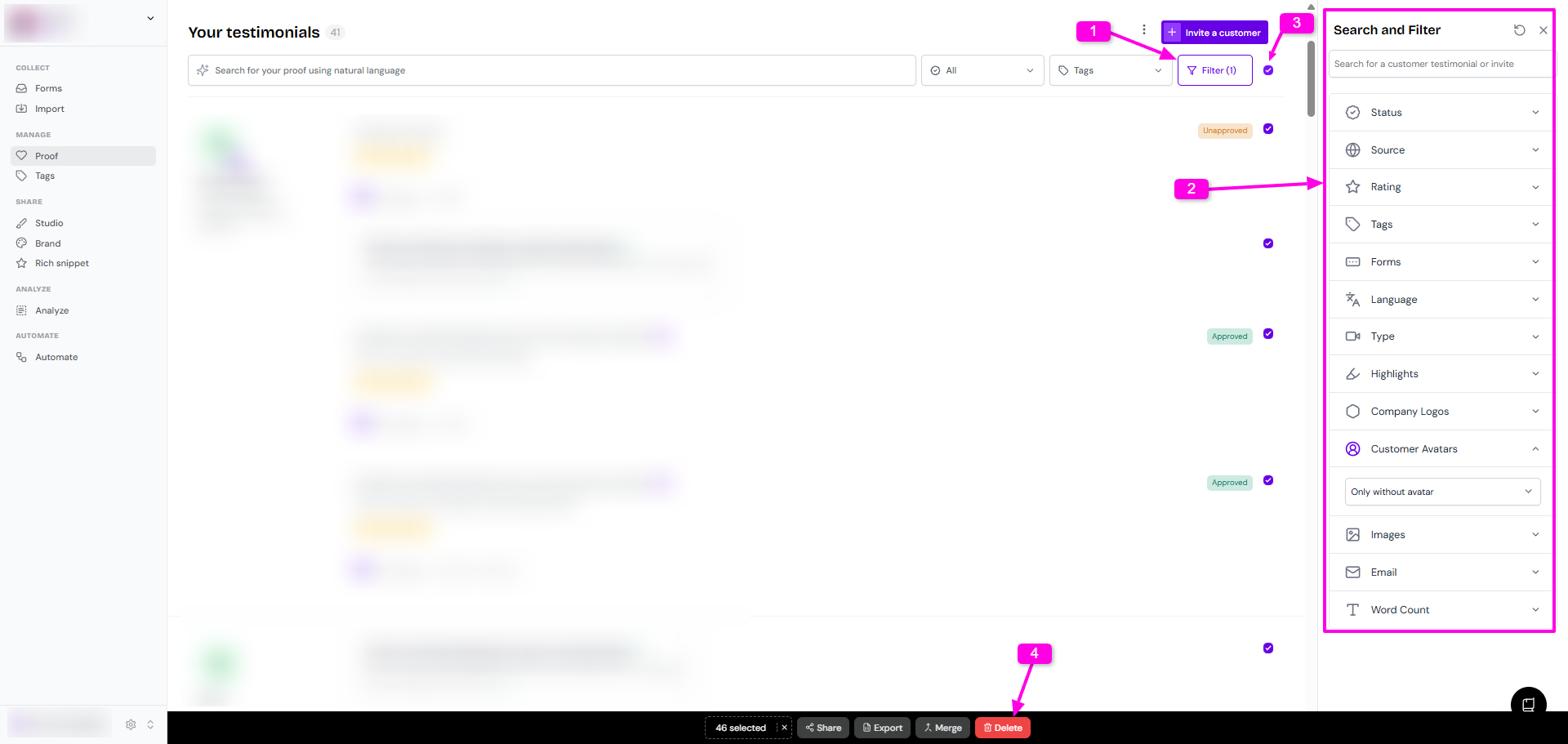
Select using filter
Click the Filter button
Set the filter that you want
Tick the check-box next to the Filter button to select all filtered testimonials
Select all testimonials
Tick the check-box next to the Filter button to select all testimonials
Click Delete on the popup toolbar in the bottom
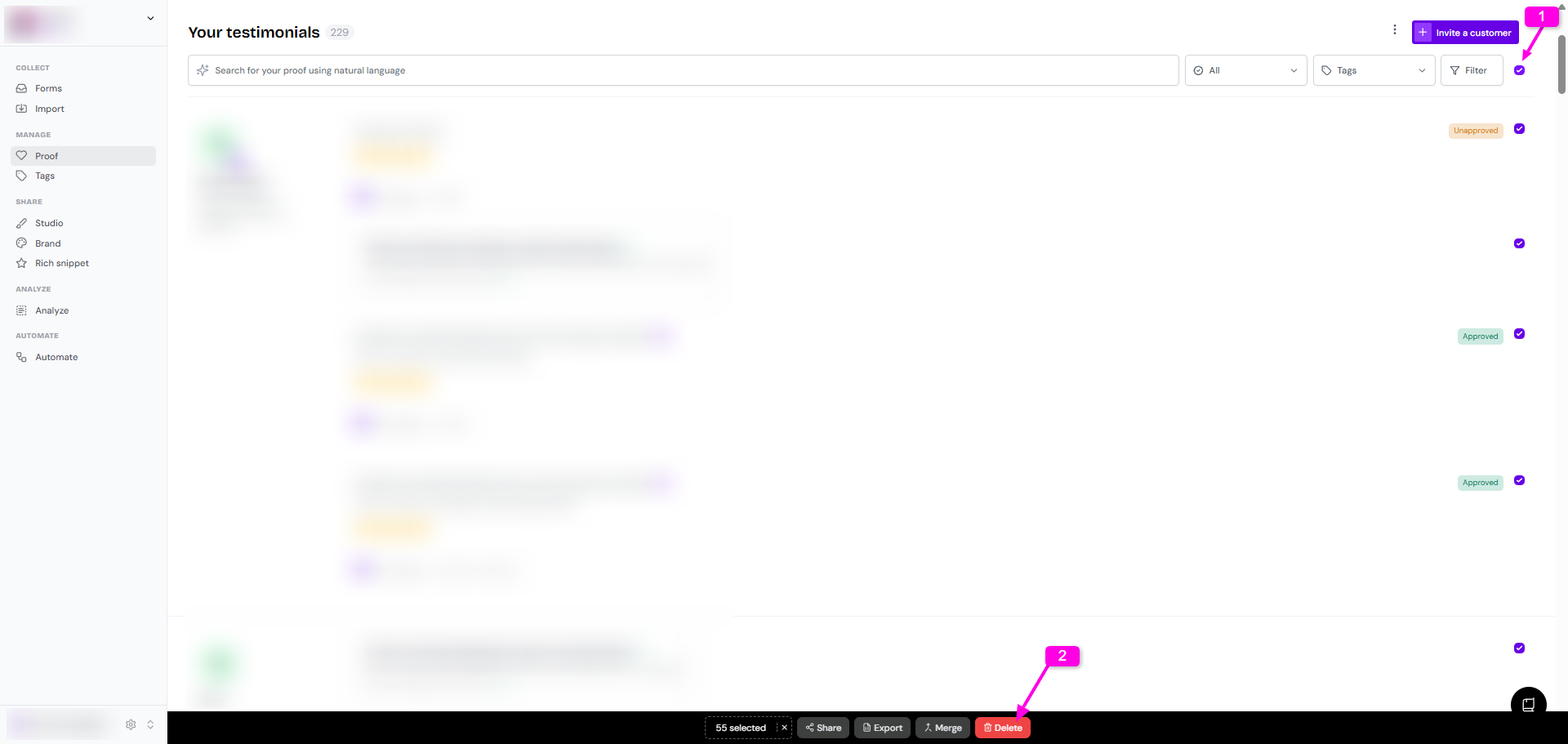
The select-all checkbox only selects testimonials currently loaded on screen. Scroll down to load more, then select those too if needed.