
Troubleshooting Product Hunt import errors
This guide will help you troubleshoot and resolve the "Something went wrong. Contact us..." error that can occur when importing testimonials from Product Hunt. The most common cause of this error is using an incorrect URL format.
This is applicable to any Senja plans: Free, Starter, and Pro.
Why the error happens
The import tool is designed to work with specific Product Hunt page structures.
If you use a general product page or a reviews tab URL, the import will likely fail. You need to use the URL of the specific launch page.
URL is key: Using the correct Product Hunt URL is critical for a successful import. This guide will show you how to find the right one.
Common Import Errors
Wrong URL format error
If you see an error about incorrect URL format, double-check that:
You're using a Product Hunt URL (not Fiverr, personal sites, or other platforms)
The URL follows the correct format
For product reviews
https://www.producthunt.com/products/[product-name]Example:
https://www.producthunt.com/products/followup-by-assetmuleFor launch comments
https://www.producthunt.com/products/[product-name]/launches/[launch-name]Example:
https://www.producthunt.com/products/followup-by-assetmule/launches/followup-by-assetmule-2
There are no extra parameters or tracking codes in the URL
"Contact Support" error message
If you get a generic error asking you to contact support, try these steps:
Verify you're using the correct Product Hunt URL format
Try a different browser or clear your browser cache
Wait a few minutes and try again (temporary API issues can occur)
Use the Chrome Extension as a fallback method
Product-specific import failures
Some Product Hunt pages may have technical issues that prevent importing. If a specific product URL consistently fails:
Try the basic product URL without any extra paths
Use the Chrome Extension method instead
Check if the product page loads correctly in your browser
Troubleshooting
Verify your URL
Navigate to the Product Hunt page for the product you want to import testimonials from
From the product's main page, look for the Launches tab or a link to a specific launch
In this example, you would click on the launch titled The Influencer AI
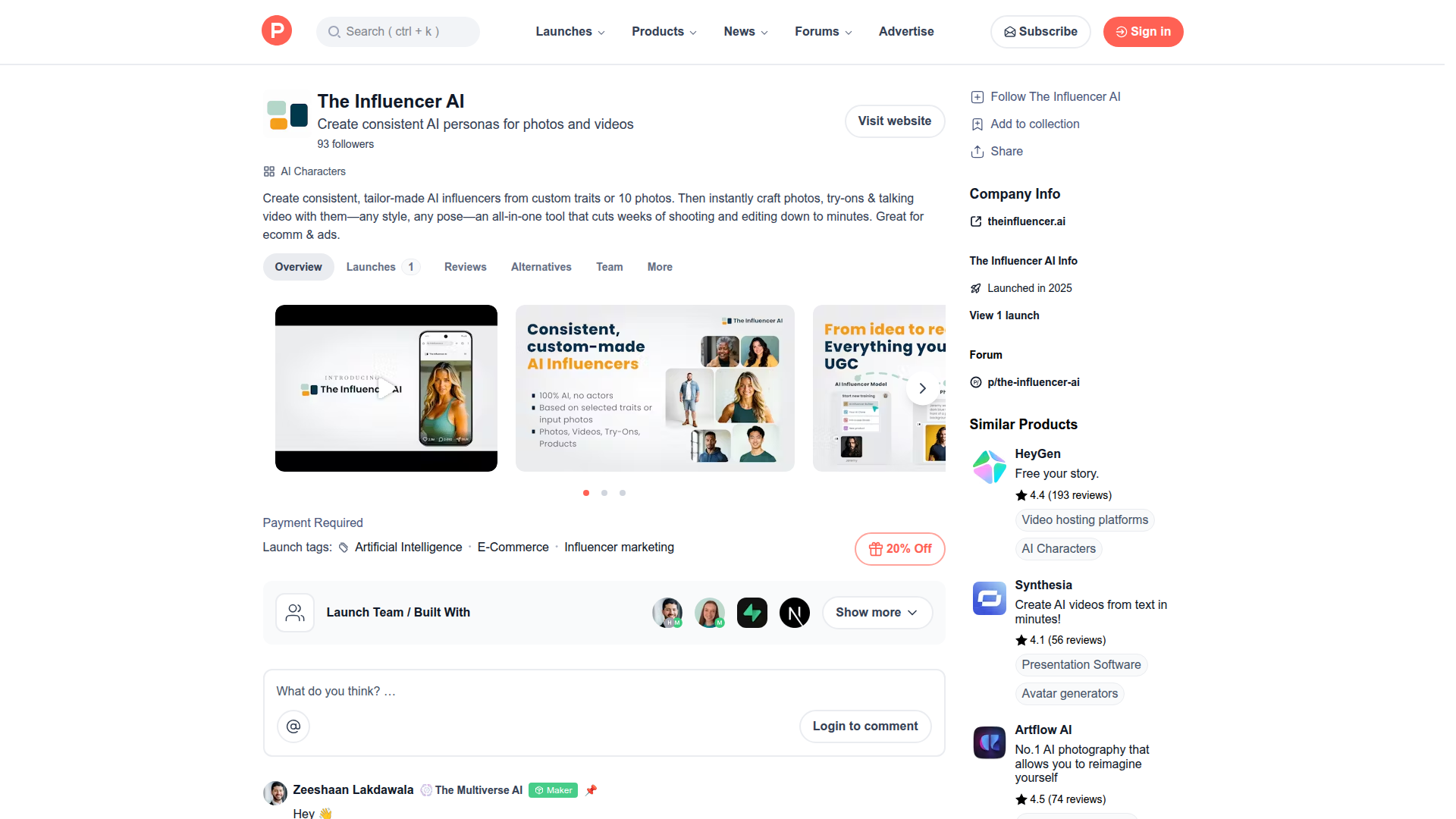
Once you are on the launch page, copy the URL directly from your browser's address bar
Ensure it matches the format requirements
Correct URL format:
https://www.producthunt.com/posts/[product-name]Example:
https://www.producthunt.com/posts/the-influencer-aiIncorrect URL formats:
Product page:
https://www.producthunt.com/products/[product-name]Reviews tab:
https://www.producthunt.com/products/[product-name]/reviews
Try the standard import process
Go to the Import page in your Senja dashboard: https://app.senja.io/import
Select Import from web and choose Product Hunt
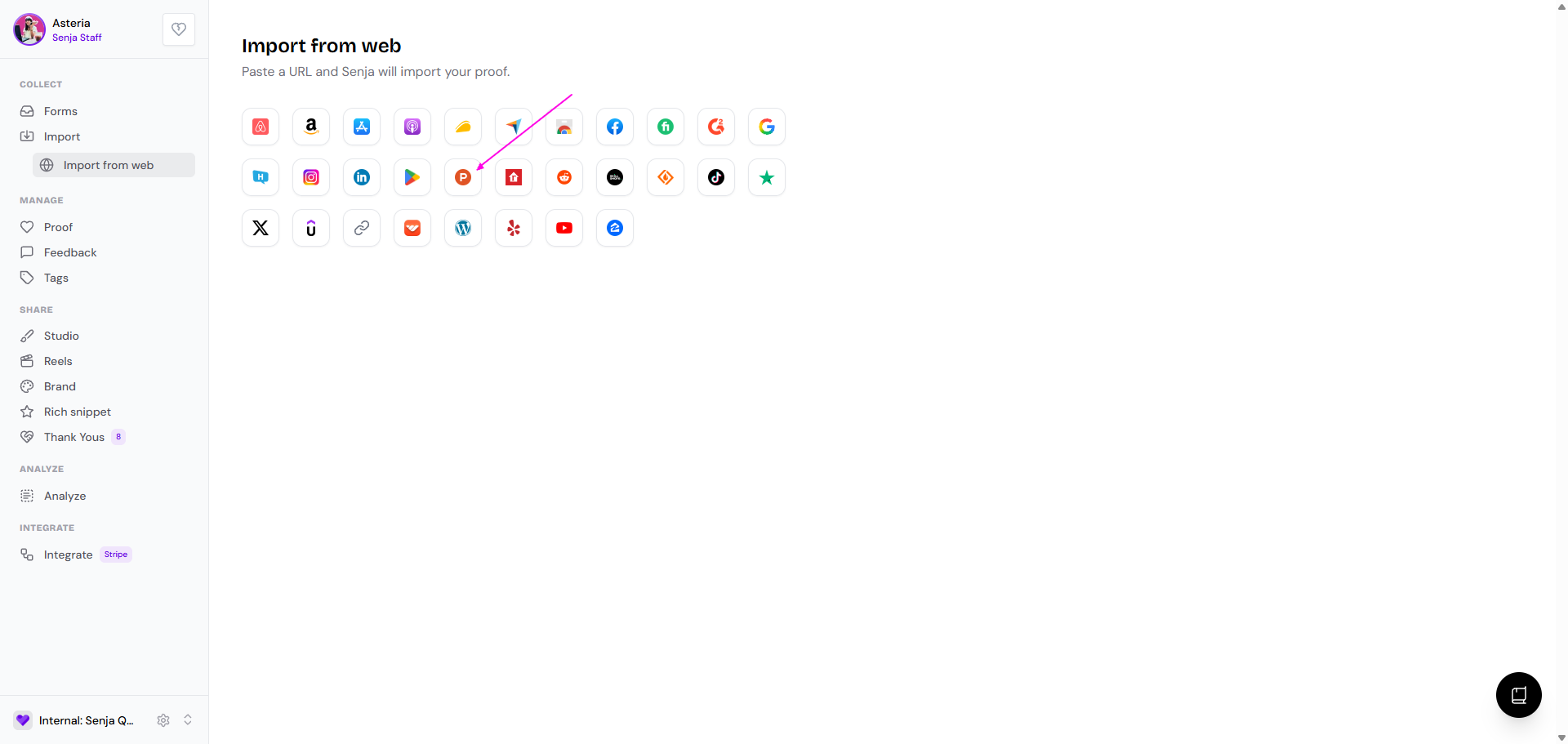
Paste the correct launch URL you copied
Click Import testimonials
Use Senja Chrome extension
The Senja Chrome Extension is an excellent fallback when the standard import process fails.
Install the Senja Chrome Extension
Navigate to the Product Hunt page with the testimonials you want
Open the Senja extension
Choose Product Hunt from the platform dropdown
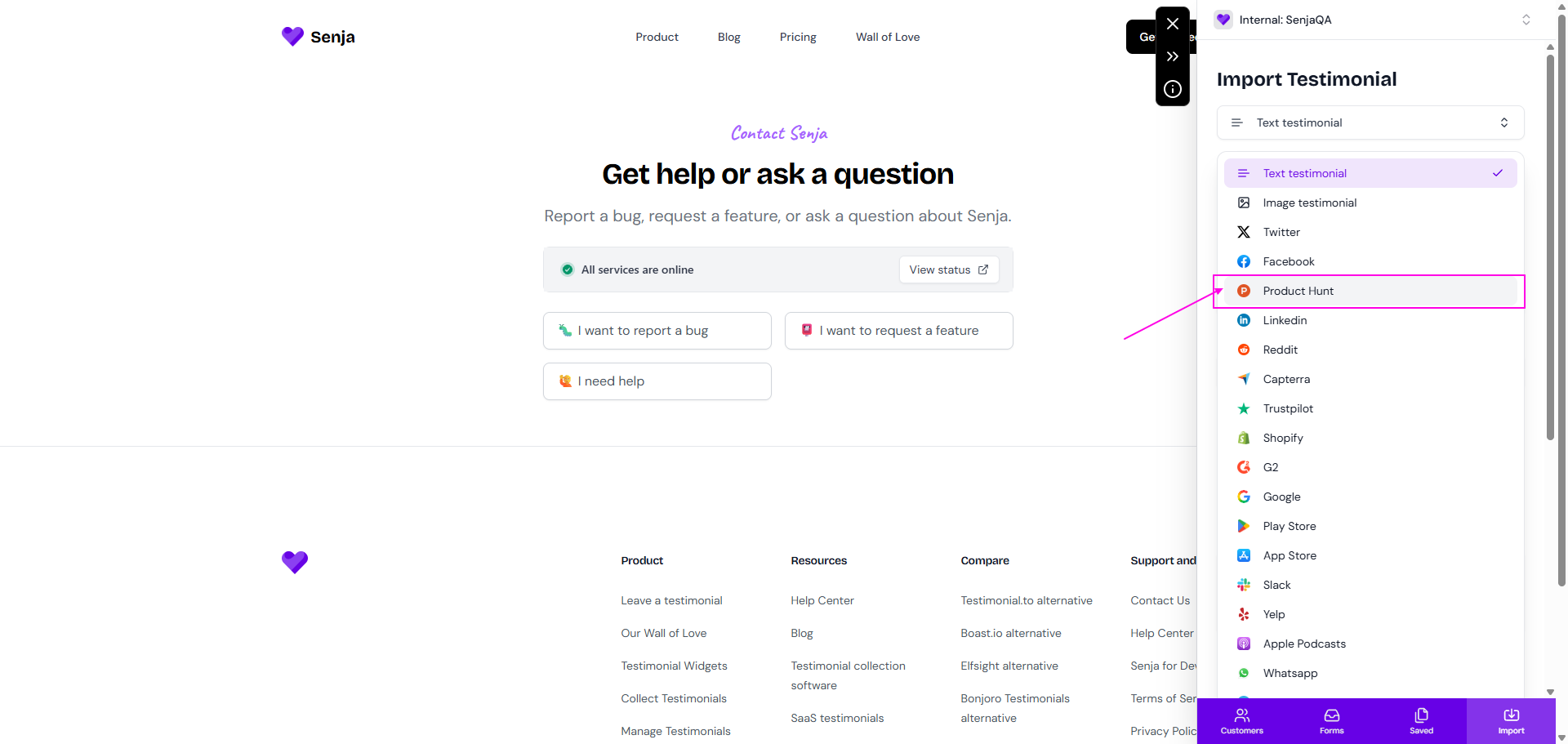
Add any tags if needed
Click Import
The Chrome Extension works by capturing testimonials directly from the page, bypassing potential API issues that might affect the web import.
Browser and device considerations
Some import issues can be browser-specific:
Try using Chrome, Firefox, or Safari
Disable browser extensions that might interfere
Clear your browser cache and cookies
Make sure JavaScript is enabled
When to contact support
You've tried all troubleshooting steps and still can't import
You're getting consistent errors with multiple Product Hunt URLs
The Chrome Extension import also fails
You need help with bulk importing from Product Hunt
When contacting support, please include:
The exact Product Hunt URL you're trying to import
The error message you're seeing
Your browser and device information
Screenshots of the error (if possible)
Most Product Hunt import issues can be resolved using the correct URL format or the Chrome Extension fallback method. Don't let import errors stop you from showcasing your amazing testimonials!