
Troubleshooting video download issues
This guide fixes the most common video download issues. For basic download steps, see How do I download my testimonials?.
If the video downloads but looks blurry or lower quality than expected, see Troubleshooting video quality issues.
This is applicable to any Senja plans: Free, Starter, and Pro.
Chrome only downloads the first video
Chrome blocks multiple downloads by default. Allow them for Senja:
Open Chrome Settings (three-dot menu on the top right → Settings)
Go to Privacy and security → Site settings
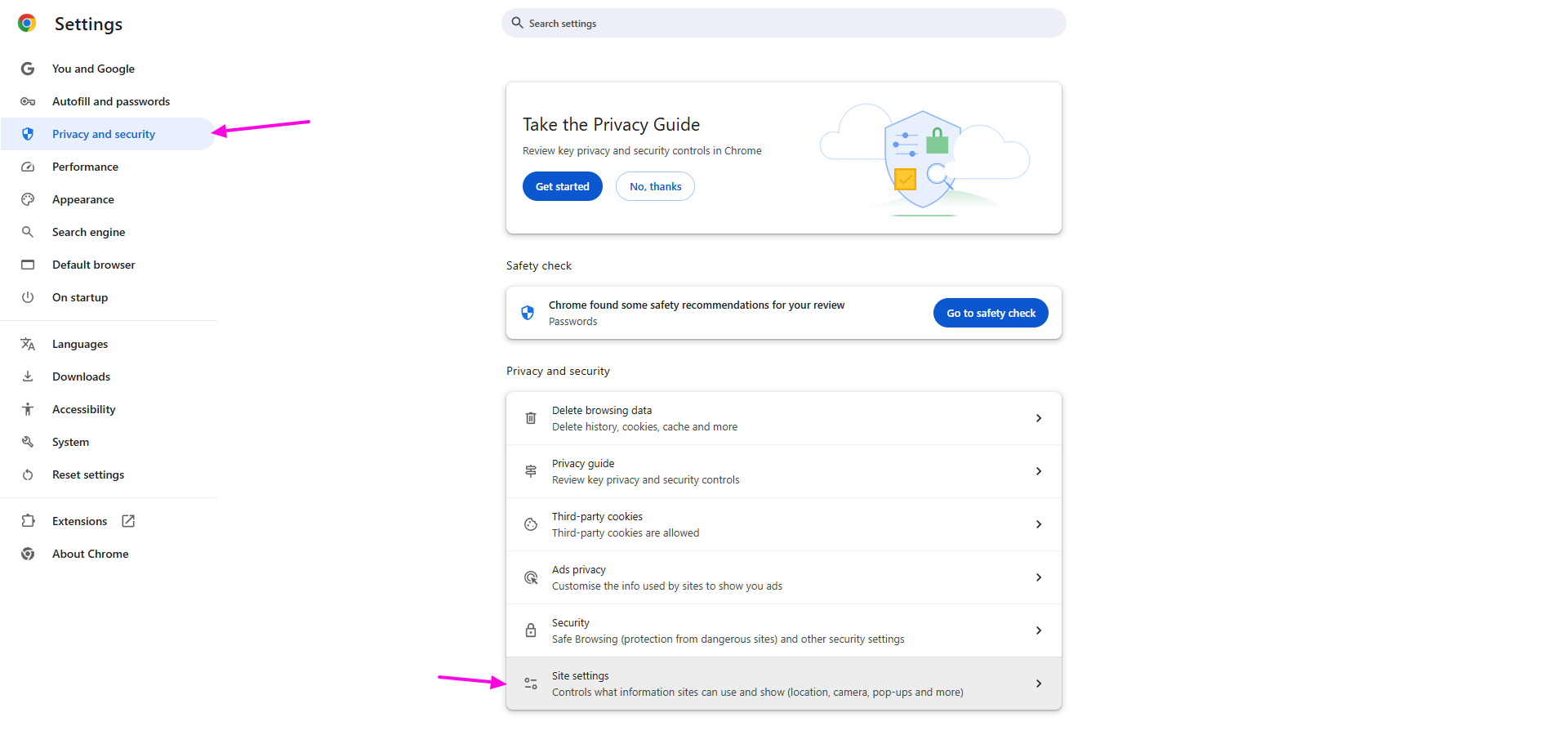
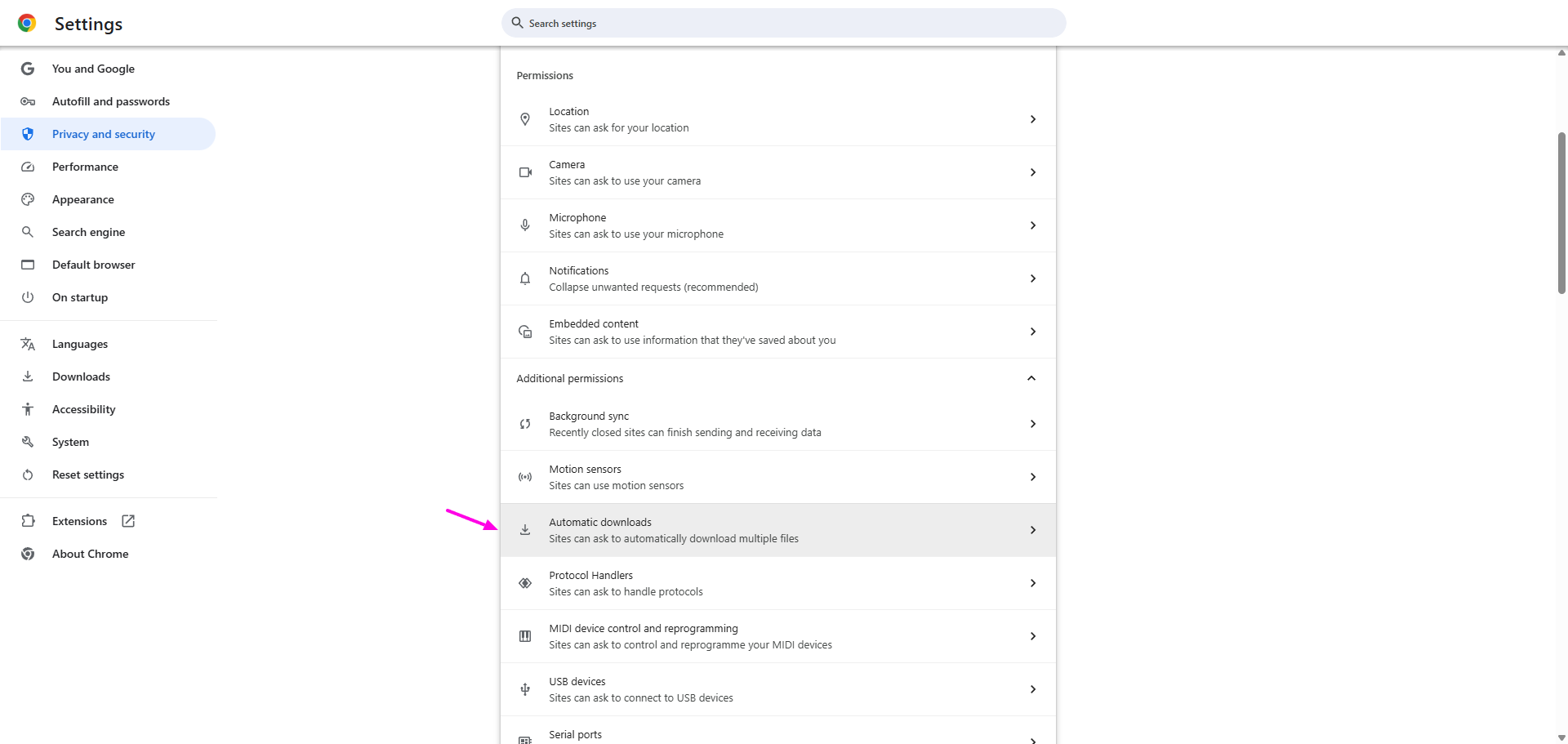
Click Automatic downloads (usually hidden under Permissions → Additional permissions)
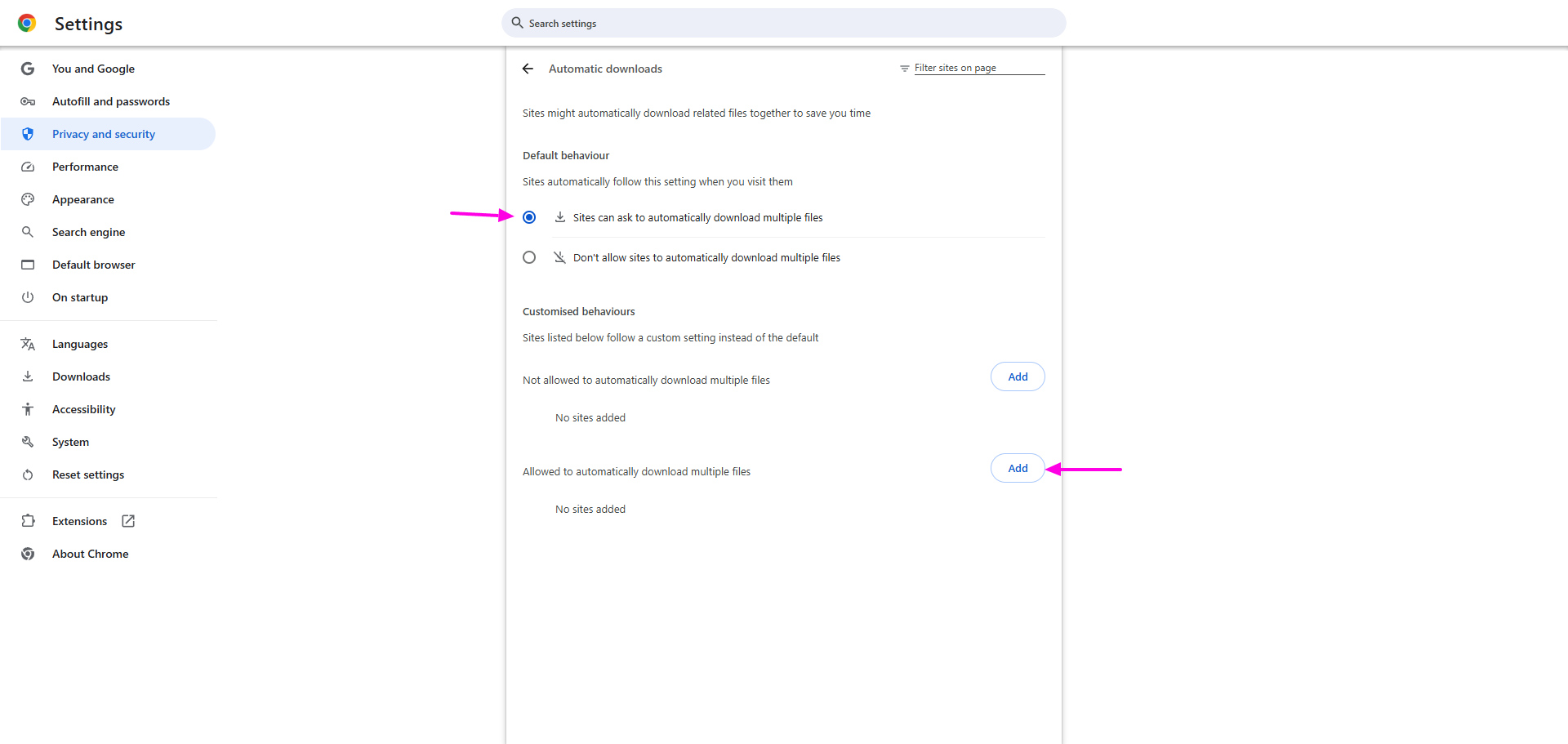
Set the toggle on for Sites can ask to automatically download multiple files or add app.senja.io to the Allowed to automatically download multiple files
Restart Chrome and try again
Getting CSV files instead of MP4 videos
There are multiple scenarios on video download:
MP4 download: directly from Proof page by opening the customer details
CSV download: select testimonials from the main page in Proof page, usually done to export multiple testimonials
Follow the article How do I download my testimonials? to see how it works in details.
If only some videos download, enable multiple downloads in Chrome (see above) and check your internet connection.
Downloads not starting
Check your browser allows downloads and has enough storage space
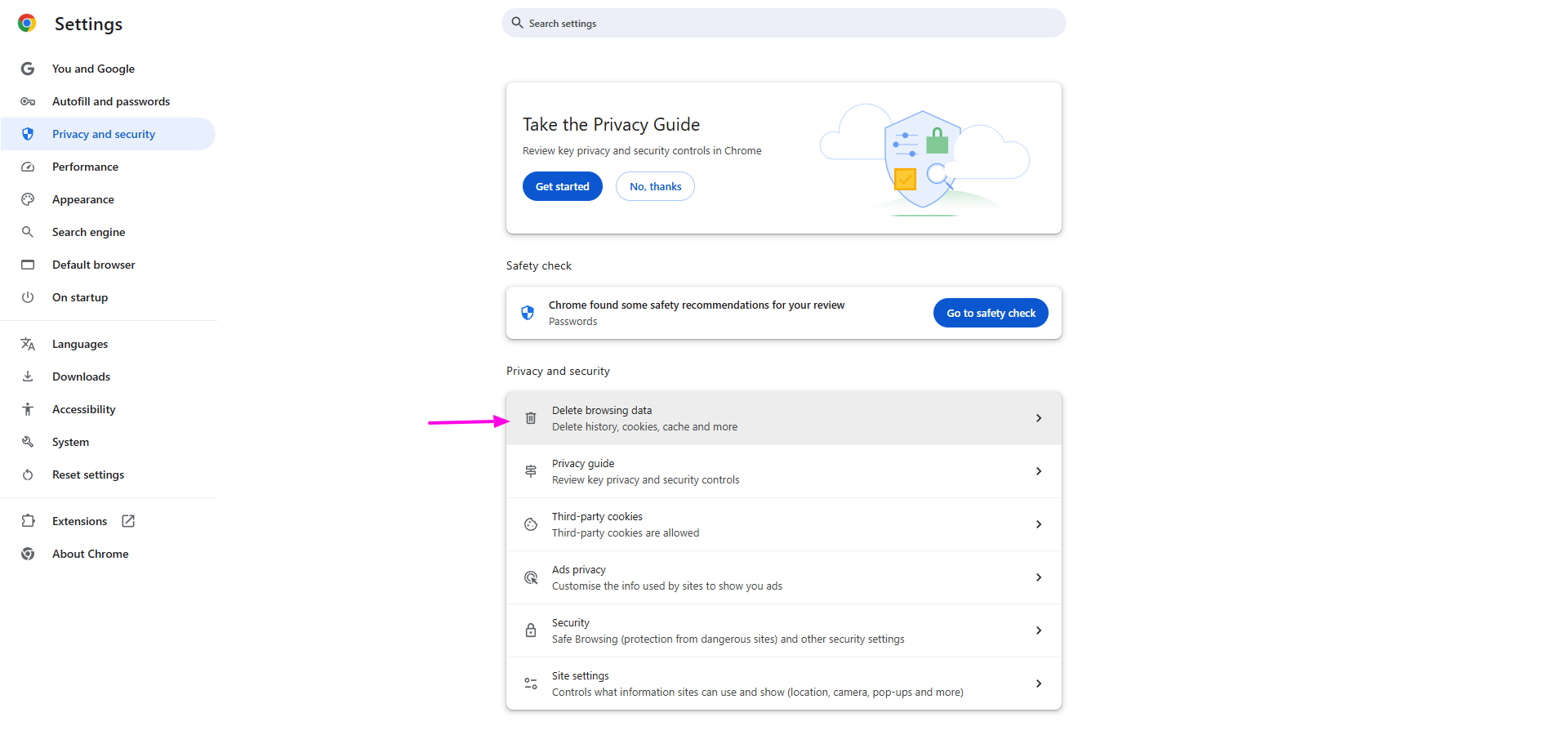
Clear browser cache and cookies (Chrome Settings → Privacy and security → Delete browsing data)
Disable ad blockers or try incognito mode
Try different browsers (Chrome, Firefox, Edge, or Safari)
Check your internet connections, especially on large video files that need a stable connection
Downloads fail or get corrupted
Check your internet connection is stable
Try a different browser (Firefox, Safari, Edge)
Download one video at a time instead of bulk downloading
Download button missing or greyed-out
Refresh the page, sometimes the interface needs to reload to show current options
Confirm it's a video testimonial (not text)
Check your account has download permissions
For bulk downloads, filter by Type → Video and then select the testimonials using the tick box, and then Export (you will get CSV file)
The video is not in HD quality
Starter and Pro plans get HD downloads, and the Free plan gets standard quality (SD)
HD means the original recording - Senja can’t make a video sharper than it was recorded
If the downloaded file has the same resolution as the original (for example, both 1280x960), it’s working as intended
If you upgraded after the video was recorded and the resolution looks the same, the original was recorded at that resolution
See the full guide: Troubleshooting video quality issues
Alternative methods
If standard downloads don't work:
Use the Senja Chrome Extension, see Share and download testimonials with Senja’s Chrome extension
Contact Senja Support for direct video URLs
Right-click the video → Save video as in browser developer tools
Set up Chrome's multiple download settings before you need them, and download regularly rather than in large batches.
Still stuck? Contact Senja Support with your browser type, error messages, and which videos won't download.