
Troubleshooting team member access issue
If you're running into permission limits or seeing content from the wrong project, here's what's going on and how to fix it.
This is applicable to Senja paid plans (Starter and Pro).
I can't add or remove team members
This is a role-permission limit, not a bug. Senja has four role tiers:
Owner: full access, including billing and team management
Admin: can add/remove team members and manage most settings
Editor: can manage testimonials and content, but cannot add or remove team members
Sharer: can only view and share assets (testimonials, widgets, etc.)
Only Owner and Admin can manage the team. If you're on Editor or Sharer, you cannot add or remove team members.
Ask your Owner or Admin to make the change following the guide How do I add or remove team members in my project?
I see the wrong company's content when I log in
The most possible explanation is that you have multiple projects. You might just be viewing the wrong one, you're not losing any content.
When you signup personally to Senja, you will be prompted to provide a project name, slug, and website
If then you're invited as a team member, your next login might direct you by default to your personal project, not the invited project
Use the project switcher to see the full list of projects you have access to
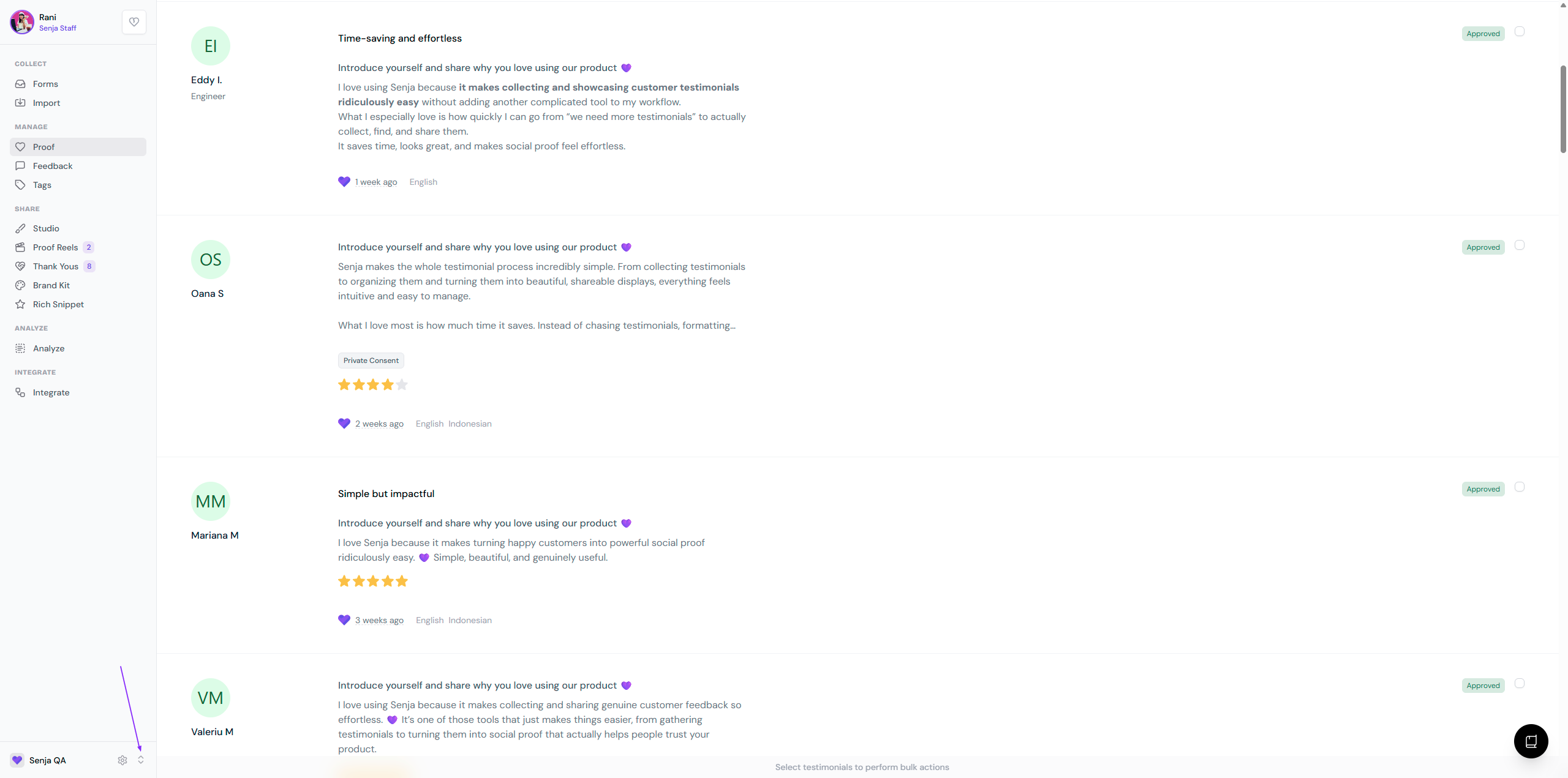
Rename your personal project to avoid confusing it with a client/company project, and make sure you're on the right project before logging off, so it loads correctly next time.