How do I remove customer email address?
When you're setting up your form to collect customer'e email address, this information will be displayed on the customer page in your Proof page. You can remove it following this guideline.
This is applicable to any Senja plans (Free, Starter, and Pro).
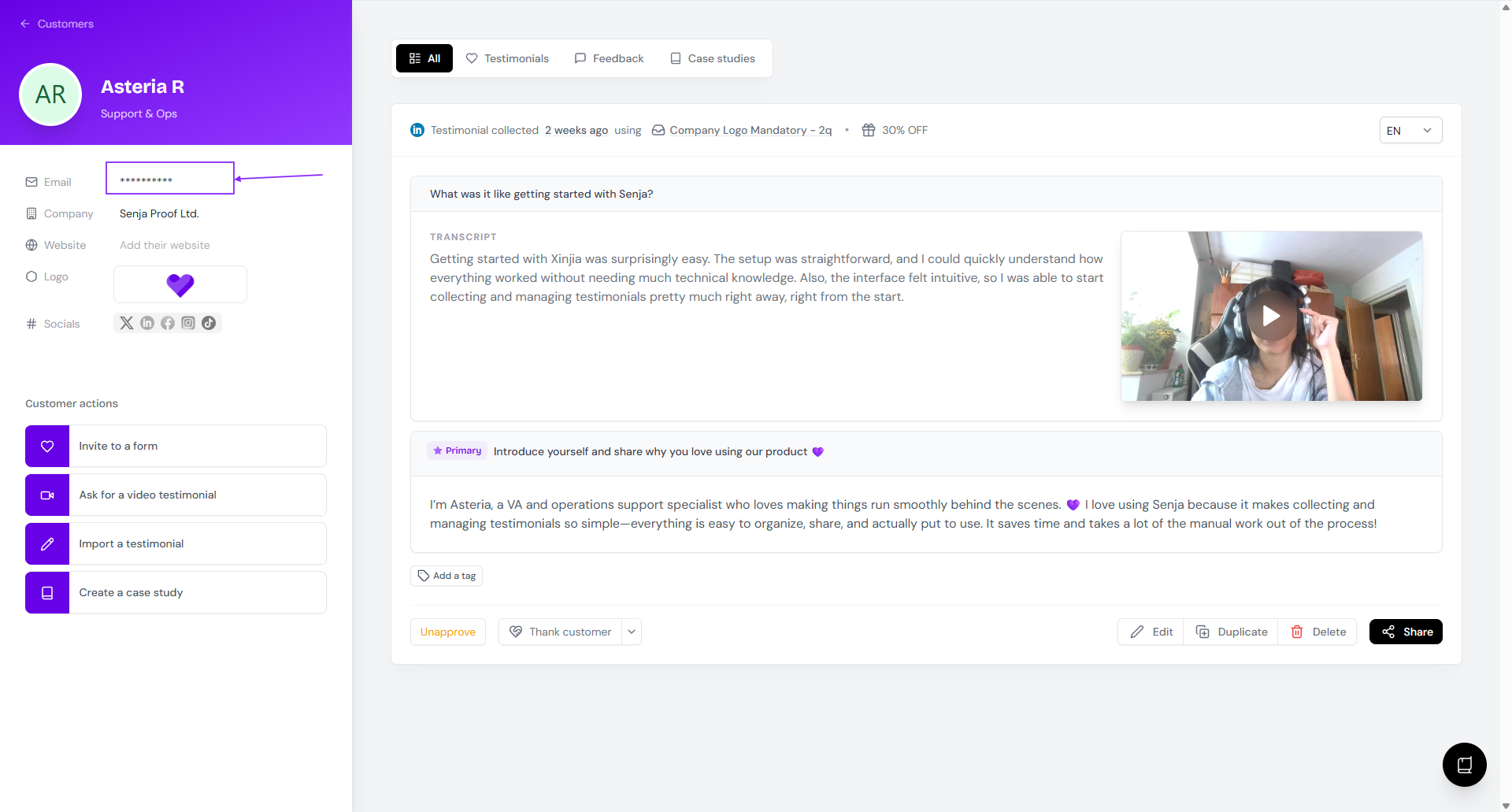
Remove email address from Proof page
Go to your Proof page: https://app.senja.io/
Choose the testimonial/customer you want to update
Delete the email address that is shown in the customer's details
Remove email address from the Form
You cannot remove email address from your Form
All information submitted by your customers via form is not collected in the Forms page, but in the Proof page
Follow the steps from Removing email address from Proof page above to remove the email address from your customer's details
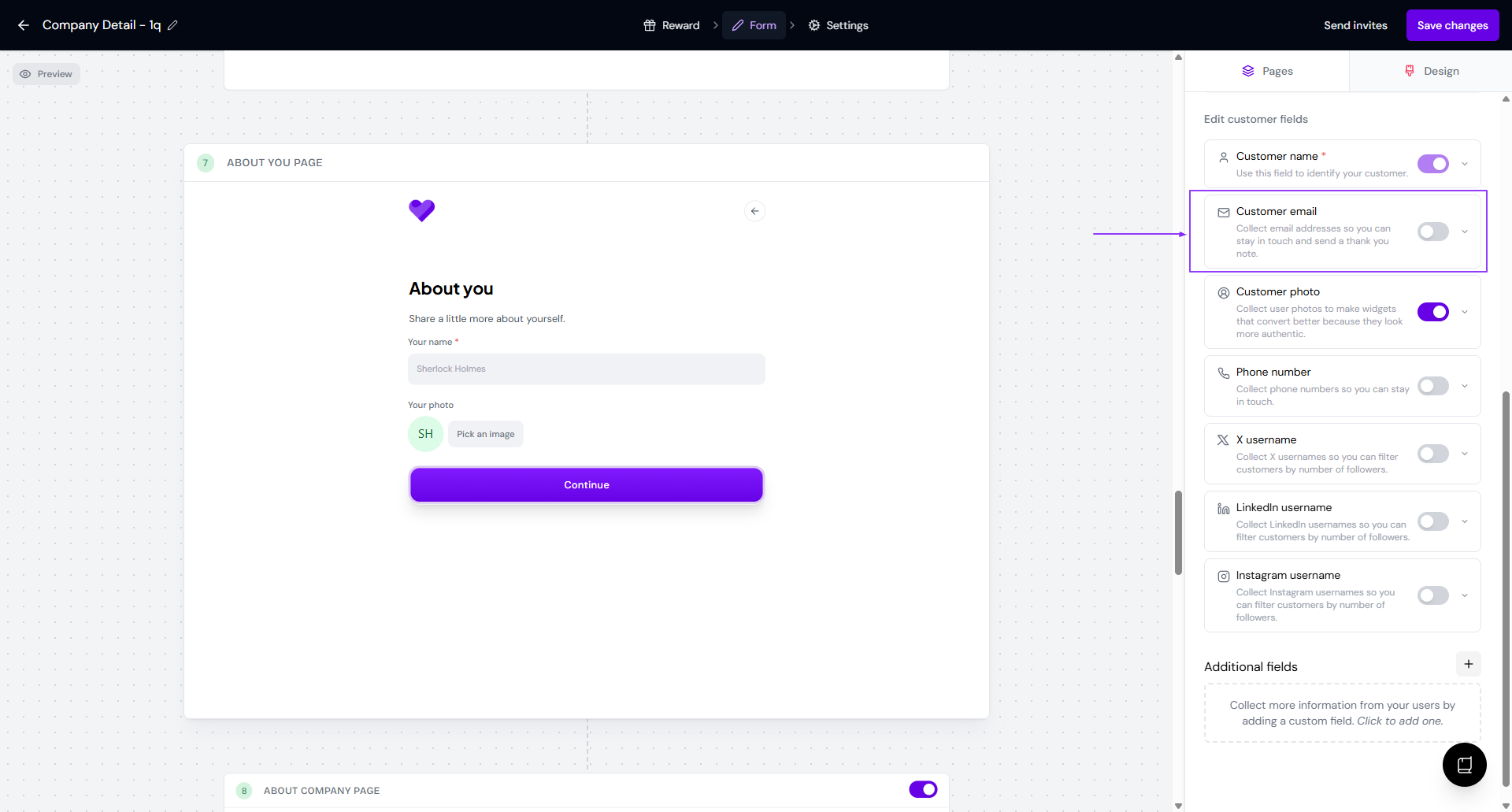
Stop collecting email address from the Form
Open your form in the Forms page: https://app.senja.io/forms
Go to Form tab, scroll down to About you page
Disable the Customer email by setting the toggle off