
How do I add a rich snippet?
A rich snippet shows your star rating in Google search results, just below your page title. It helps your page stand out and can get you more clicks.
Rich snippets need a Pro plan. Upgrade here.
Add a rich snippet
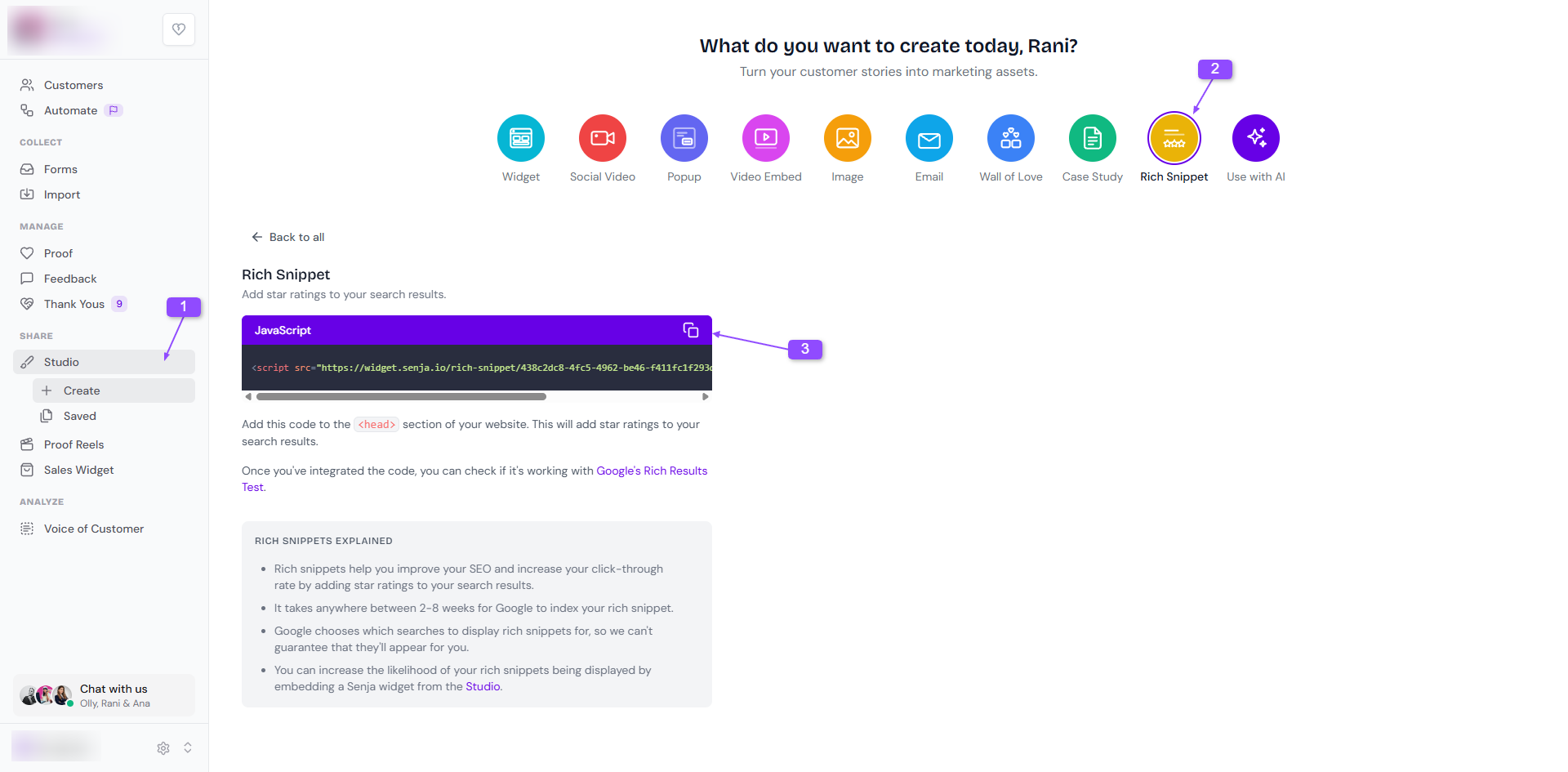
Go to Studio → Create: https://app.senja.io/studio
Click Rich Snippet
Copy the code snippet
Paste it between the
<head>and</head>tags of the page where you want your rating to showPublish your page
Check it's working
Paste your page URL into Google's Rich Results Test to check Google can read your rating
Google decides when to show rich snippets, so it can take a few days or weeks for the stars to appear in search results, and they aren't guaranteed
Not sure where the <head> tag is on your website builder? Contact Senja Support and we'll help you out.
Was this helpful?
Was this helpful?