
How to regenerate API key
If you've accidentally exposed your API key — shared it publicly, committed it to a repo, or just want to reset it — you can generate a new one from your Senja account.
This feature is available on any Senja plans: Free, Starter, and Pro.
Why would I need to do this?
You accidentally shared your key publicly (e.g. in a screenshot, a forum post, or a public repo)
You think your key may have been compromised
You want to revoke access from a tool you no longer use
How to rotate your API key
Go to Integrate page in your Senja account: https://app.senja.io/integrations
Click the API tab
Click the rotate button
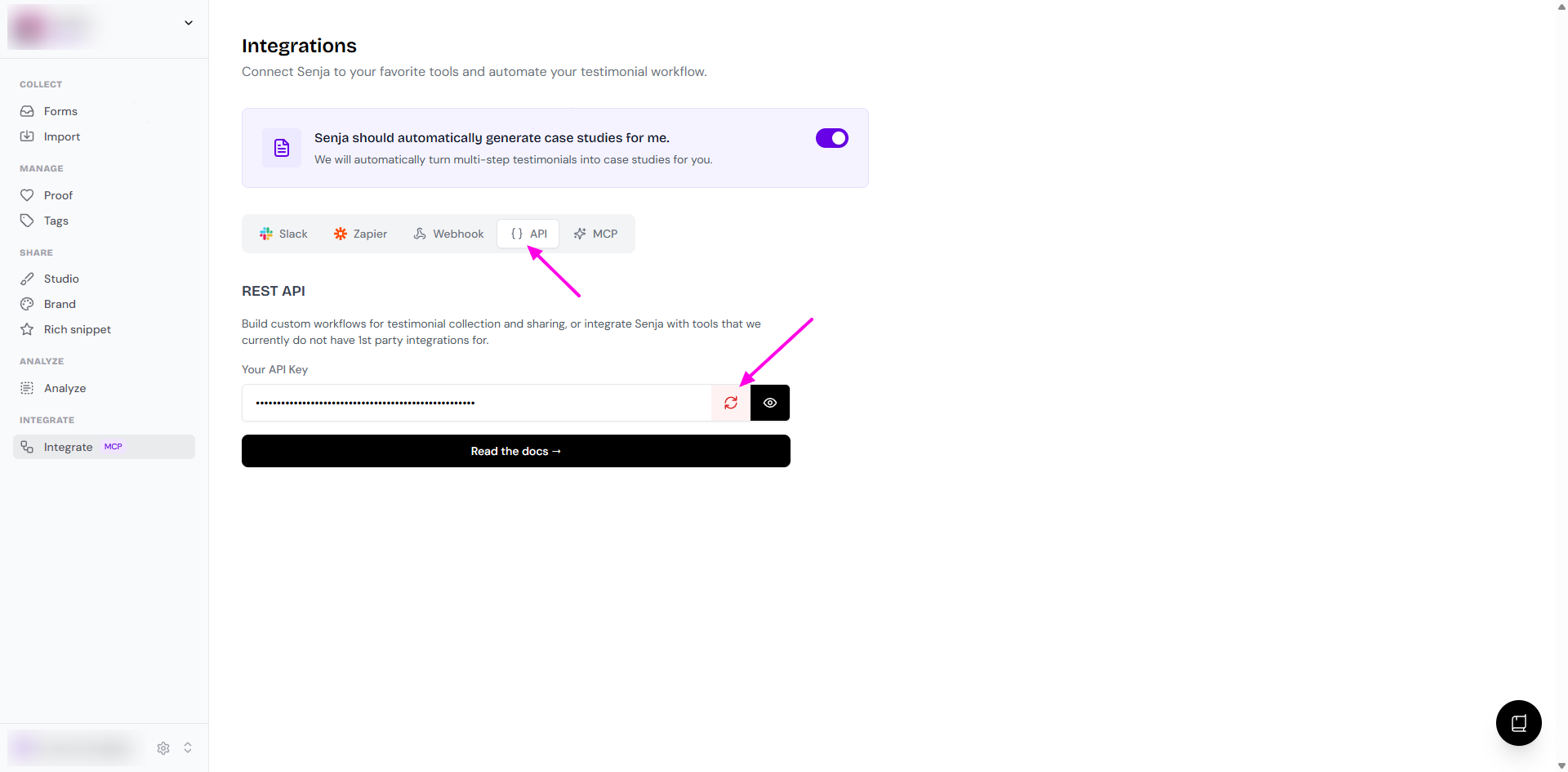
Your old key is immediately invalidated
Copy and save your new key somewhere safe
Important: update your integrations
Once you rotate your key, any tools or apps using the old key will stop working straight away. Make sure to update the API key in:
Any Zapier or Make scenarios using the Senja API
Custom integrations or code that uses your key
Any third-party tools connected to Senja