
Where can I see my customer's company details?
In Senja, you can collect and see the company details of your customers: their job title, company name, website, and company logo. This guideline will show you how you get those information and where to find it.
This is applicable on any Senja plans: Free, Starter, and Pro.
Collecting company details
Asking for company details via forms
Go to your Forms page: https://app.senja.io/forms
Open your form or create a new one
Go to Form tab, scroll down to About company page
Set the About company page toggle on
Edit the company fields as you like from the right side bar
Available fields: Job title, Company, Website, and Company logo
You can also add Additional fields
Toggle the fields off if you want to remove it from the form
Tick the Required checkbox if you want to put this field as mandatory
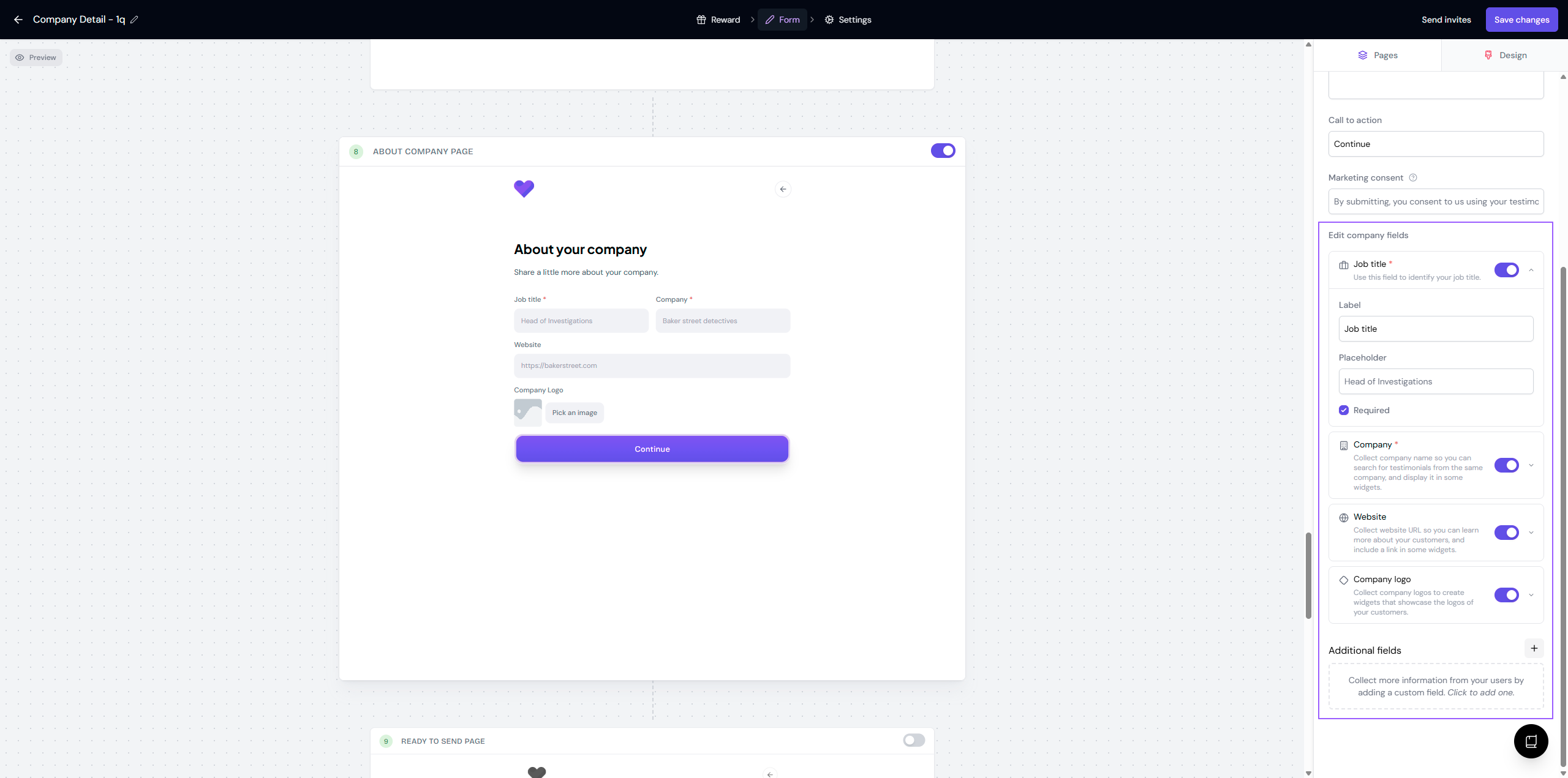
Click Save changes when you're done
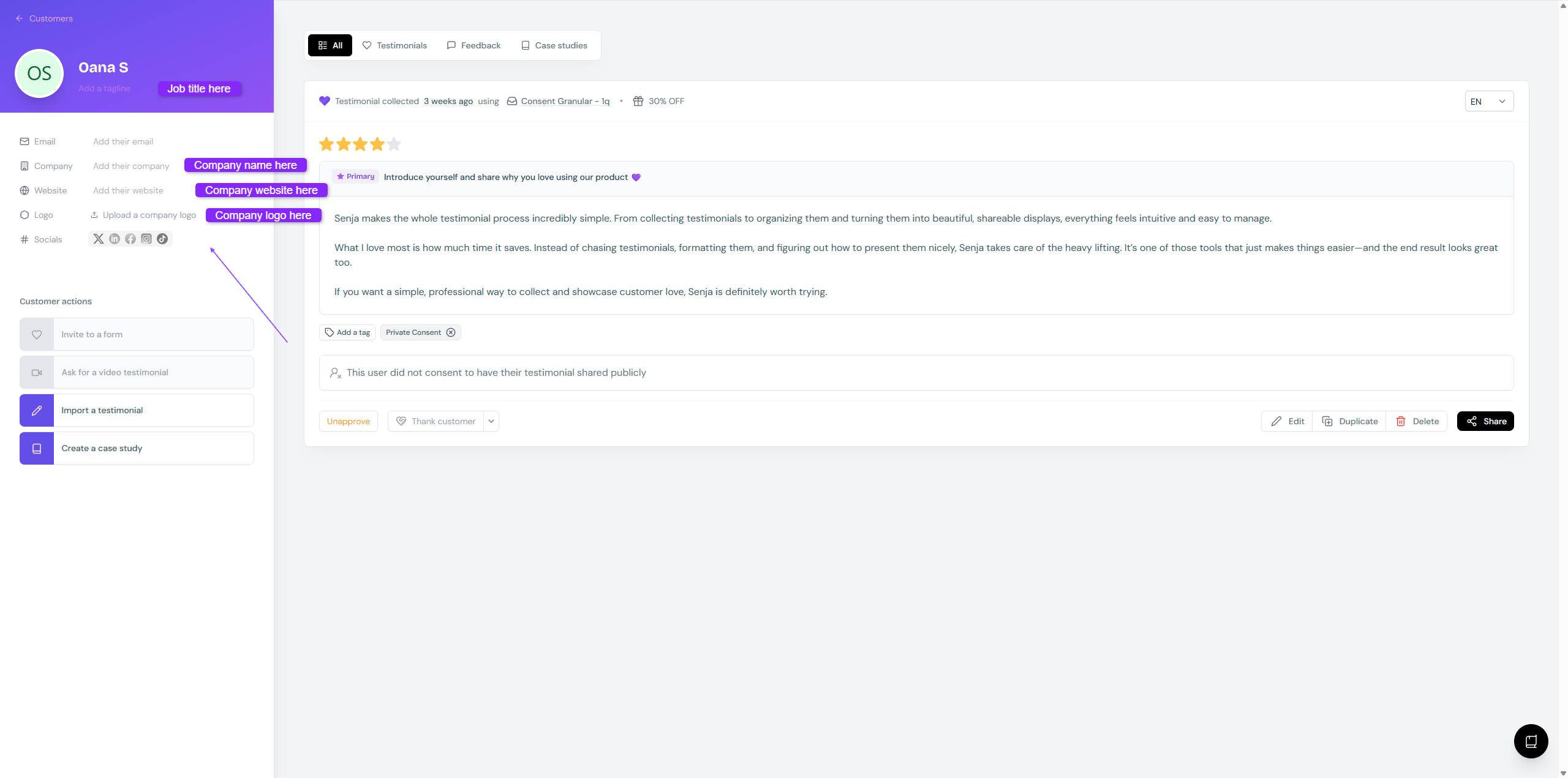
Adding company details manually
Go to your Proof page: https://app.senja.io/
Click on a testimonial to open the customer's page
Add the details manually on the left side bar
Displaying company details
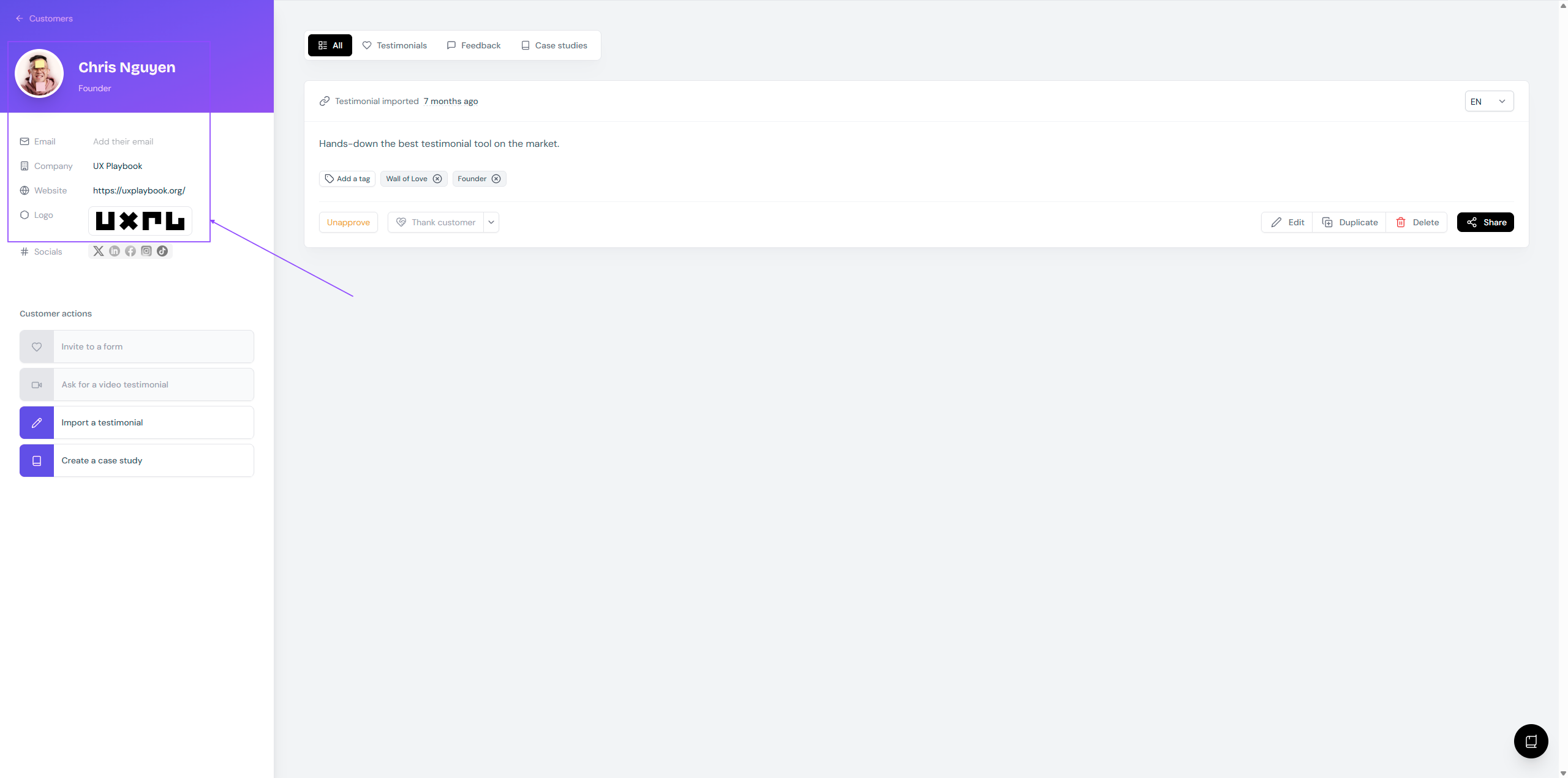
For internal view
Go to your Proof page: https://app.senja.io/
Click on a testimonial to open the customer's page
You will see the information on the left side bar
For external view
You can show the company details of your customers in widgets (job title and company logo) and Walls of Love (job title, company name, and company logo).