
How do I download my video testimonials?
You can download video testimonials in your Senja dashboard that are coming from any sources. Please note that you cannot download the multipart video (the auto-merged version that is coming from form with multiple questions).
This is available on all Senja plans. Free plan will give SD quality and the paid plan (Starter and Pro) will download the videos in HD quality.
Download video(s) from 1 testimonial
Go to your Proof page: https://app.senja.io/
Choose the testimonial with the video(s) you want to download
On the customer page modal, click Share
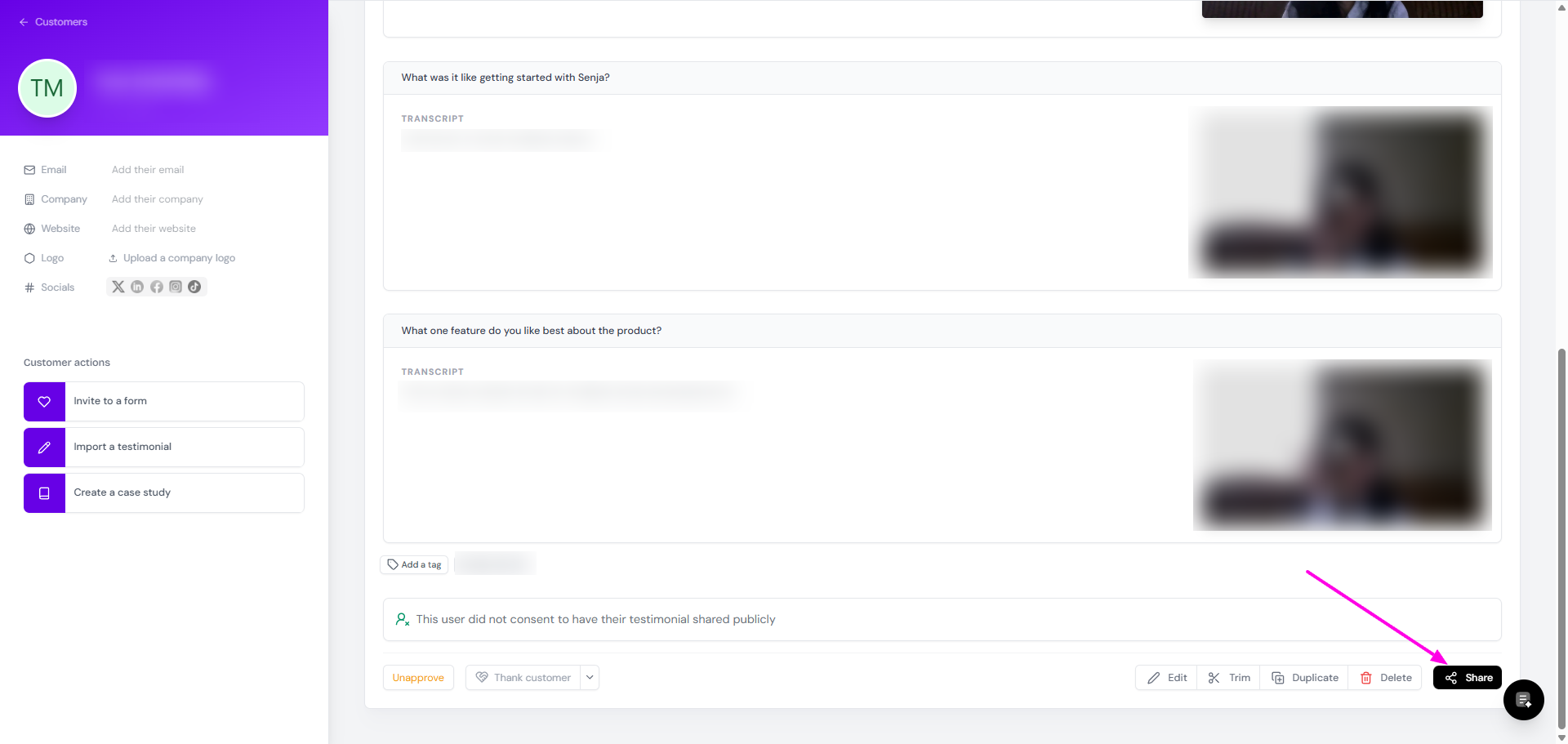
Click Download videos
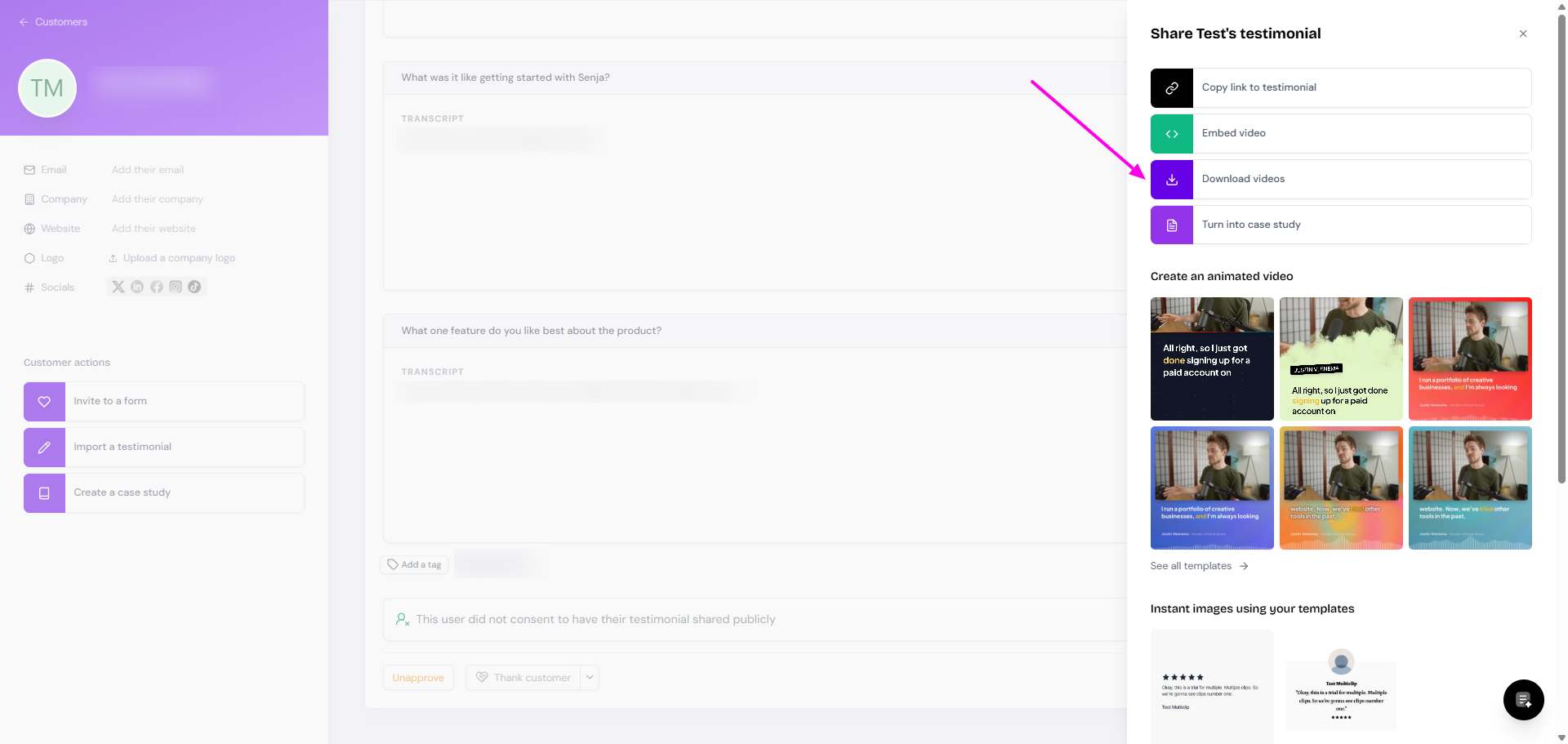
If you have more than 1 videos in that testimonial:
Only individual videos are downloaded
The multiclip (auto-merged version) is not included
Downloading video coming from non-primary form response
If you create a form with multiple questions and your customers respond with text on the primary question and with video on the non-primary question(s), you will not find the video download button like how it's shown above.
Here's how you download the video:
Go to your Proof page: https://app.senja.io/
Click the check-box next to the testimonial you want to download
A popup toolbar will appear in the bottom, click Export
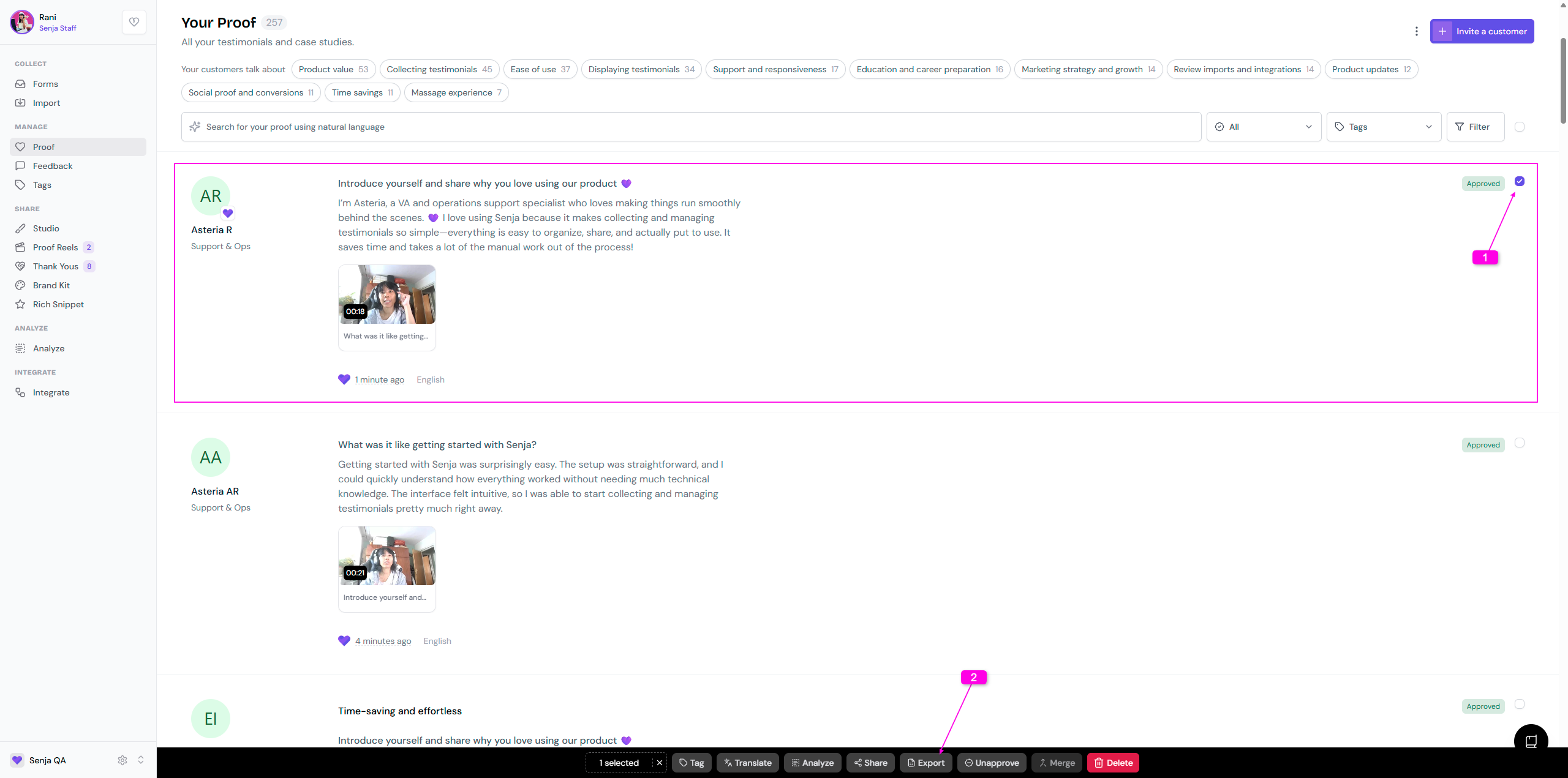
The testimonial will be exported as CSV
The text testimonial from the primary question will be under text column
The video testimonial from the non-primary question will be under video_mp4_url column, click the link to download
If you have multiple videos, all links will be in 1 cell, separated by comma
Download videos in bulk
Go to your Proof page: https://app.senja.io/
Click the Filter button
The filter sidebar will show on the right side
Click on the Type filter, set it to Video
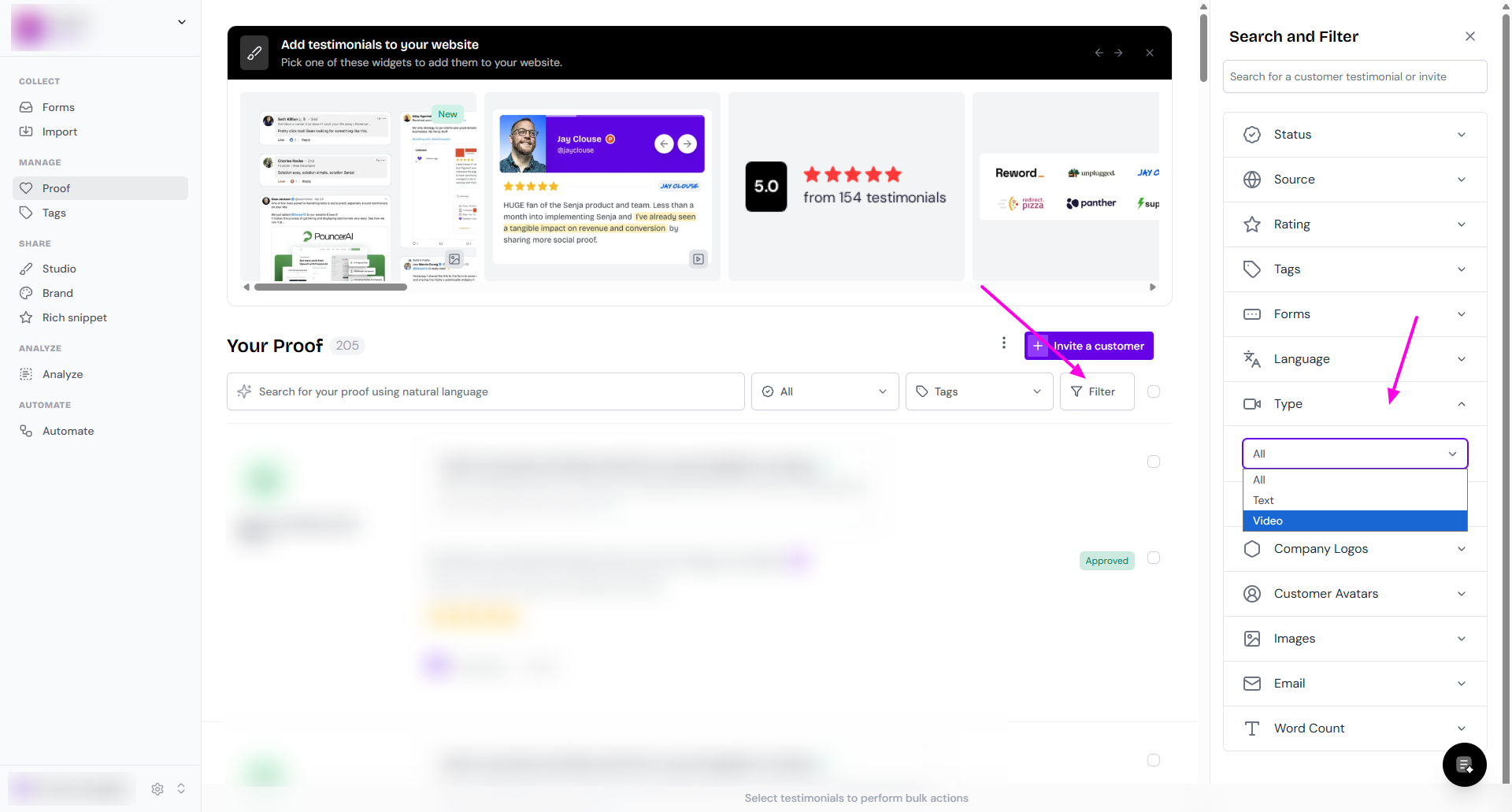
Now your Proof page will show only the testimonials with video
Click the check-box next to Filter
You can also select the testimonials one by one
A popup toolbar will appear in the bottom, click Export
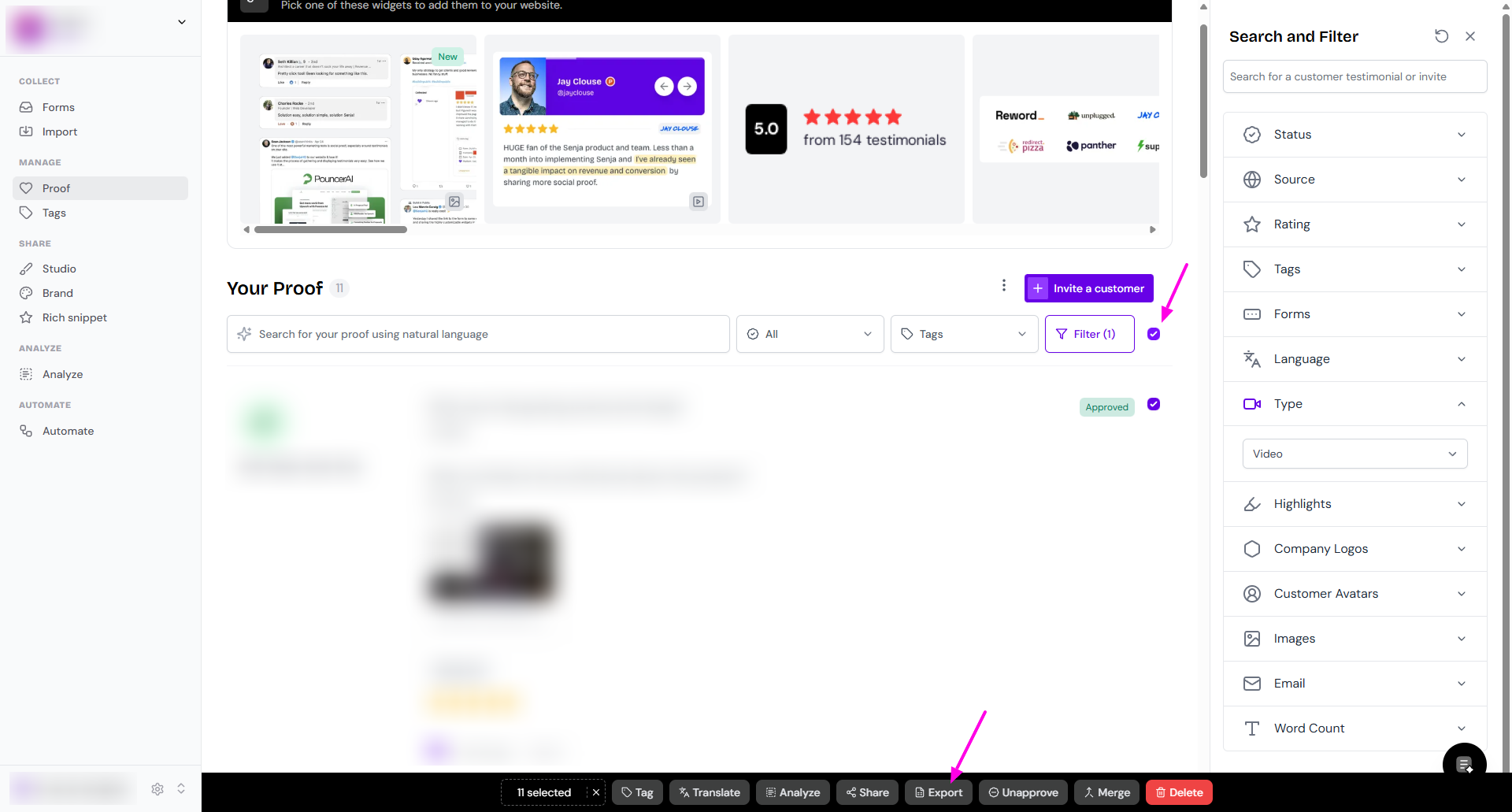
All videos will be exported as CSV
1 testimonial = 1 line
You'll get the link to the video
If you have multiple videos in 1 testimonial, all links will be in 1 cell, separated by comma
The multiclip (auto-merged version) is not included

If you encounter any problems with video downloads, see Troubleshooting video download issues.