
How to add tags to multiple testimonials at once
Bulk tagging lets you apply the same tag to multiple testimonials at once, saving time when organizing your proof.
This feature is available on any Senja plans: Free, Starter, and Pro.
Add tags to multiple testimonials
Go to the Proof page in your dashboard: https://app.senja.io/
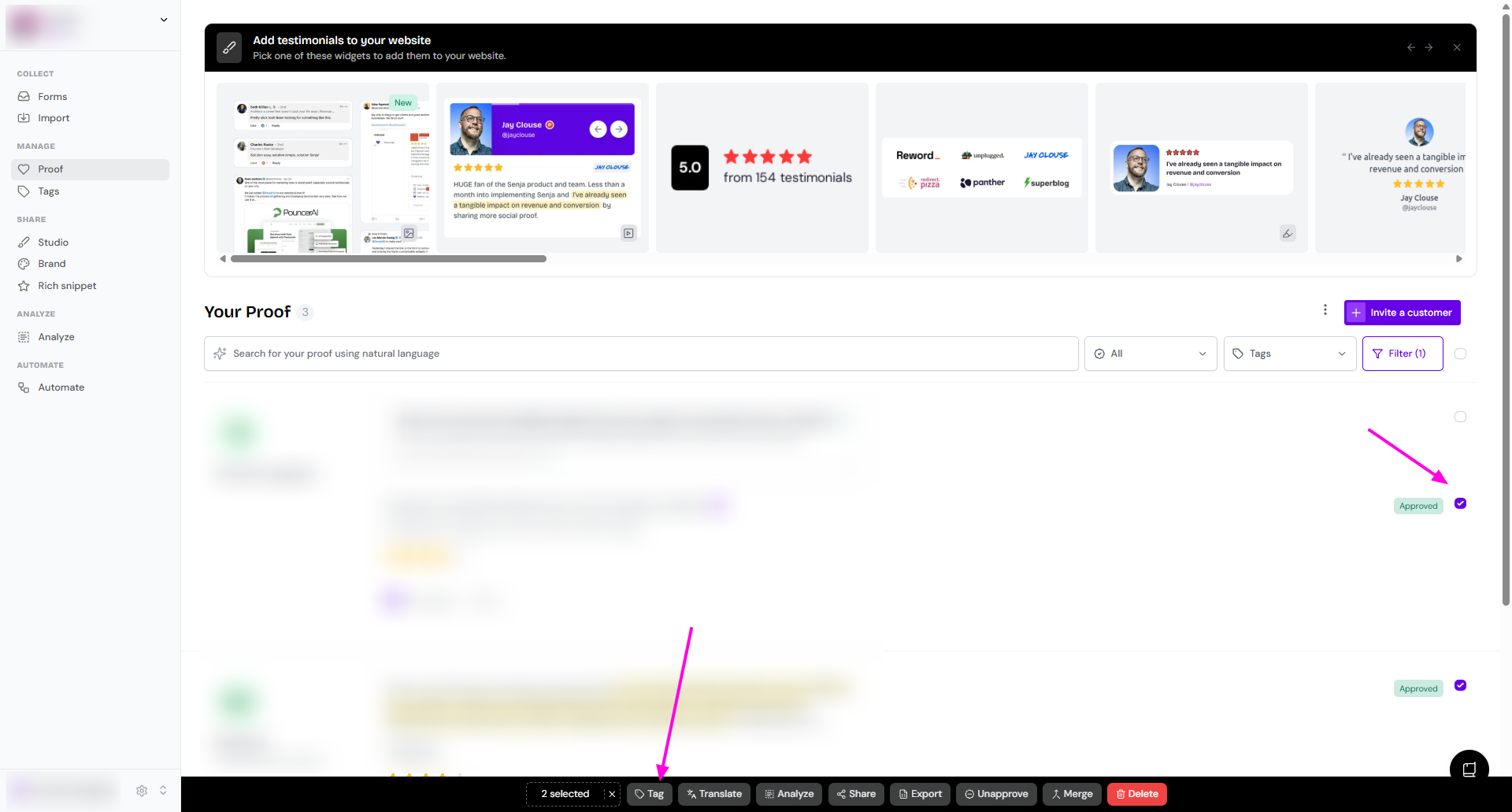
Select the testimonials you want to tag using the checkbox
Click Tag on the popup toolbar in the bottom
Choose the tag(s) you want to apply
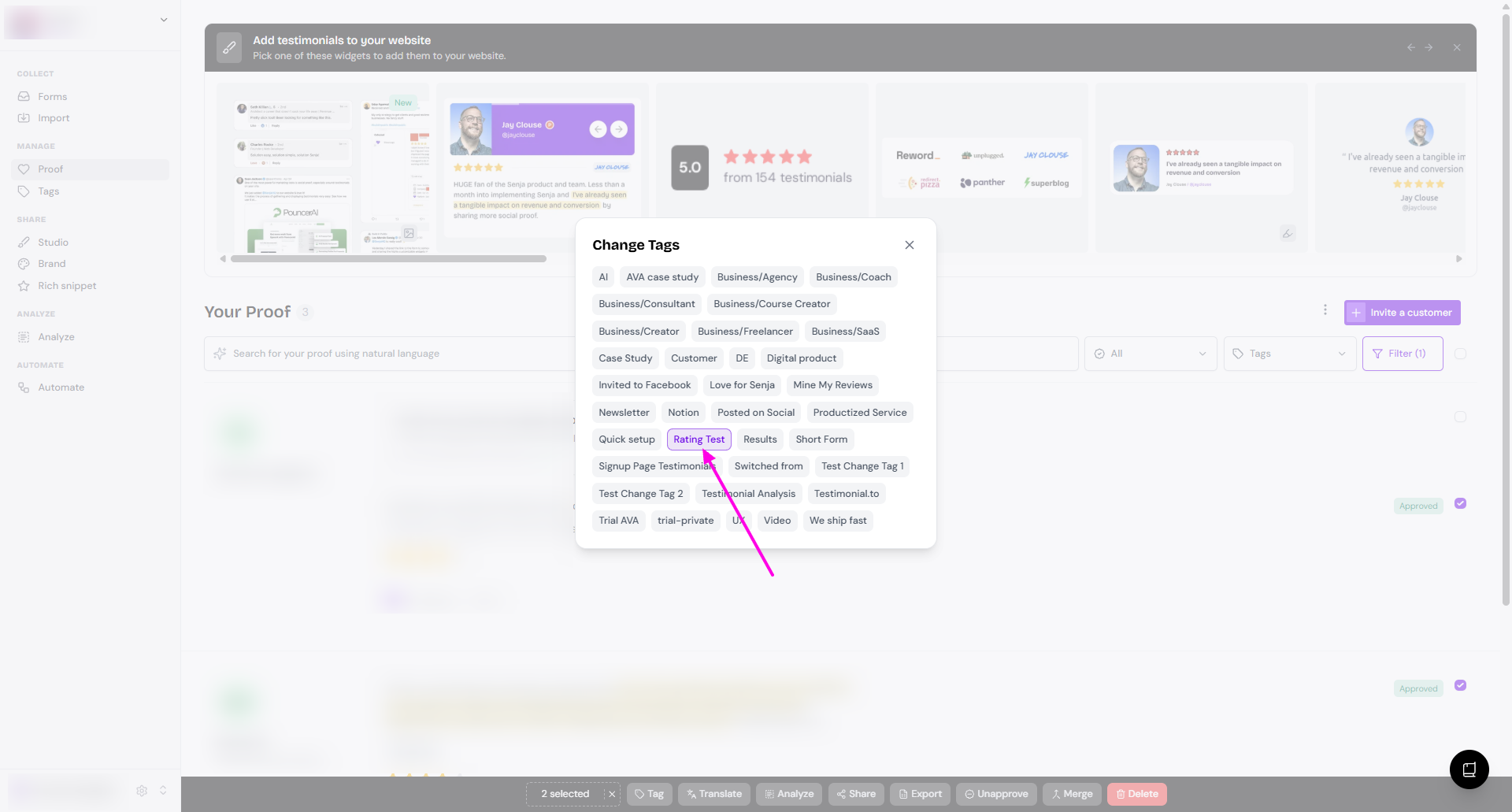
You can't create new tags on the fly while bulk tagging. You need to create it from the Tags page following the guide How do I use tags?
Was this helpful?
Was this helpful?