
What are testimonial highlights? How do I add them?
Testimonial highlights are a way of highlighting text in a testimonial that shows when you share it. This allows you to showcase (aka highlight) critical information, and improves scan-ability for the reader when you have a lot of testimonials. You can read our guide to highlighting testimonials.
This feature is available on any Senja plans: Free, Starter, and Pro.
Add highlights to your testimonials
Follow the steps below or see the guides here.
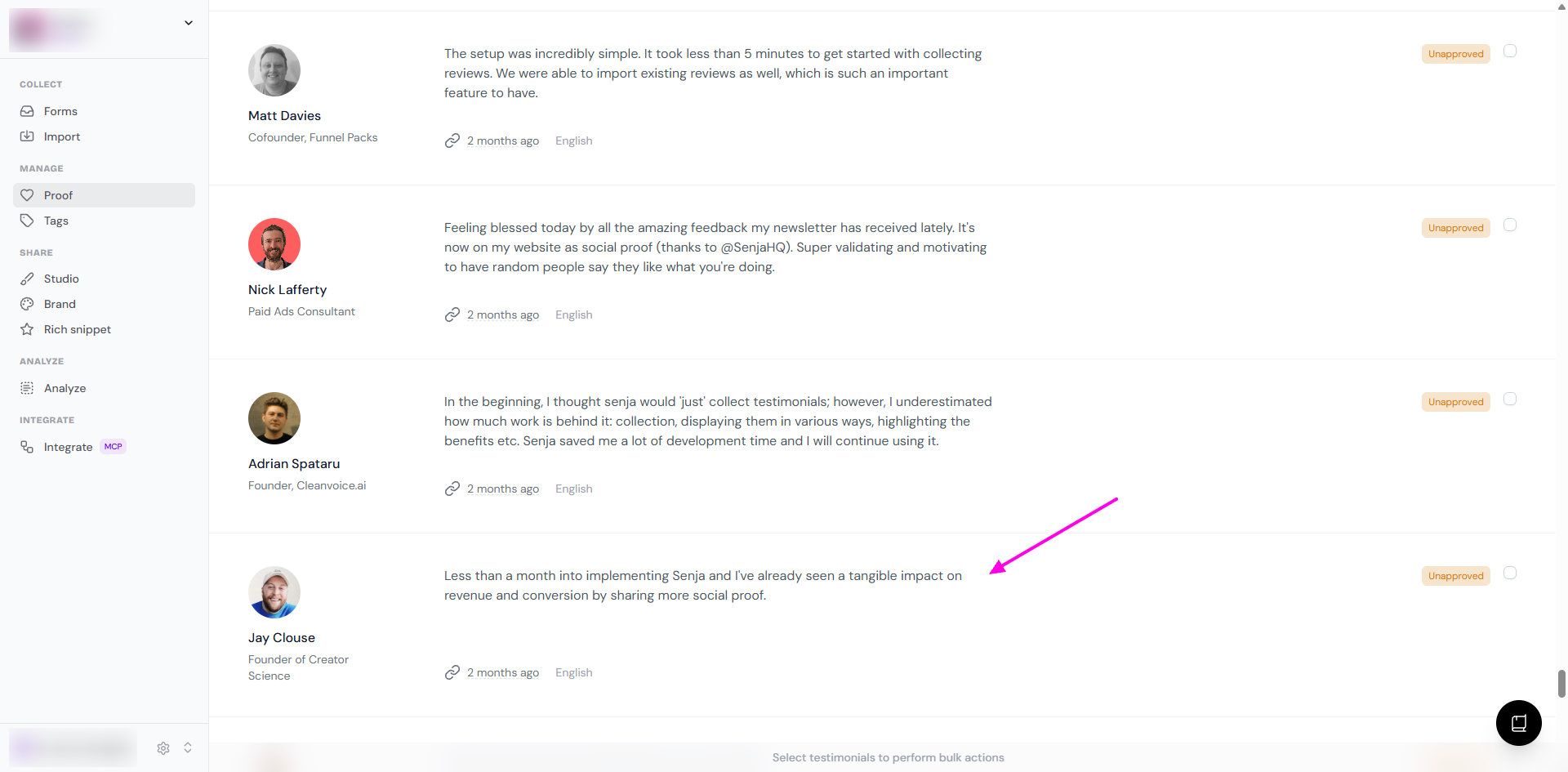
Go to your Proof page: https://app.senja.io/
Click on the customer/testimonial that you want to edit
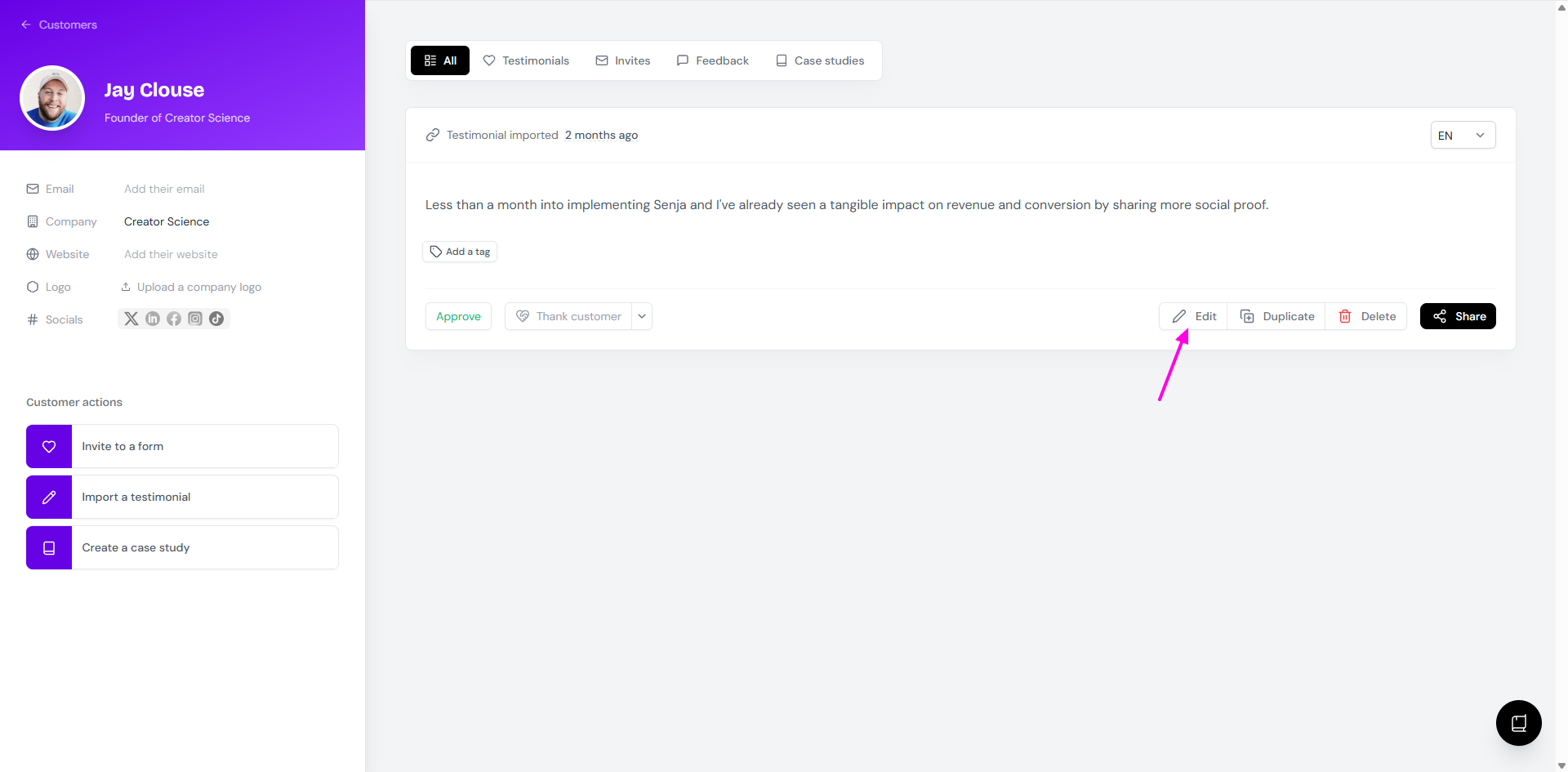
Click Edit
Select the text you want to highlight
A formatting menu will appear, with an option to highlight, put in bold, and italic
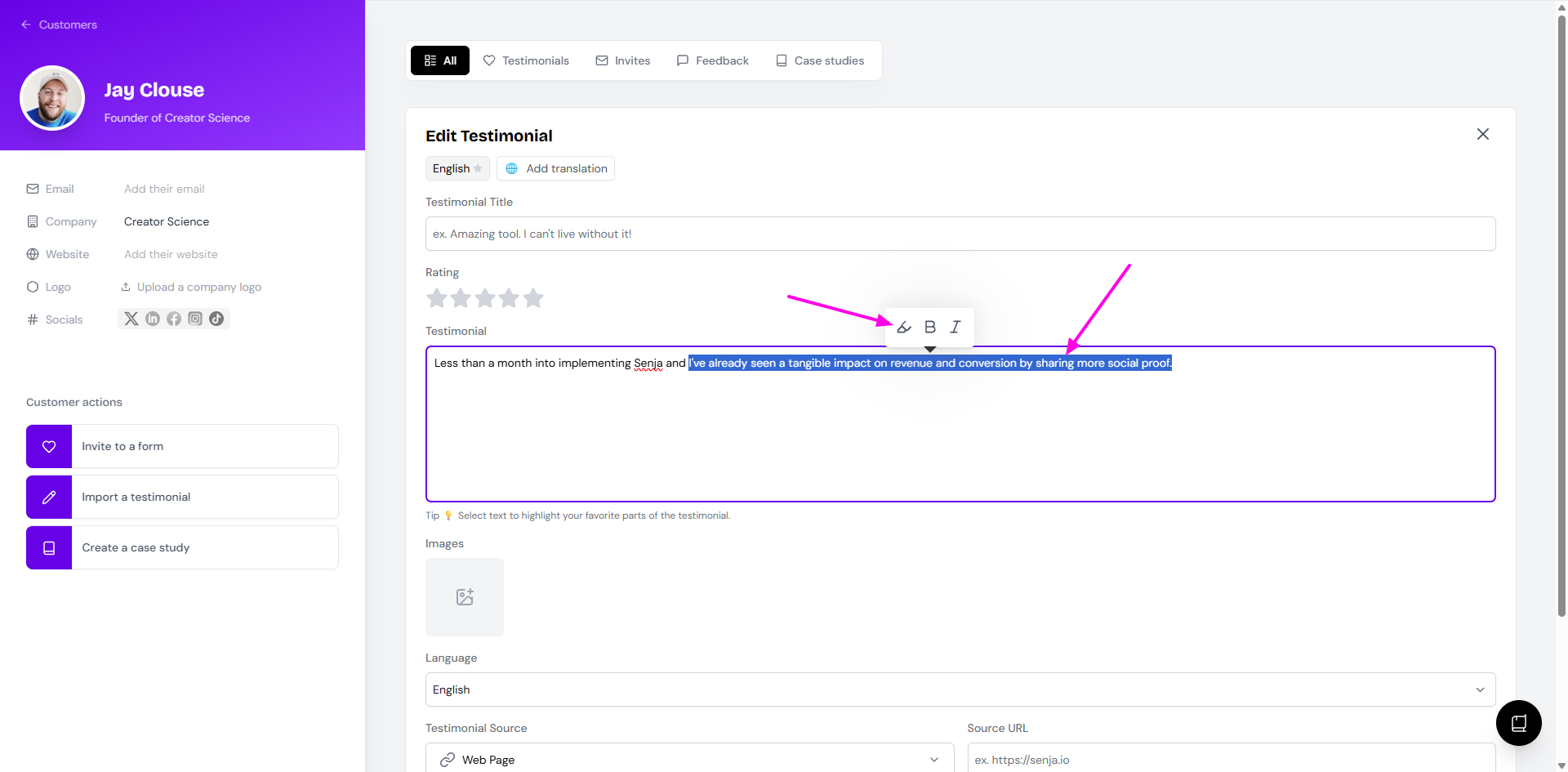
Click on the highlight marker
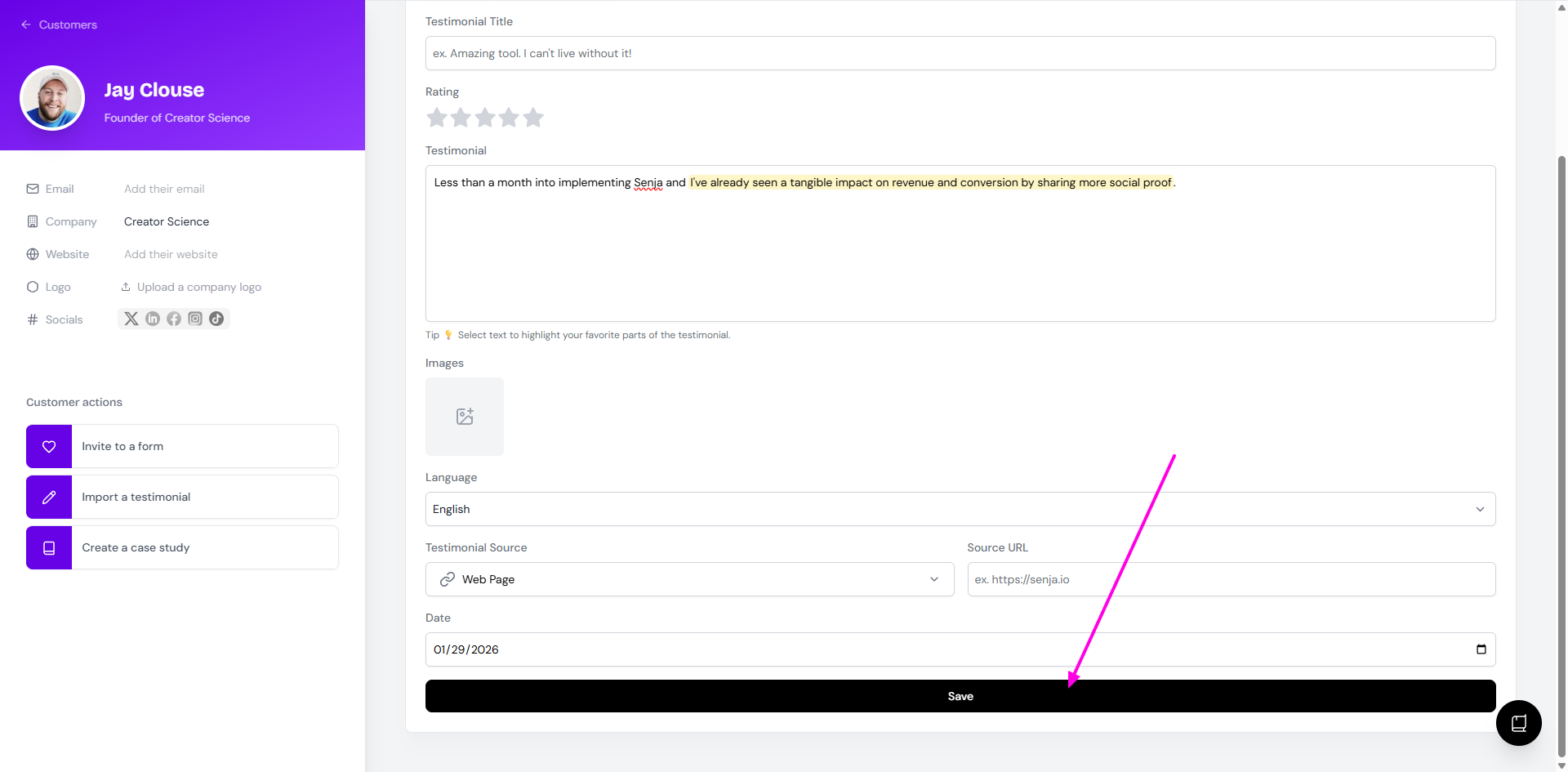
Click Save when you're done
Share highlighted portions only
After implementing highlight, you can choose to show the highlighted text only on your widgets or Wall of Love.
Go to your Studio page: https://app.senja.io/studio
Open your widget/Wall of Love (or create a new one)
Click Select Testimonials
Open Filters > Highlights > choose Only with highlights
Click Save Filters (on Auto-add mode) or Save Selection (on Manual selection mode)
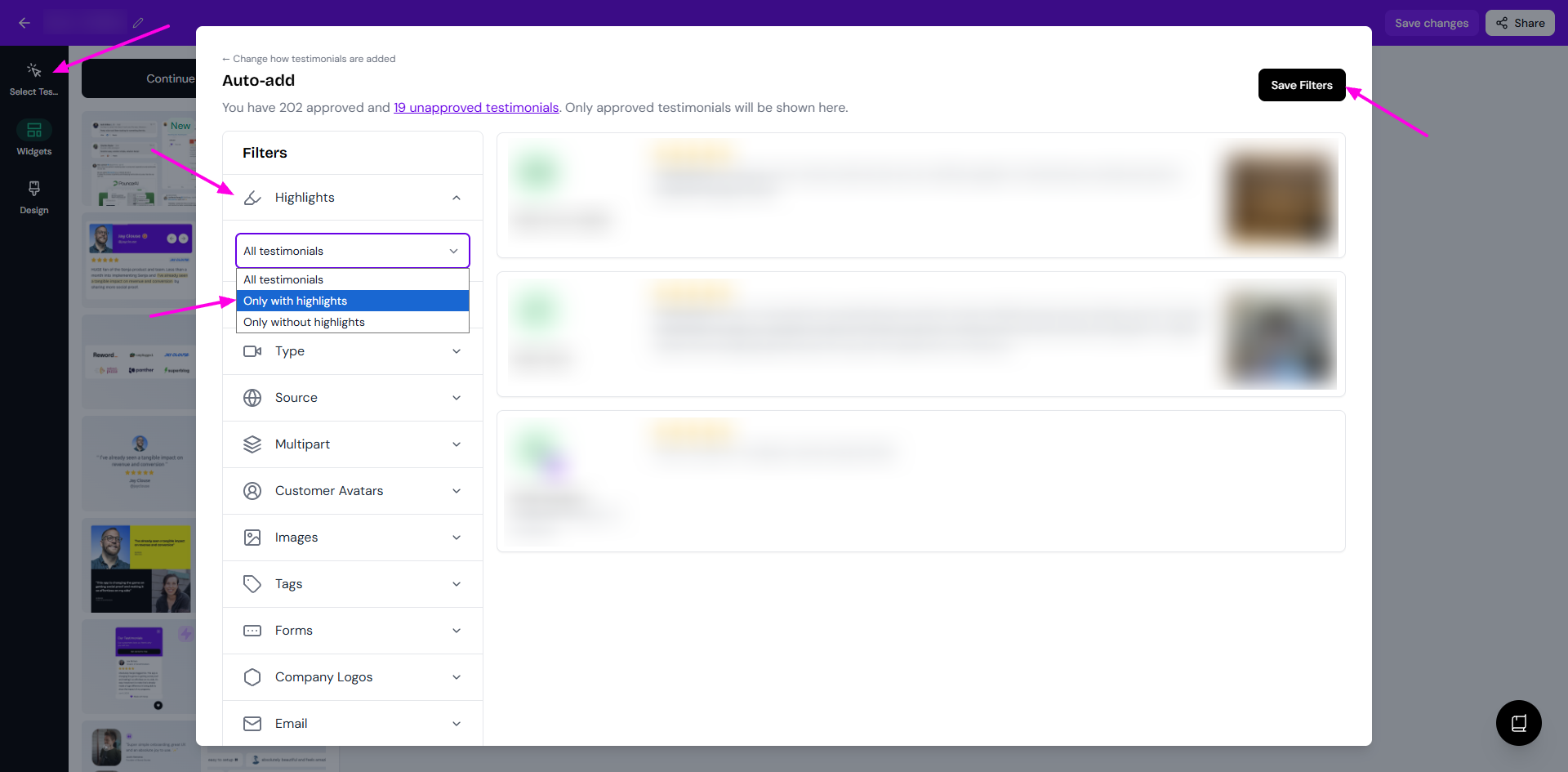
Find widgets specialized in highlighted testimonials
Some widgets only works on testimonials with highlights.
Go to your Studio page: https://app.senja.io/studio
Click the Widgets tab
Choose the Highlights only label to filter the templates
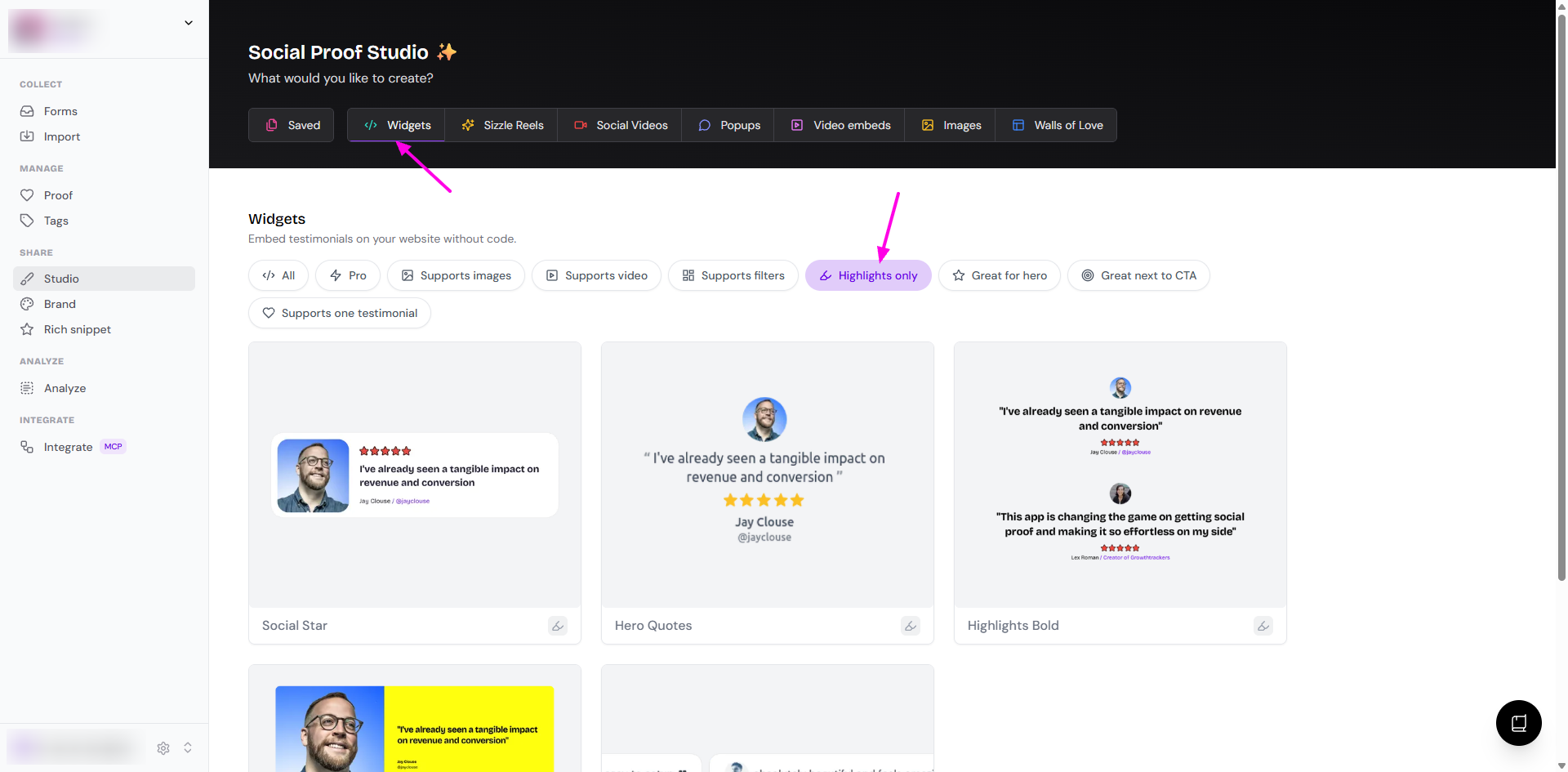
You can choose from the displayed highlight-friendly templates to use it as your widget style