
Troubleshooting billing issues
If something about your bill doesn't look right, here's what's likely going on and how to check it yourself before reaching out to Senja Support team.
This is applicable to any Senja plans (Free, Starter, and Pro).
My billing doesn't match the sticker price
This might happen when you're upgrading or downgrading your Senja plan in the middle of billing period.
If you have time left on your current paid plan, Stripe automatically calculates the unused portion and applies it as a credit toward your new plan. This happens on both upgrades and downgrades.
The days remaining on your current plan convert into a $ balance
That balance is deducted from your next invoice
For example: 1 month left on a yearly Starter plan is worth a $24.2 balance, which gets subtracted from your new plan's billing.
If the balance is bigger than the cost of the new plan, the balance will stay in Stripe and will deduct the next invoices. The deduction will stop when your balance reaches $0.
Why I was charged in a currency other than USD
Senja bills exclusively in USD, we don't currently support billing in other currencies.
If you were charged in a different currency, the conversion happened on your bank's end (or through Onelink, our payment processor)
Our invoice and receipt are always issued in USD, and we're not able to offer billing in GBP, EUR, CAD, or any other currency, since that would mean the amount you pay fluctuates with the exchange rate
Also make sure when you do the initial subscription, you're choosing USD tab instead of your local currency
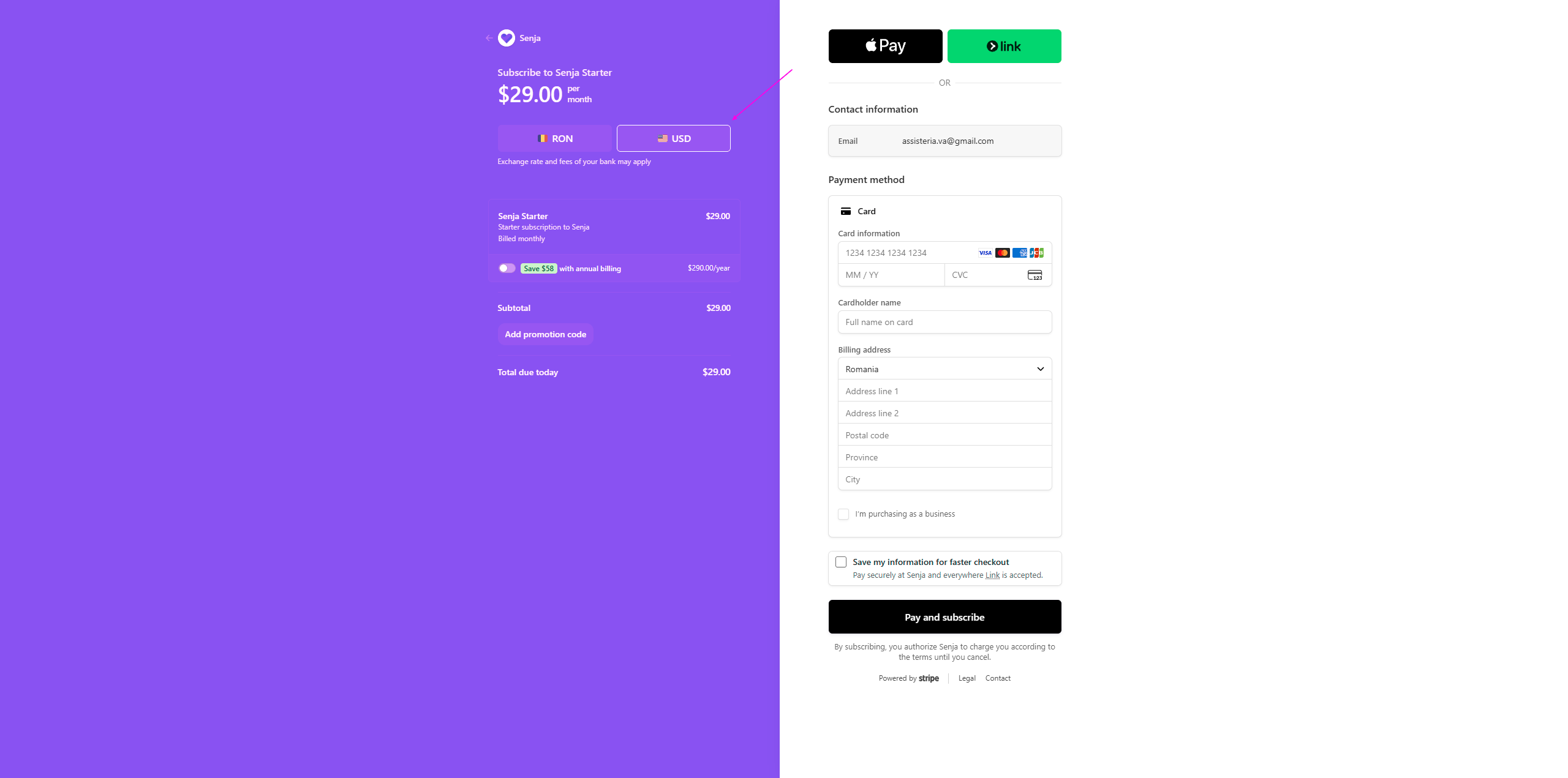
You can view your full invoice history anytime on your Billing page: https://app.senja.io/billing
How to get a tax exemption
If you check your invoice in the Billing page (https://app.senja.io/billing), you will see that the Tax line shows "–" instead of an amount, no tax was charged on your purchase.
This means there's no tax amount for us to exempt or adjust. The invoice you have is the full and final record of the payment.
If your accountant needs this confirmed in writing, you're welcome to forward them this article or your invoice.
Payment failed
If your card was declined:
Update your payment details, or try re-entering your card
Try a different card
Stripe uses Link (a payment autofill service) as a payment intermediary, if Link isn't working, try Pay without Link instead
📑 Full guide: What to do if my signup/upgrade payment failed?
Can't update a past invoice
Finalized invoices can't be edited on our end once issued through our billing provider. This includes changes like adding a tax ID after the fact or correcting billing details retroactively.
Other issues
If you encounter other billing issues, contact Senja Support team to help you out.