
Can I ask my customers to share their testimonial?
When you receive testimonials from your customers via Senja form, you can give them the option to share their submitted testimonials directly to their social media. This will help amplifying the good words about your product, or your company!
This feature is available for paid plans: Starter, and Pro.
Enable testimonial sharing
Create your form following this guide
In the Form tab, scroll down to Thank you & word of mouth page
Enable the toggle on Allow people to share their testimonials
Choose the social media on Highlight sharing on... field
Write down Your website URL in the field
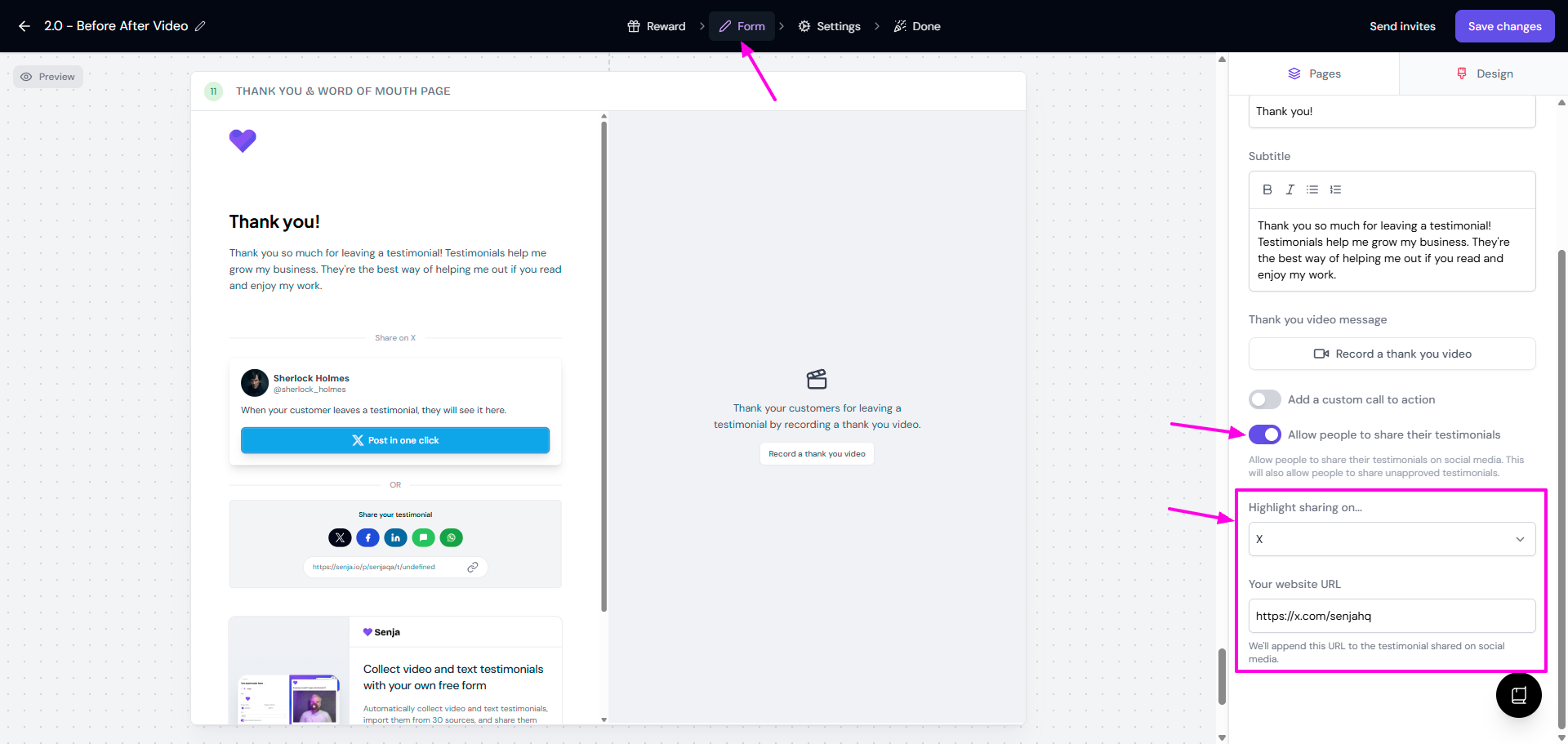
Click Save changes (top right)
What's next?
When your customer completed the form and click Submit, they will see the sharing option on this last page.
By clicking Post in one click, they will be directed to the social media page and your social's URL will be appended to the sharing.