
How to tag testimonials coming from Senja form automatically
Auto-tagging lets you automatically apply a tag to every testimonial collected through a specific form, no manual tagging needed.
It's useful when you want to keep testimonials organised by product, campaign, or audience from the moment they come in.
This feature is available for any Senja plans: Free, Starter, and Pro.
How to add an auto-tag
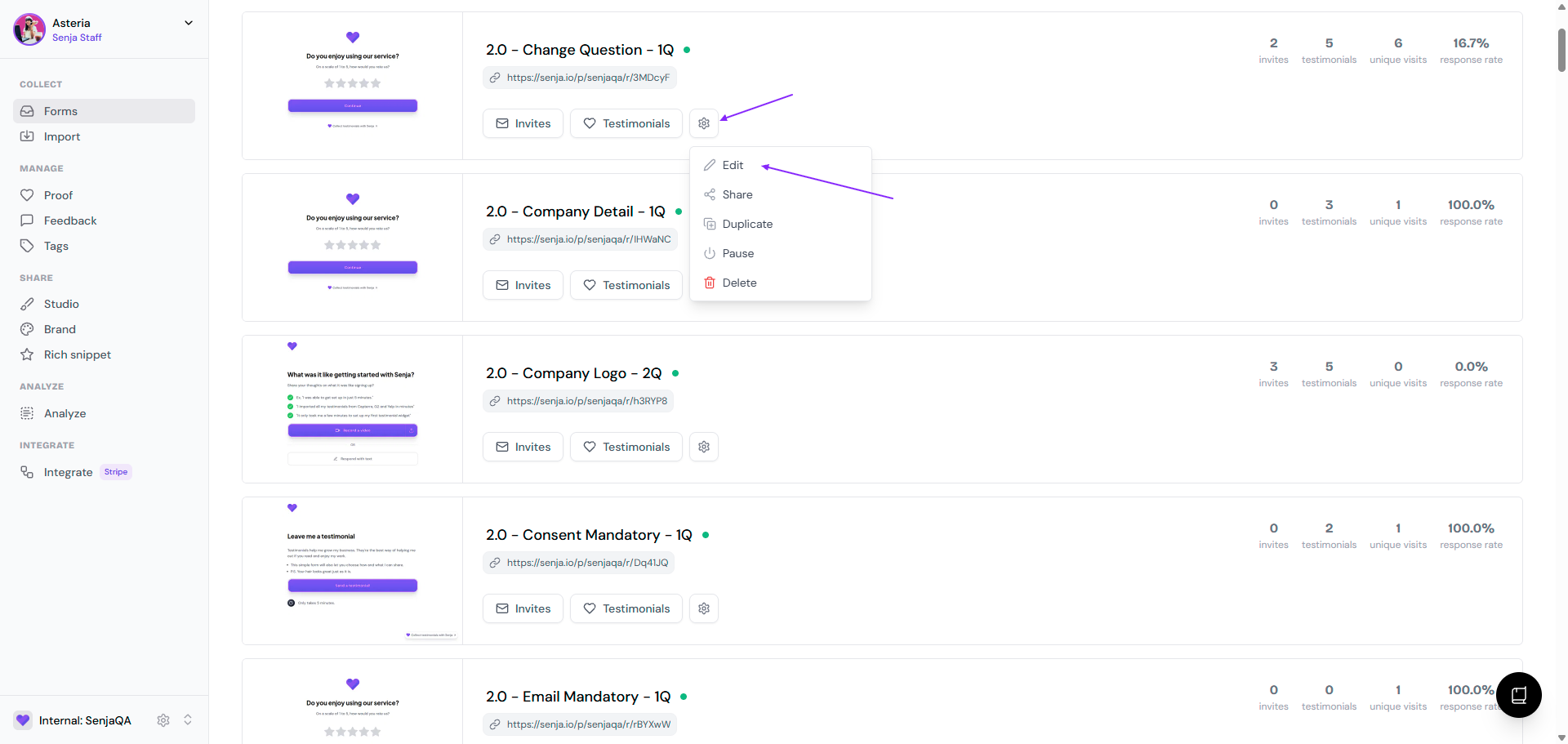
Go to your Forms page: https://app.senja.io/forms
Go to the form, click the ⚙️ icon and choose Edit
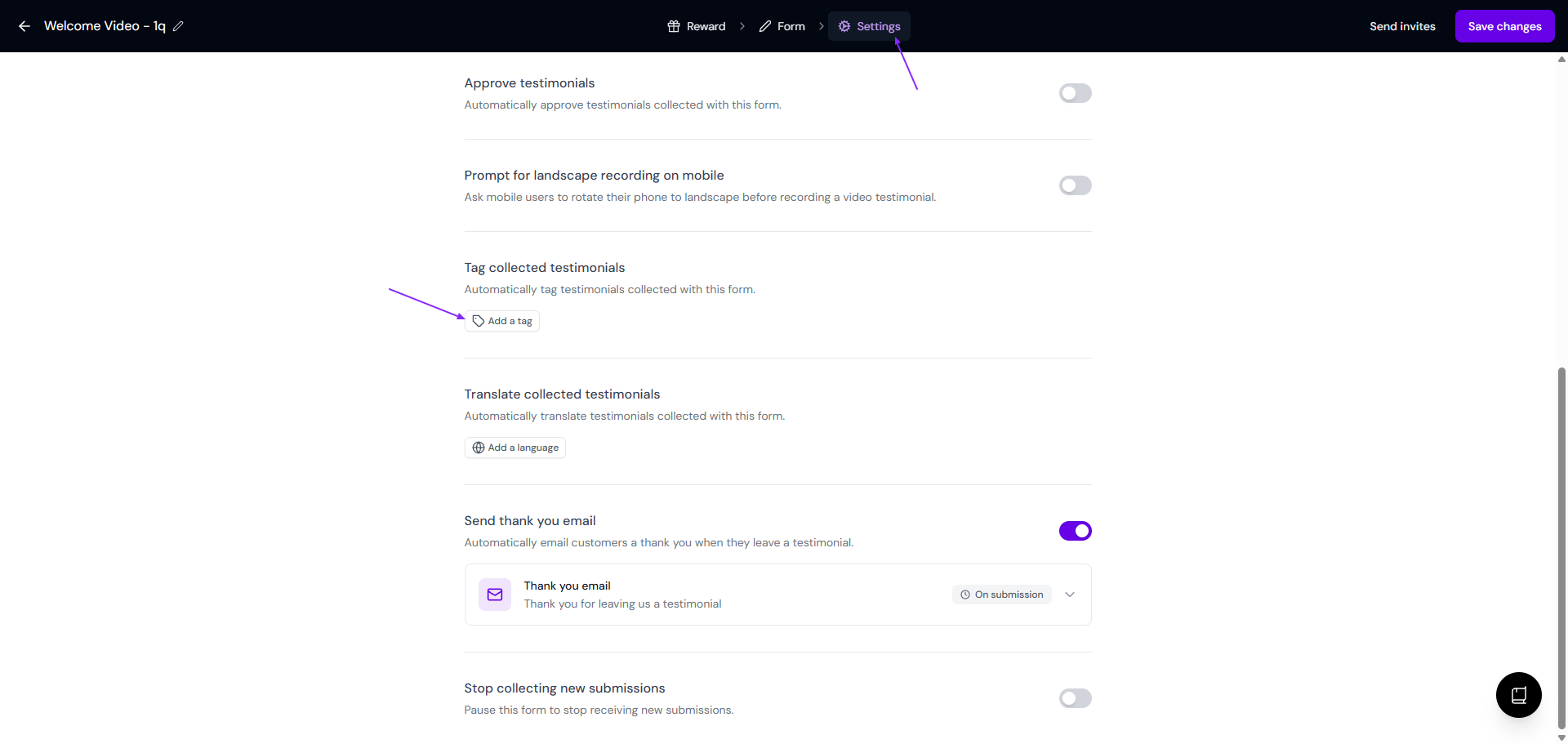
Go to Settings tab, scroll down until you find Tag collected testimonials
Click Add a tag under Tag collected testimonials
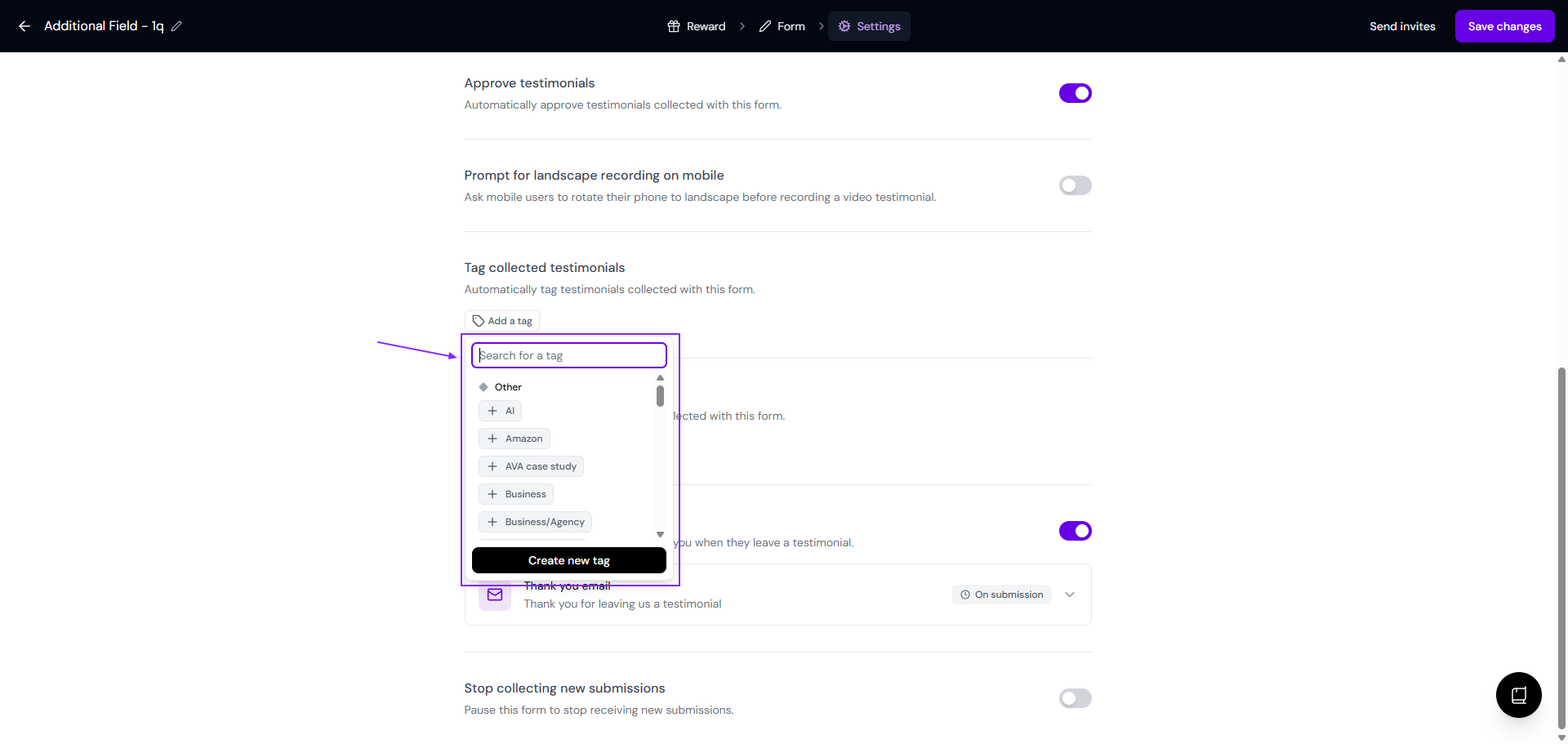
Select the tag(s) you want to automatically apply to all testimonials submitted through this form - you can also Create new tag from this modal
Click Save changes
A few things to know
Auto-tags are applied at the point of submission, they won't retroactively tag testimonials already collected through the form
You can apply multiple tags to a single form
Tags applied this way work the same as manually added tags: you can filter by them, use them to curate widgets, and build a Wall of Love from them