
How do I edit the form's confirmation email?
Senja can send automatic confirmation emails when someone submits a testimonial. Customization options depend on your form type.
This is applicable for all Senja plans: Free, Starter, and Pro.
Customize the confirmation email
Senja form lets you customize the subject, message, and even add a video to your confirmation email.
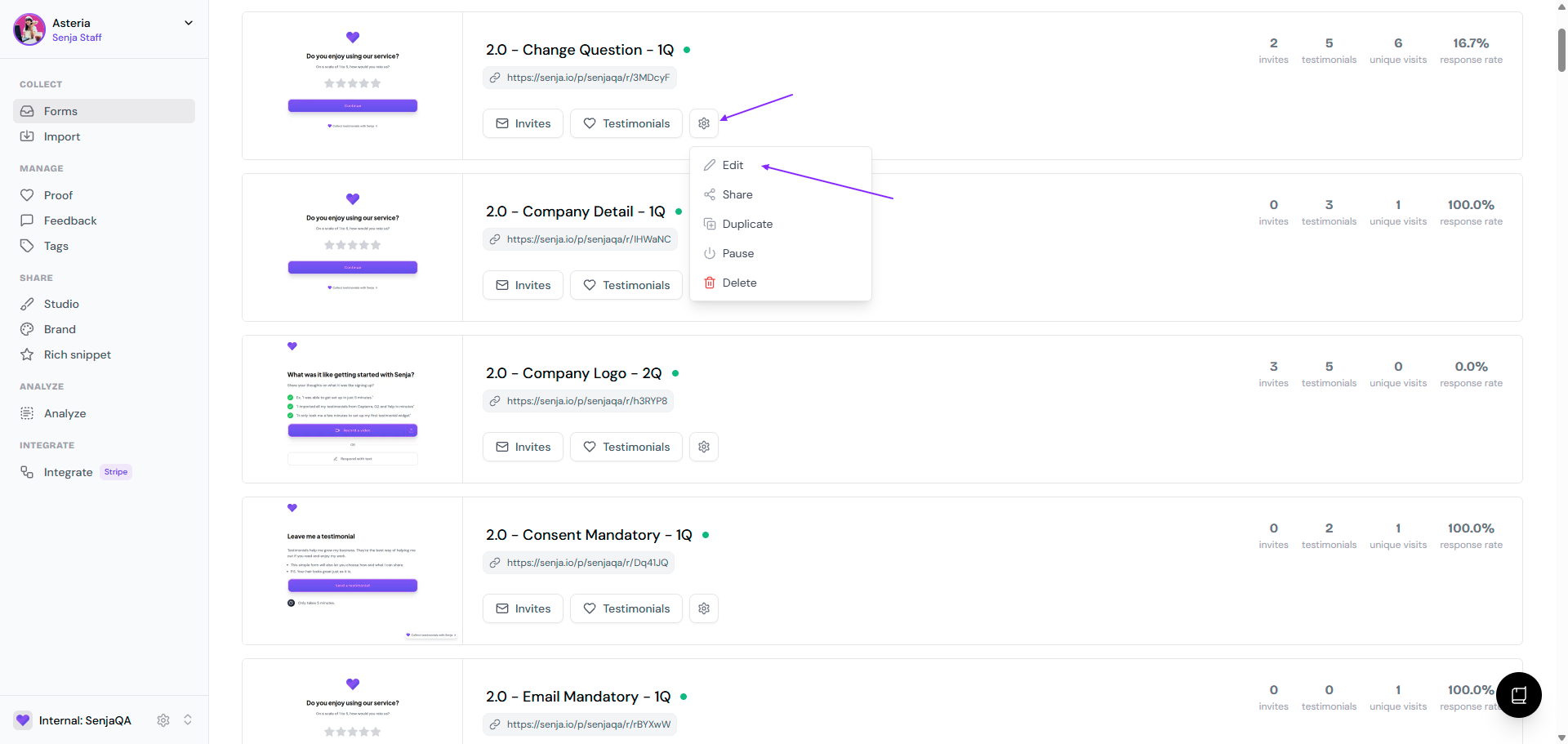
Go to your Forms page: https://app.senja.io/forms
Go to the form, click the ⚙️ icon and choose Edit
Go to Settings tab
Scroll down to Send confirmation email and put the toggle on
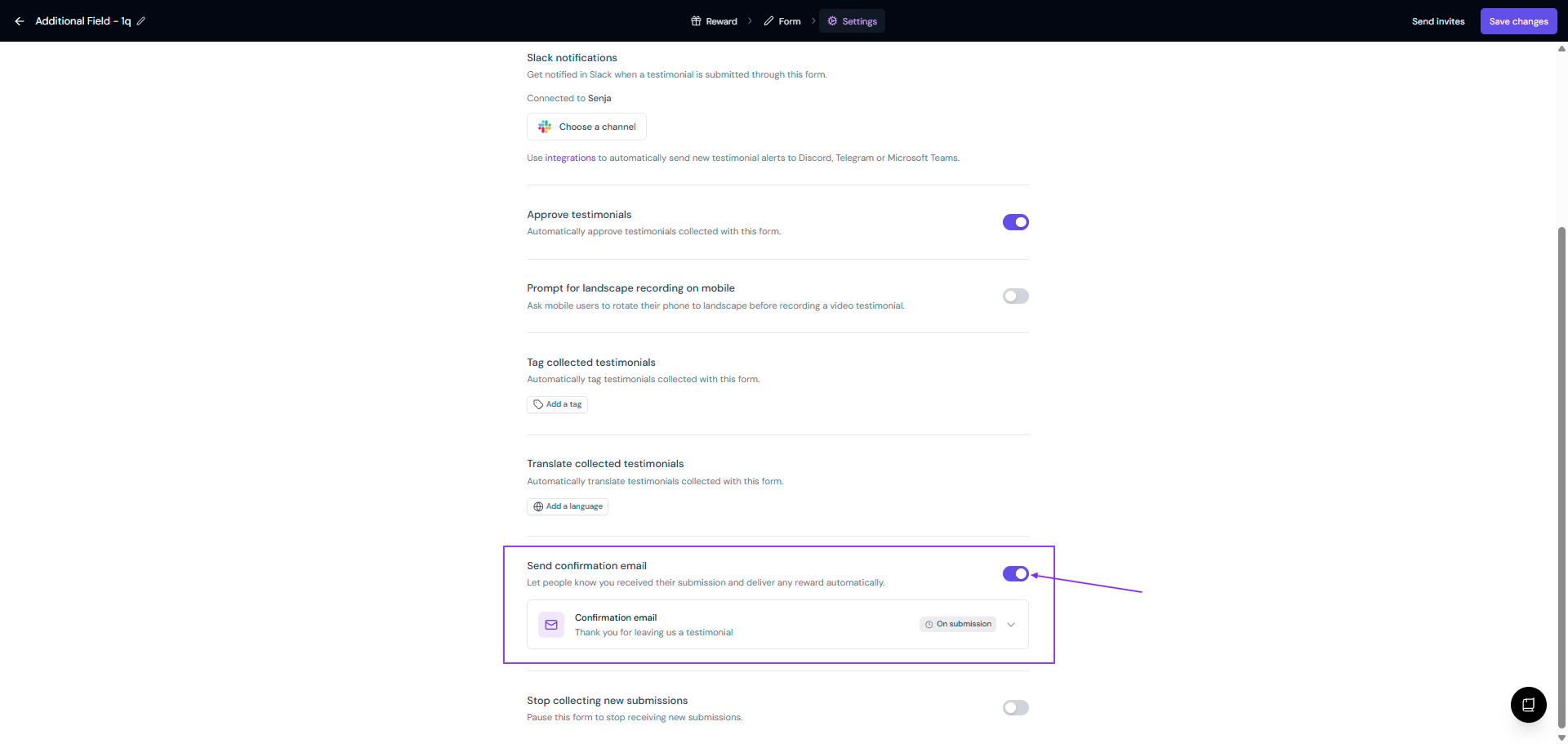
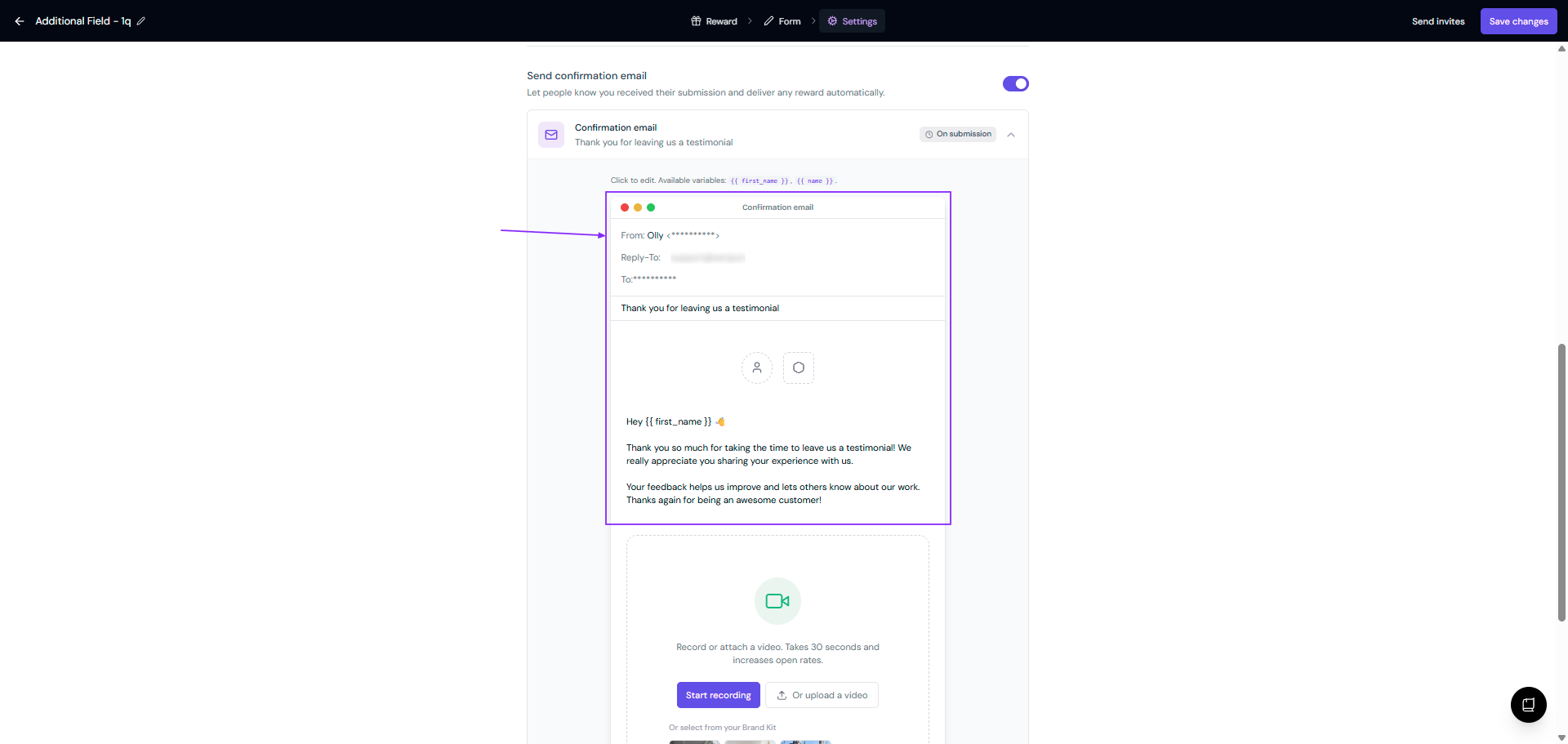
Click the Confirmation email block to customize the copy
Make your updates:
From name
Reply-To email
Email subject
Enable/disable spokesperson avatar
Enable/disable company logo
Email body
Optionally, record or attach a video (paid plans only)
Click Save changes
A live preview shows how your email will look with your logo, content, and any rewards or CTAs you've set up.
You can disable automated confirmation emails entirely if you prefer to send them manually.