
How do I edit my form thank you page?
The thank you page is the final message your customers will see after submitting their testimonial in your form.
This is applicable on any Senja plan: Free, Starter, and Plan. Some features are available for paid plan only.
Step by step
Go to your Forms page: https://app.senja.io/forms
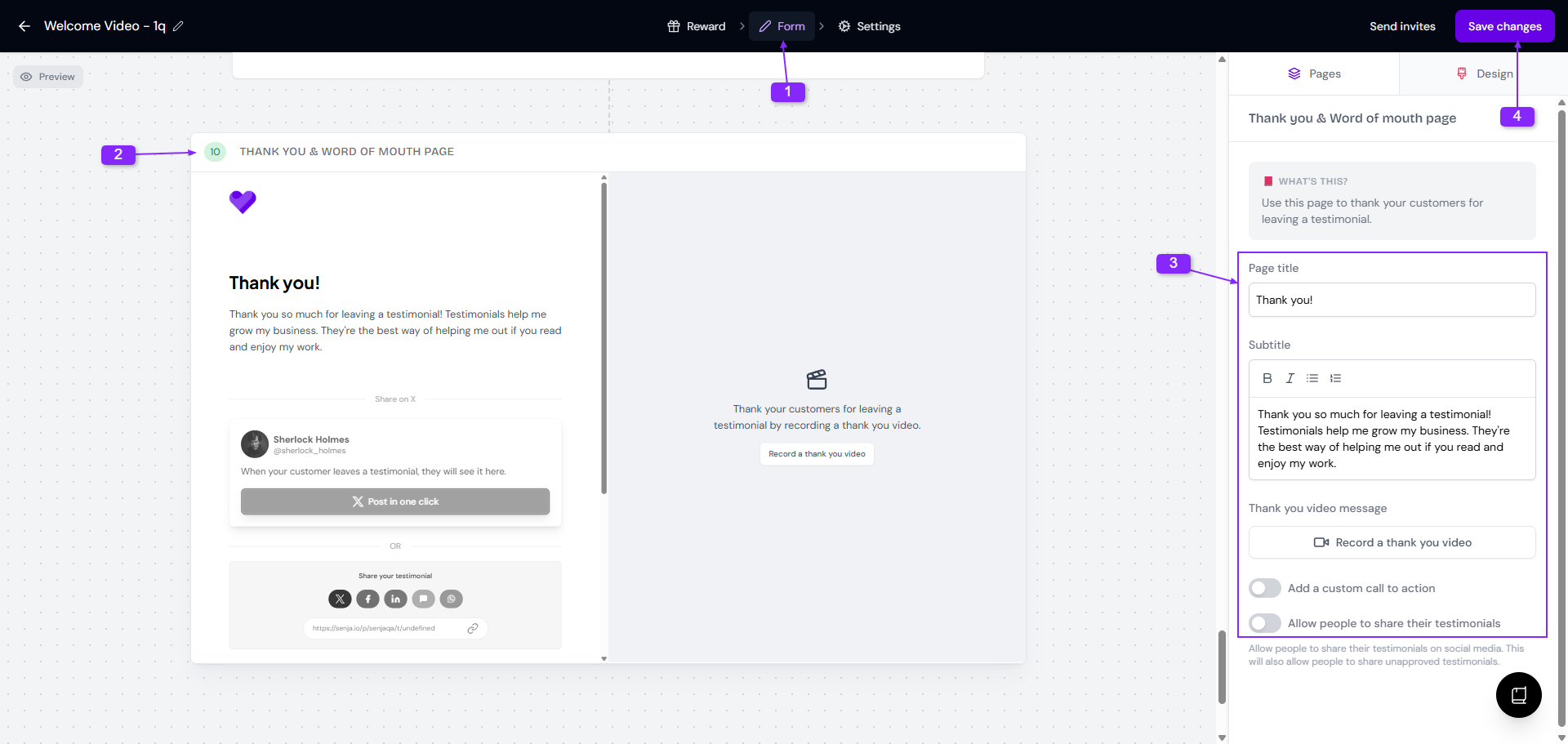
Go to the form, click the ⚙️ icon and choose Edit
Go to Form tab, scroll down until you find the Thank you & word of mouth page
Update the text
For paid plan, you can also:
Record a thank you video
Add a custom call to action
Allow people to share their testimonials
Click Save changes
Adding custom call to action
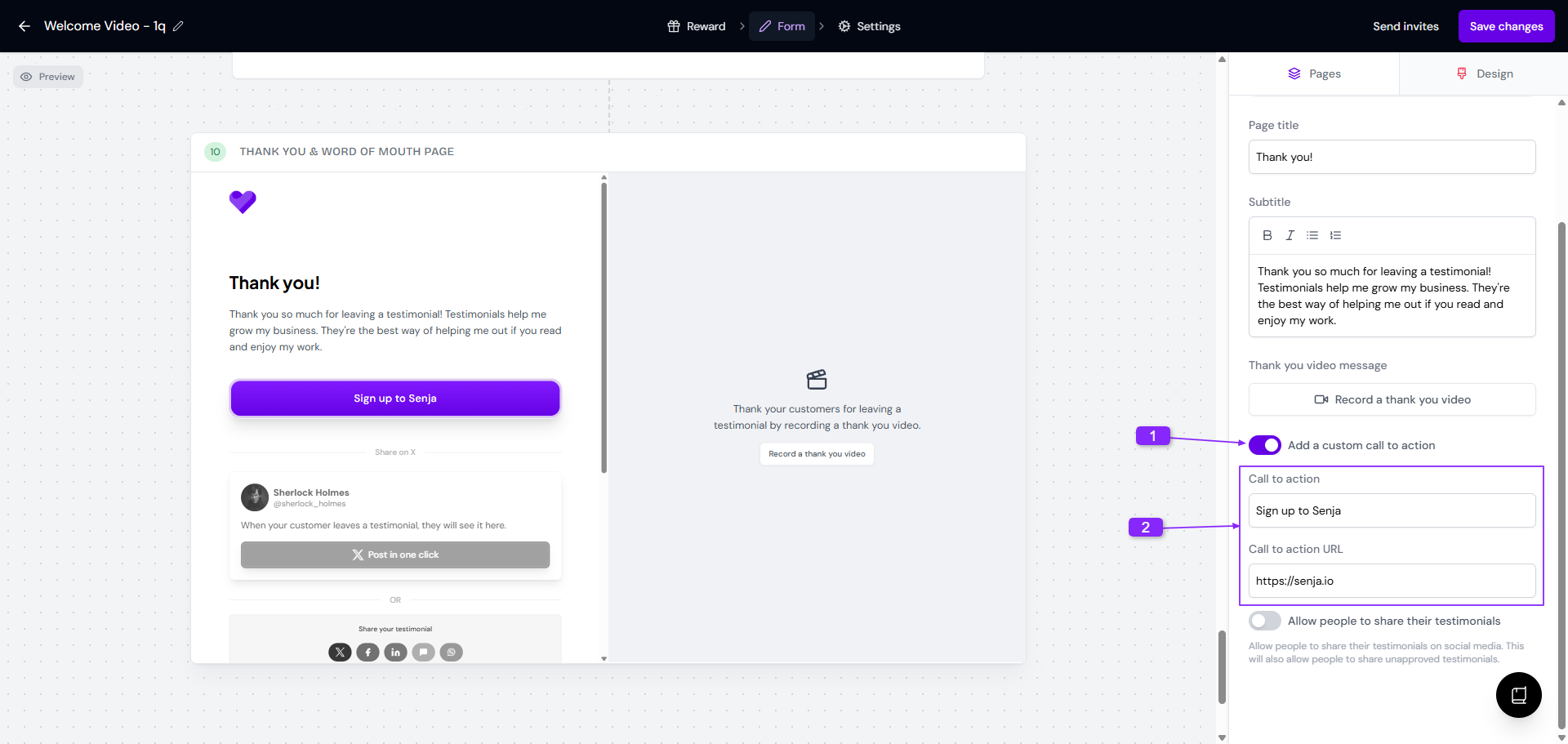
If you want to direct your customers to an external page, you can add the custom call to action, for example: leading the customer to a different product page, or direct them to leave testimonials in different platform, you name it.
These are the steps:
Go to Thank you & word of mouth page in your form
Toggle on the Add a custom call to action section
Update the Call to action and Call to action URL label
Custom call to action is available for paid plans only.
Enabling social media sharing
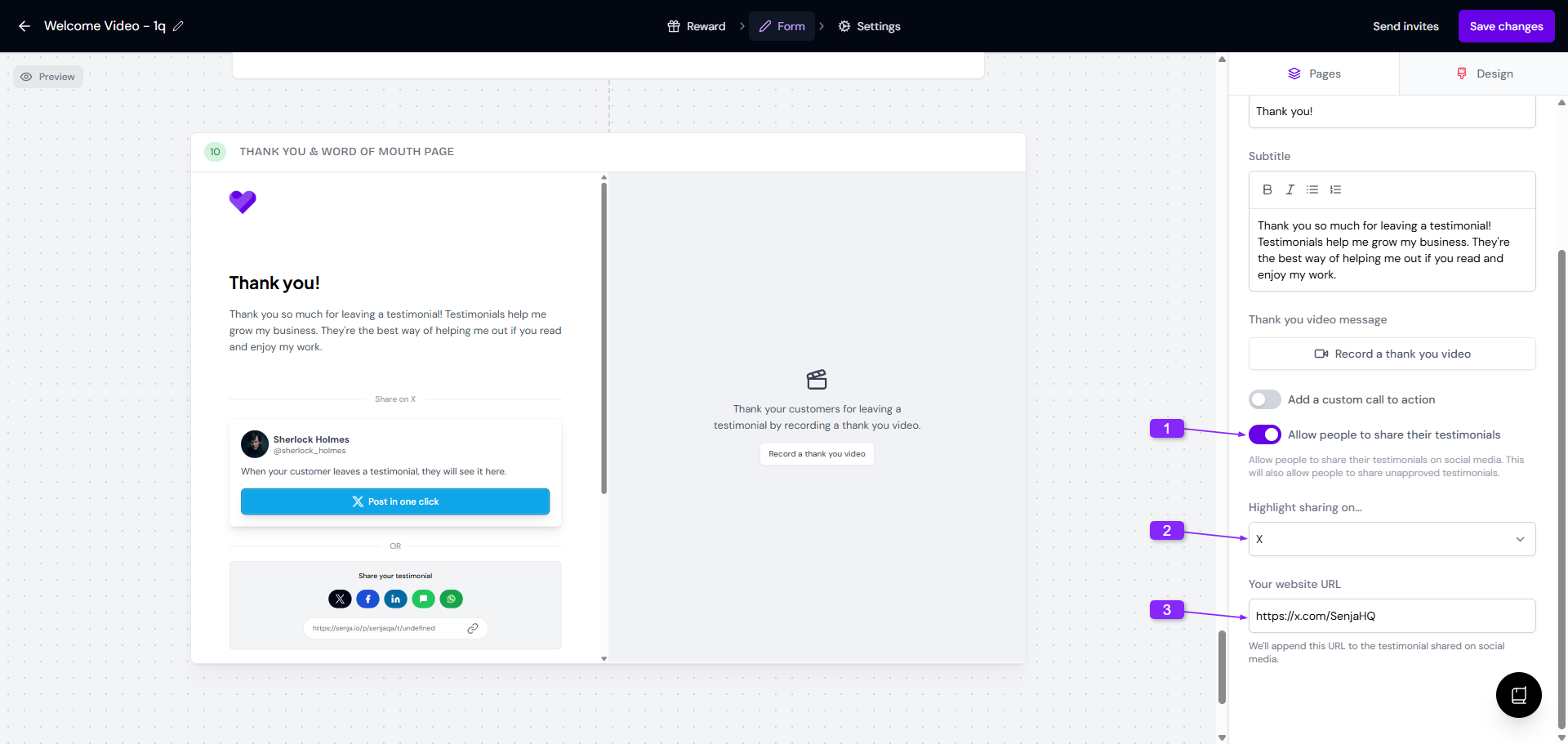
You can give the option for your customers to share their submitted testimonials to social media. This will help promoting your product/services even more.
These are the steps:
Go to Thank you & word of mouth page in your form
Toggle on the Allow people to share their testimonials section
Choose the social media to highlight from Highlight sharing on... dropdown
Add Your website URL
Social media sharing option is available for paid plans only.