
How do I collect custom information from my customers?
When setting up your form, Senja set customer name as mandatory. You can set other details that you want to ask from your customers in easy steps.
This is applicable for any Senja plans: Free, Starter, and Pro.
Setup additional field in the form
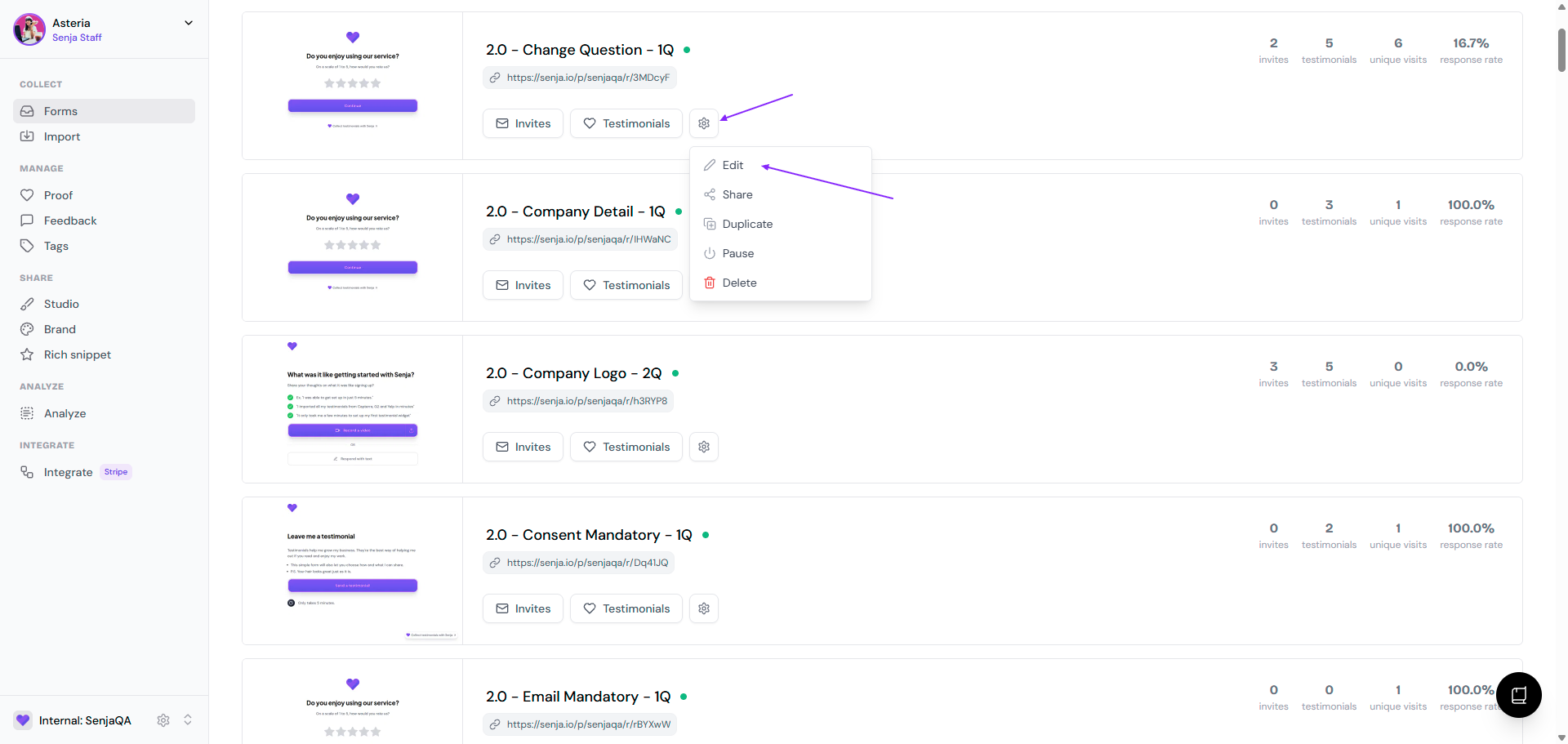
Go to your Forms page: https://app.senja.io/forms
Go to the form, click the ⚙️ icon and choose Edit
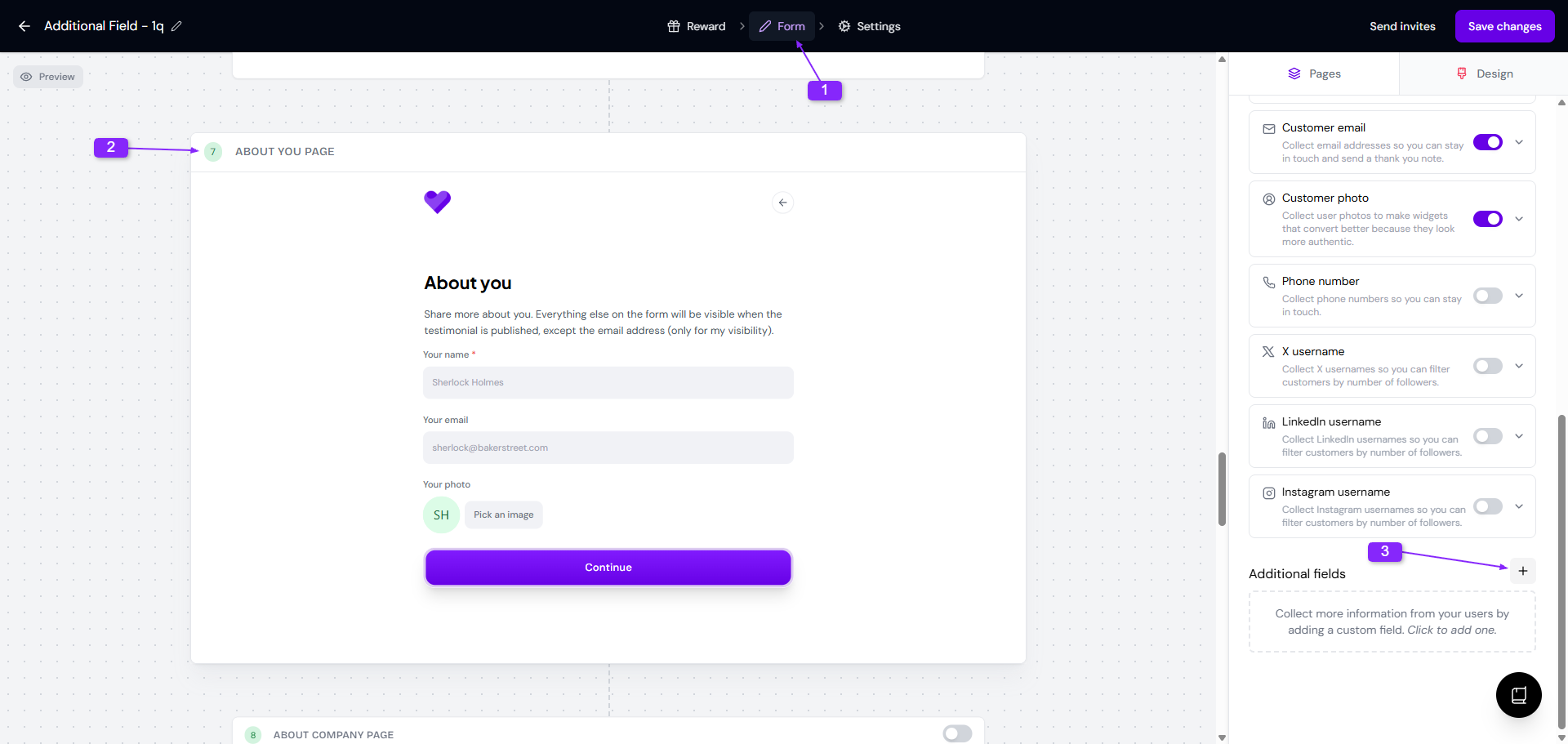
Go to Form tab and scroll down to About you page
Click the ➕ sign on Additional Fields to add the custom field
Choose the Type, update the Label, and choose if it's required or not
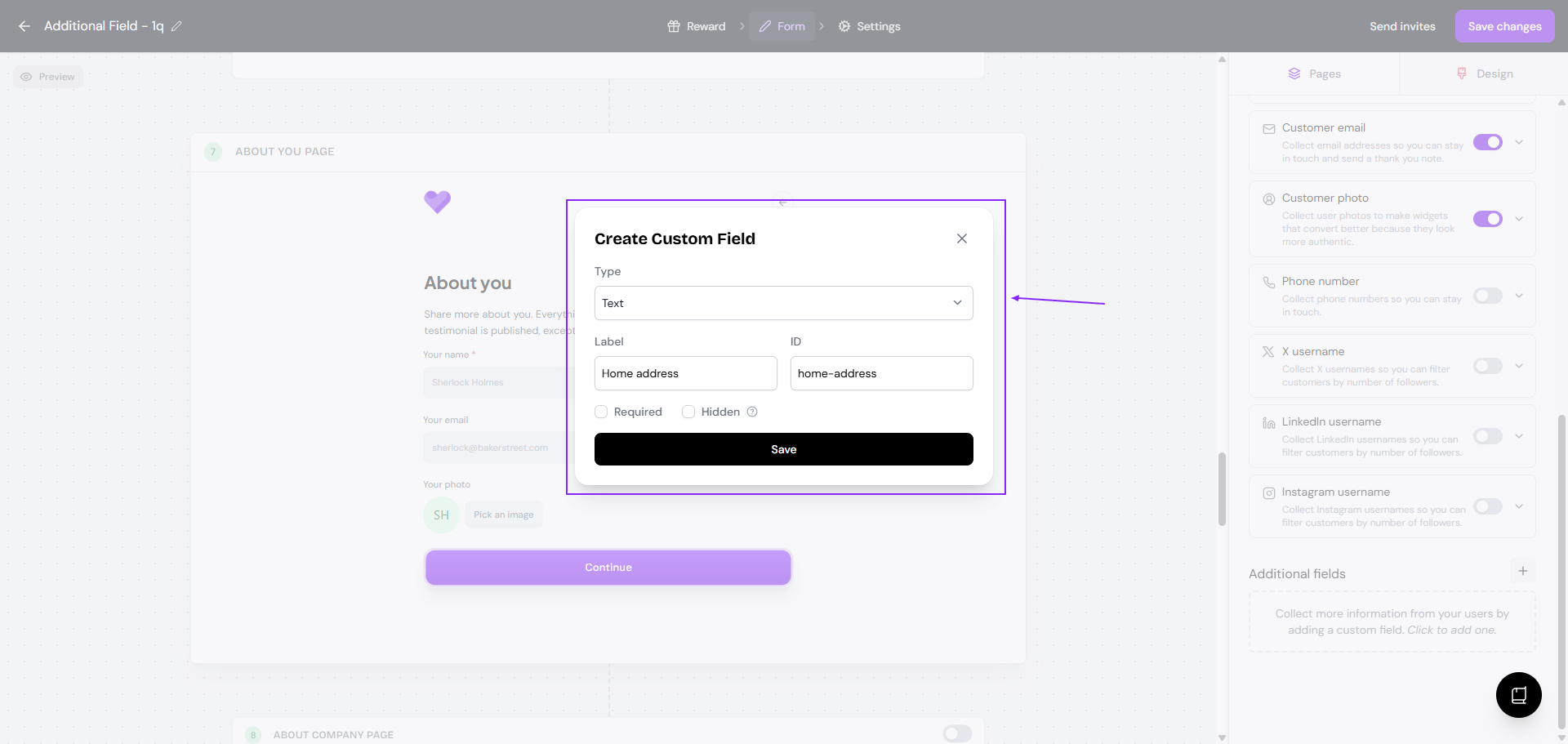
Click Save when you're done
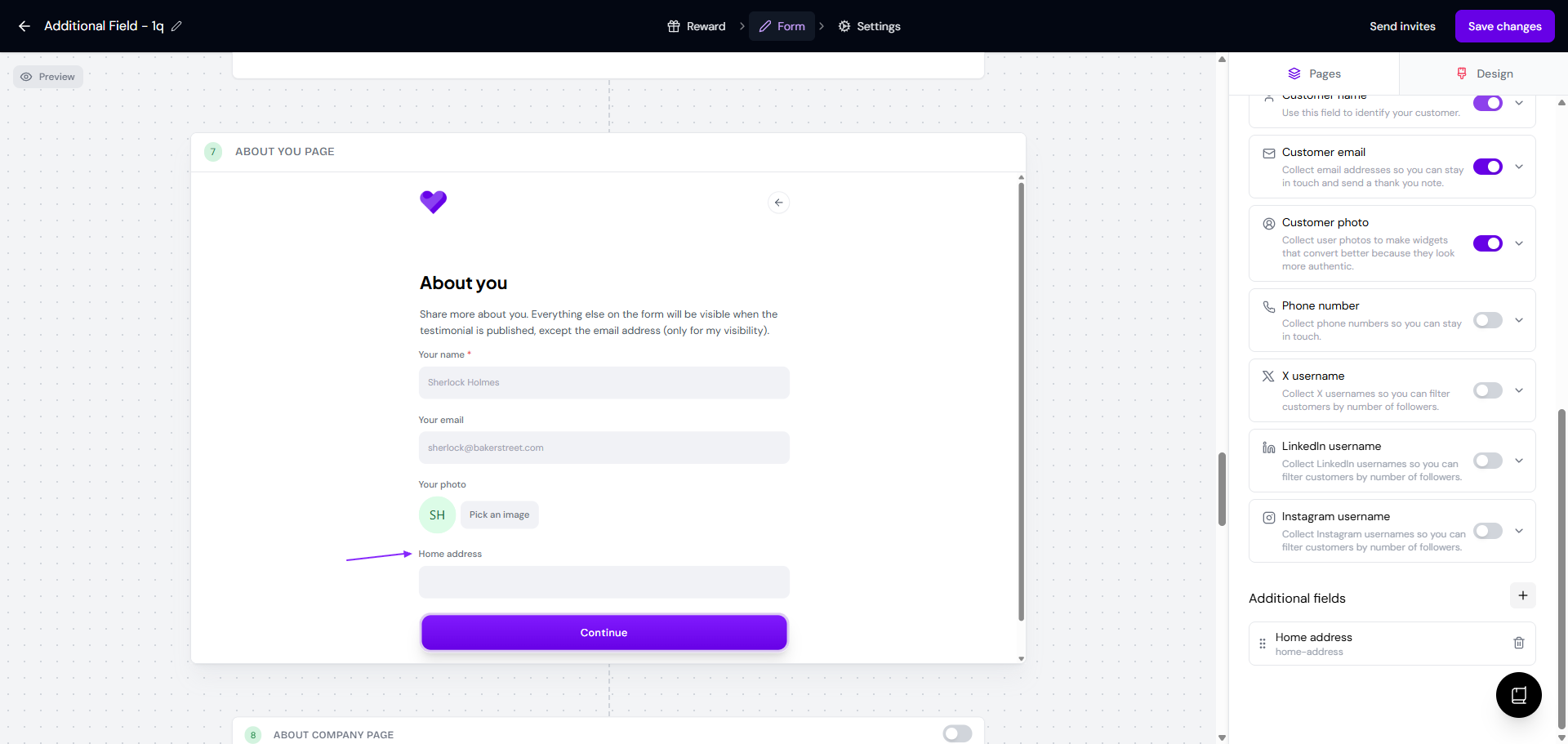
Now the About you page has this custom field on screen
Hidden fields
Hidden fields allow you to pass data into your form via URL parameters — perfect for use with automations like Zapier and webhooks.
For example, you can create a hidden field called user_id in your form. When sharing the form link, simply append the value in the URL like so: https://senja.io/p/senja/r/officehourslove?user_id=123
How to set up a hidden field
Create an additional field in your form
Mark the field as Hidden
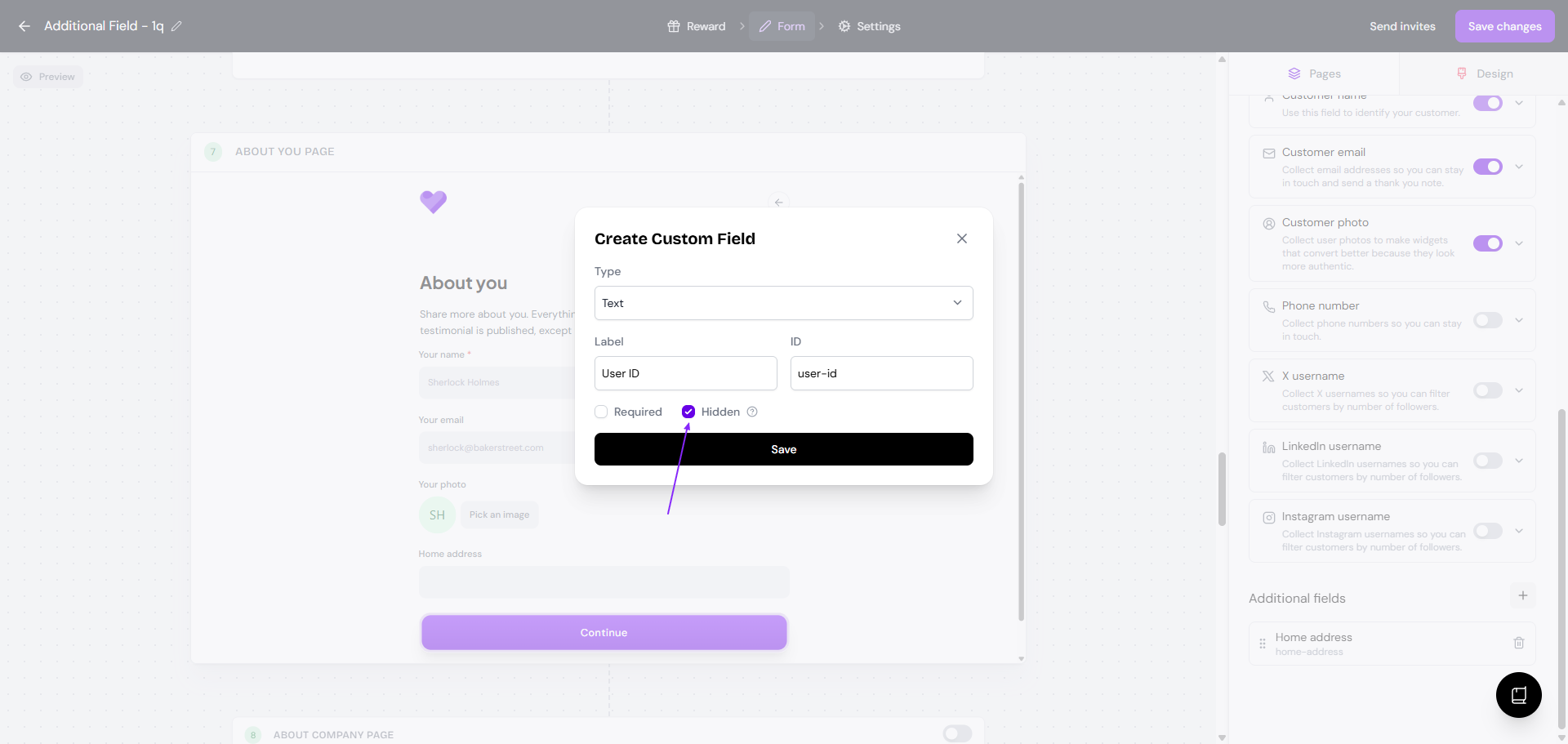
This ensures the field won’t be visible to users but will still capture any values passed through the URL