
How to disable form's automated confirmation email
Senja sends an automated confirmation email to individuals who submit testimonials. This email is a standard feature included with the free plan. It serves to acknowledge the submission of a testimonial and send out the reward that you have set in your form.
This is applicable to any Senja plans: Free, Starter, and Pro. You can include a video message if you're on paid plans (Starter and Pro).
How do I disable the automated confirmation email?
Go to your Forms page: https://app.senja.io/forms
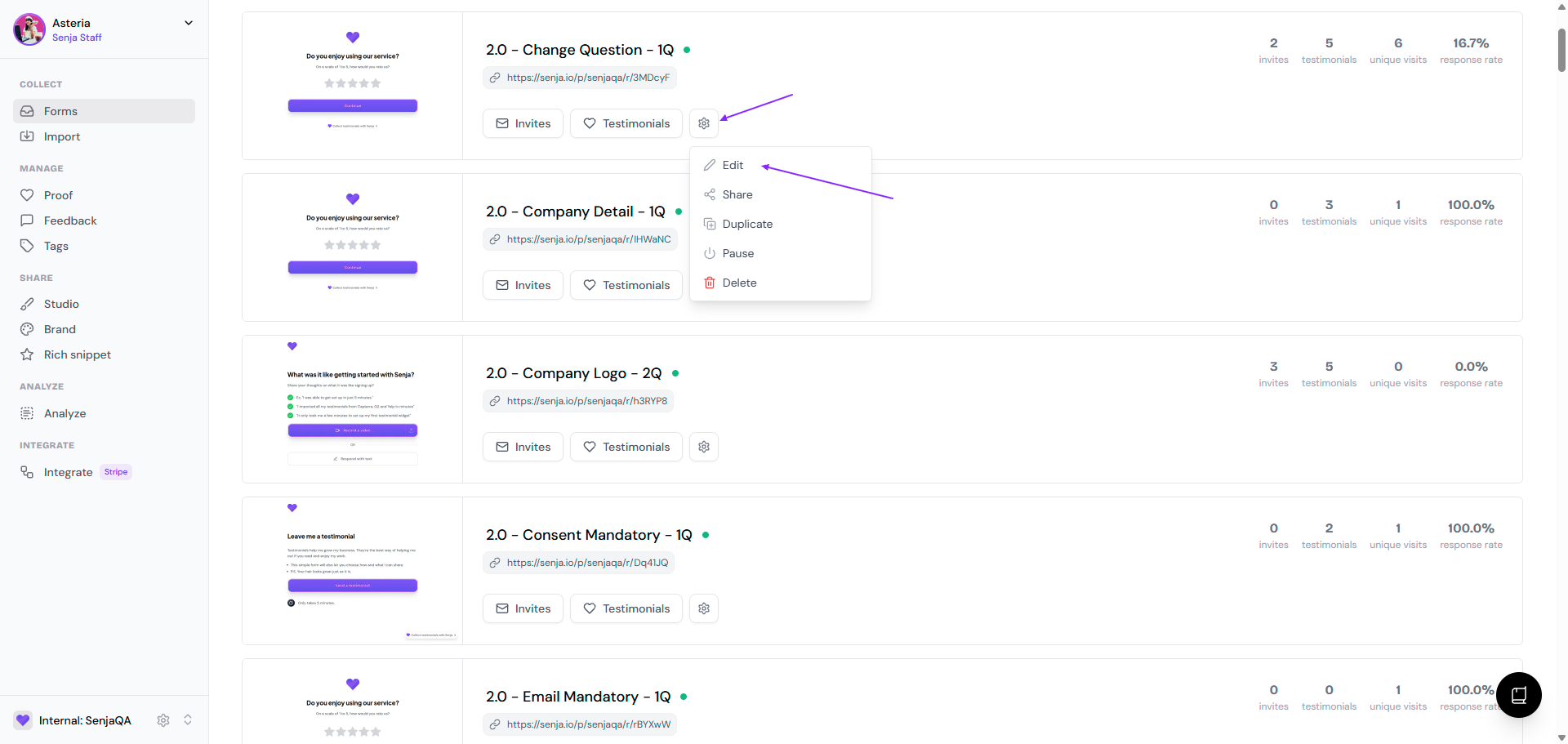
Go to the form, click the ⚙️ icon and choose Edit
Go to Settings tab
Scroll down to Send confirmation email and turn the toggle off
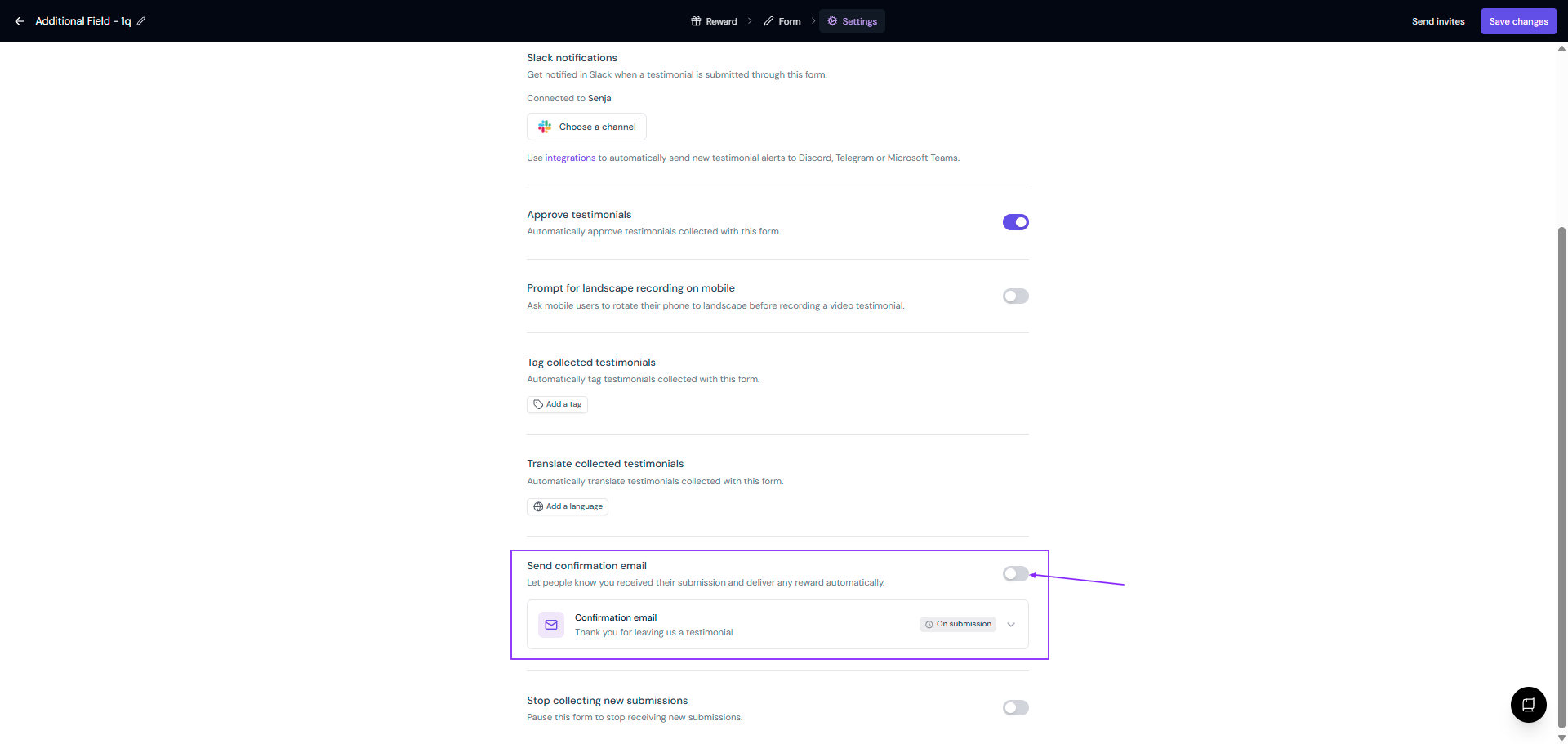
Click Save changes
Edit the confirmation email
You can change the copy of the confirmation email from your Forms modal.
Follow the guide How do I edit the form's confirmation email?
Send a thank you note at anytime
If you disable the thank you email, you can still send a thank you note to your customers.
Read the full guide in How do I send thank you notes to my customers?