
How to customize my form URL
You can personalize the URL of any testimonial collection form by editing its slug — the last part of the URL that identifies that specific form.
This works on all Senja plans: Free, Starter, and Pro.
Before you begin
You need to have at least one form created
Changing a form's slug will break any existing links you've already shared
Update any places where you've shared or embedded the old link before making the change
Steps
Go to your Forms page: https://app.senja.io/forms
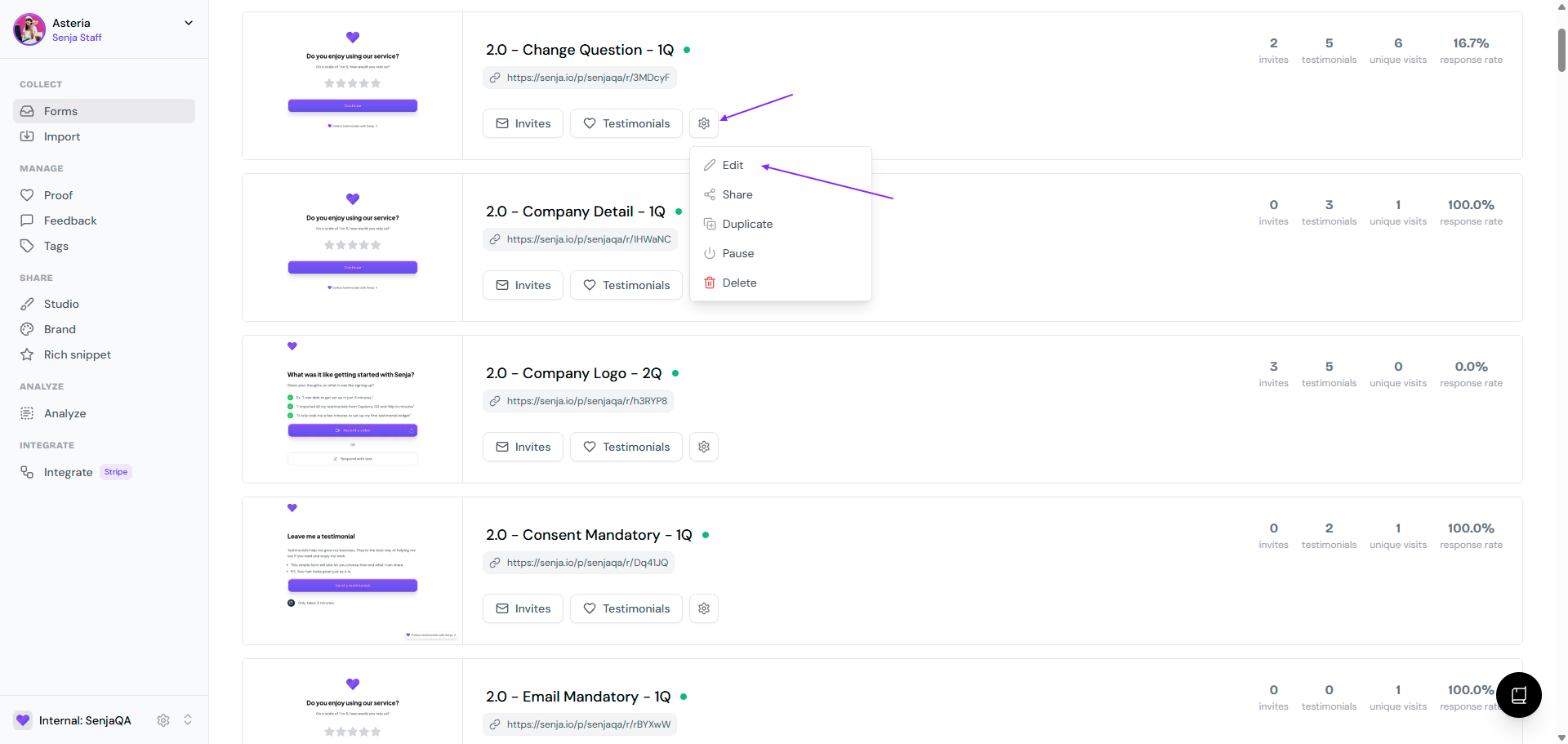
Go to the form, click the ⚙️ icon and choose Edit
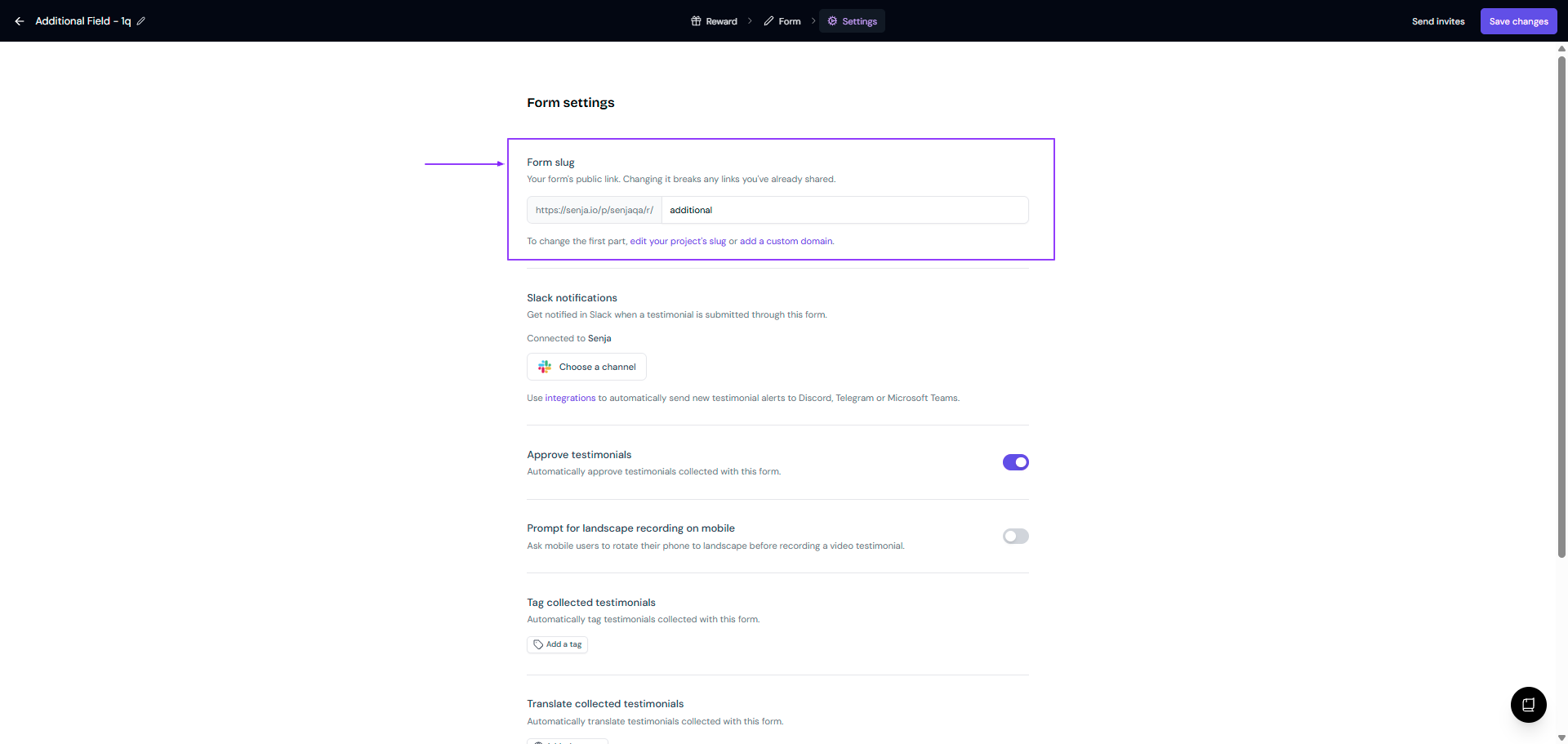
Go to Settings tab
Update the link under Form slug section
Click Save changes on the top right
Your form is now accessible at the new URL
Your slug can only contain alphanumeric characters and dashes.
Customizing the full URL
While you can customize the slug of your form URL, the base path will stay the same.
You can edit the first part of the URL by changing your project slug or add a custom domain.