
How do I collect consent to use testimonials from my customers?
It's important that your customers give consent for you to use their testimonials in your marketing and sales efforts. By default, we have a consent message on all forms.
This is applicable to all Senja plans: Free, Starter, and Plan.
Enable consent in Senja form
Go to your Forms page: https://app.senja.io/forms
Go to the form, click the ⚙️ icon and choose Edit
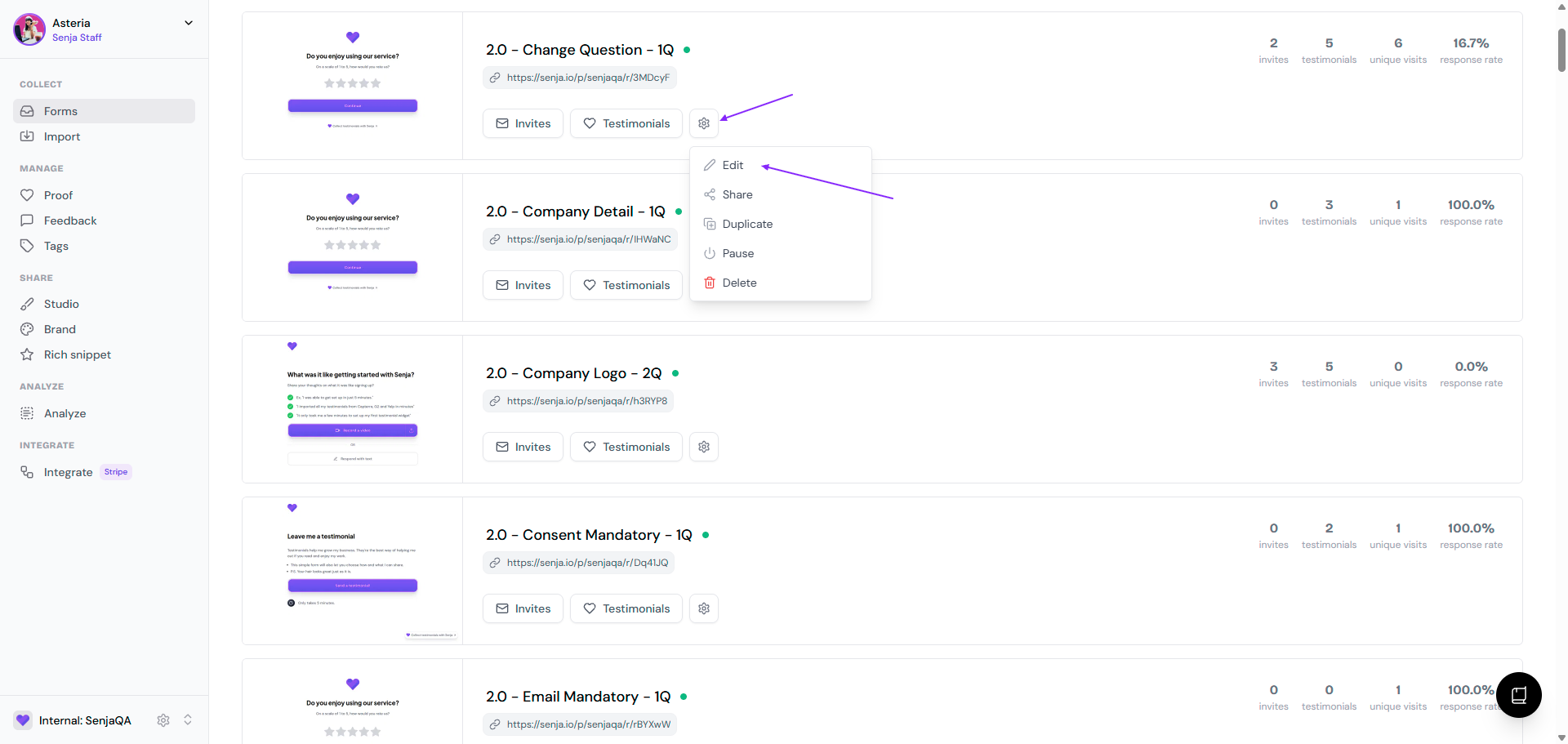
Click the Form tab
Scroll down until you find the Consent page
Make sure the page is enabled (it is by default)
Update the text elements on the right sidebar
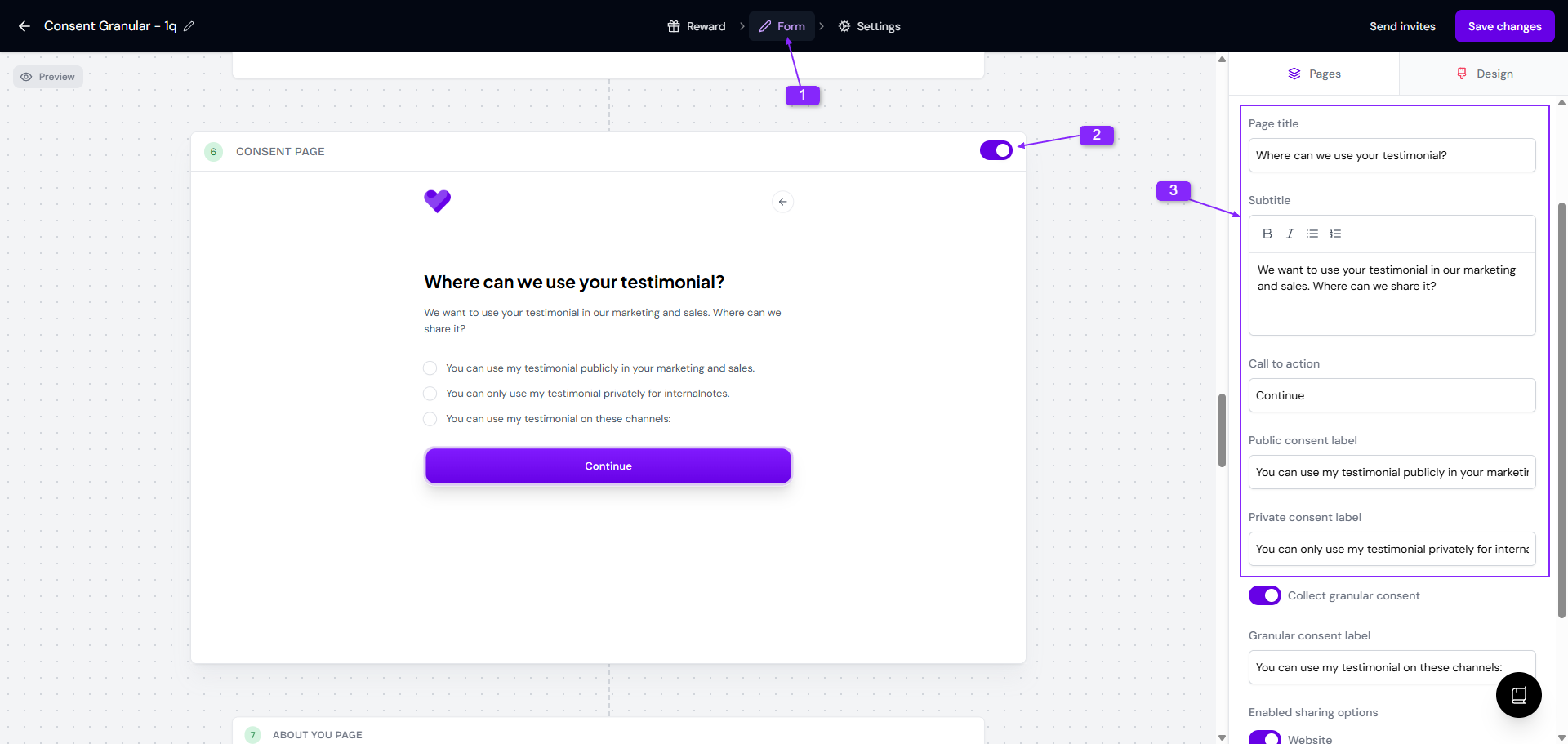
The consent applies to the whole testimonial, not individual questions. Testimonials are submitted as unapproved by default, so you can review consent before sharing.
Customize consent text
When the consent page is enabled, you can customize it in the right sidebar:
Page title: Heading for the consent page
Subtitle: Description text below the title
Call to action: Label for the continue button
Public consent label: Text for the public consent radio button
Private consent label: Text for the private consent radio button
Collect granular consent: Give customer options on the channels to share the testimonial to
Granular consent label: Text for the granular consent radio button
Enabled sharing options: Channels that you provide as options
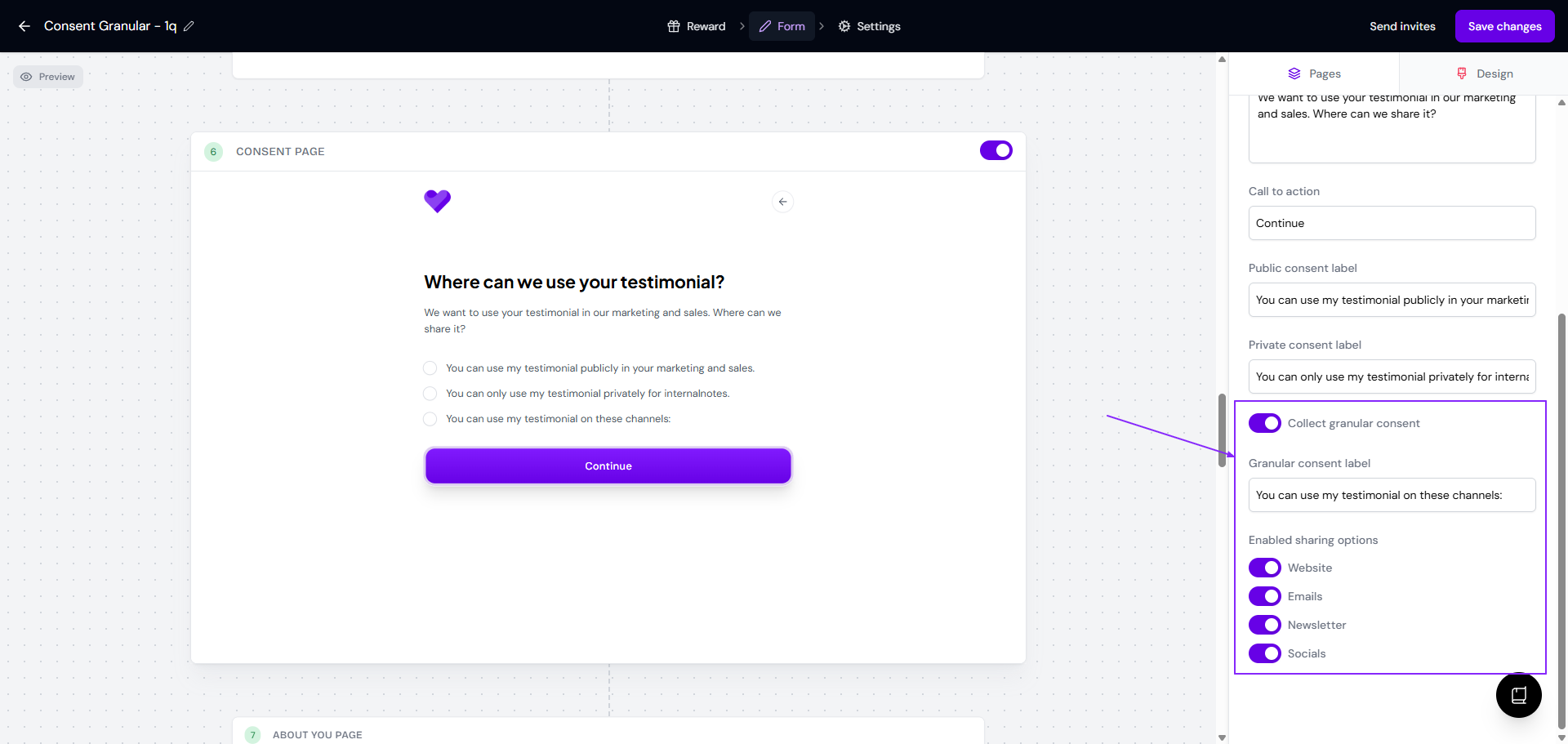
Click Save changes on the top right when you're done
Read How does the form consent work? to avoid making mistakes in setting up your form consent.
Making the consent mandatory on submitting the form
If the regulation in your country or industry doesn't require explicit consent, you can skip the Consent page in your form while also making sure that your customer understands that you will use their testimonials in your communication channels.
Enable the Ready to send page in your form
Explicitly mention the use of testimonials on this page by updating the copy as follows
This is important to make sure that your customers agree on the commercial usage of their testimonials
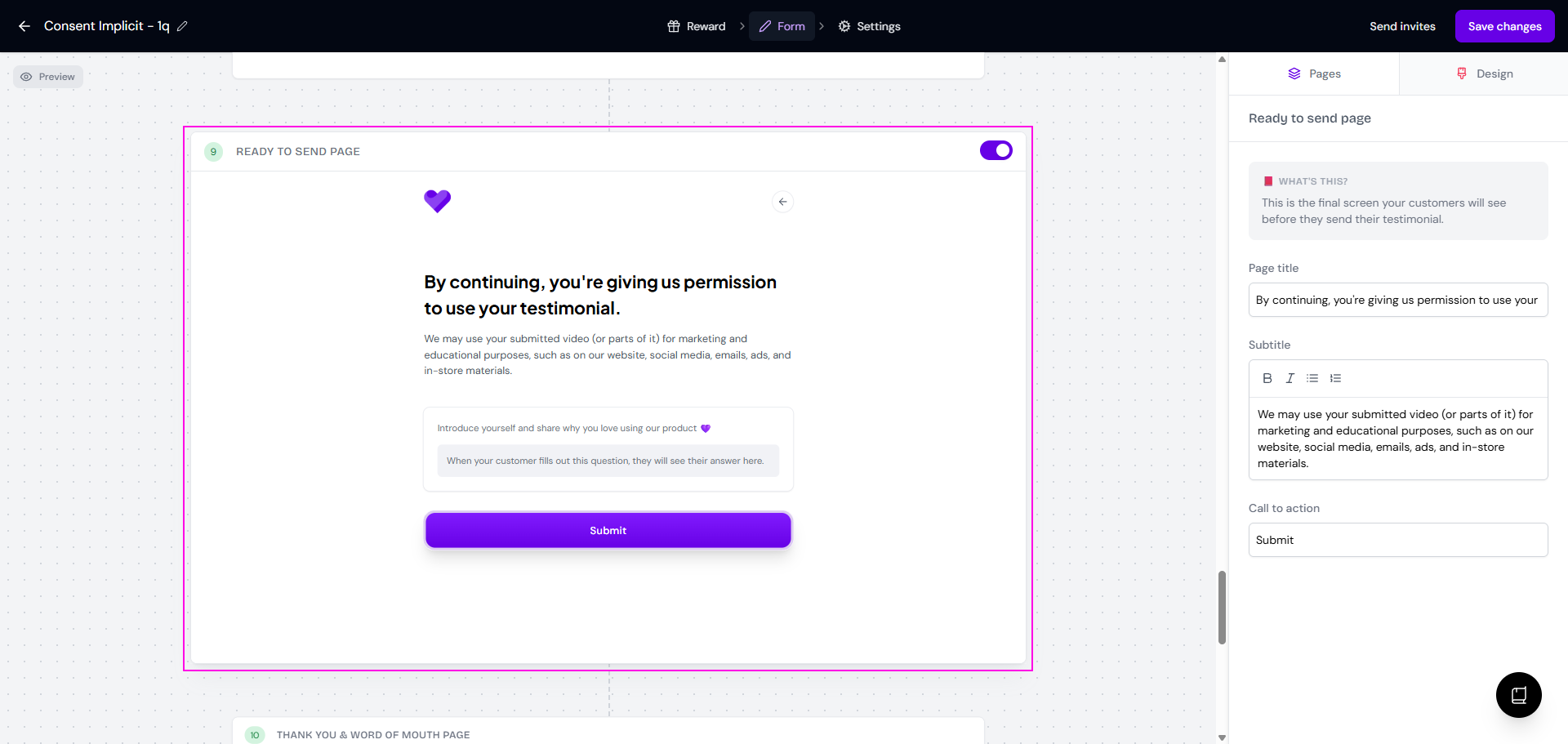
You can also mention this in Welcome page and again on Thank you & word of mouth page to emphasize the consent
Directing consent to external document
If the regulation in your country or industry require explicit consent in a thorough document (with e-signature, for example), it cannot be done natively in Senja form.
This is how you can incorporate the external document of consent in your form:
Go to the Thank you & word of mouth page
Toggle on the Add a custom call to action
Add the link to consent agreement document in the Call to action URL
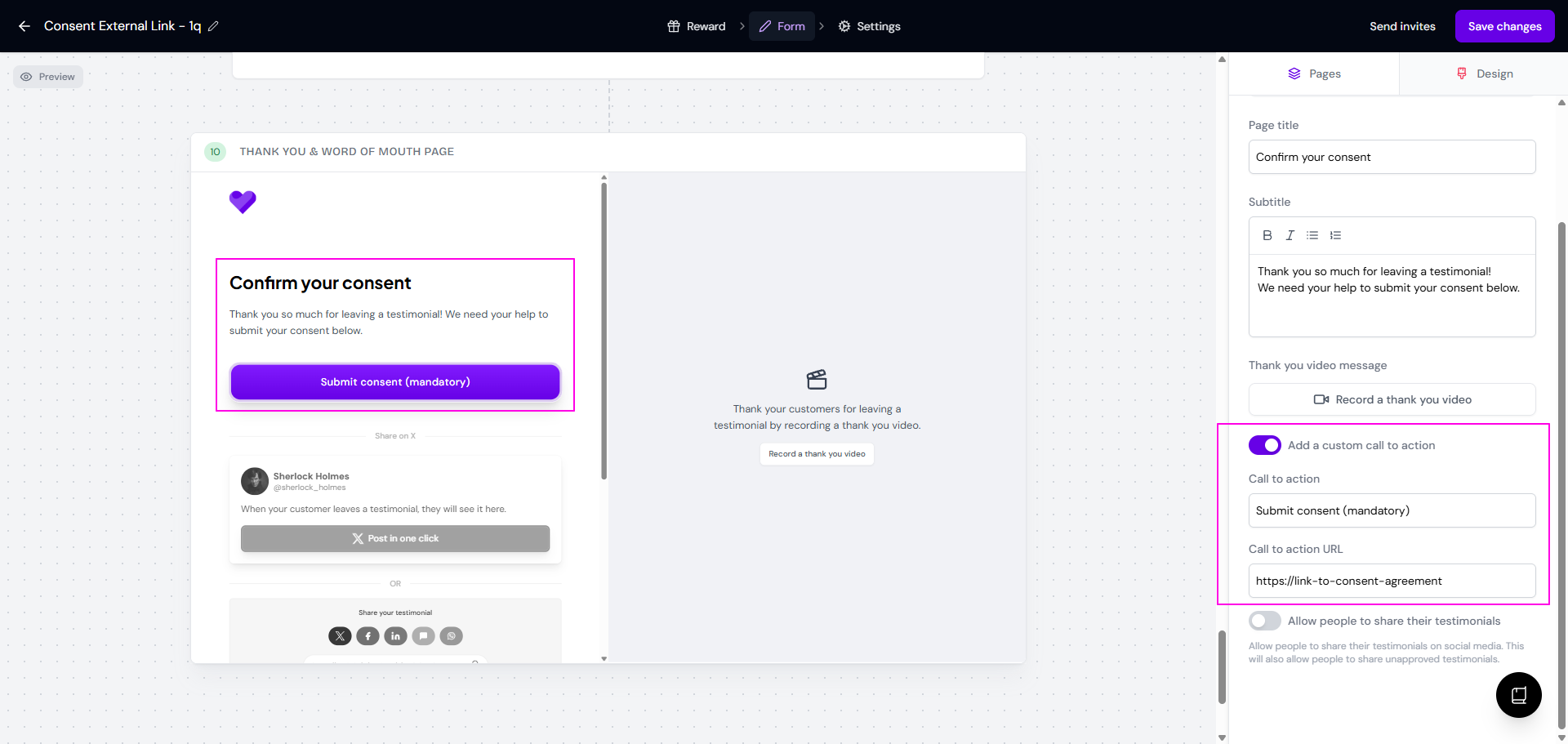
Another way is:
Collect the testimonial first using the form
Make sure you put the email address field as mandatory
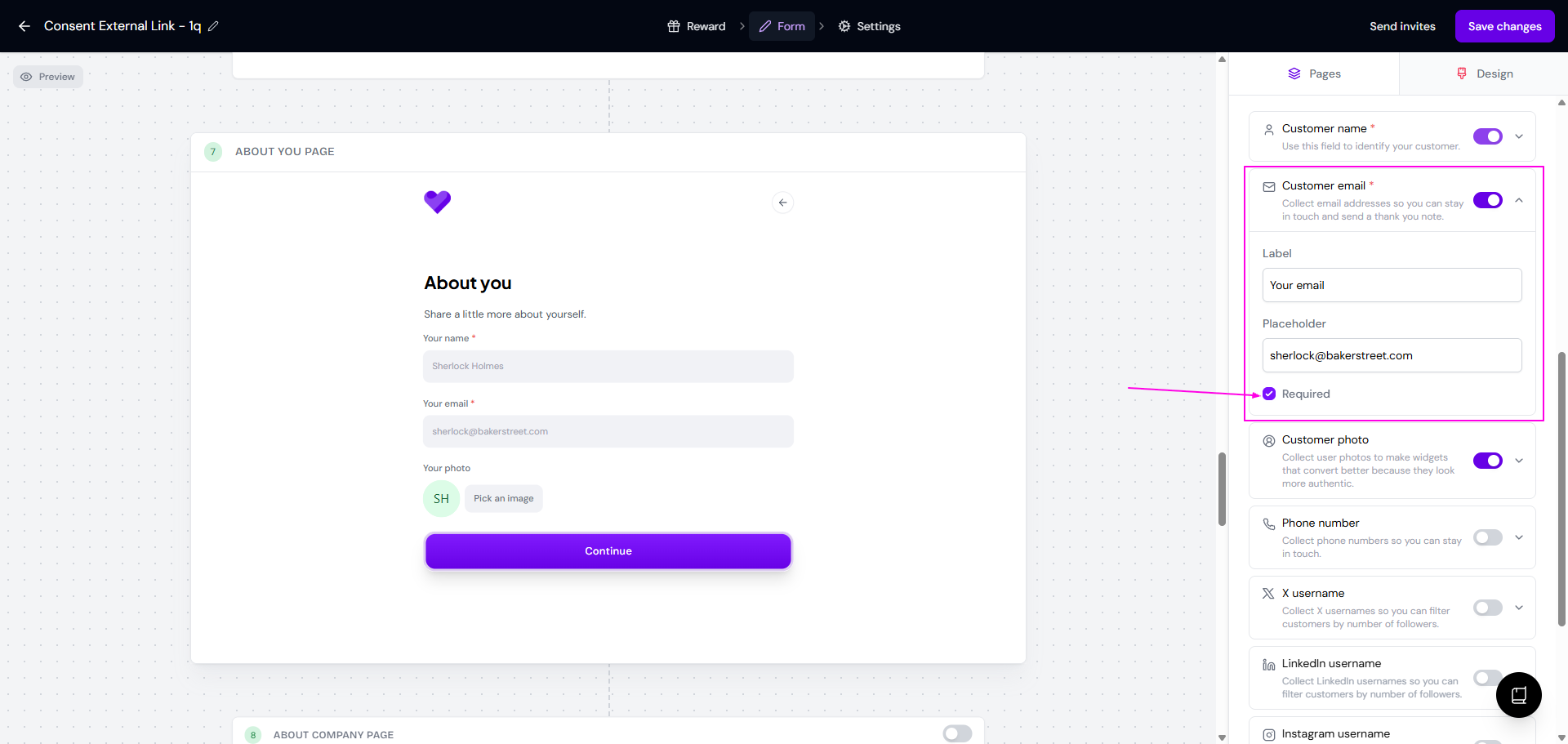
Send the consent agreement document to all submitting customers in a follow up email