
Can I change my form language?
You cannot automatically translate your form questions and contents to different language, this is something you have to do manually. However, you can automate the translation for the testimonials submitted via your form.
Auto-translate requires Senja Pro plan.
Why would you set the auto-translation?
If you have a global customer, but your website keeps 1 main language only, it's always better to have an automated translation of the form submissions to the default language that you use.
In case your customer fill in the form using their local language, you don't need to do the translation later on. Use the auto-translation so it comes to you directly in your chosen language.
Auto-translate in Senja form
Go to your Forms page: https://app.senja.io/forms
Choose your form, click the ⚙️ icon and choose Edit
Go to Settings tab
Click Add a language on the Translate collected testimonials section
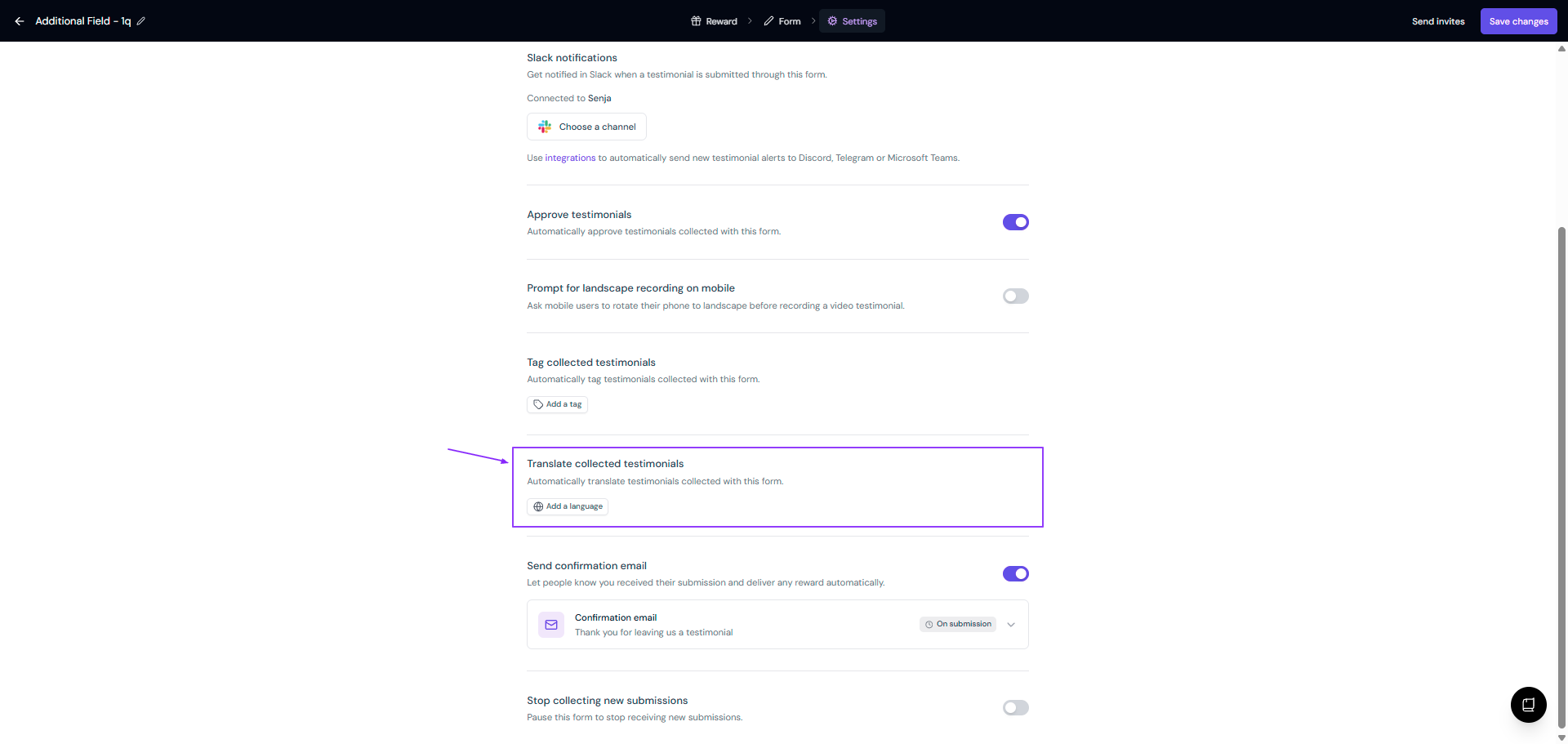
Click Save changes
All submissions from this form will now be automatically translated to your chosen language
Need a language that isn't listed? Drop it in our feedback public board.