
Can I embed Senja form in my course?
The answer to that is YES! You can get the embed code of your form (one unique code per form) and then add it to your course page.
This is applicable to any Senja plans: Free, Starter, and Pro.
Getting the embed code
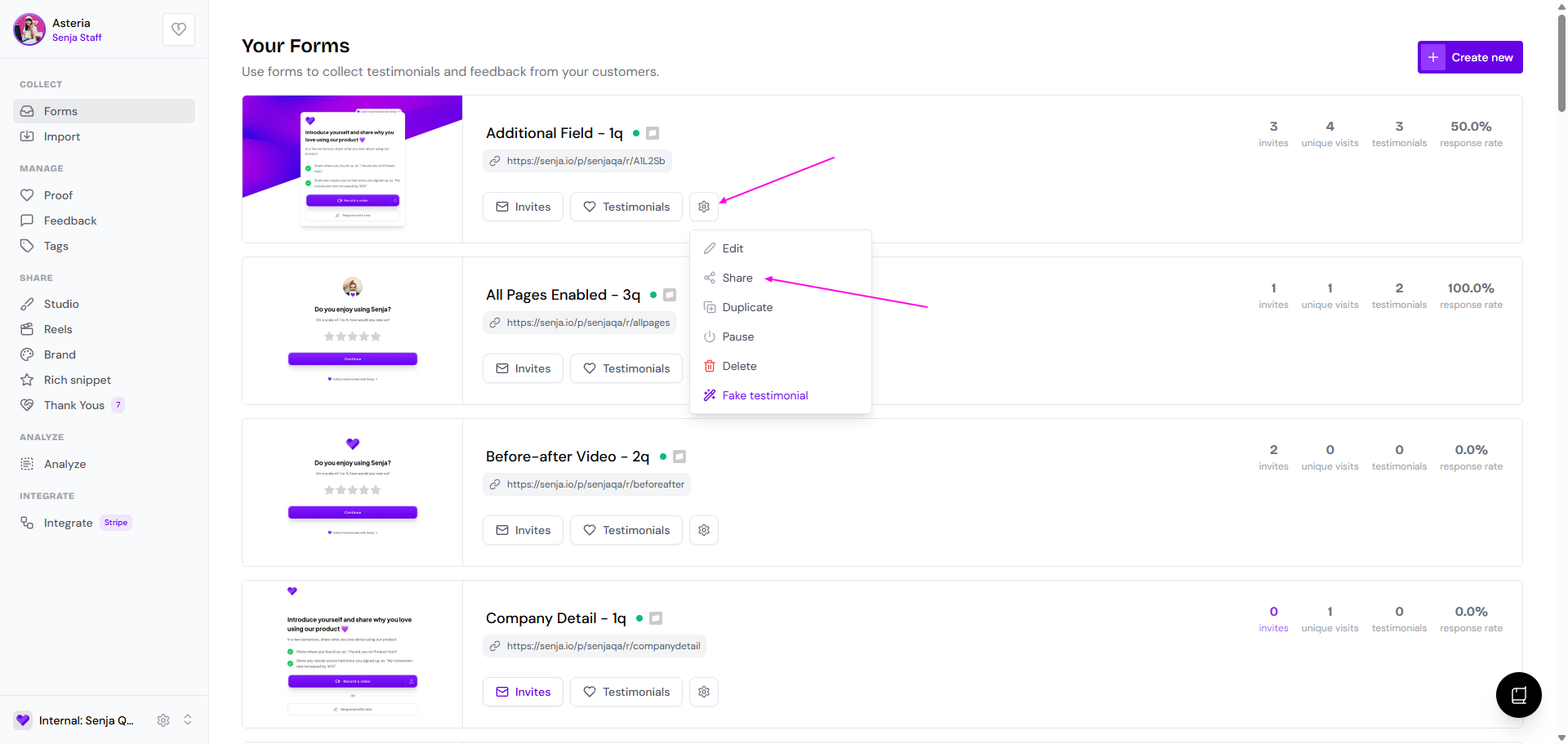
Go to your Forms page: https://app.senja.io/forms
Click the ⚙️ icon and choose Share
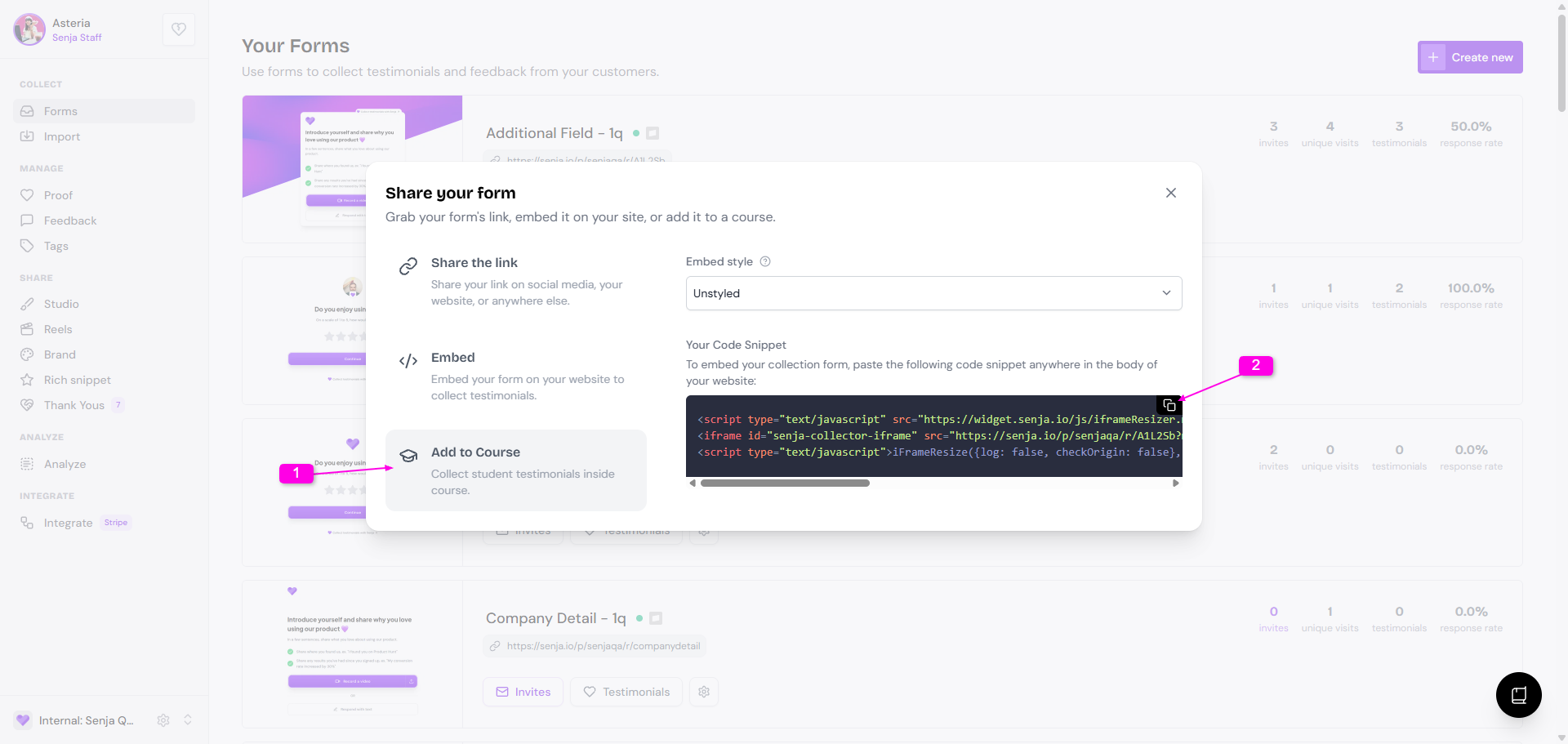
Click the Add to Course tab
Copy the embed code under Your Code Snippet
Embed the code to your course page
You can find the embedding steps for each course platform here: Collect testimonials in your course
Was this helpful?
Was this helpful?