
How to check my form invite status
This guide will walk you through how to check the delivery status of your form invitations. You'll learn how to find the status of each invite and what each status means.
This is applicable for all Senja plans: Free, Starter, and Pro.
Steps
Go to your Forms page: https://app.senja.io/forms
Choose the form that you want to check, click Invites
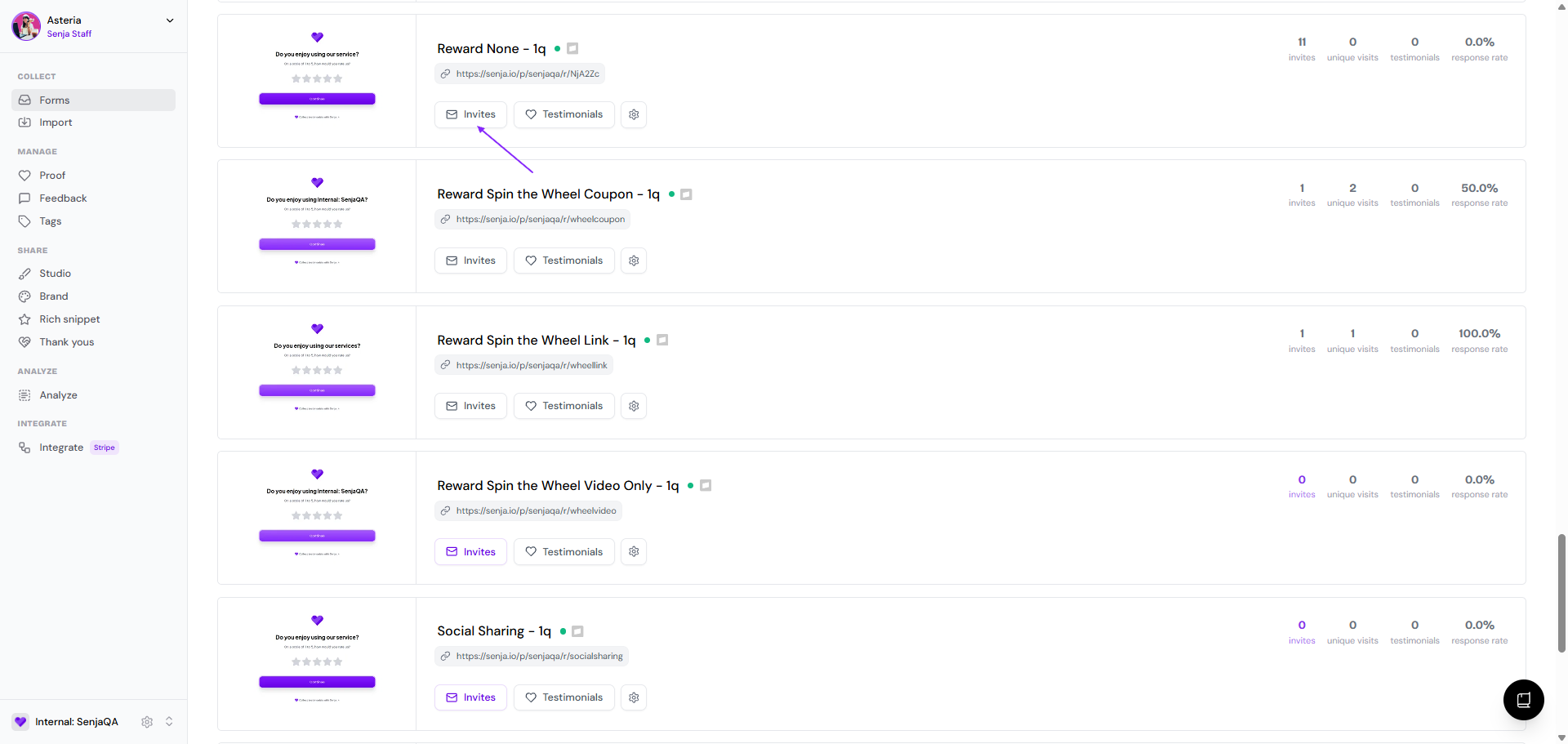
You'll see the Invites tab
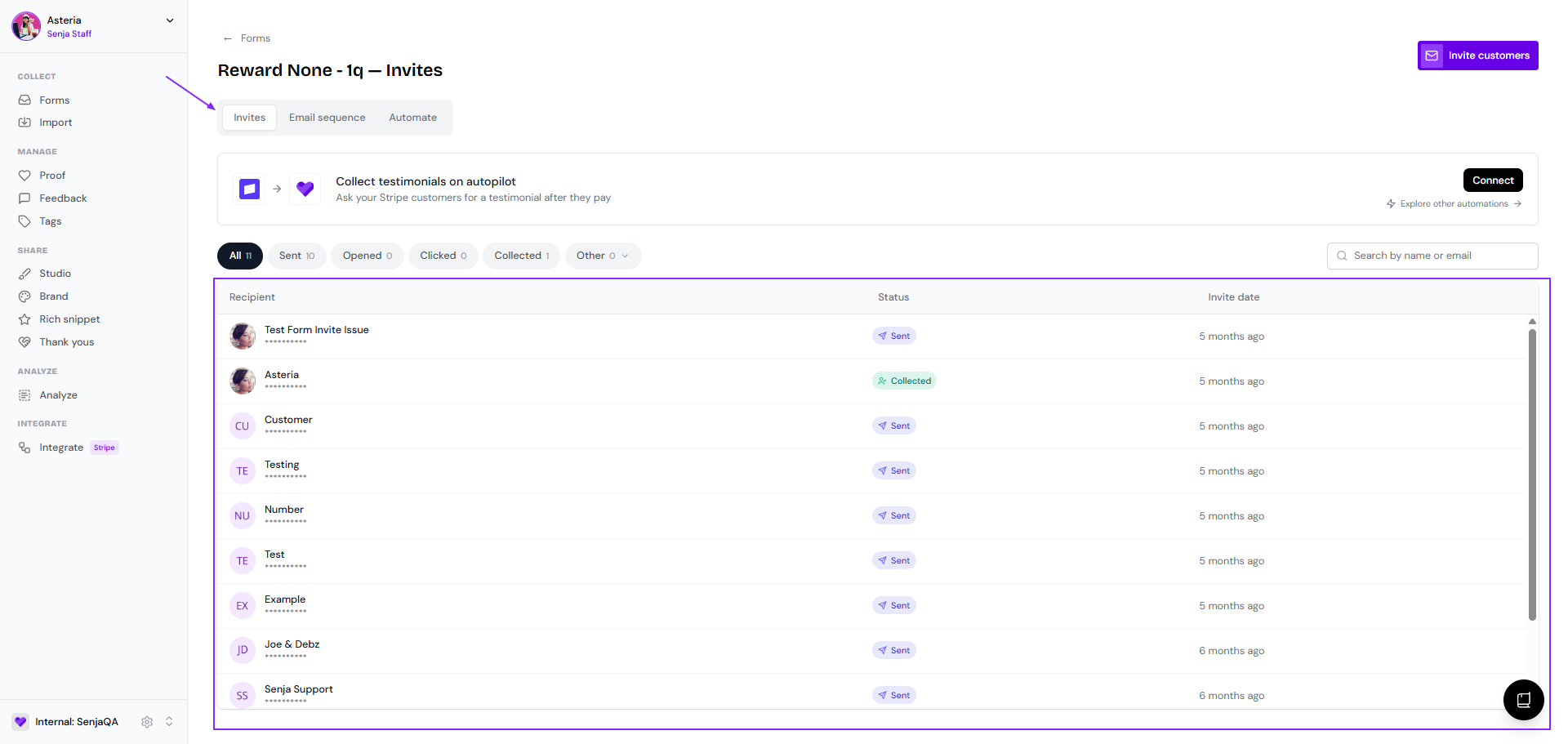
Here you will see the list of customers (name and email address), status, and timestamp
All: the full list of invited customers
Sent: the customers that received the invite email
Opened: the customers that opened the invite email
Clicked: the customers that clicked the Leave a testimonial button
Collected: the customers that submitted a testimonial to the form
Other
Paused: the customers with a paused reminder (if you put a pause to the reminder for these customers)
Declined: the customers that declined the request
Undelivered: the customers that didn't receive the email (wrong email address, server issue, etc.)
Unsubscribed: the customers that unsubscribed to your form request
The email will be sent from our email provider, Postmark. Adding emails from Postmark to their contact list can help ensure they receive your invitations in the future.
What you can do next
The status is Sent but not Opened: ask your customer to check their spam/junk folder
The status is Clicked but not Collected: confirm to your customer if they actually leave testimonials on the form up to the Submit page (full completion)
The status is Undelivered: check again the email address for typo or other possible mistake, and then resend to the correct one
The status is Declined or Unsubscribed: respect your customers decision and do not try to contact them through other means
We recommend that you only resend an invitation if you are certain that the recipient did not receive the first one. Sending multiple invitations can be perceived as spam and may negatively impact your relationship with your customers.