
How to send testimonial requests automatically
Connect your form to the tools you already use, and Senja sends a testimonial request at the right moment: when a customer buys, finishes a course, joins your community, or gets tagged in your CRM or support tool. No more remembering who to ask.
Auto-collect is available on paid plans: Starter and Pro.
Why automate your requests
Better timing: requests go out right after a win, when customers are most likely to say yes
Always on: you keep collecting testimonials without running campaigns
No double asks: once a customer submits a testimonial, Senja stops any follow-up reminders scheduled for them
Set up an automation
Go to your Forms page: https://app.senja.io/forms
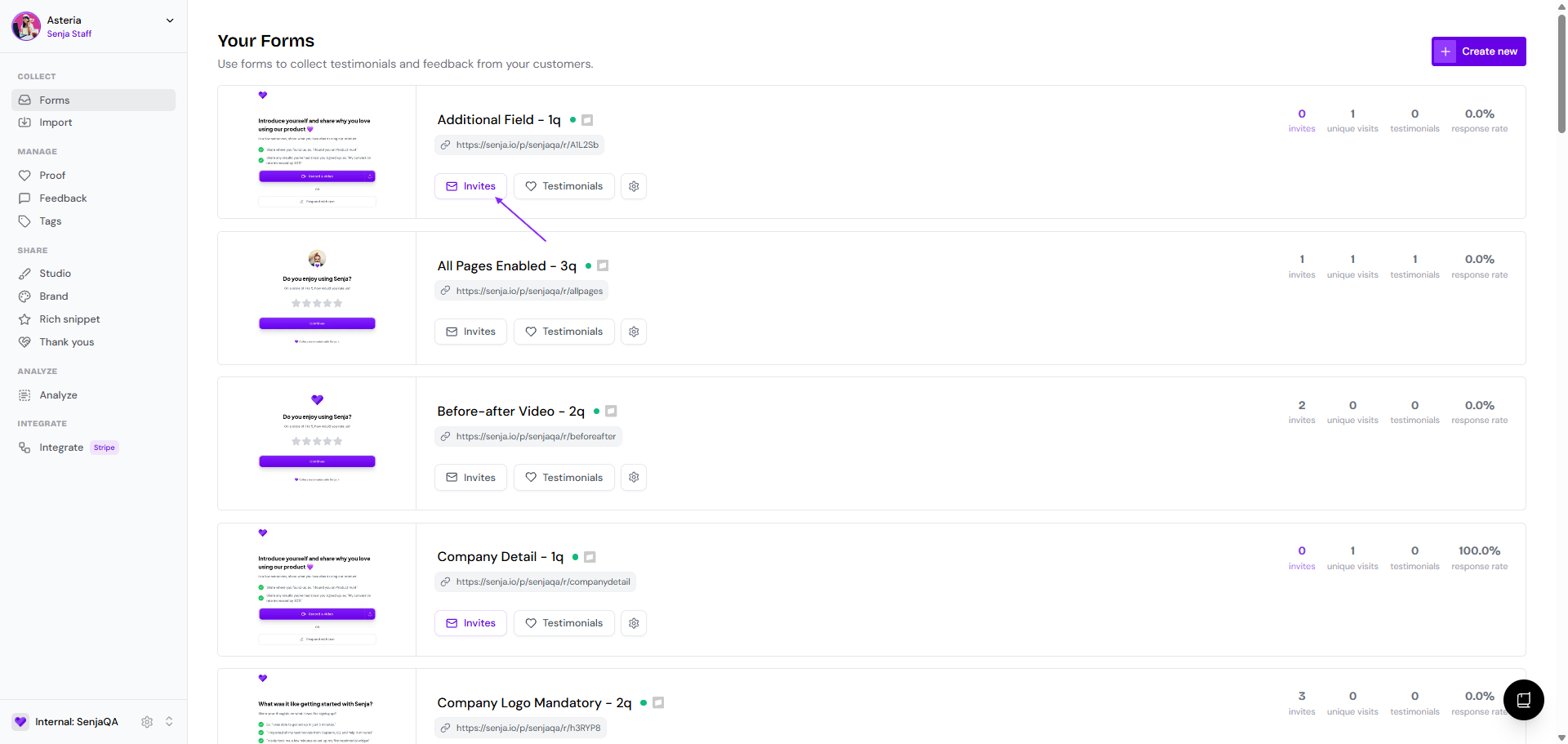
Choose your form and click Invites
Go to the Automate tab
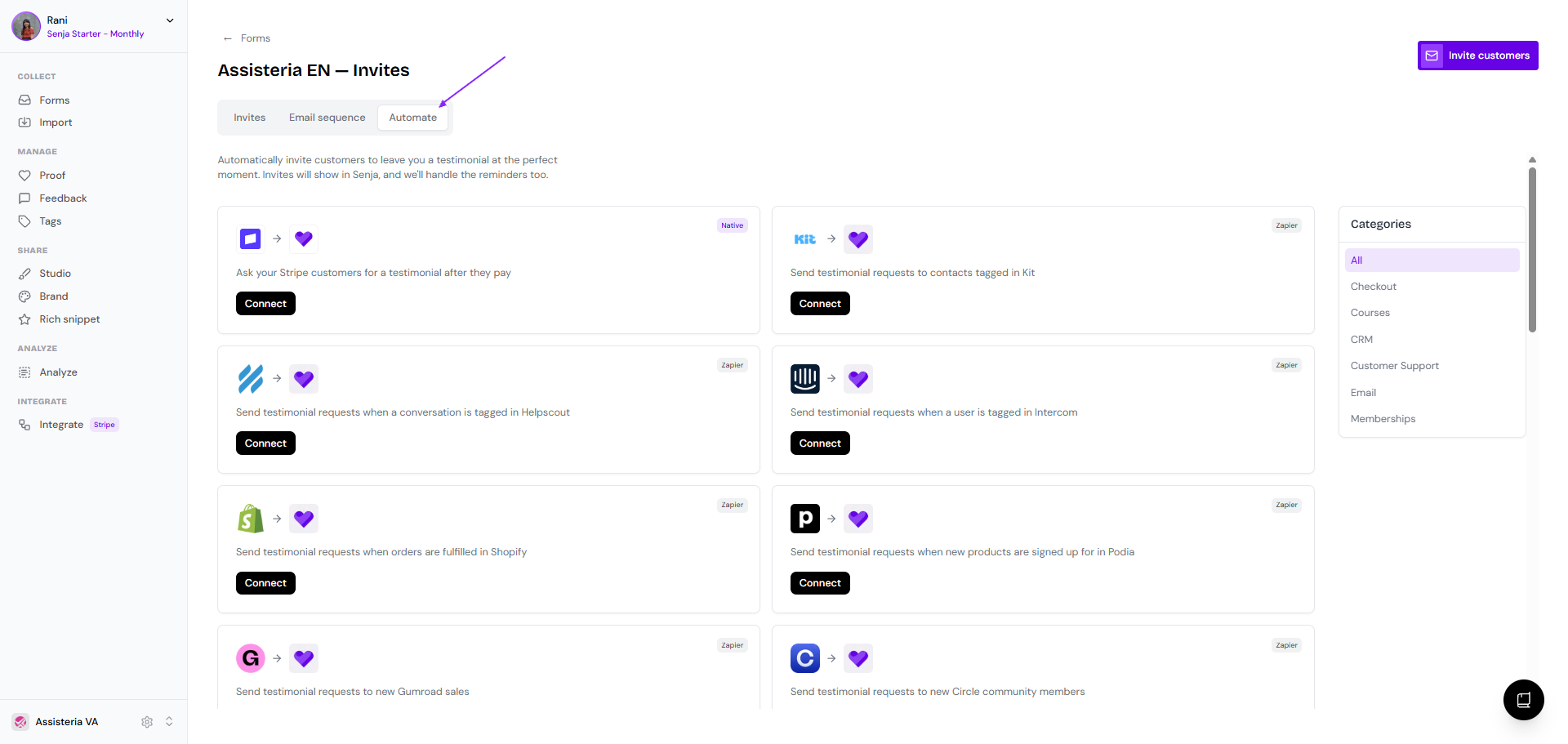
Choose the platform you want to connect and follow the steps on screen
Stripe
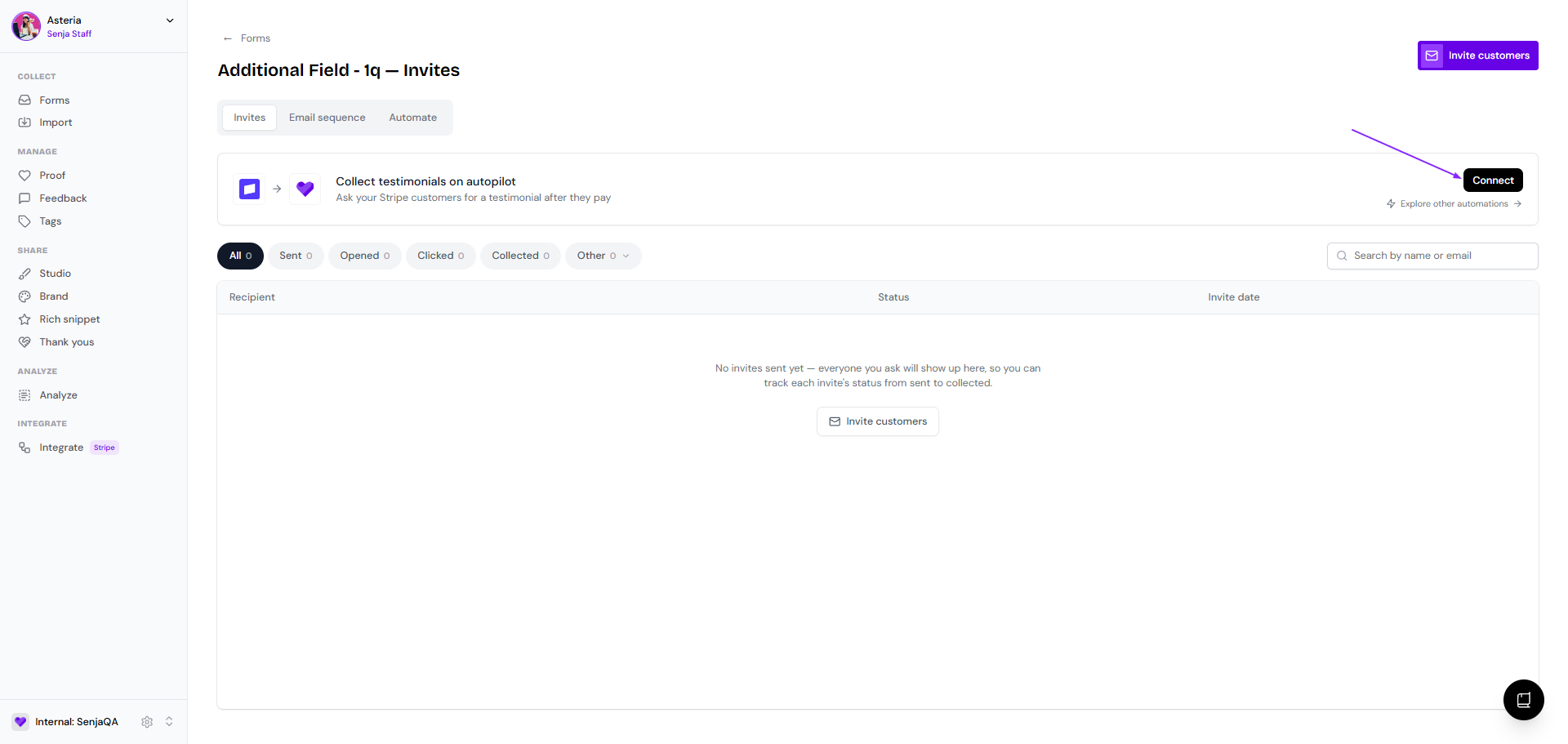
Stripe works a little differently: you connect it from the main Invites tab, not the Automate tab.
What your customers receive
Automated requests use the same email as your manual invites, so whatever you set up in the Email sequence tab, including follow-up reminders, applies here too. See How do I use form invites?
Check that it's working
Every automated request shows up in your form's Invites tab, so you can see who was sent a request and who opened, clicked, or submitted.
Test it once with your own email address in the connected platform, for example by tagging yourself or placing a test order, before you rely on it.
Supported platforms
Platform | Sends a request when… |
|---|---|
ActiveCampaign | A contact is tagged |
Beehiiv | A subscriber upgrades |
Brevo | A new contact is added |
Circle | A new member joins your community |
Flodesk | A contact is added to a segment |
Gumroad | You make a new sale |
Heartbeat | A new member joins your community |
Help Scout | A conversation is tagged |
Intercom | A user is tagged |
Kajabi | Someone makes a new purchase |
Keap | A contact is tagged |
Kit | A contact is tagged |
LearnDash | A student completes a course |
Lemon Squeezy | You get a new order |
MailerLite | A contact is added to a group |
Mighty Networks | A new member joins your community |
Podia | Someone signs up for a product |
Shopify | An order is fulfilled |
Skool | A paying member joins |
Stripe | A customer pays (set up from the Invites tab) |
Teachable | A student completes a course |
Thinkific | A student completes a course |
ThriveCart | A product is purchased |
WooCommerce | You get a new order |
Using a tool that isn't listed?
You can still automate your requests:
Zapier: connect Senja to thousands of apps, see Testimonial automation with Zapier
Webhooks: for developers who want to build their own flow, see Webhook Integration
Want a native integration for your tool? Suggest it on our feedback board.
For ideas on when to send requests for your type of business, see How and when to ask for testimonials.