
Where can I share my collection form?
Congratulations on creating a collection form! It’s time to share your form far and wide and start collecting social proof.
This is applicable on all Senja plans: Free, Starter, and Pro.
Sharing form link to your customers
Go to your Forms page: https://app.senja.io/forms
Click the link under the form's name to copy it
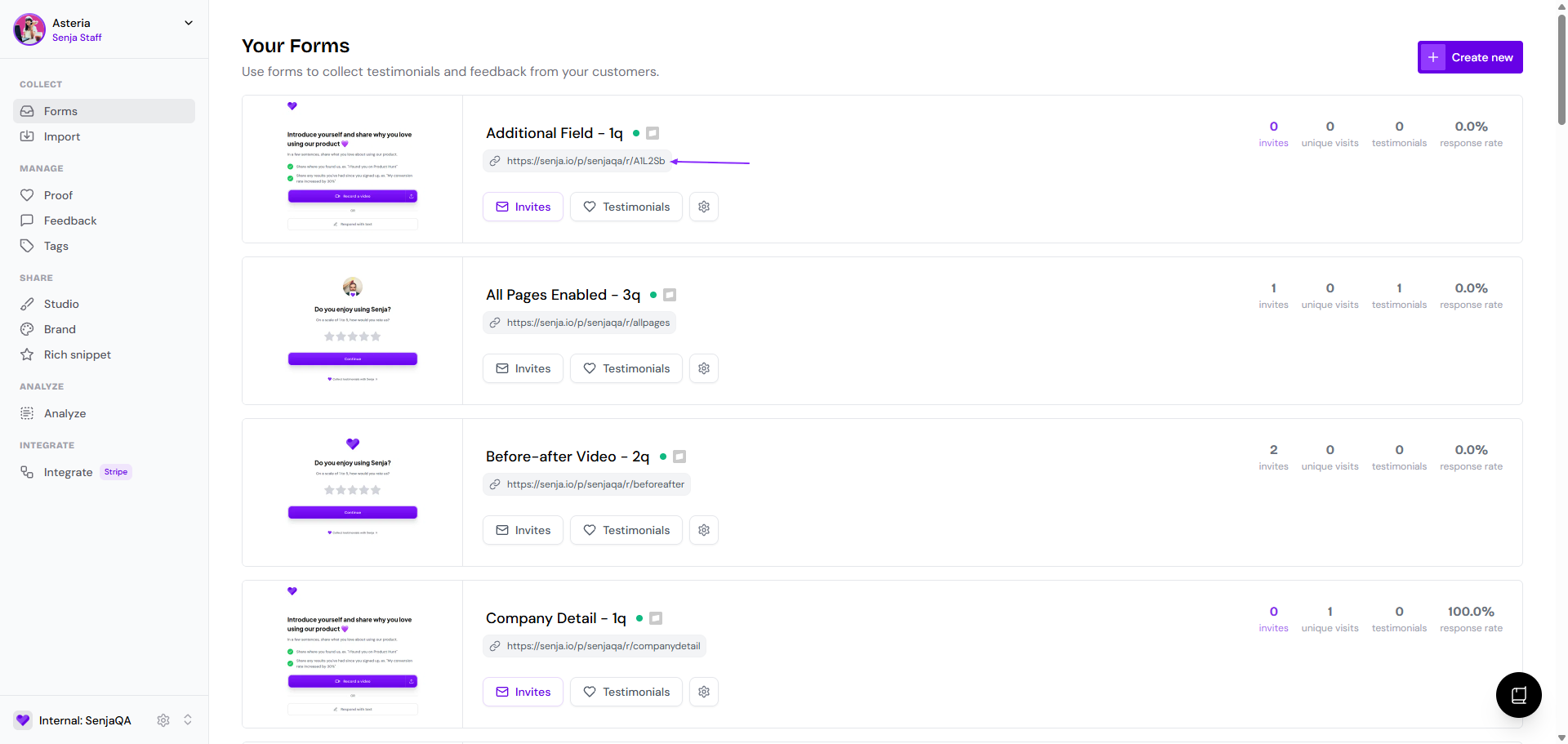
Share the link to your customers or add it in hyperlink to your communication channels
Sending form invite directly from Senja
Go to your Forms page: https://app.senja.io/forms
Click Invites button in the form that you want
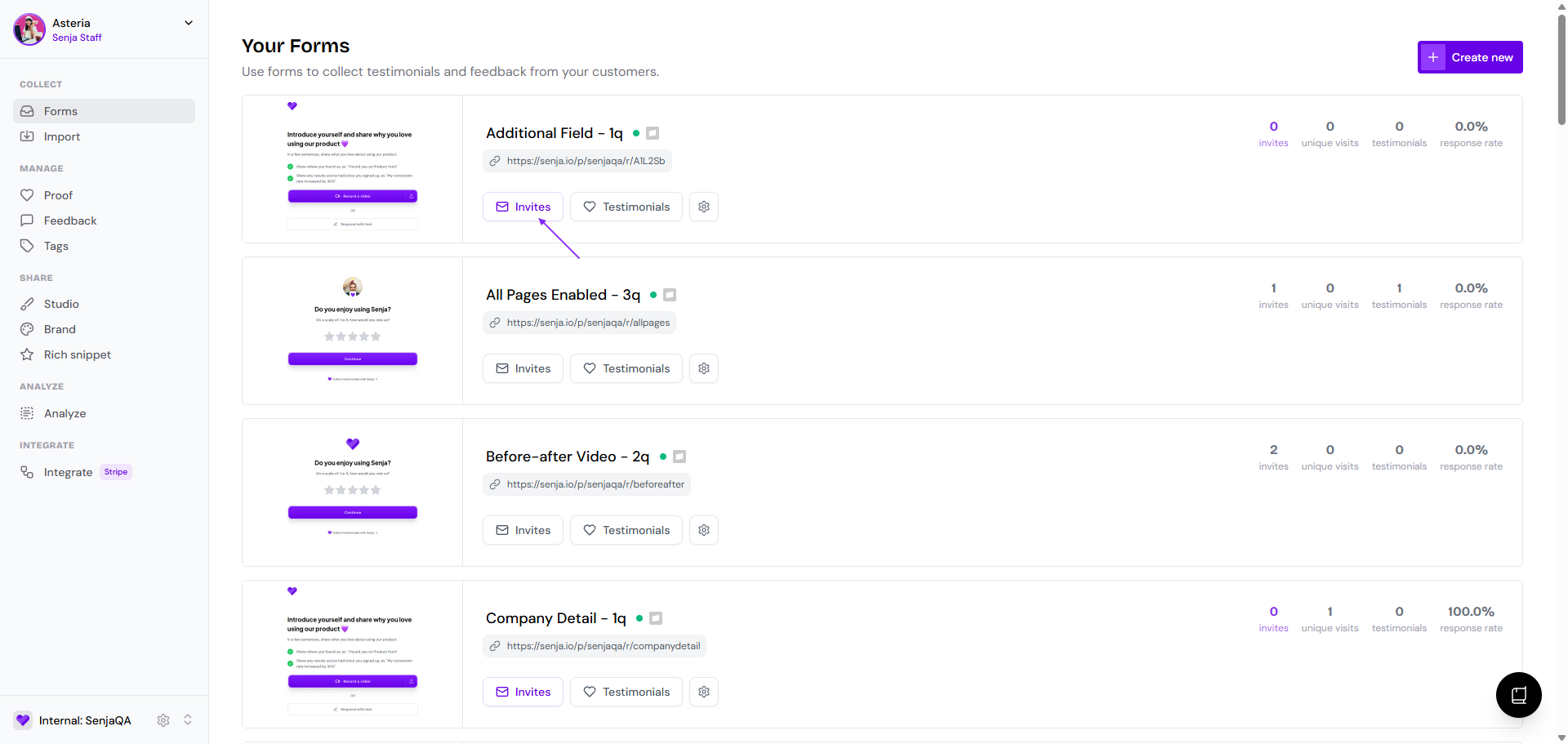
Click Invite customers to add the list of recipients
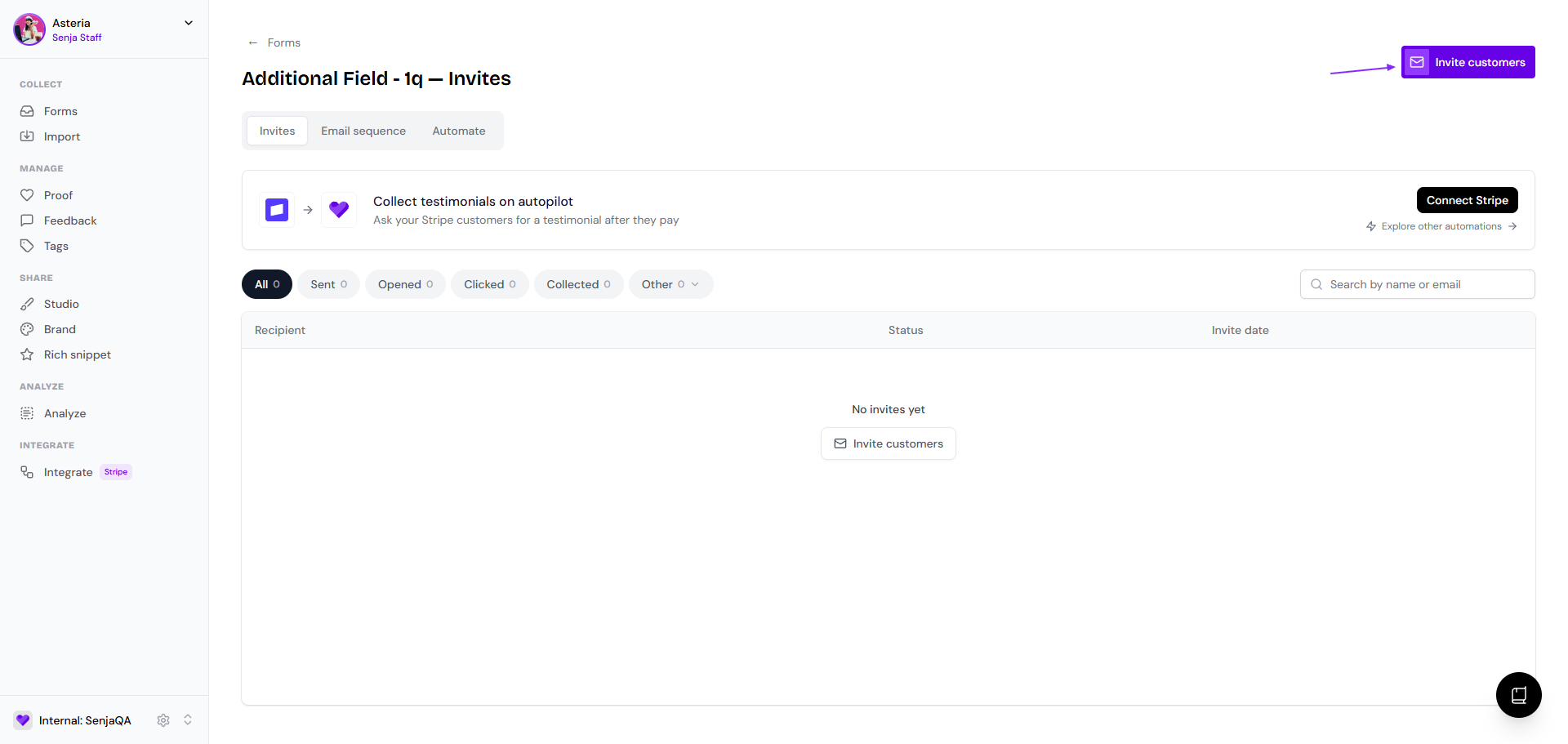
You can add the email addresses in 3 ways:
Choosing from your existing list
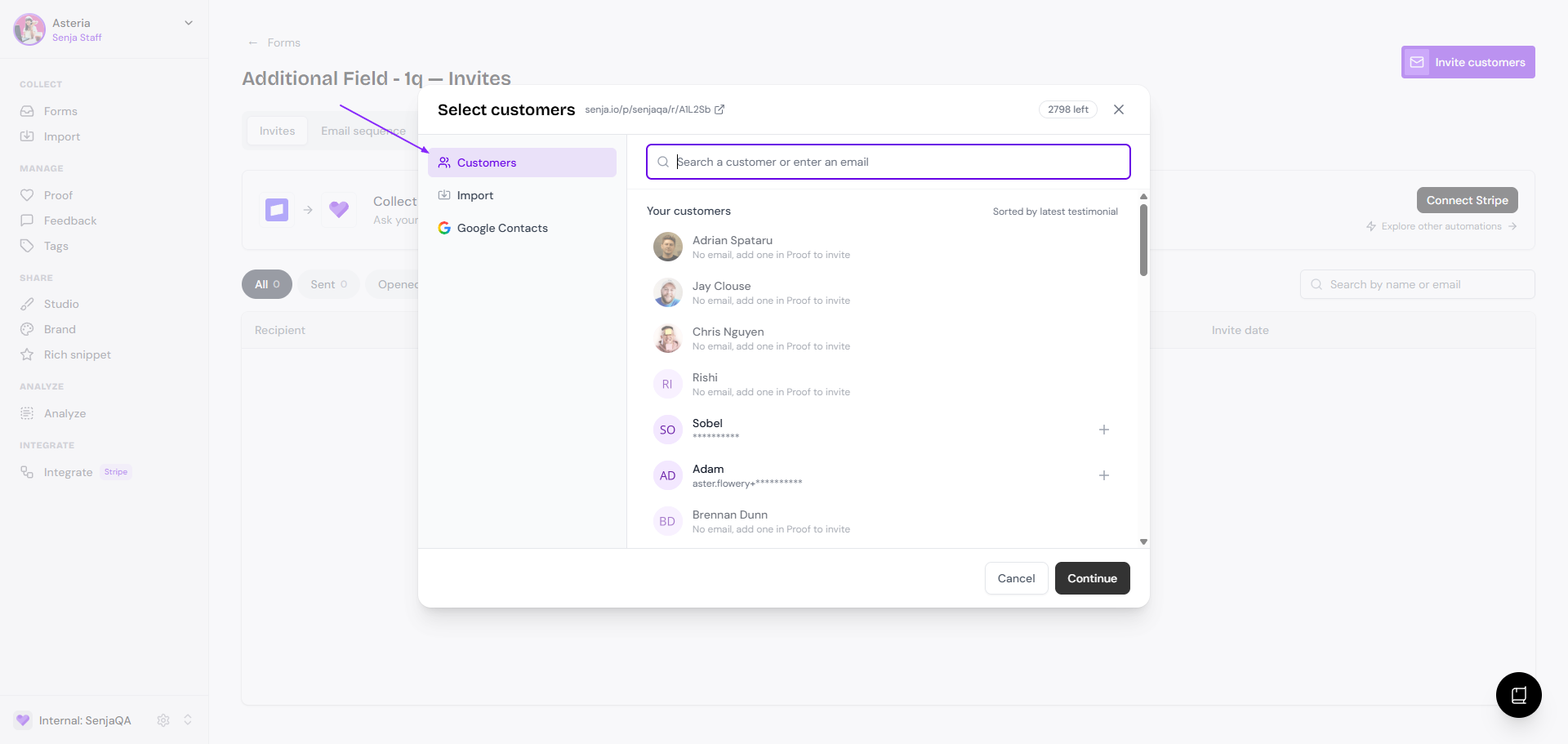
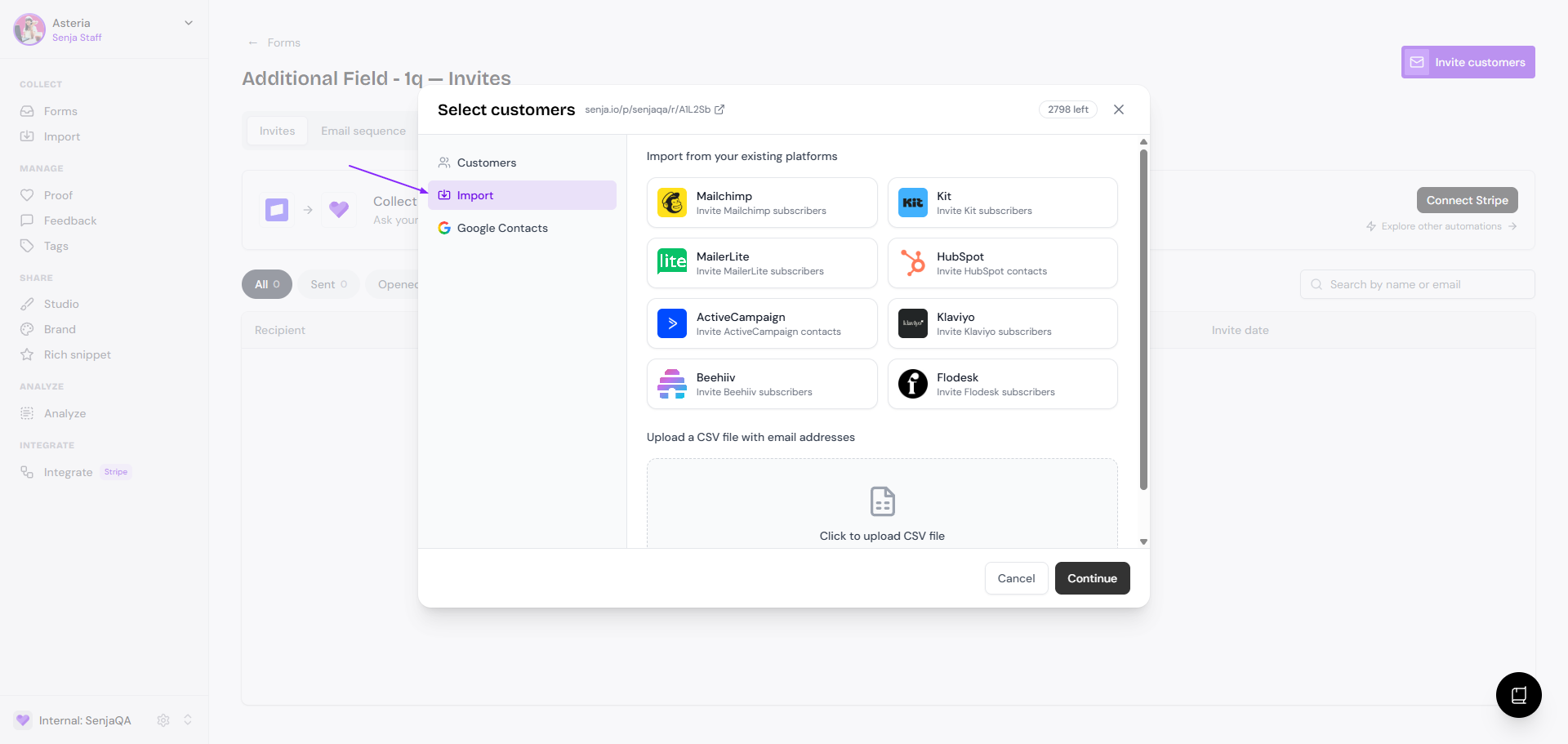
Import the contacts from your existing platforms or CSV/XLS
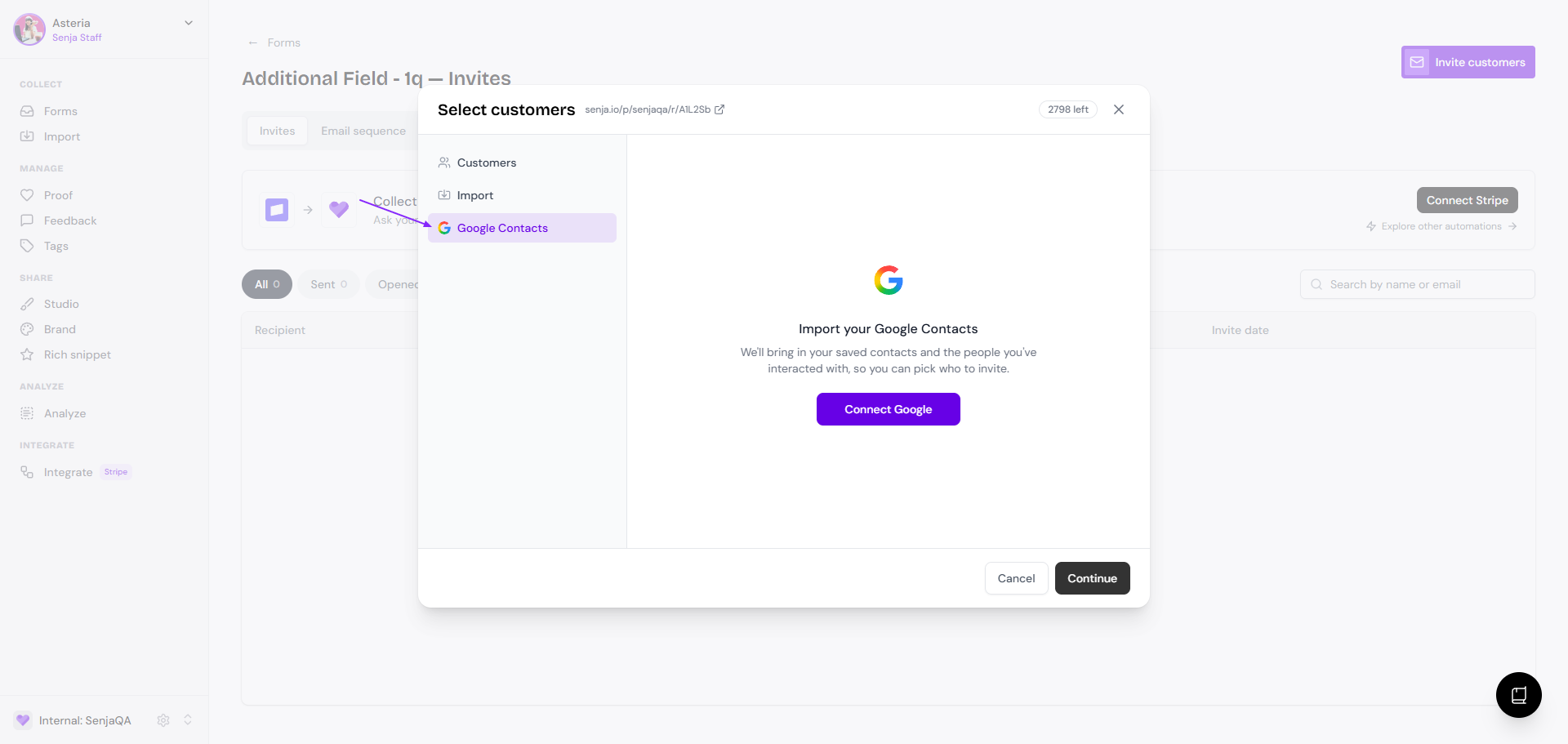
Import from your Google contacts
Automating the testimonial collection
Go to your Forms page: https://app.senja.io/forms
Click Invites button in the form that you want
Go to Automate tab
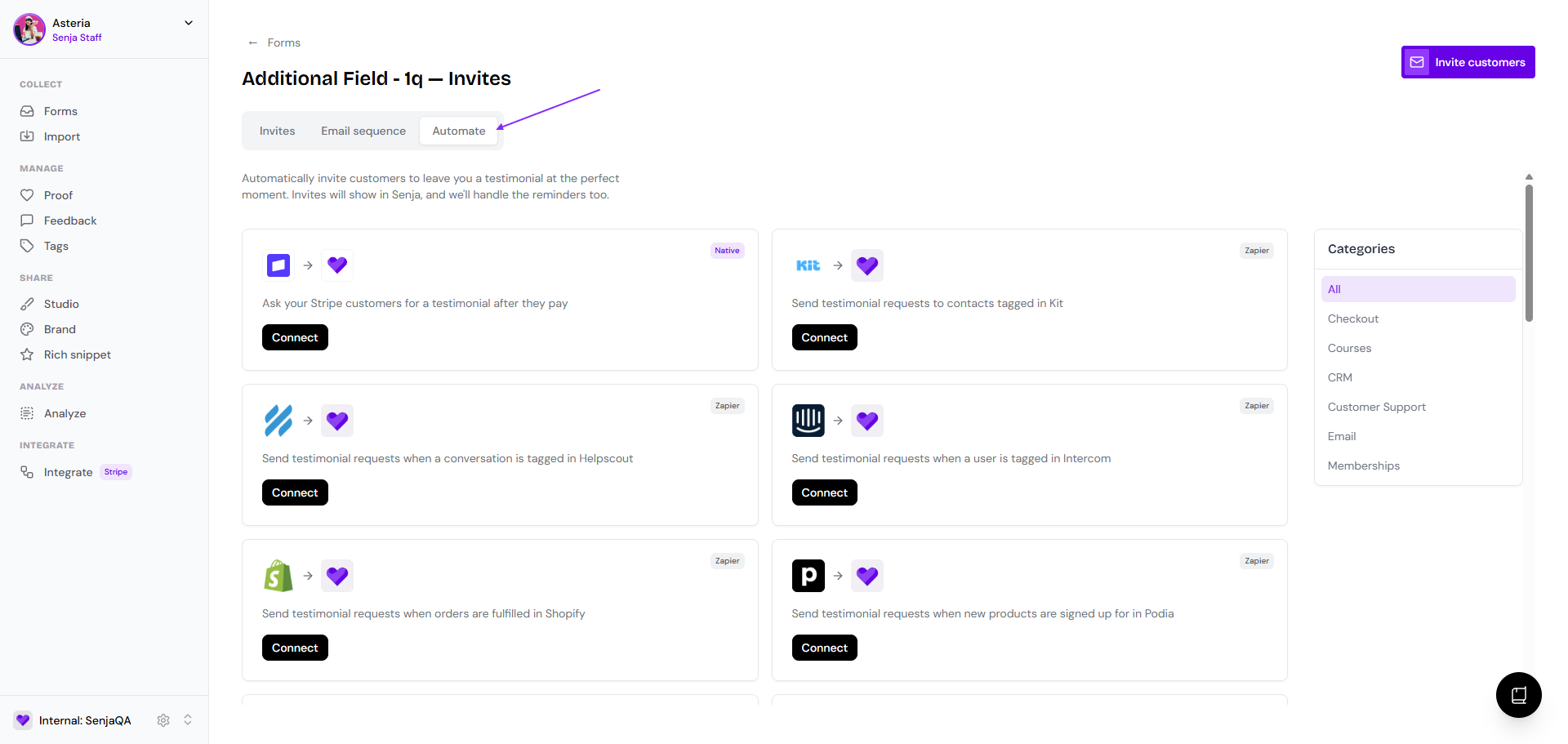
Choose the platform you want to connect your form with
You have the option to connect 24 platforms to your form, which will trigger automatic testimonial request when you customer does an action in your platform.