
How do I use form invites?
Use form invites when you want to ask specific customers for a testimonial by email. The current flow lets you send invites to one customer or several at once from the same form.
Who can use this: Any Senja account in any plans (Free, Starter, and Pro).
Finding the invite modal
Go to Forms https://app.senja.io/forms
Choose the form that you want, and click Invites
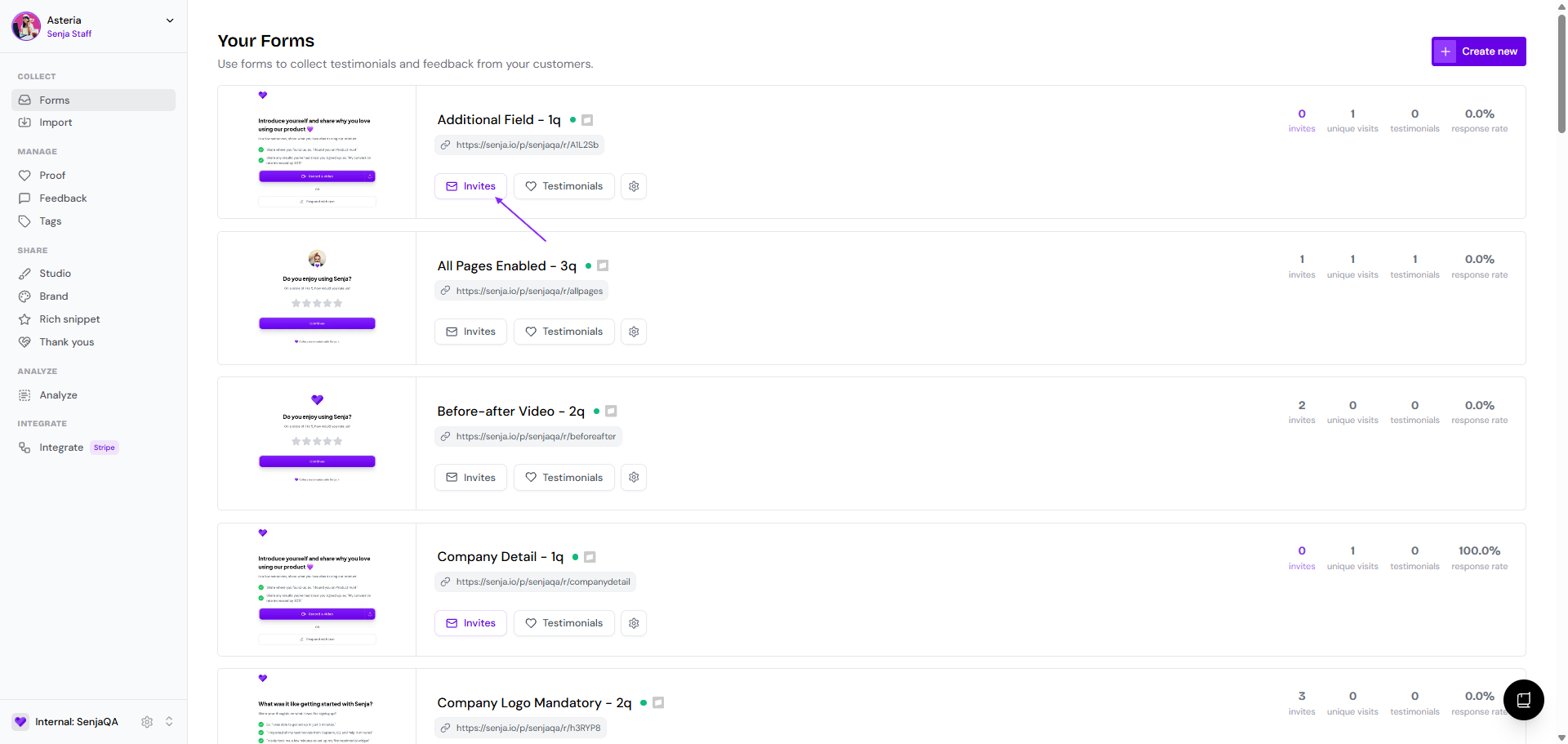
The first thing you see is Invites tab, with the list of all customers invited to this form
Customizing the email copy of the form invite
Go to Email sequence tab
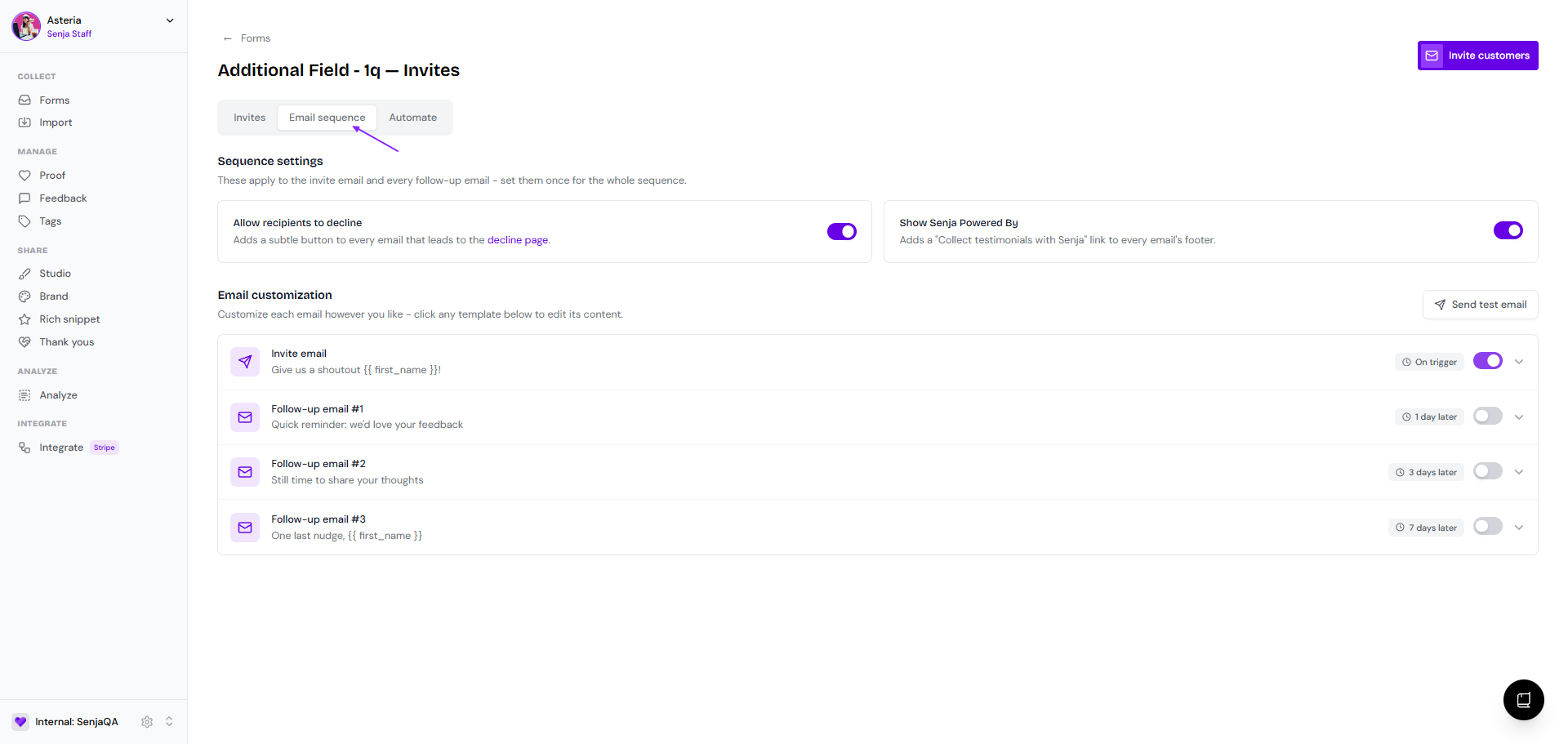
Enable the Allow recipients to decline if you want your customers to have option to decline the request
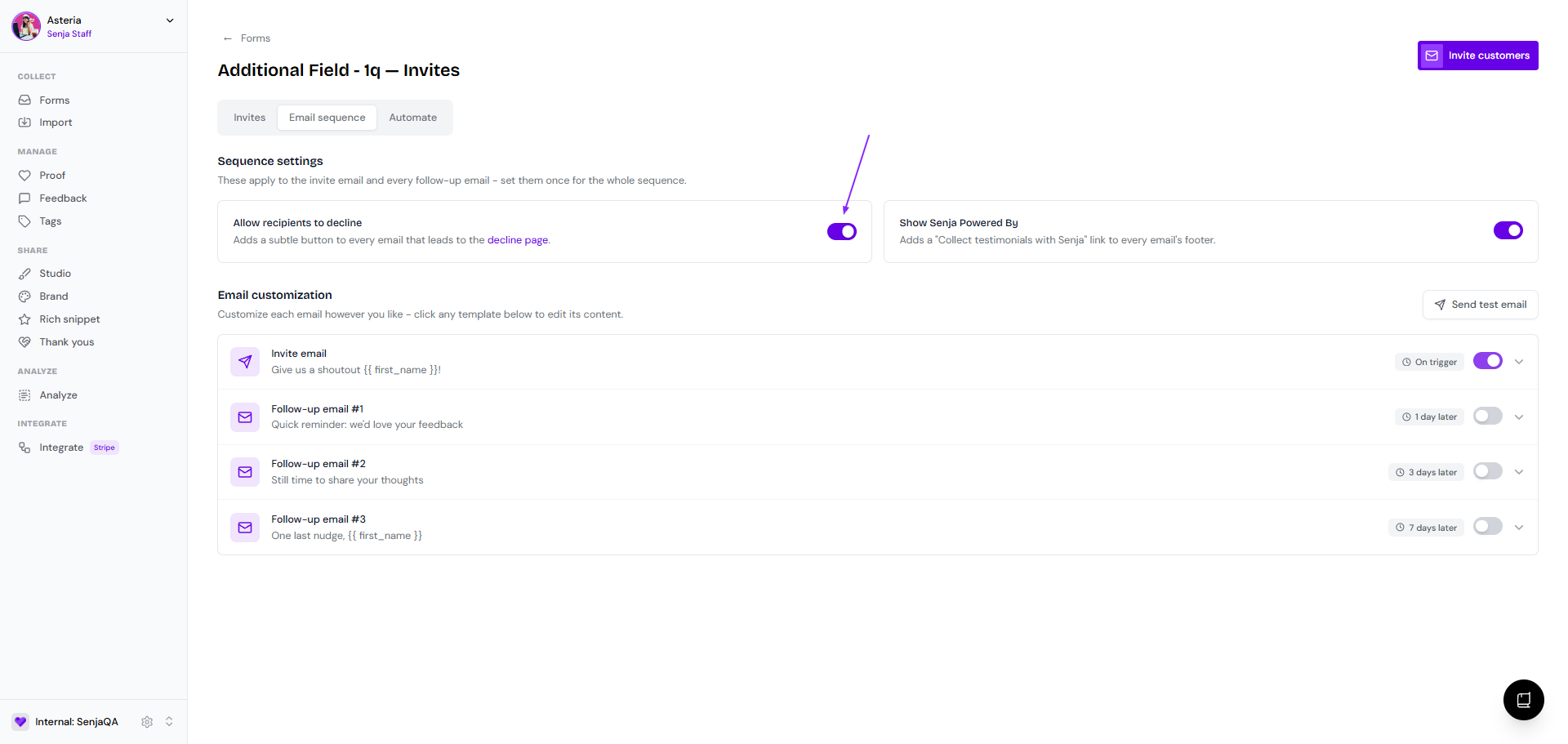
Disable the Show Senja Powered By if you want to remove Senja branding
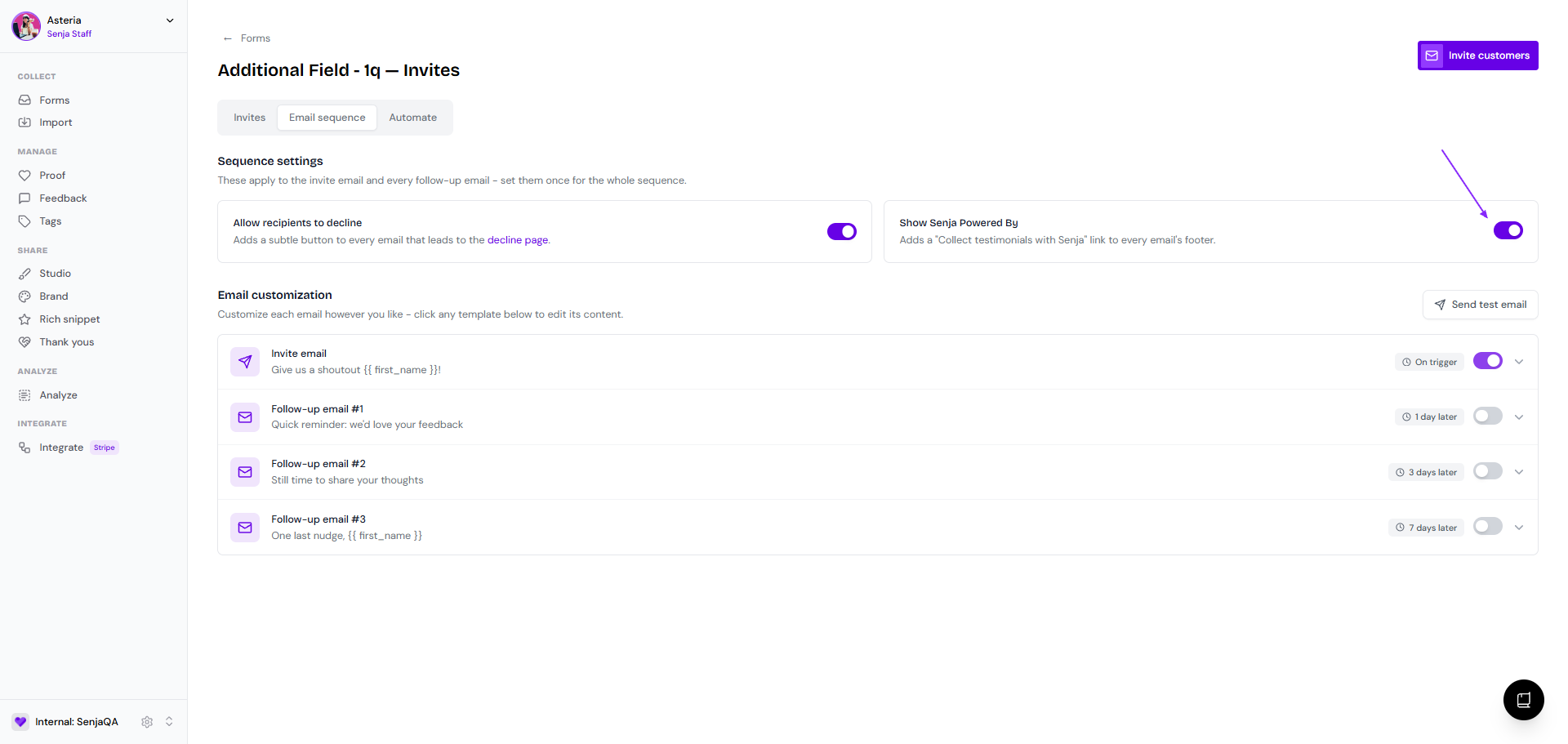
Toggle on the Follow-up email #1, #2, and #3 if you want to set up the reminders
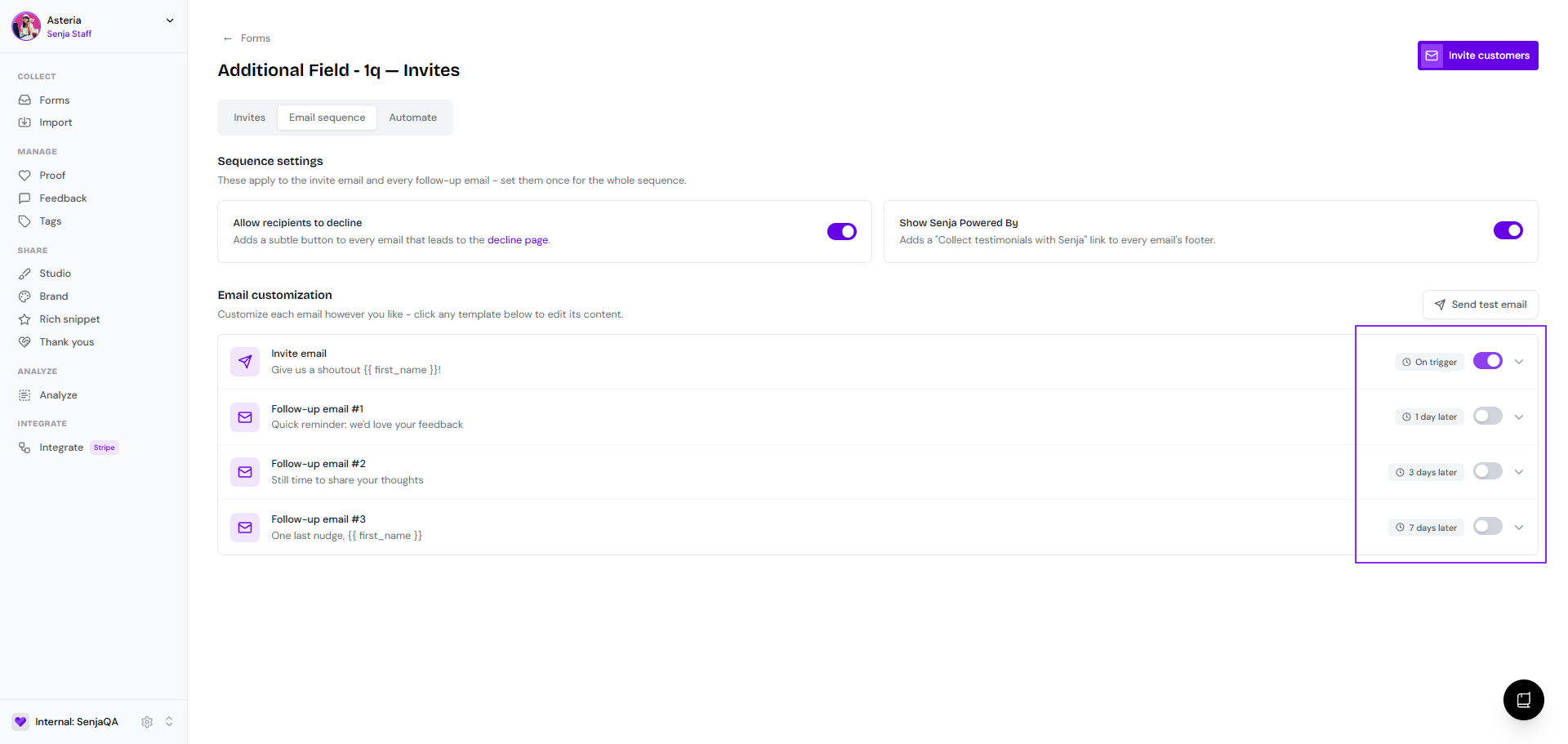
Click on the Invite email bar (or the ones for follow-up emails) to open the editing modal
Make your edit
Sender name (the From email address is uneditable, it's automatically set as <project_slug>@invites.senja.io)
Reply-To email (if your customer reply to your form invite, this is the reply-to address)
Email subject
Spokesperson
Company logo
Email body
Label for leaving testimonial
Label for declining the request
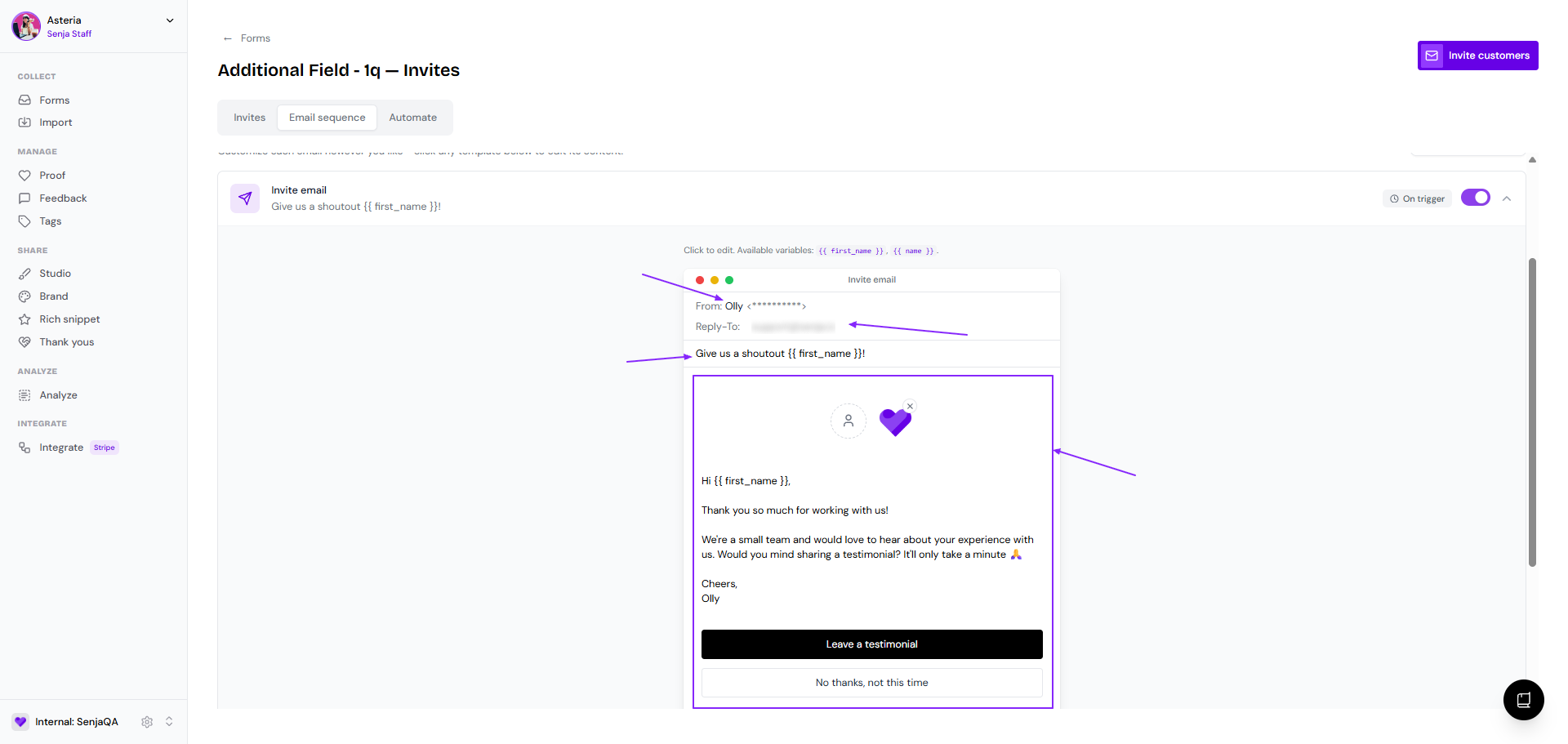
The email will be autosaved
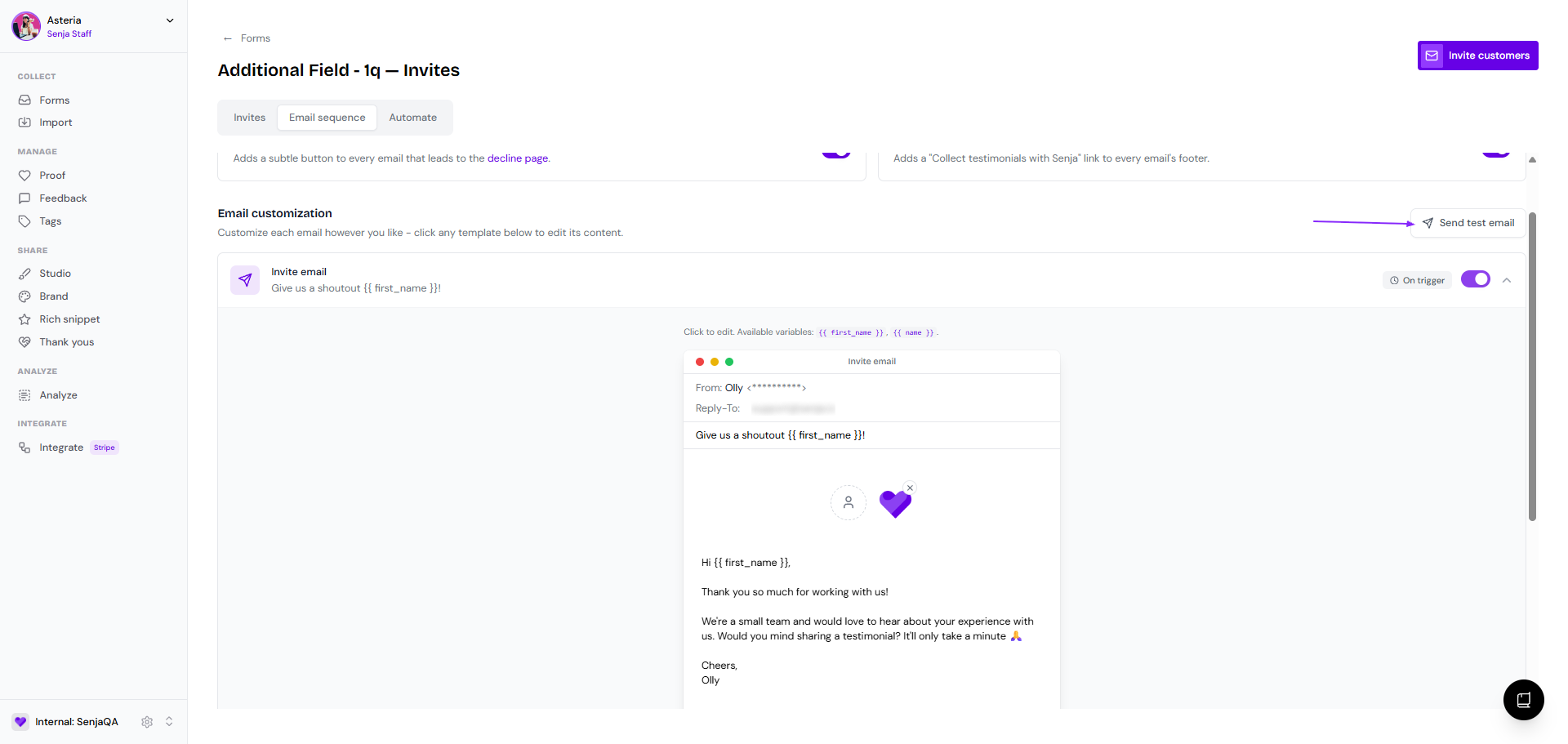
Click Send test email to see how it looks (it will be sent to the email address of the project owner)
Automating the form invites
Go to Automate tab
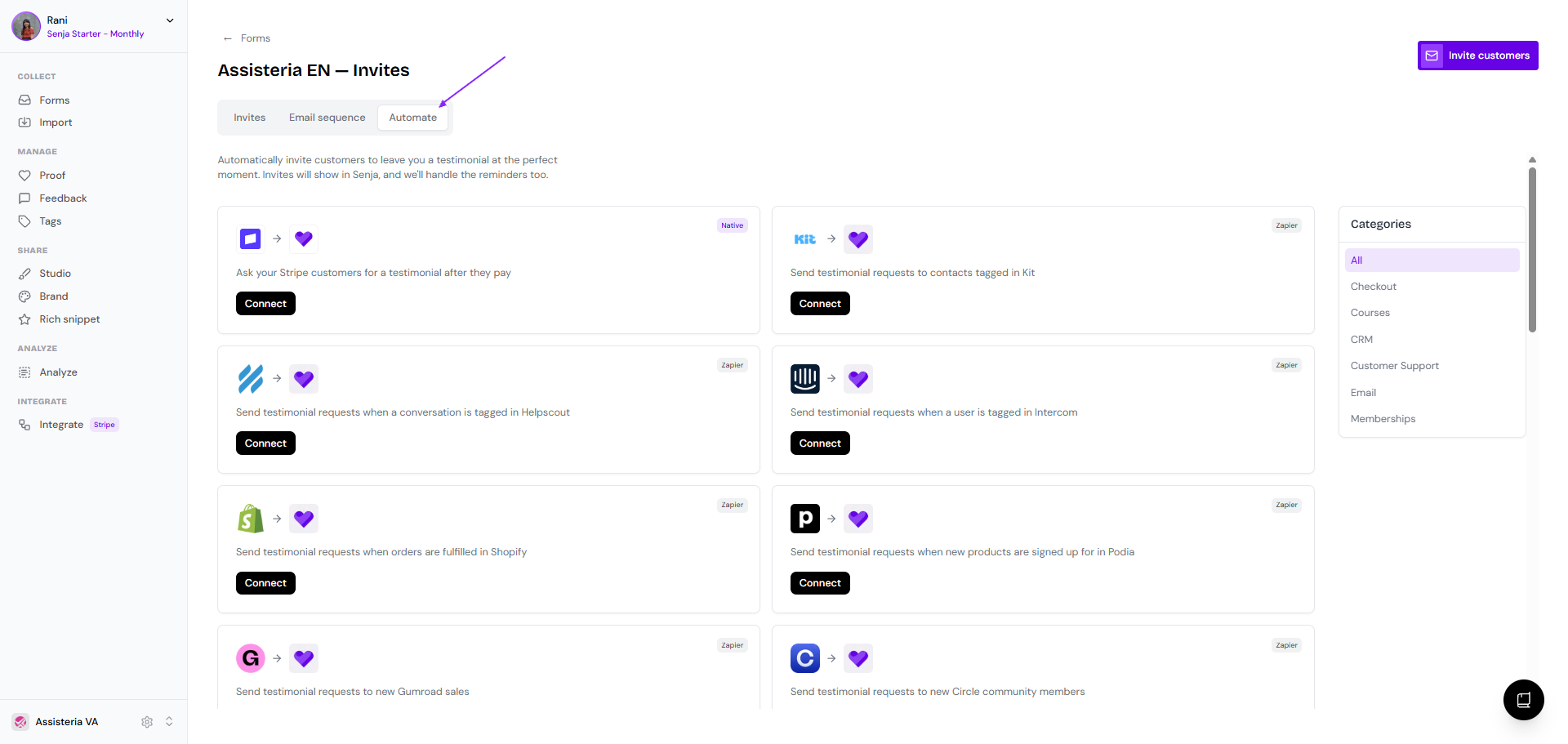
Choose the platform you want to connect to
Special for Stripe, you can do it from the main Invites tab
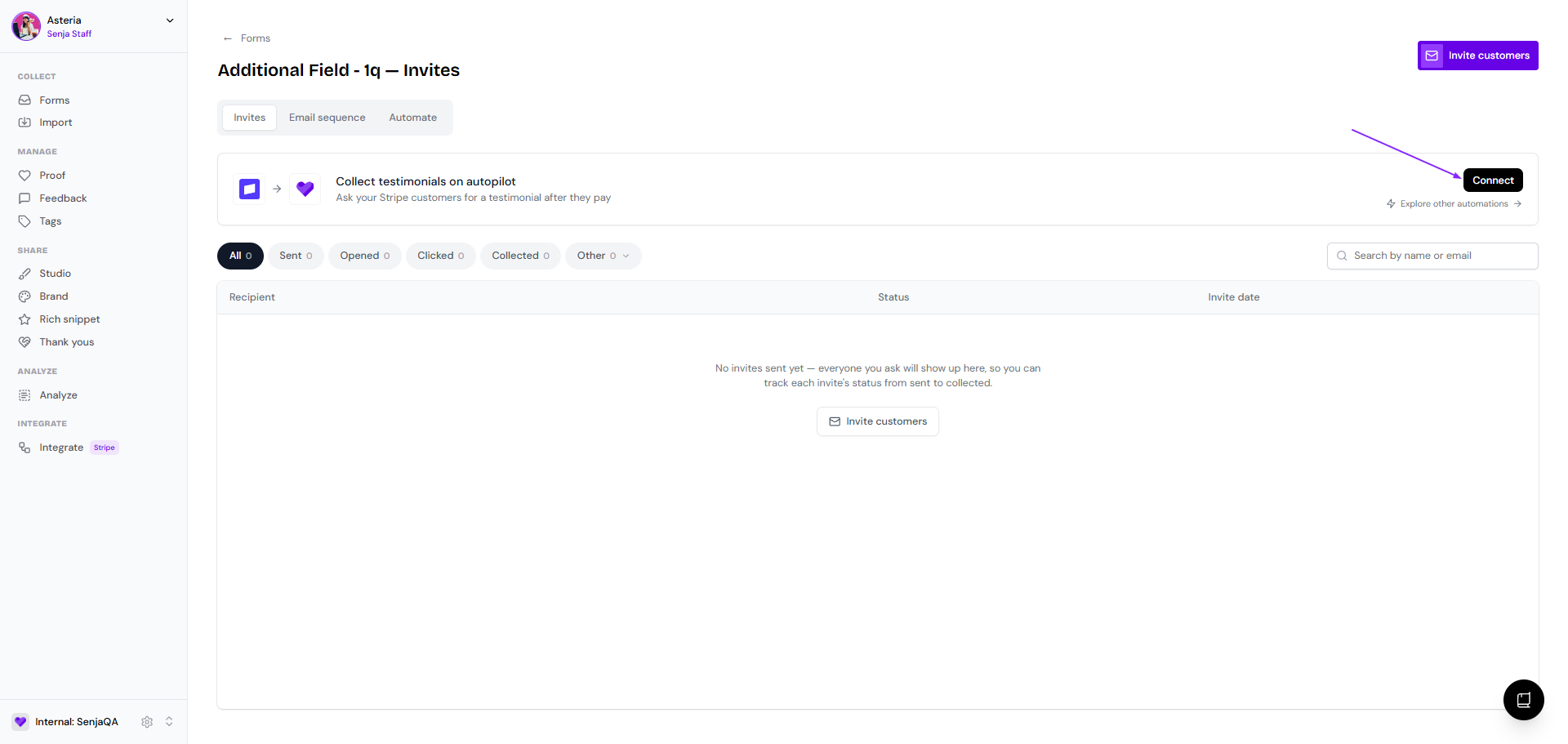
Sending the form invites manually
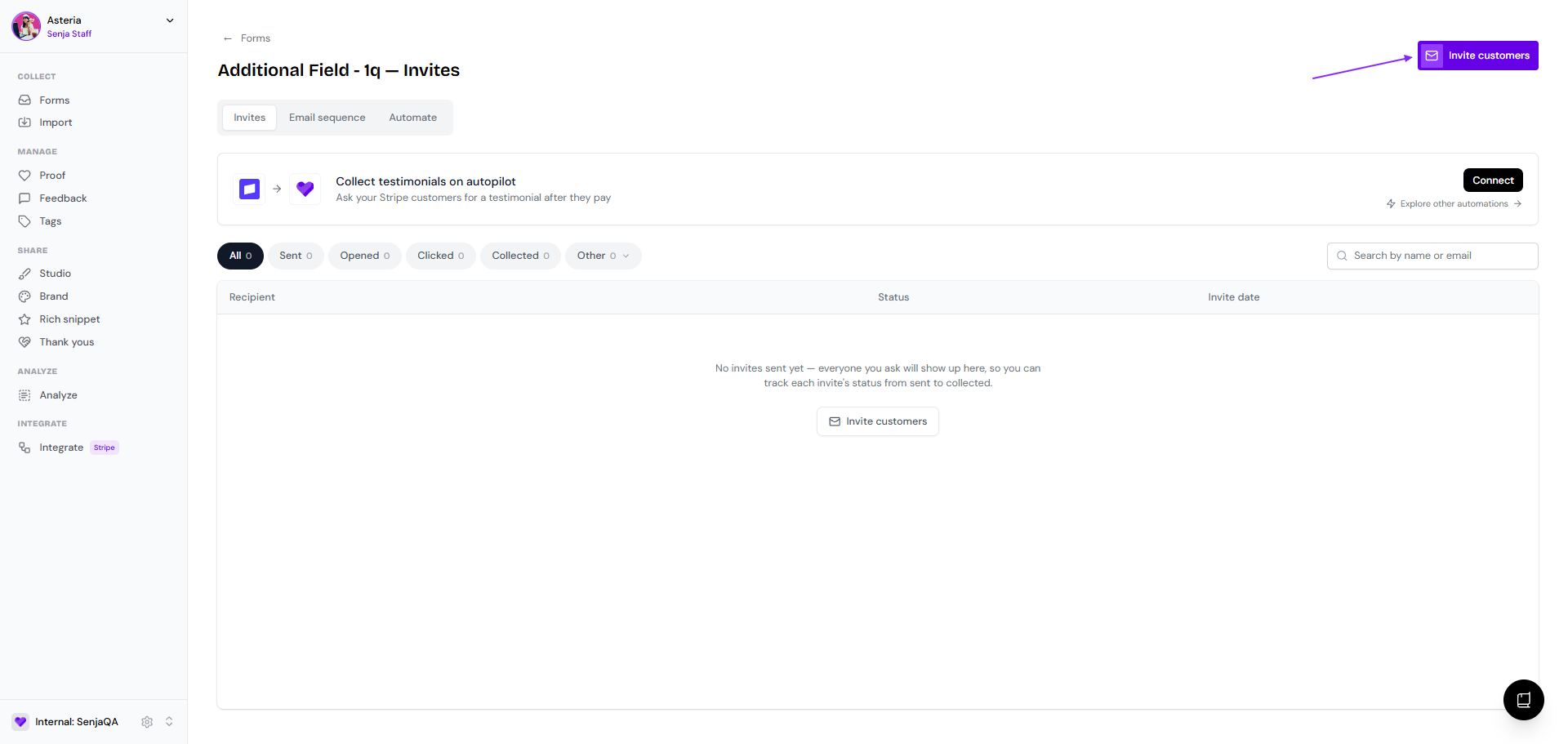
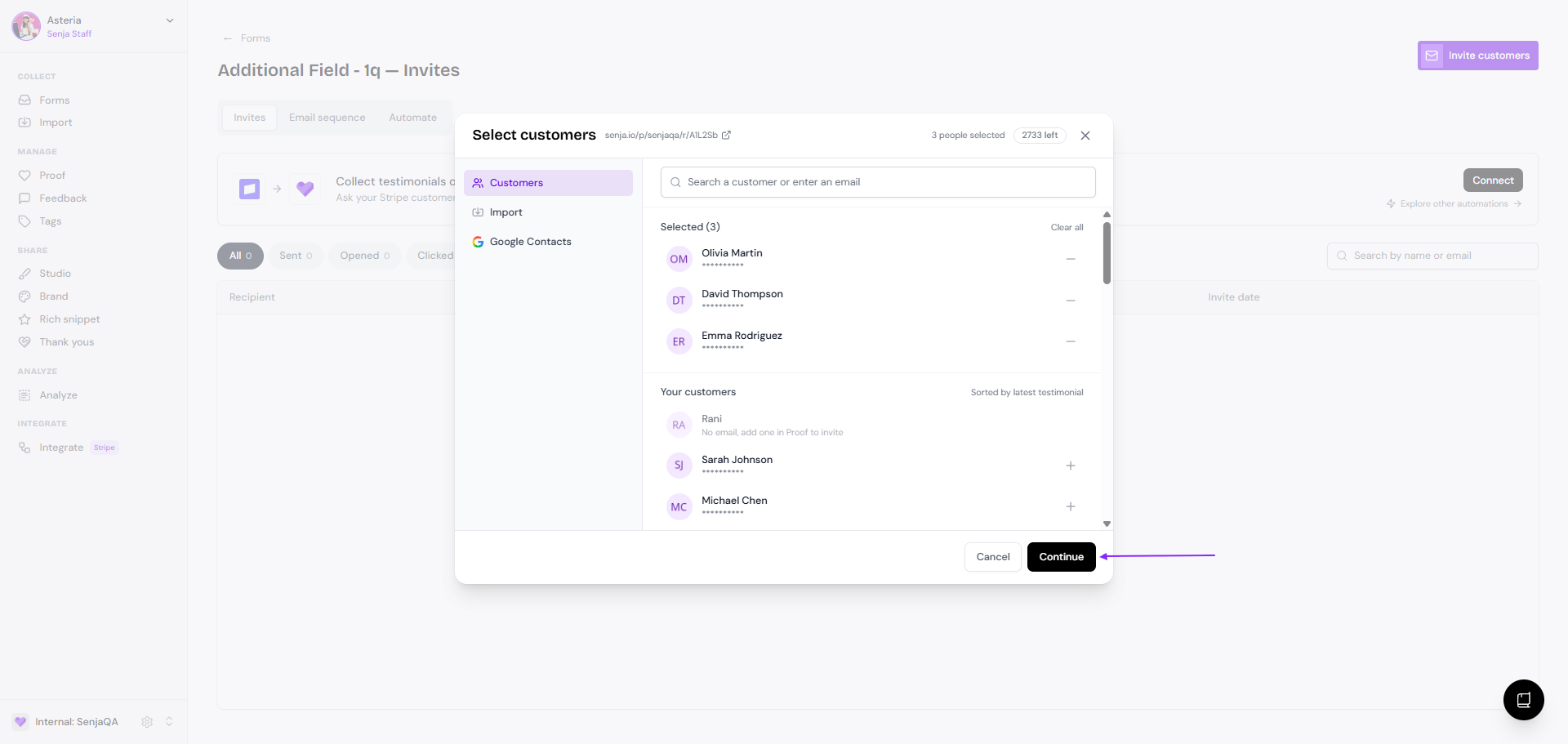
Click Invite customers on the top right side
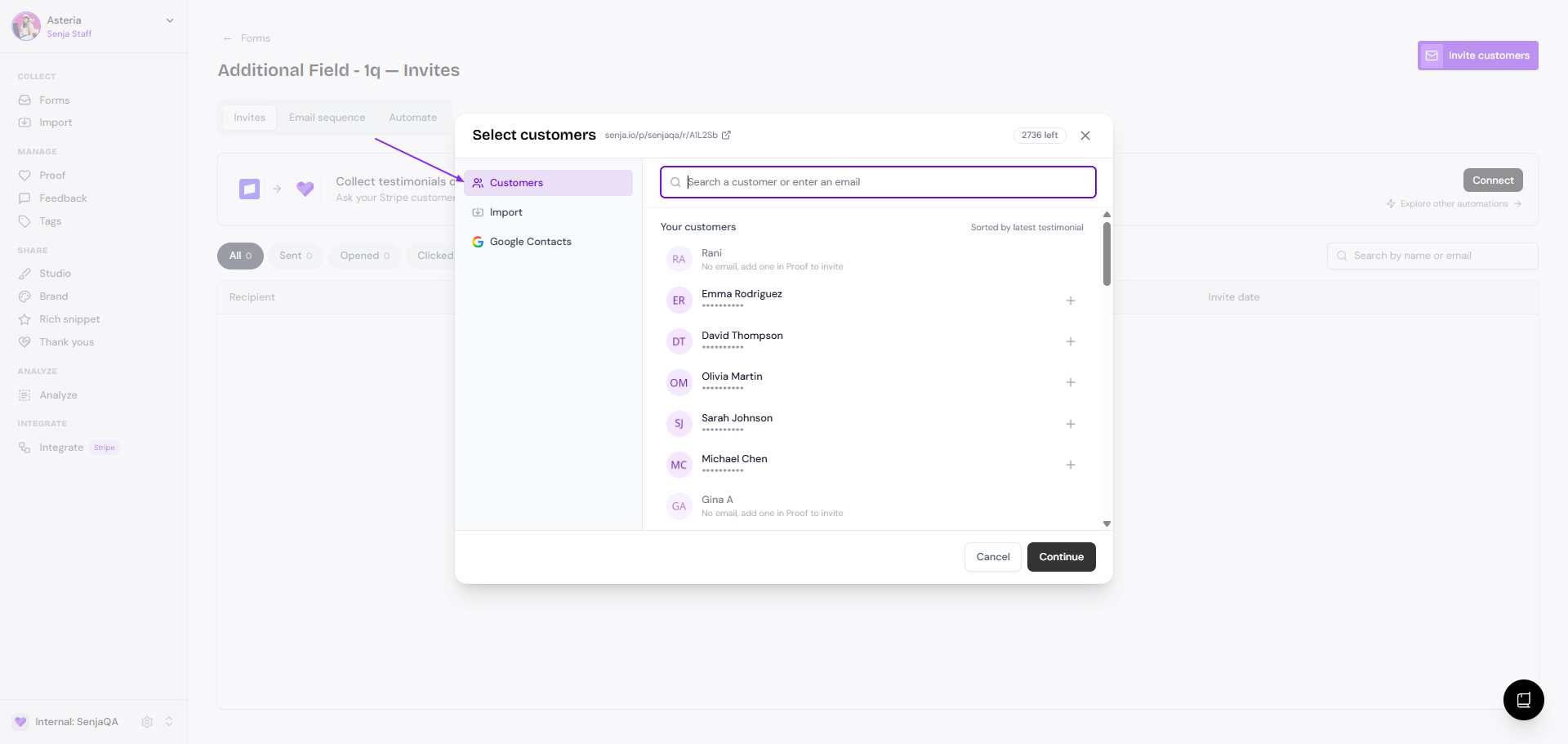
You can choose from the list of customers that have left testimonials before, or add a new customer (email address and name) from the Customers modal
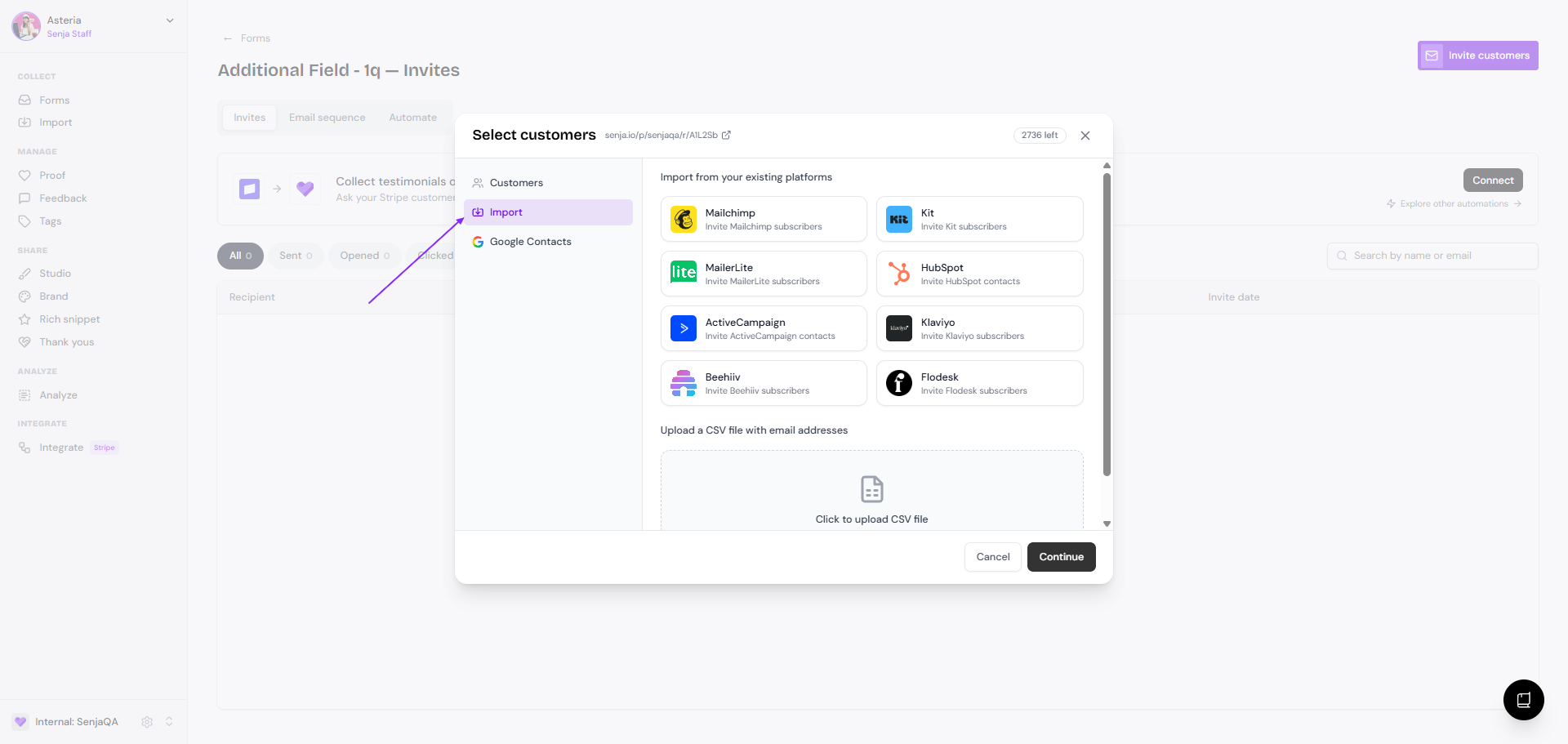
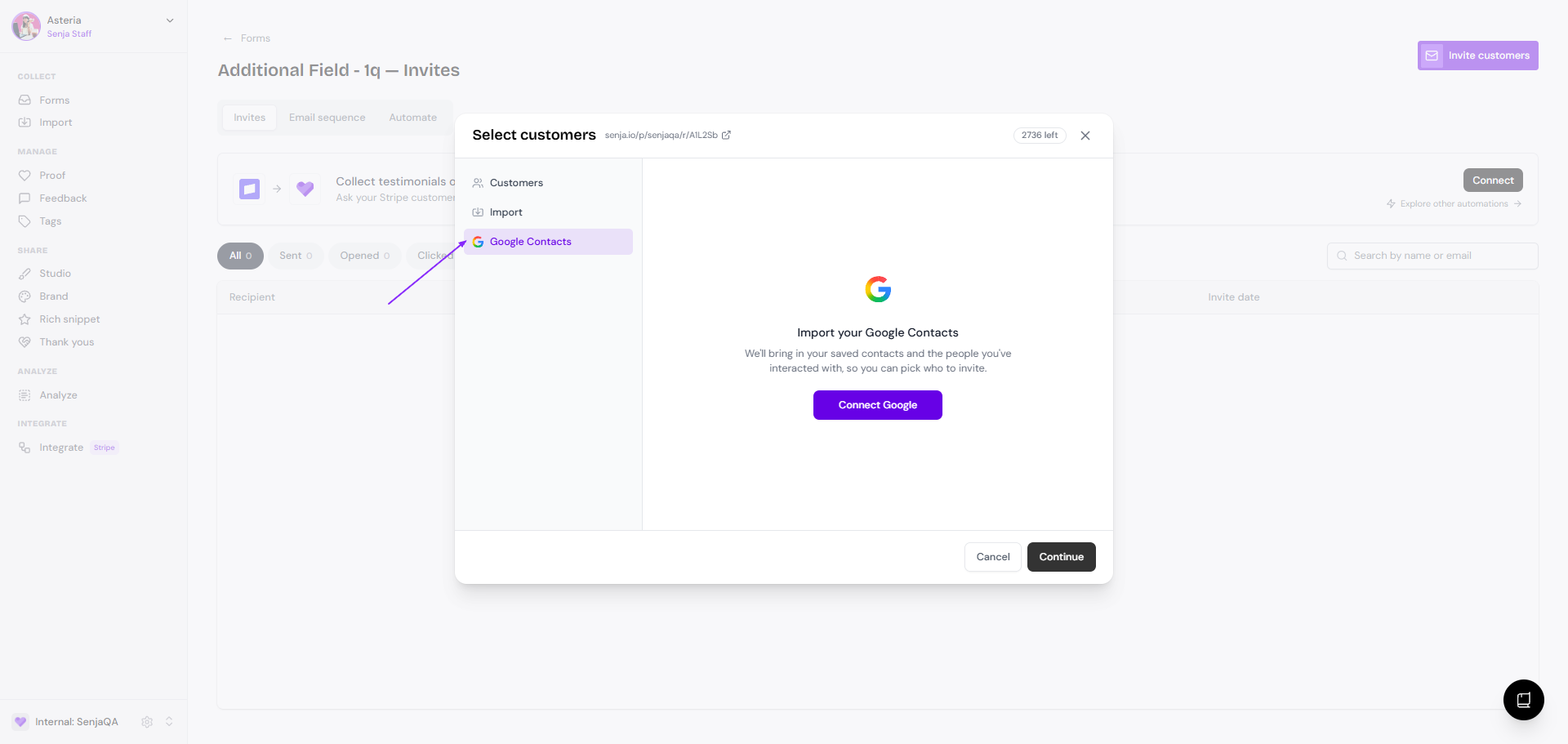
Go to Import if you want to grab the list of customers from your existing mailing list, or from a CSV that you have
You can also connect to your Google Contacts to grab the customers list from your existing contact
Click Continue when you are ready to send the form invite email
Tracking your invites
The best part of using form invite is that you will be able to see the status of each invite, and track if any testimonials are submitted by your invite list.
Go back to Invites page
Here you will see the list of customers (name and email address), status, and timestamp
All: the full list of invited customers
Sent: the customers that received the invite email
Opened: the customers that opened the invite email
Clicked: the customers that clicked the Leave a testimonial button
Collected: the customers that submitted a testimonial to the form
Other
Paused: the customers with a paused reminder (if you put a pause to the reminder for these customers)
Declined: the customers that declined the request
Undelivered: the customers that didn't receive the email (wrong email address, server issue, etc.)
Unsubscribed: the customers that unsubscribed to your form request