
How to add testimonials to Bubble [video guide]
You can add Senja testimonials to Bubble by embedding widgets using custom HTML code. Bubble doesn’t have a native Senja app integration, but its HTML element lets you embed any Senja widget style into your page.
Create and copy your widget code
First, create the Senja widget you want to show on your Bubble page, then copy its embed code
Follow How do I create widget? to create your widget
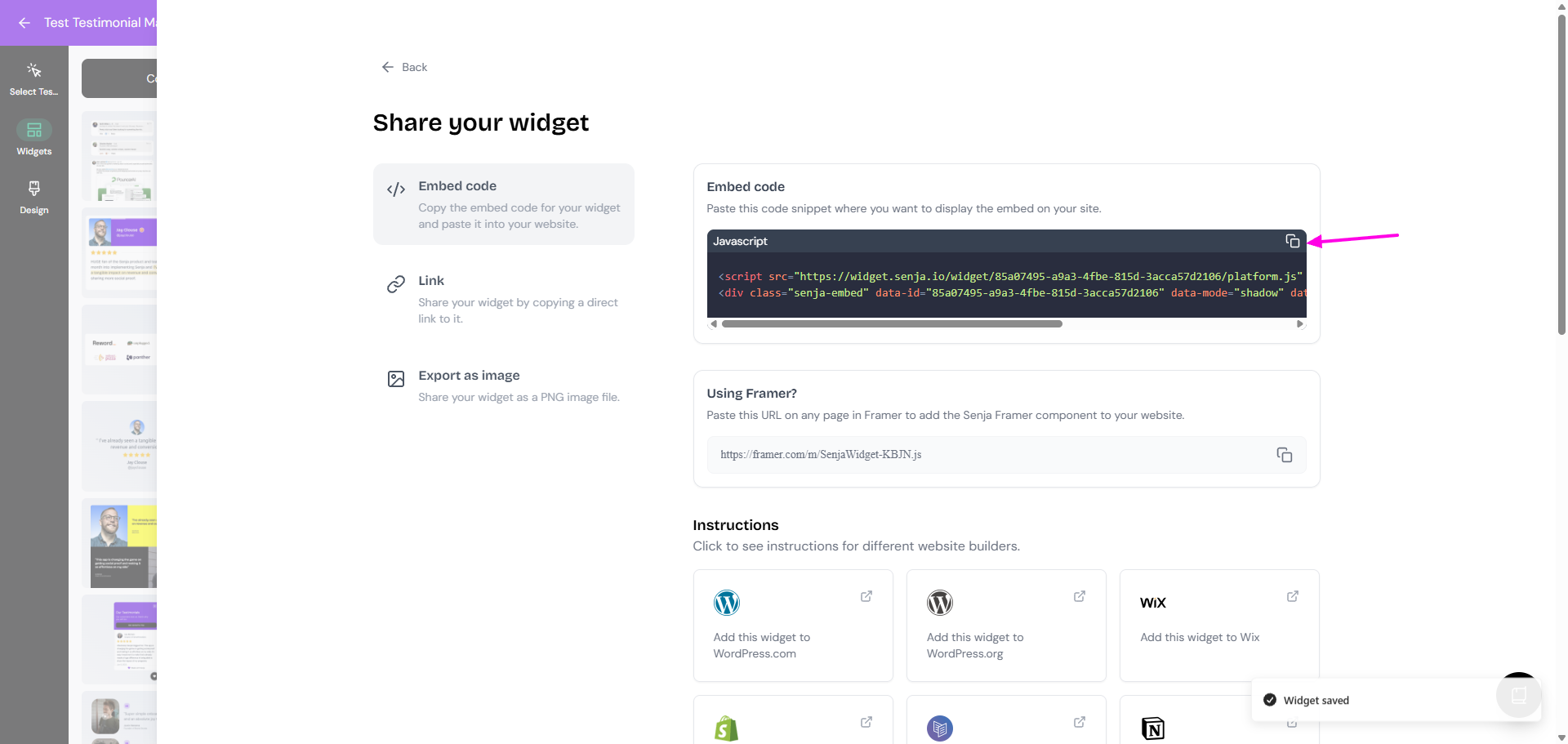
When your widget is ready, open the widget, click Share
Copy the embed code
If you want a faster way to collect testimonials before embedding them, try the Senja Chrome Extension. It lets you grab testimonials from places like X, LinkedIn, Facebook, Reddit, and YouTube.
Add the widget to Bubble
After you copy the embed code from Senja, add it to your Bubble page using an HTML element.
Open the page in Bubble where you want to show your testimonials
Add an HTML element to the page
Draw the element on the canvas where you want the widget to appear
Paste your Senja embed code into the HTML element
Close the editor and save your changes
Preview the page to check that your widget loads correctly
Your testimonial widget is now looking amazing in Bubble🥳 Not working? Just contact our Support team and we'll assist you.