
How to add testimonials to your app with code (React, Next.js, Vue, Svelte, Angular, React Native)
Add your Senja testimonial widget to an app built with React, Next.js, Vue, Nuxt, Svelte, Angular or React Native. You only paste the embed code into a component, with no extra packages needed except for React Native.
This is available on all Senja plans: Free, Starter, and Pro.
Before you start
Create a widget in Senja, see How to create a testimonial widget
Copy its embed code, see How to share or embed my widget
In the examples below, replace
YOUR_WIDGET_IDwith thedata-idfrom your own embed code
React
Paste the embed code into any component. In JSX, use className instead of class.
<div>
  <div
    className="senja-embed"
    data-id="YOUR_WIDGET_ID"
    data-lazyload="false"
  ></div>
  <script
    async
    type="text/javascript"
    src="https://static.senja.io/dist/platform.js"
  ></script>
</div>
Using the widget on several pages? Add the <script> once, just before the end of your <head> or <body> tag, and use only the <div> in your components.
<head>
  ...
  <script
    async
    type="text/javascript"
    src="https://static.senja.io/dist/platform.js"
  ></script>
</head>
Next.js
Open the page.tsx or page.jsx file where you want your widget, and use the next/script component instead of a plain <script> tag.
import Script from "next/script";

export default function SenjaPage() {
  return (
    <main>
      <div
        className="senja-embed"
        data-id="YOUR_WIDGET_ID"
        data-lazyload="false"
        data-mode="shadow"
      ></div>
      <Script
        async
        type="text/javascript"
        src="https://static.senja.io/dist/platform.js"
      ></Script>
    </main>
  );
}
Don't use a plain <script> tag in Next.js. It can cause hydration errors, so use next/script as shown above.
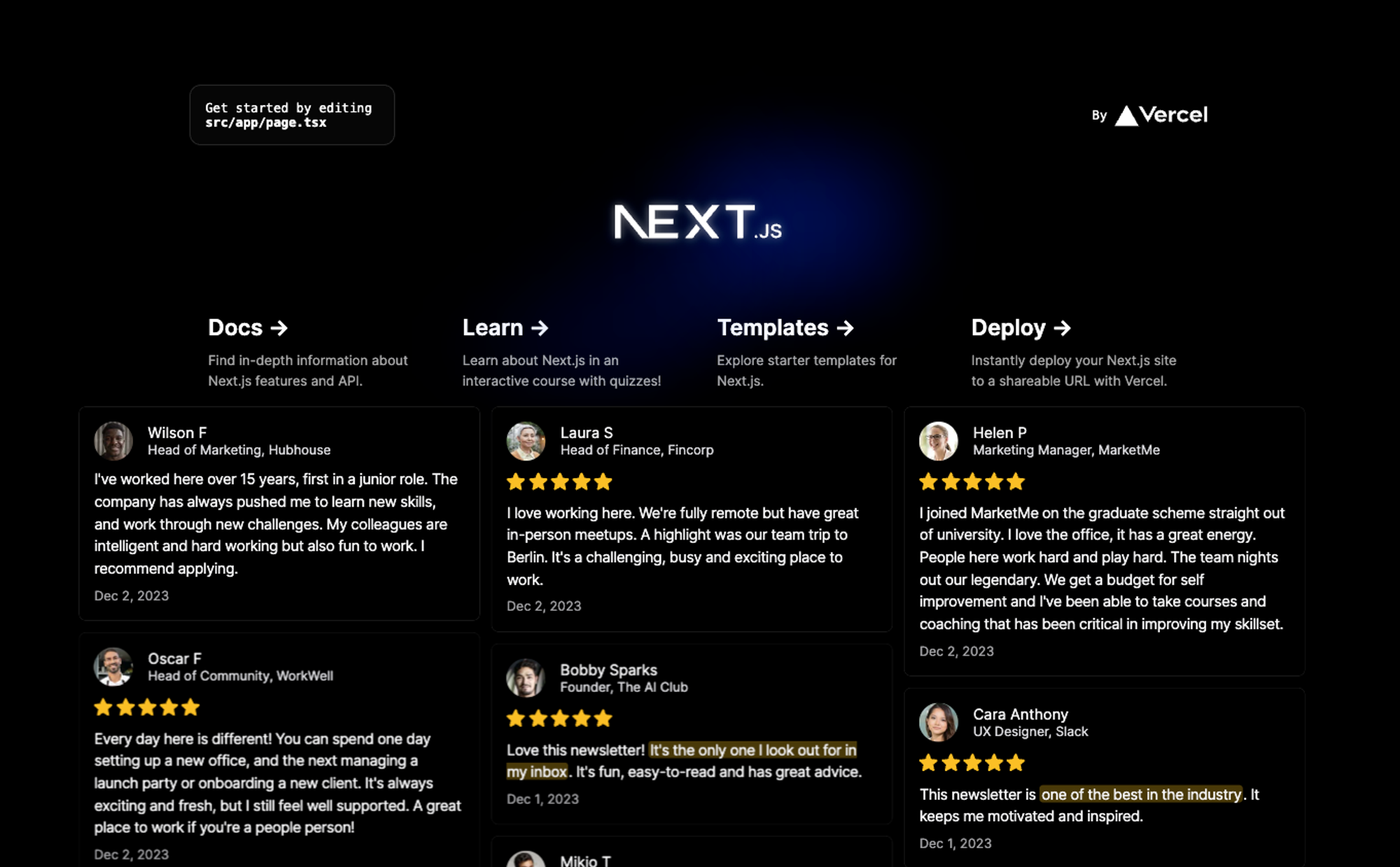
Your widget now shows on the page:
Vue and Nuxt
Paste the embed code into the <template> of your component, wrapped in at least one element.
<template>
  <div>
    <div
      class="senja-embed"
      data-id="YOUR_WIDGET_ID"
      data-lazyload="false"
      data-mode="shadow"
    ></div>
    <script
      async
      type="text/javascript"
      src="https://static.senja.io/dist/platform.js"
    ></script>
  </div>
</template>
Svelte and SvelteKit
Open the +page.svelte file (SvelteKit) or the component where you want your widget, and paste the embed code.
<div>
  <div
    class="senja-embed"
    data-id="YOUR_WIDGET_ID"
    data-lazyload="false"
    data-mode="shadow"
  ></div>
  <script
    async
    type="text/javascript"
    src="https://static.senja.io/dist/platform.js"
  ></script>
</div>
A Svelte file can't have more than one top-level script, so keep the embed code wrapped in at least one element, like a <div>.

Angular
Angular removes <script> tags from component templates, so add the two parts of the embed code separately.
Add the
<script>to yoursrc/index.html, just before</body><script async type="text/javascript" src="https://static.senja.io/dist/platform.js" ></script>Add the
<div>to the component template where you want your widget<div> <div class="senja-embed" data-id="YOUR_WIDGET_ID" data-lazyload="false" data-mode="shadow" ></div> </div>
React Native
React Native shows the widget in a web view, so you need two packages.
Install
react-native-autoheight-webview(version 1.6.5) andreact-native-webviewWith Yarn or npm:
yarn add react-native-autoheight-webview@^1.6.5 react-native-webview@^13.6.4With Expo:
expo install react-native-webview yarn add react-native-autoheight-webview@^1.6.5Add this component, and pass your widget ID as
id
import { StyleSheet, View } from 'react-native';
import AutoHeightWebView from "react-native-autoheight-webview";
import { useState } from "react";
import { Dimensions } from "react-native";
export const SenjaEmbed = (props: { id: string }) => {
const [webViewHeight, setWebViewHeight] = useState(
Dimensions.get("window").height
);
return (
<AutoHeightWebView
style={{ width: Dimensions.get("window").width, height: webViewHeight }}
onSizeUpdated={(size) => {
setWebViewHeight(size.height);
}}
showsVerticalScrollIndicator={false}
scrollEnabled={false}
source={{
html: `
<div
class="senja-embed"
data-id="${props.id}"
data-lazyload="false"
data-mode="shadow"
></div>
<script
  async
  type="text/javascript"
  src="https://static.senja.io/dist/platform.js"
></script>
`,
}}
/>
);
};
// Use the widget like this
export default function App() {
return (
<View style={styles.container}>
<SenjaEmbed id="YOUR_WIDGET_ID" />
</View>
);
}
const styles = StyleSheet.create({
container: {
flex: 1,
backgroundColor: '#fff',
alignItems: 'center',
justifyContent: 'center',
},
});You may need to refresh your React Native app before the widget shows up.
Widget not showing?
Check that the data-id matches your widget, and that your site's Content Security Policy allows Senja. See Troubleshooting testimonial widget, or contact Senja Support.