
How to share testimonials on social media (Instagram, LinkedIn, TikTok and more)
Share your testimonials on Instagram, LinkedIn, TikTok, Facebook, X, Pinterest, Snapchat and Product Hunt to show off what customers say about you. Create a testimonial image or video in Senja, then post it, or schedule it with a tool like Post Bridge, Publer or Later.
Images and social videos are available on all Senja plans: Free, Starter and Pro. Proof Reels uses credits, see How do Proof Reels credits work?
What to post
Format | Best for | How to make it |
|---|---|---|
Image | Feed posts, carousels, stories, launch comments | |
Social video | A quick video from one testimonial | |
Proof Reel | A polished reel mixing several video testimonials | |
Link | Your bio, or a "see what customers say" post |
Create a testimonial image for social media
Go to Studio → Create: https://app.senja.io/studio
Click Image
Click a platform icon, like Instagram or TikTok, to see templates sized for it
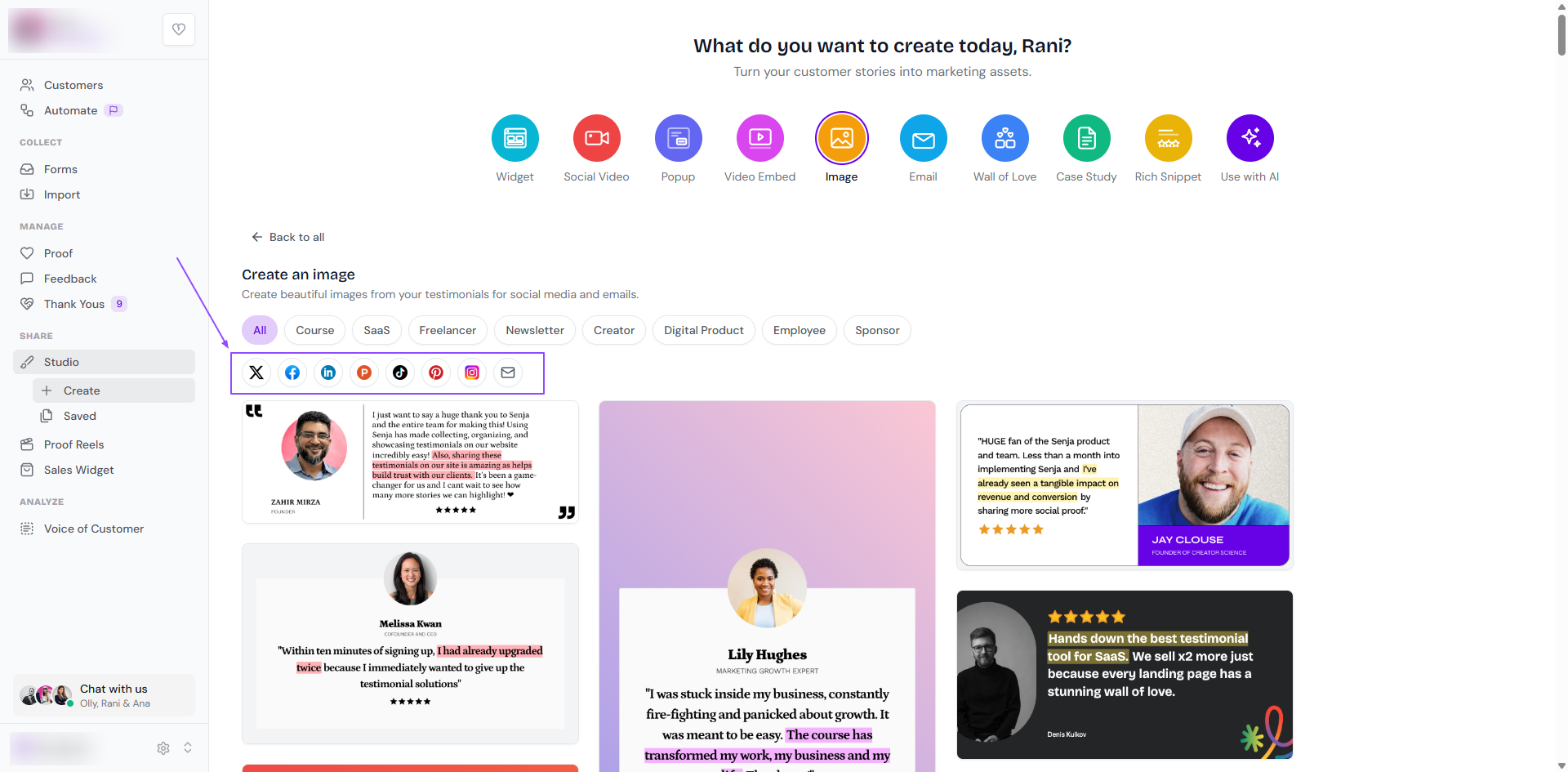
Pick your testimonials and change the design to match your brand
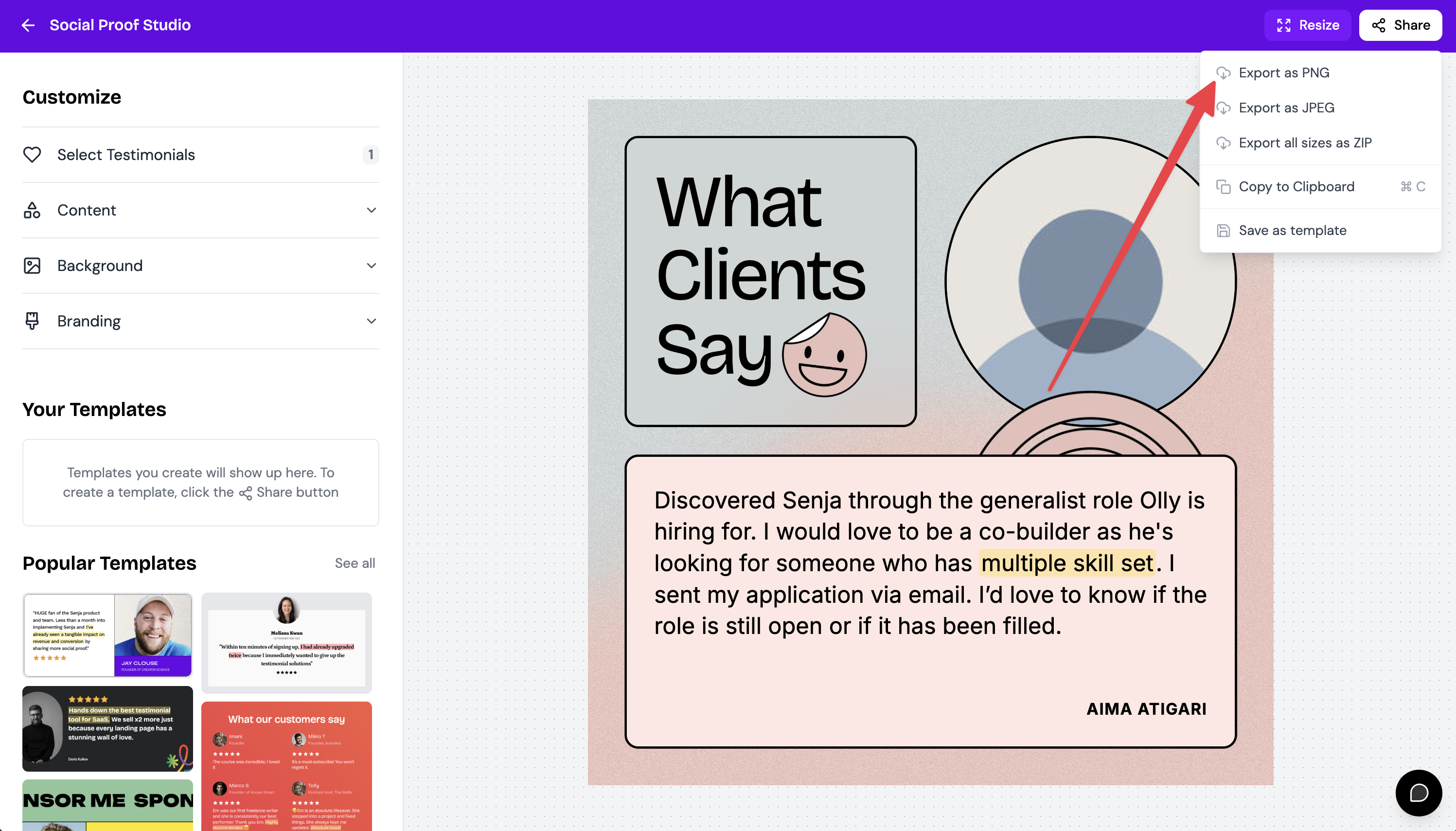
Already made an image? Click Resize and choose your platform
Click Share and download your image
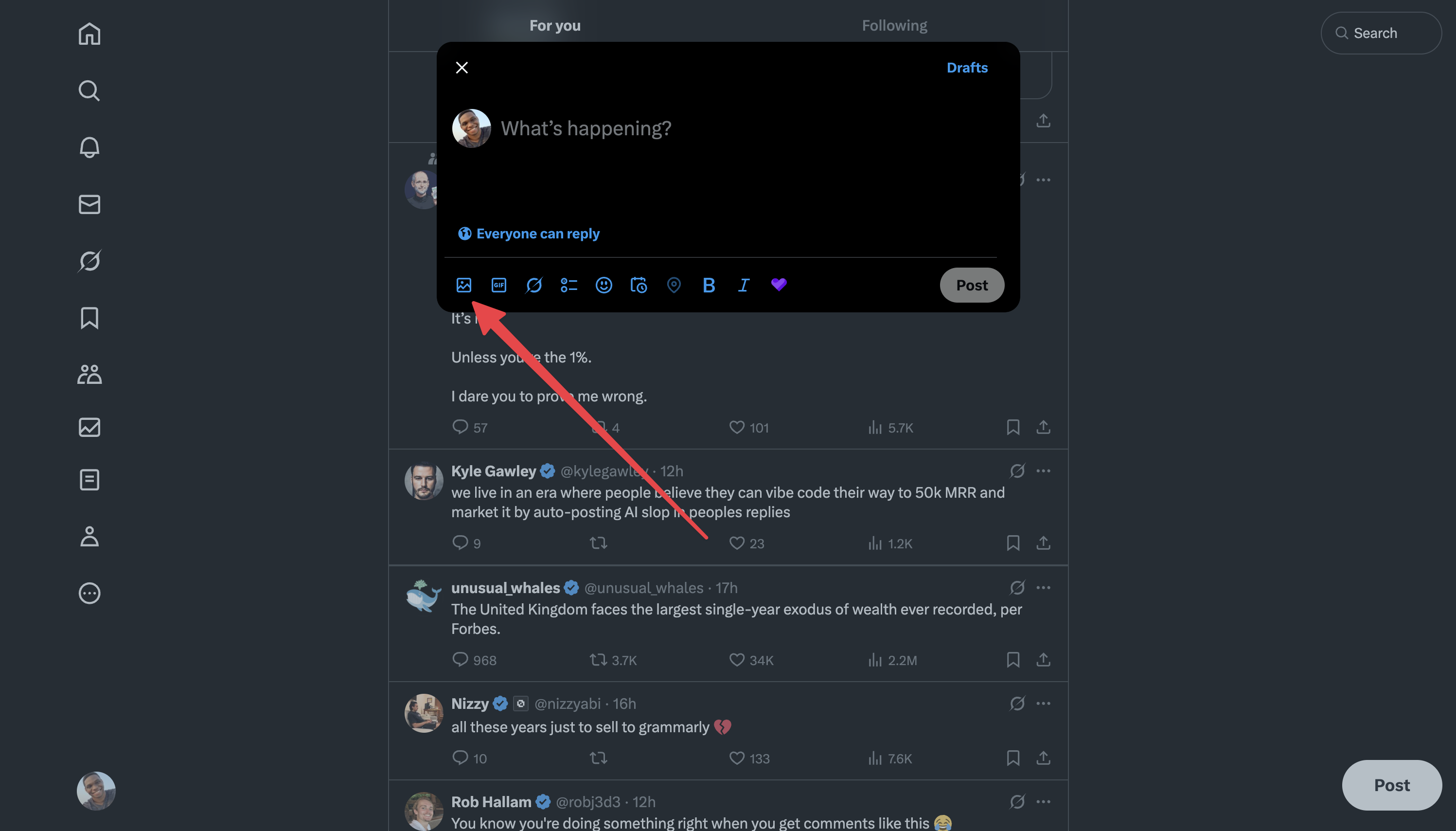
Post it on each platform
Platform | Size that works best | Where to post |
|---|---|---|
Square or portrait for the feed, vertical (9:16) for stories | Tap +, choose your image, add a caption and share | |
TikTok | Vertical (9:16), to fill the screen | Tap + → Upload, choose your image, add text or music, then Post |
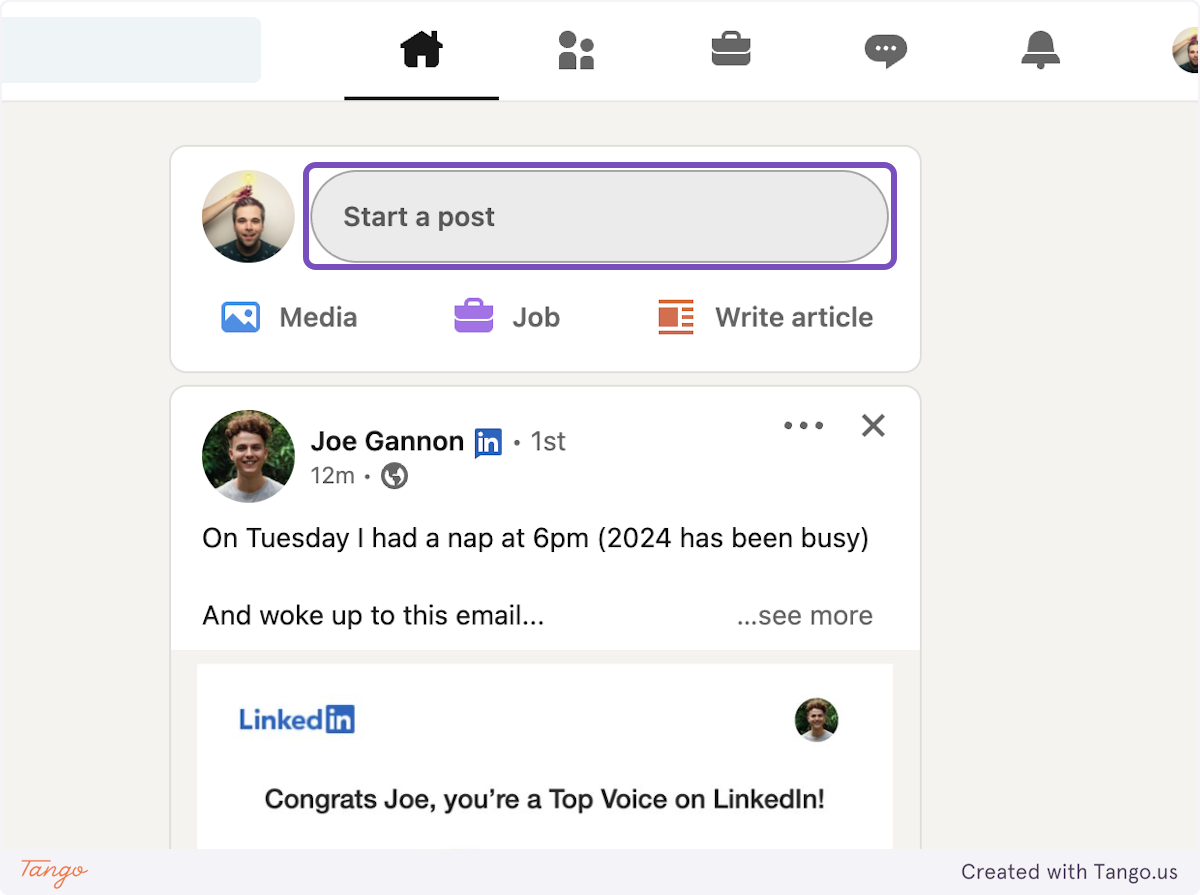
Use the LinkedIn template | Click Start a post and add your image, or use the Chrome extension (below) | |
Use the Facebook template | On your page or profile, click Create post or Photo/Video and upload your image | |
X (Twitter) | 1440 x 1080 | Start a new post, click the image icon and upload your image |
Use the Pinterest template | Create a new Pin and upload your image | |
Snapchat | Vertical (9:16) | Upload your image to a Story from your camera roll |
Product Hunt | Square or landscape | On your launch, click Add comment or edit your update, then upload your image |
Post to LinkedIn with the Chrome extension
The quickest way to post on LinkedIn, without downloading anything.
Go to your LinkedIn feed and click Start a post
Click the Senja logo in the post editor
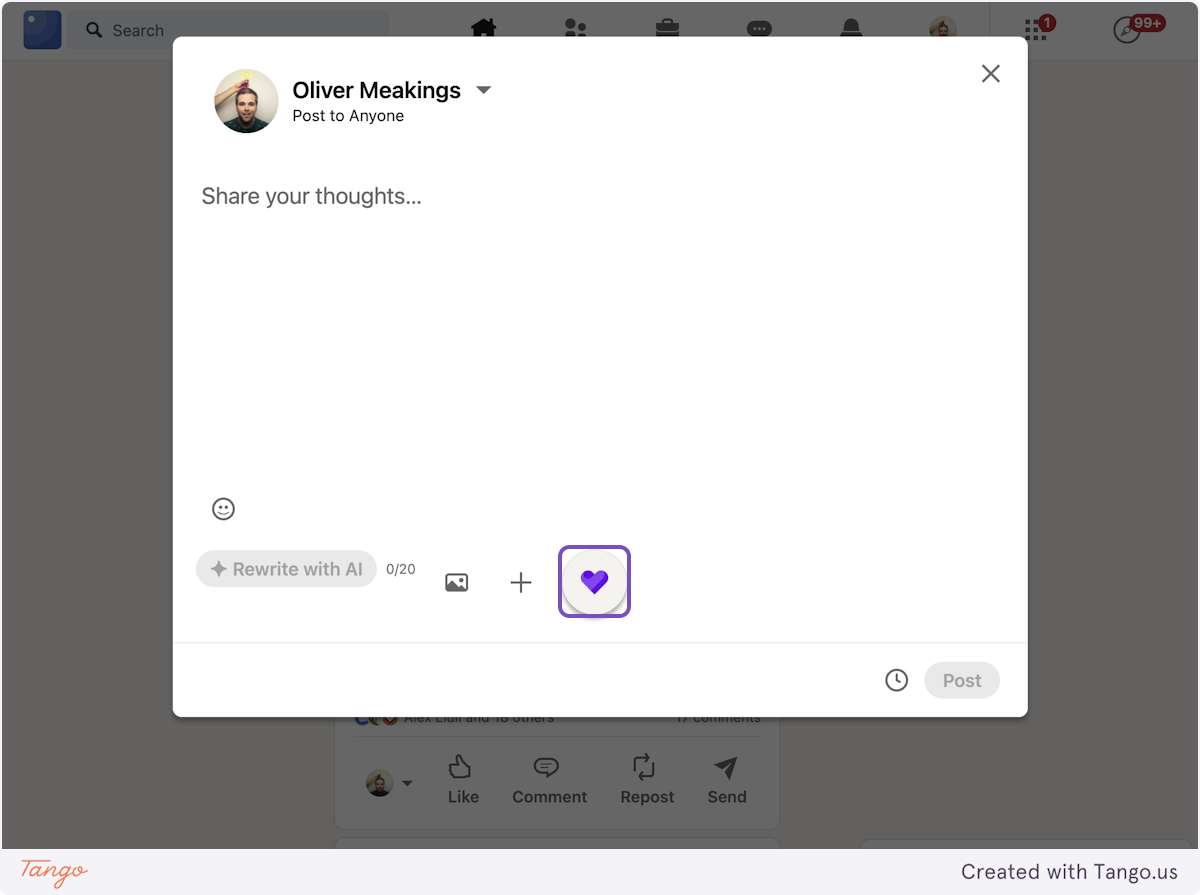
Search for your testimonial by keyword, customer name or email, and click the image icon
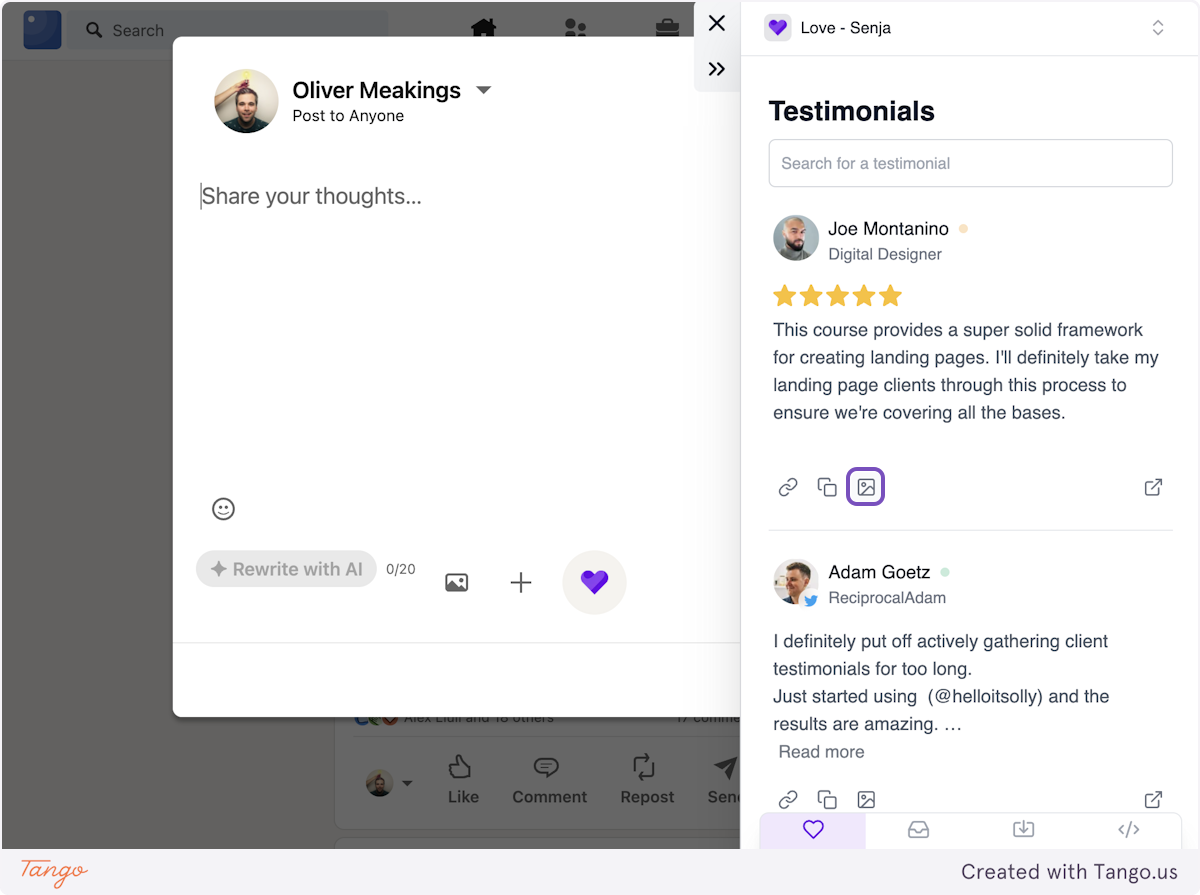
Choose an image template. The image is copied for you

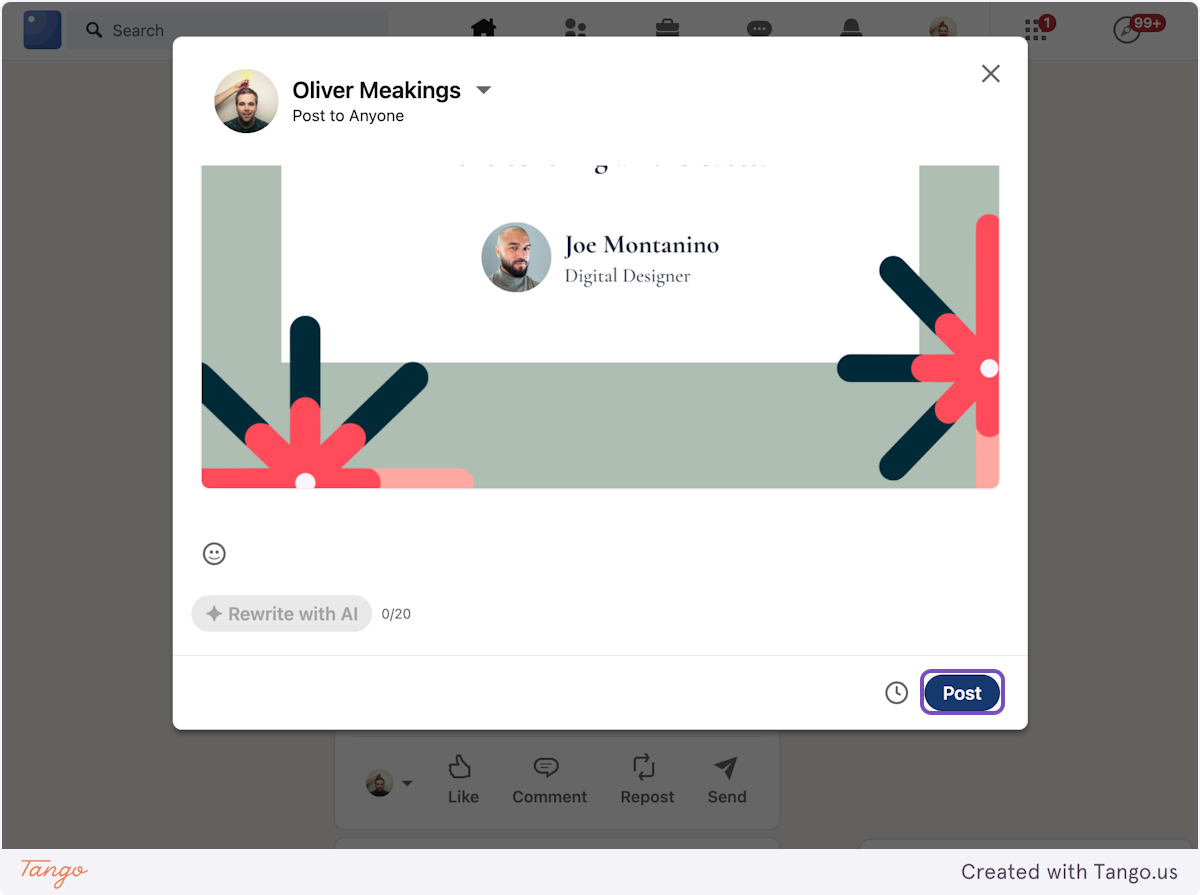
Close the extension, paste the image into your post (CMD/CTRL+V), add your text and click Post
Don't have the extension yet? See How to use the Senja Chrome extension.
Schedule your posts
Make your testimonial video in Senja first, then schedule it to all your social accounts at once.
Scheduler | How it works with Senja |
|---|---|
Post Bridge | Senja integration: your Senja videos are available inside Post Bridge |
Publer | Senja integration: your Senja videos are available inside Publer |
Later and other schedulers | Download your image or video from Senja, then upload it |
Post Bridge
Make your video in Senja: a social video or a Proof Reel
In Post Bridge, click the three dots next to a collection to bring in your Senja videos
Create a new post with your video, choose the social accounts to post to, and add your caption
Post it now or pick a time to schedule it
Publer
Watch how to schedule your Senja videos in Publer.
Later and other schedulers
Download your testimonial image, or your social video or Proof Reel as an MP4
Open your scheduler and create a new post
Upload your image or video, add your caption, and pick a time
Tips for posts that get noticed
Add context in your caption, like what the customer achieved, not only the quote
End with a call to action, like a link to your Wall of Love or a free trial
Tag your customer if they're happy to be mentioned
Post testimonials as a regular series, like one a week, instead of all at once
Use relevant hashtags so new people find your post
Not working? Contact Senja Support.