
How to choose testimonials from multipart responses for the widget
When you collect testimonials using multi-question forms, each submission creates a multipart response with multiple answers. You can control which responses appear in your widget.
This feature is available for any Senja plans: Free, Starter, and Pro.
Choosing testimonials from multipart responses
Go to your Studio page: https://app.senja.io/studio
Open your widget or create a new widget
Click Select Testimonials tab
Make sure it's on Manual selection
If it's on Auto-add, click Change how testimonials are added to switch to Manual selection
Click Multipart on the Filters sidebar
Choose Show all responses from the dropdown
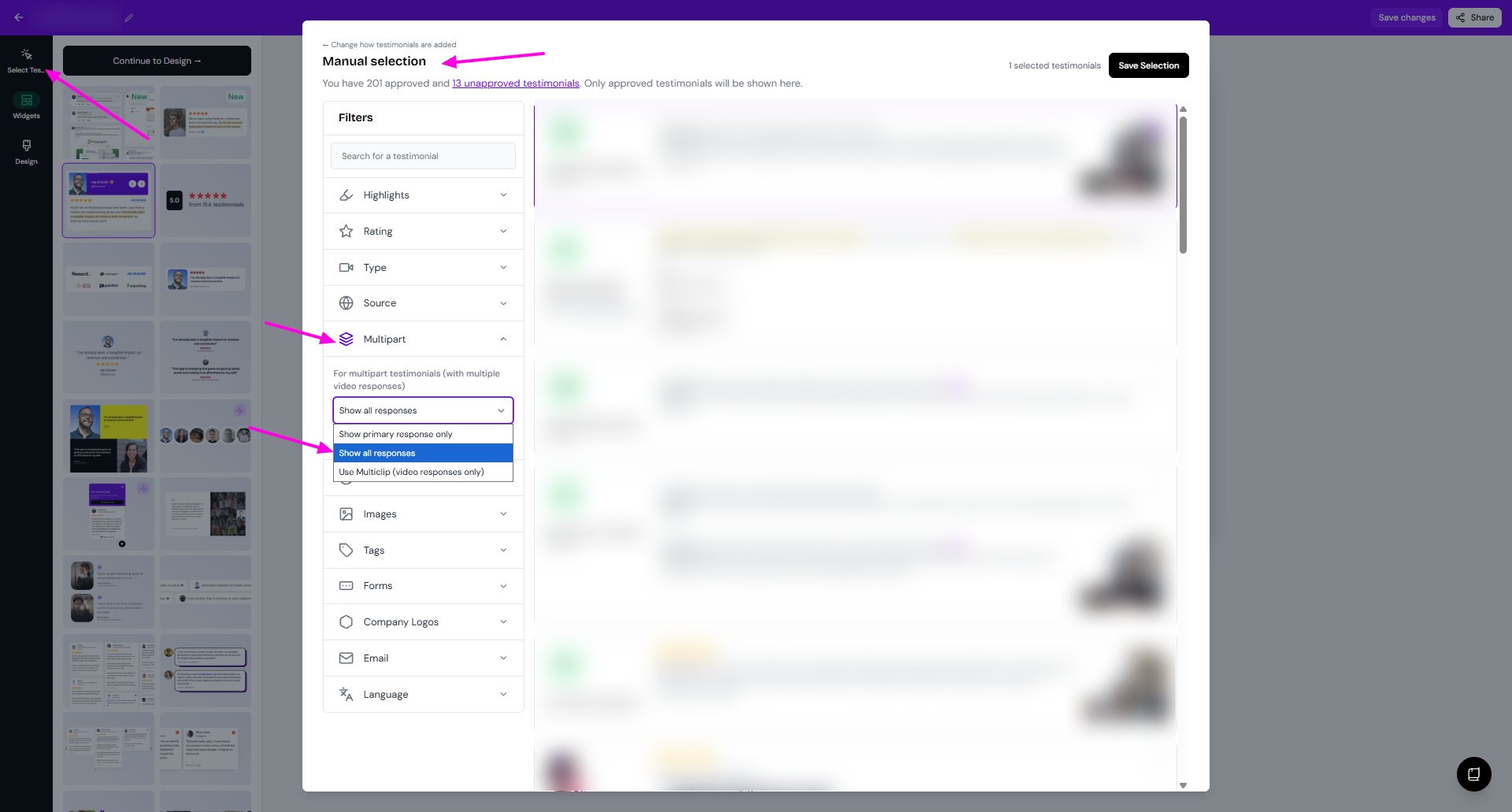
The multipart responses are now displayed, not only the primary
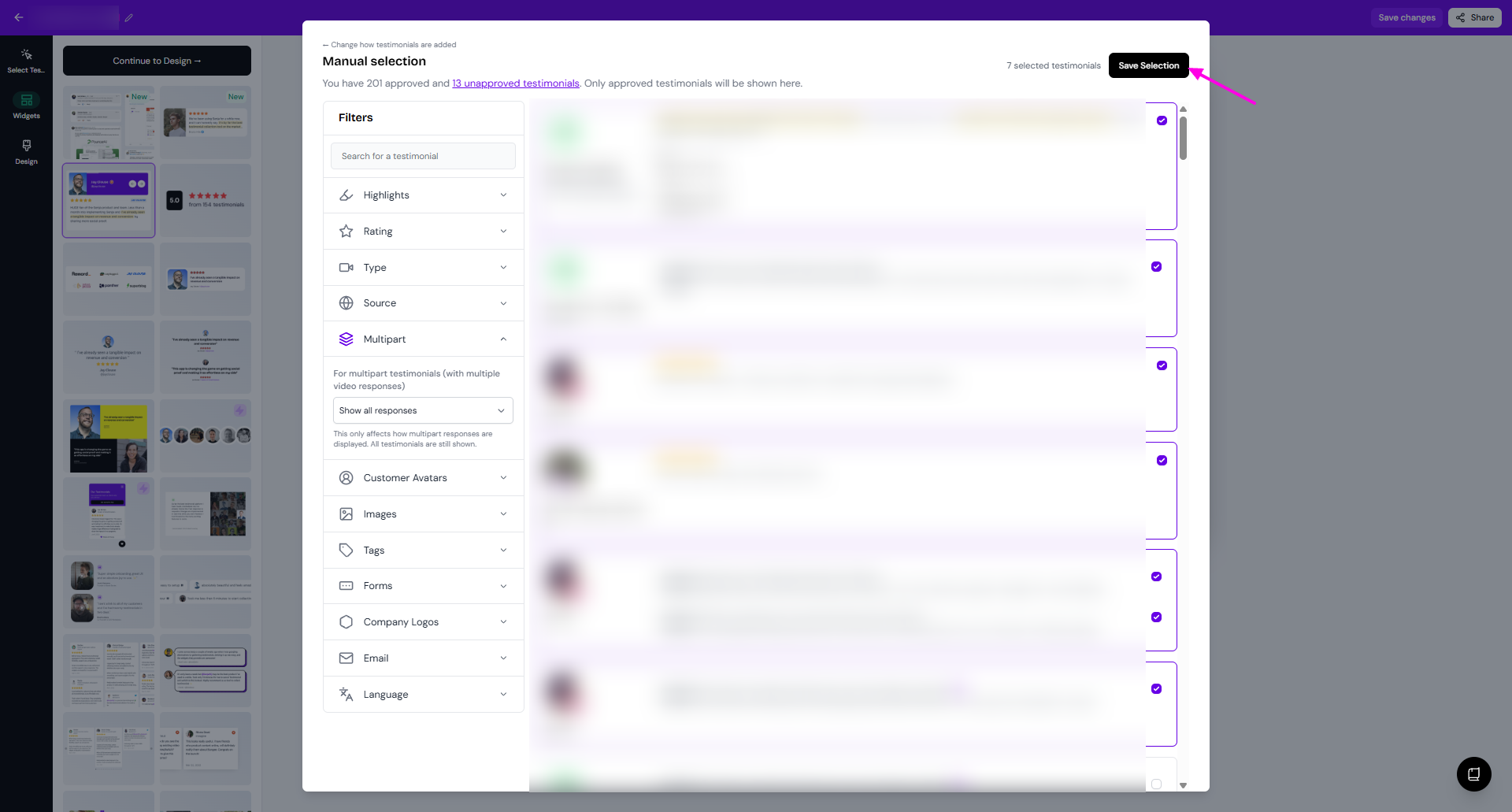
Tick the checkmark to select the testimonials
You can choose only the 2nd, 3rd, or 4th response, or only the primary and not choosing the others
Click Save Selection when you're done
How the multipart filter works
Select one of three options:
Show primary response only — Displays only the answer of primary question from each testimonial (default)
Show all responses — Expands each multipart testimonial into separate selectable responses
Use Multiclip (video responses only) — Combines video responses only; resets your current selection
In the widget, multipart responses will be displayed as separate testimonials.
For example, you have form with 3 questions, and your customers submit your testimonials through this form
The widget will show 3 boxes of different testimonials from the same customer
How does it work in Auto-add mode
When you Select Testimonials in Auto-add mode:
Multipart filter doesn't impact the testimonials to select
Multipart filter just help you to see the list of multipart responses
It still makes sense to use the filter for Use Multiclip (video responses only) to only include the multipart responses that are all in video form
Use the Forms filter to narrow down to specific questions for even more control over which responses appear.