
How to choose testimonials with specific language in my widget
If you want to create a widget to have the testimonials with a specific language, Senja provides the feature for you.
This feature is available for any Senja plans: Free, Starter, and Pro.
Choosing testimonials with specific language
Go to your Studio page: https://app.senja.io/studio
Open your widget or create a new one
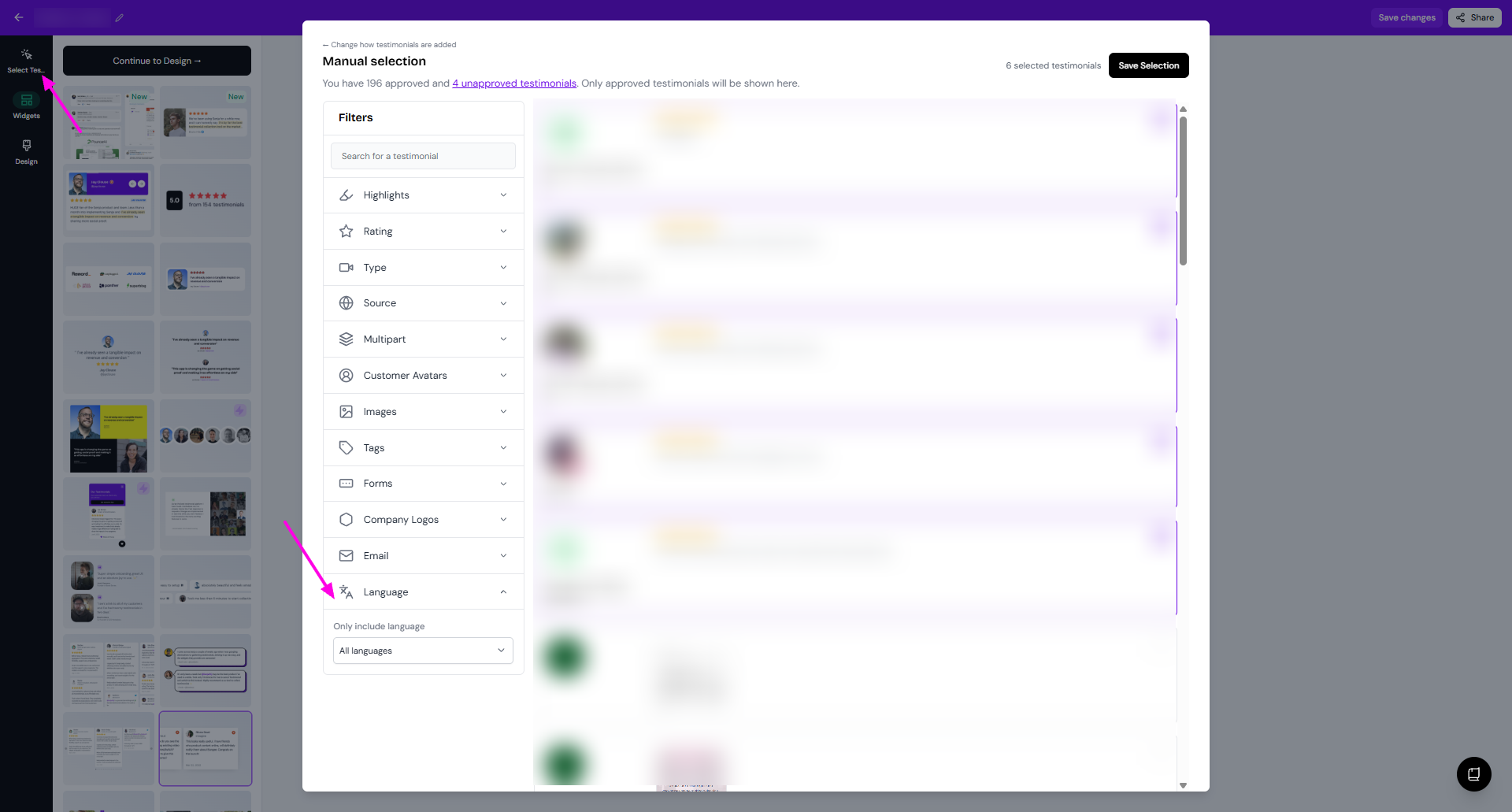
Click Select Testimonials
Click Filter > Language
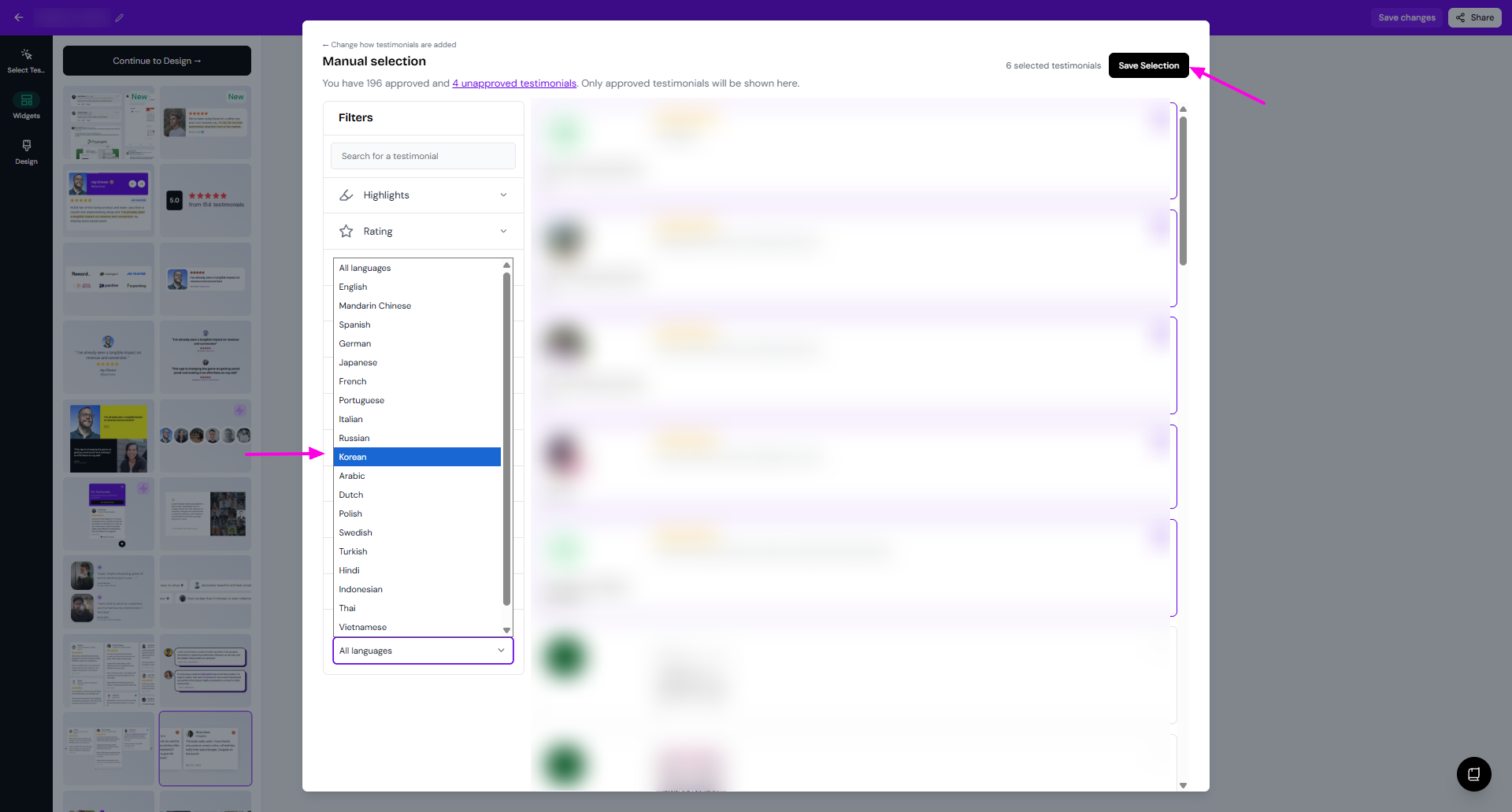
Choose the language that you want from the dropdown
Click Save Selection
The testimonial selection preview, you will see the testimonials in the main language. When you select it, the translated mode will appear in the widget preview.
Was this helpful?
Was this helpful?