
Senja forms overview
Senja forms are personalised pages where your customers can leave you a text or video testimonial in about 30 seconds. They don’t need an account or any special software. This article covers what forms can do, with links to the detailed guides for each part.
Forms are available on all Senja plans: Free, Starter, and Pro. Some features need a paid plan, and they’re marked below.
How many forms you can have
Your limit counts the forms currently on your dashboard, not every form you’ve ever created.
Free plan: 1 form
Starter plan: 3 forms
Pro plan: unlimited forms
Deleting a form frees up a slot right away. Deleted forms can’t be restored.
Why use more than one form
Different parts of your business deserve different questions. A separate form for each one gets you testimonials that are more specific, and more useful wherever you show them.
Each form has its own link, so you can send the right one to the right people.
One form per product or service: so each product page shows social proof about that product
Customer support: ask customers about the help they got from your team
Employee testimonials: collect stories from your team for your careers page
Case studies: gather in-depth write-ups from your most successful customers
Create your form
Go to your Forms page: https://app.senja.io/forms
Click + Create new
Start from Example form or pick a template (SaaS, courses, and more)
Click Save changes before moving between tabs
A form has three main tabs:
Reward: offer a gift to customers who submit a testimonial
Form: write your questions and change the design
Settings: slug, notifications, auto-approval, tags, translation, and more
Choose what to ask
Add as many questions as you need with Add a question, and drag to reorder them
Question types include text, video, and rating
Limit a form to video testimonials only or text testimonials only
Ask for multiple videos in one form
Collect extra details like company size or role with additional fields on the About you or About company page
Make it look like your brand
In the Form tab, open the Design subtab to change your logo, primary color, fonts, page layout, and button style.
You can also edit all the text, add a spokesperson avatar, and change the thank you email copy. Changes show in the preview straight away.
Removing Senja branding needs a paid plan.
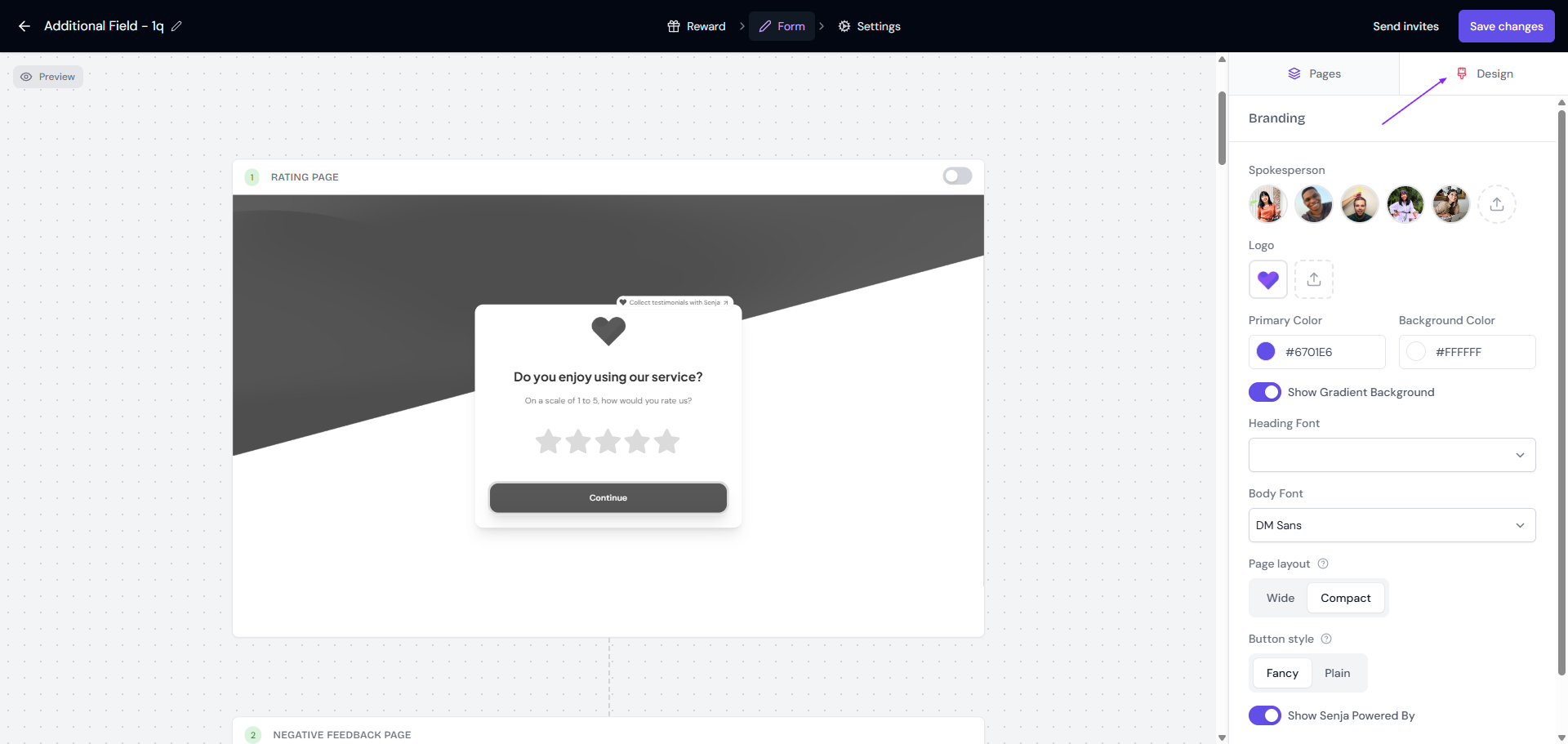
Full steps: How do I customize my form design?
Useful settings
In the Settings tab you can:
Change the Form slug (the end of your form URL)
Get Slack notifications for new submissions
Approve testimonials automatically
Ask customers to record in landscape on mobile
Tag collected testimonials automatically
Translate collected testimonials into your main language (Pro plan only, details here)
Send confirmation email to thank customers and deliver their reward
Stop collecting new submissions to pause the form
Form questions themselves can’t be auto-translated. You’ll need to write them in the language you want.
After someone submits
Every form includes a consent message by default (more on consent)
Customise the Thank you & word of mouth page, or send customers to an external page with your own call to action (how to edit it)
Let customers share their testimonial on social media straight after submitting
Share your form
There are four ways to get your form in front of customers.
Action | On List view | On Expanded view |
|---|---|---|
Copy and share the form link (details) | Click the 🔗 icon | Click the link under the form’s name |
Send form invites from Senja to emails from your existing list, a CSV/XLS file, another platform, or Google contacts (details) | Click the ⚙️ icon, choose Invites | Click Invites button |
Embed the form (details) | Click the ⚙️ icon, choose Share, then the Embed tab, and paste the code into your website | Click the ⚙️ icon, choose Share, then the Embed tab, and paste the code into your website |
You can also put your form inside your course or community. We have guides for Kajabi, Teachable, Thinkific, Podia, Circle, LearnDash, LearnWorlds, and Skool.
Collect on autopilot
Auto-collect needs a paid plan: Starter or Pro.
Connect your form to the tools you already use, and Senja sends a testimonial request when a customer does something there, like buying, finishing a course, or getting tagged in your CRM. Follow-up reminders stop as soon as they submit.
To set it up, click Invites on your form and go to the Automate tab. For Stripe, use the main Invites tab.
Supported platforms include Shopify, Stripe, Kajabi, Teachable, Thinkific, Intercom, Help Scout, Kit, MailerLite, and more.
Full list and steps: How to collect testimonials automatically with form