
Collect testimonials in LearnWorlds
Senja makes it easy to collect testimonials from your students, right inside your LearnWorlds course. You'll embed your Senja form as a lesson activity.
This is applicable on all Senja plans: Free, Starter, and Pro.
Before you start
You can embed your Senja form inside any lesson in your course
You can add this lesson at the end, of partway through your course
Adding it earlier in the course (not just at the end) usually gets you more testimonials
Steps
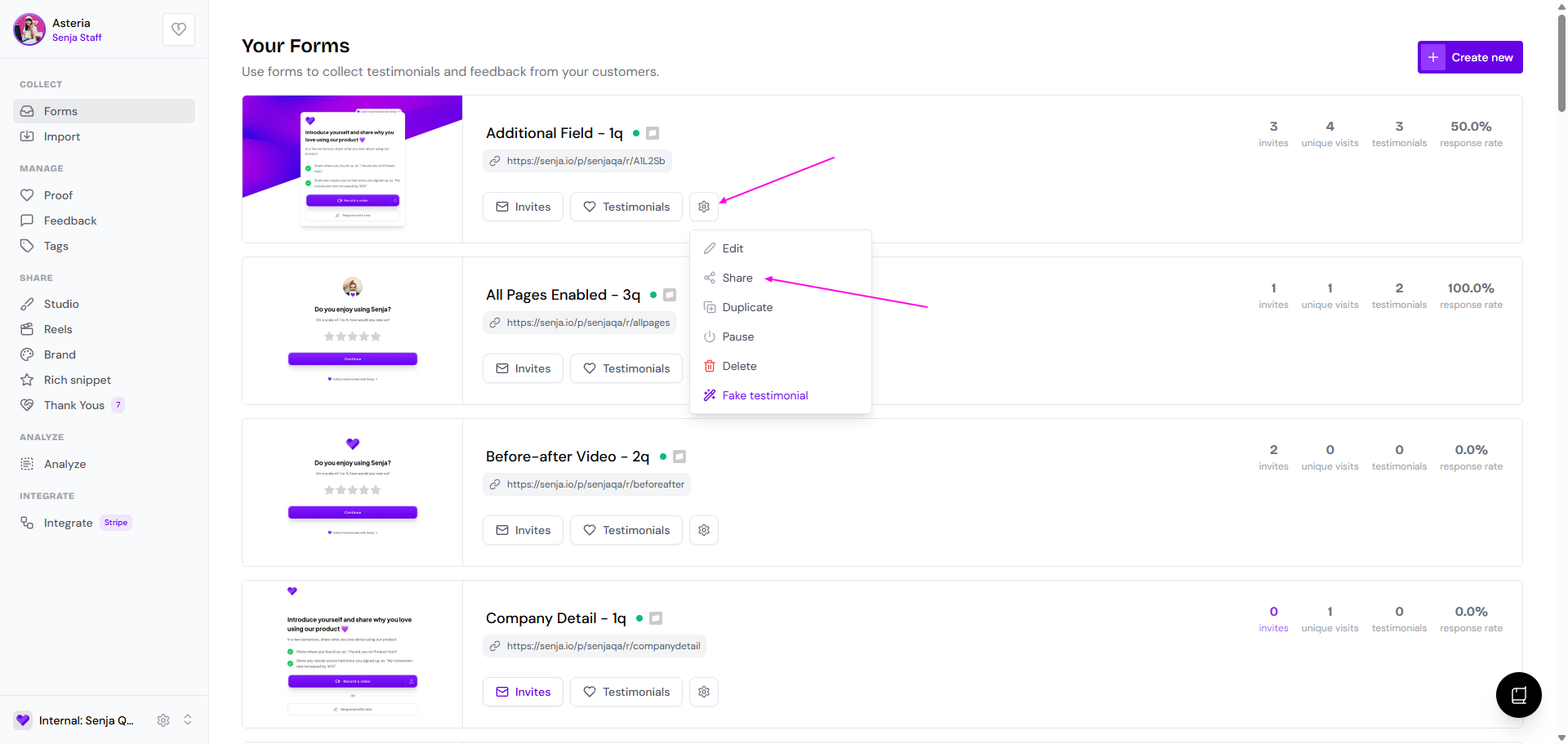
Go to your Forms page: https://app.senja.io/forms
Click the ⚙️ icon and choose Share
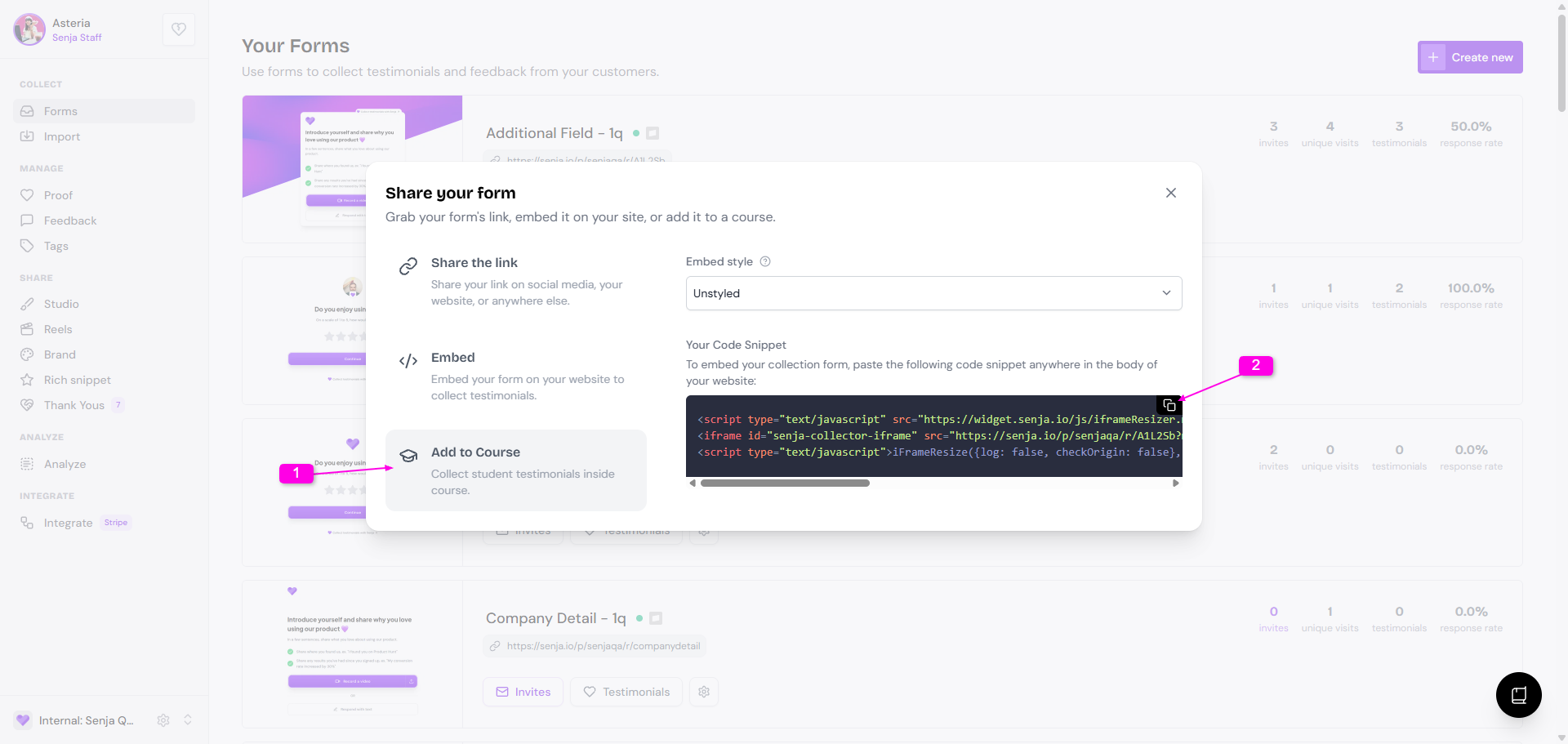
Click the Add to Course tab
Copy the embed code under Your Code Snippet
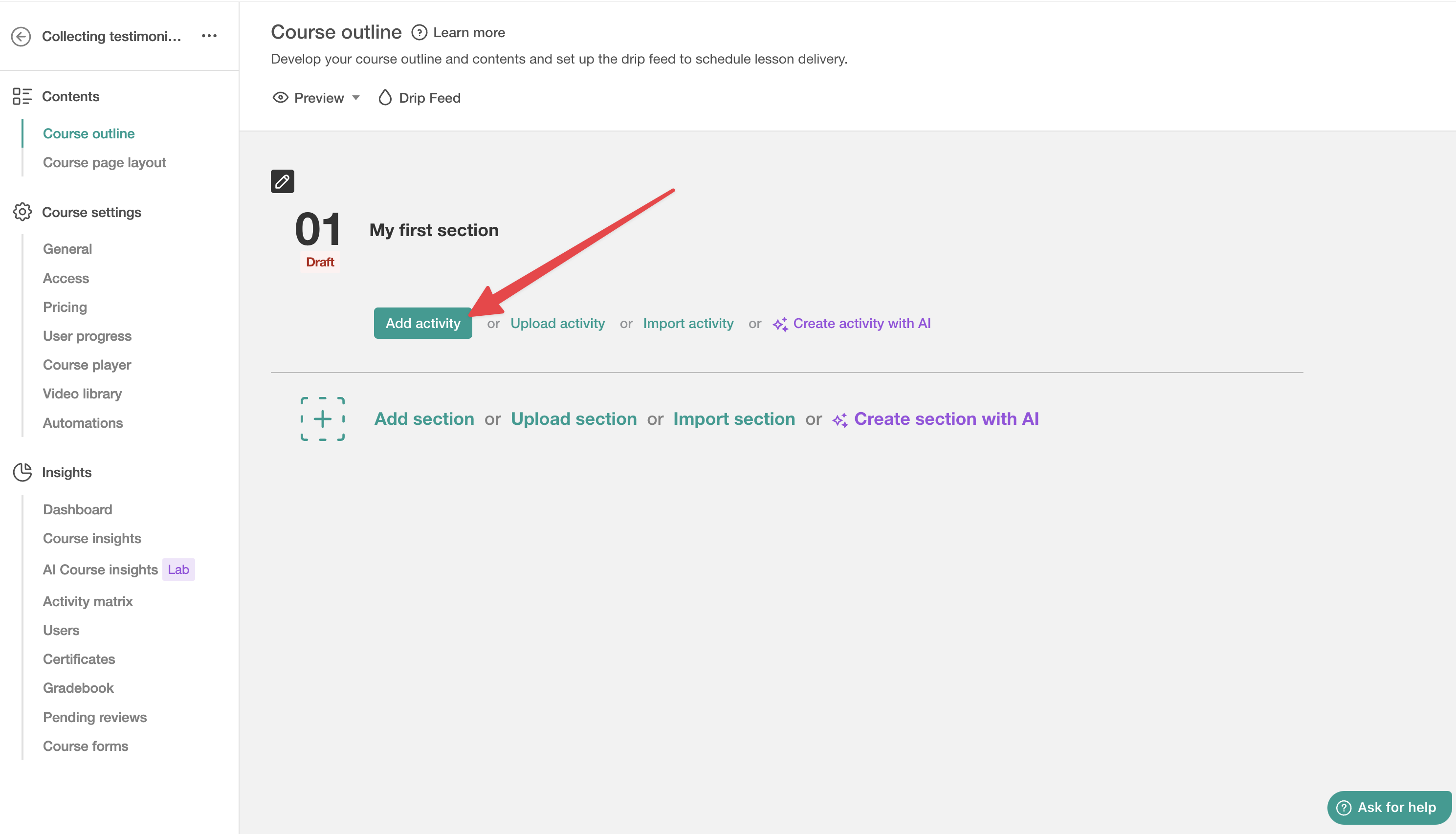
Go to your LearnWorlds dashboard
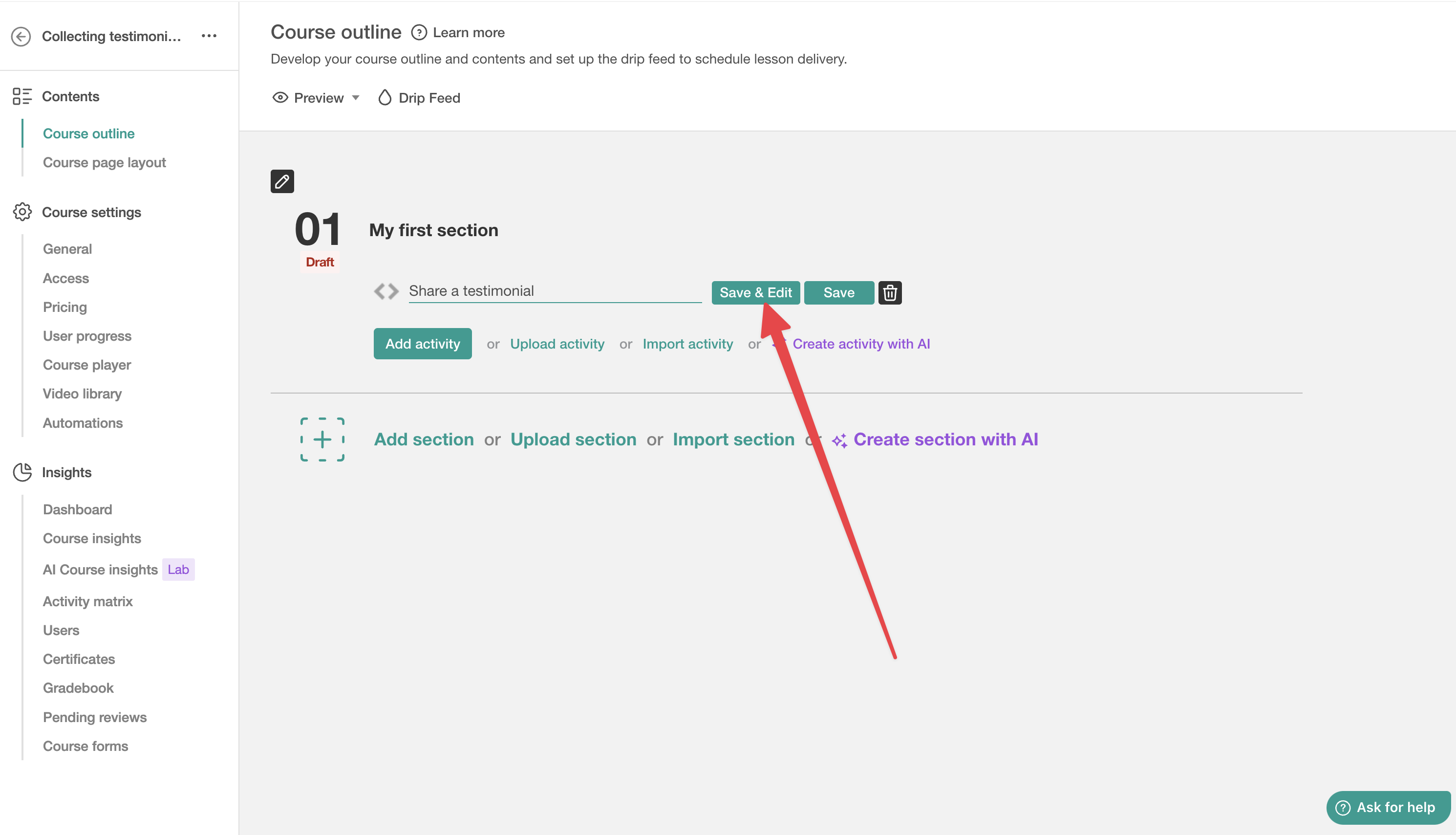
Inside a section, click Add activity
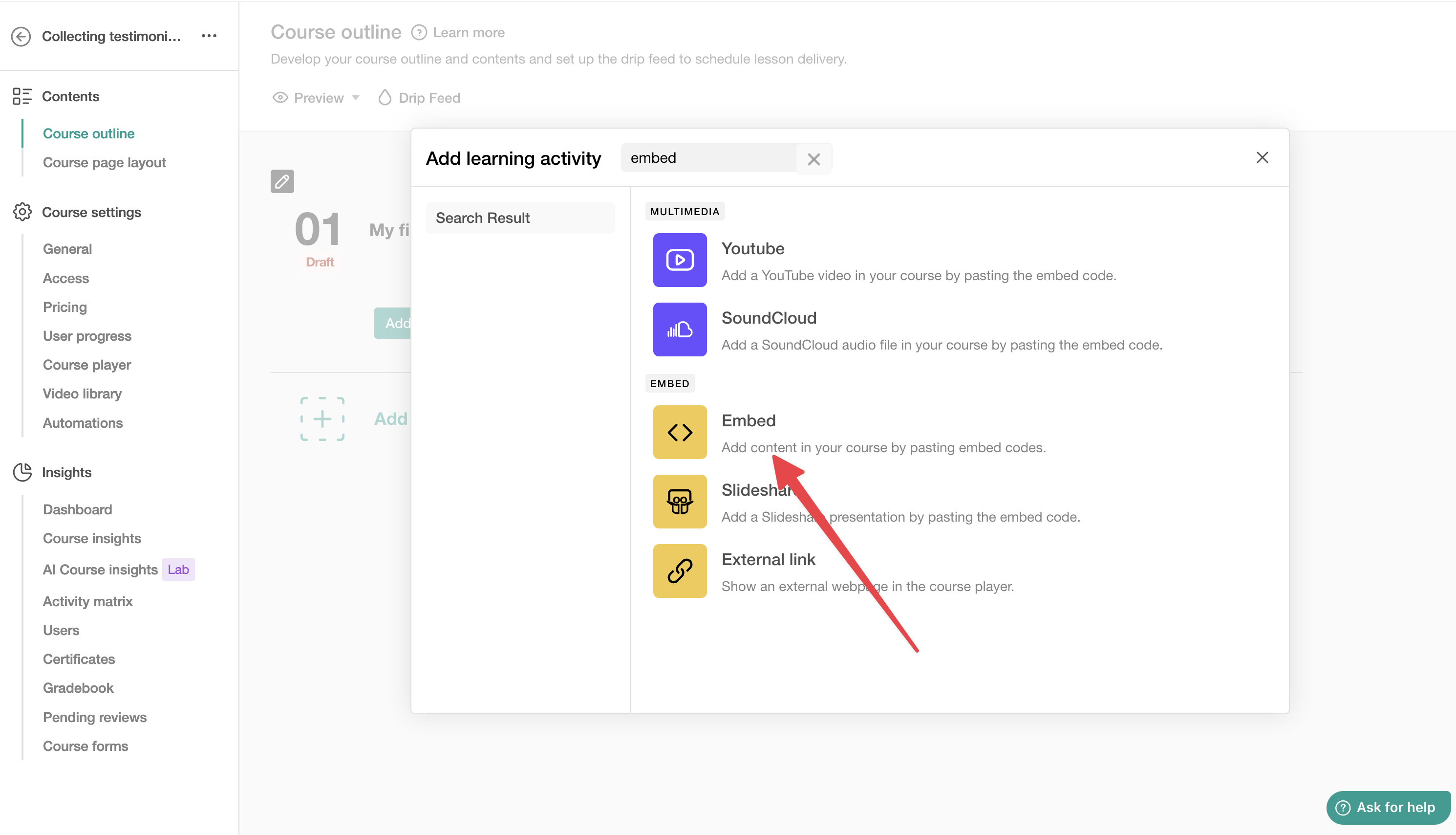
Click Embed on the left, then Embed on the right
Write the activity name and click on Save & Edit
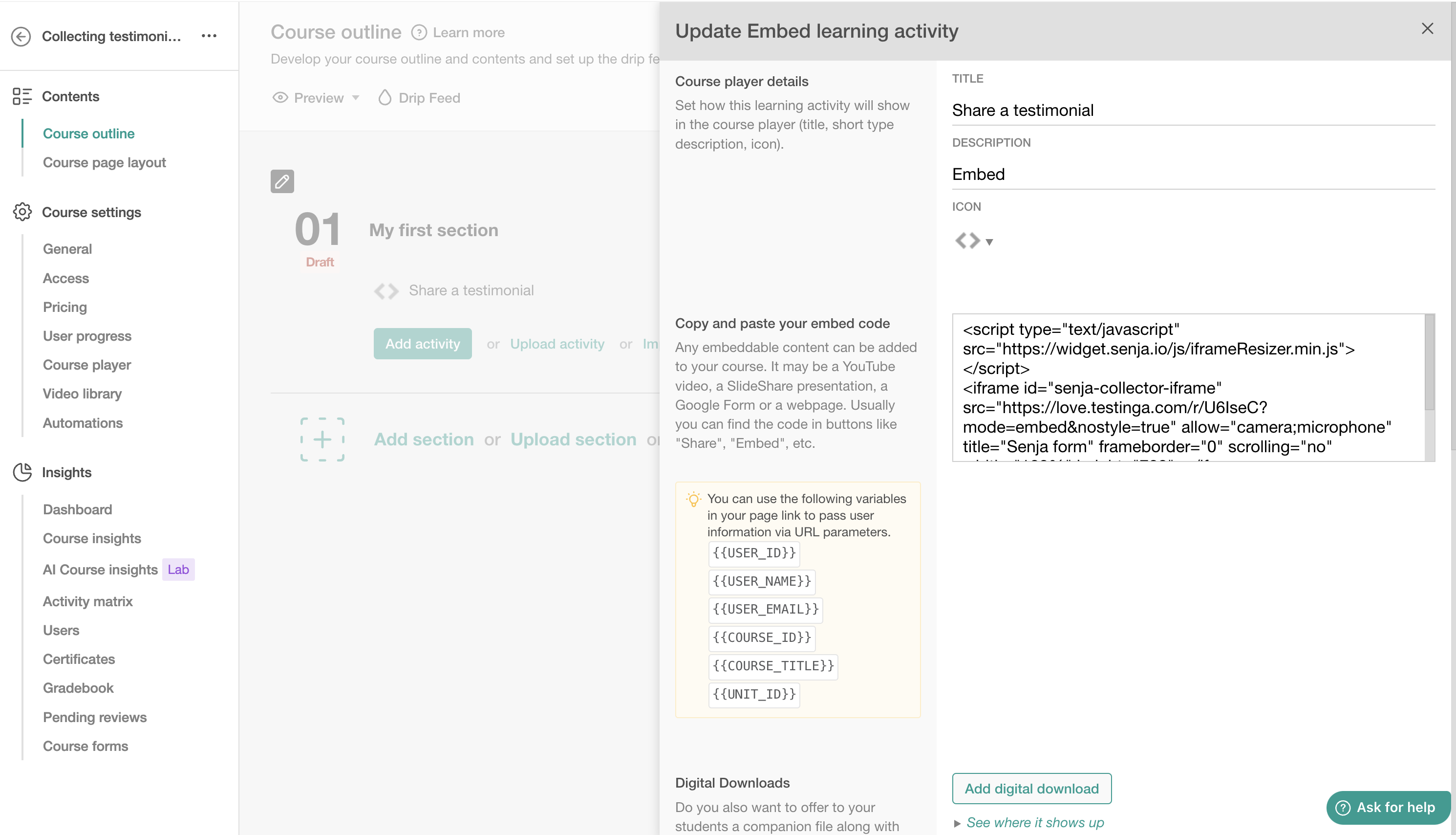
Paste your form embed code and click on Save
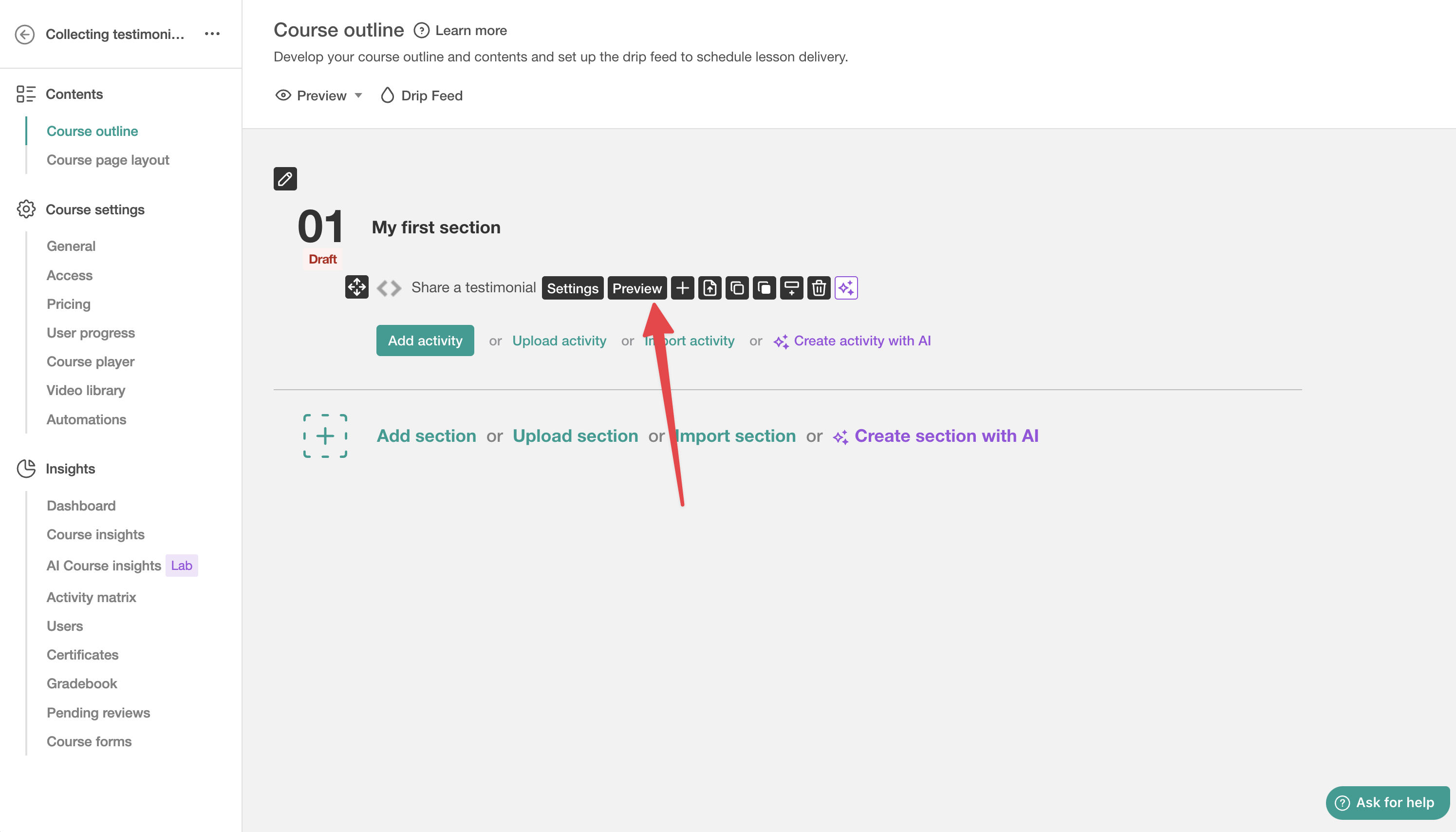
Click Preview to check it looks right
That's it — your form is live and collecting student testimonials around the clock