
Collect testimonials in Skool
You can collect testimonials from Skool students by linking to a Senja form inside your course lessons, or by setting up automated invites via auto-collect.
This is applicable for all Senja plans: Free, Starter, and Pro. Auto-collect method requires a paid plan.
Link a form in a course lesson
Skool lessons don't support embedded code, so you'll add a link to your testimonial form instead.
Get your form link
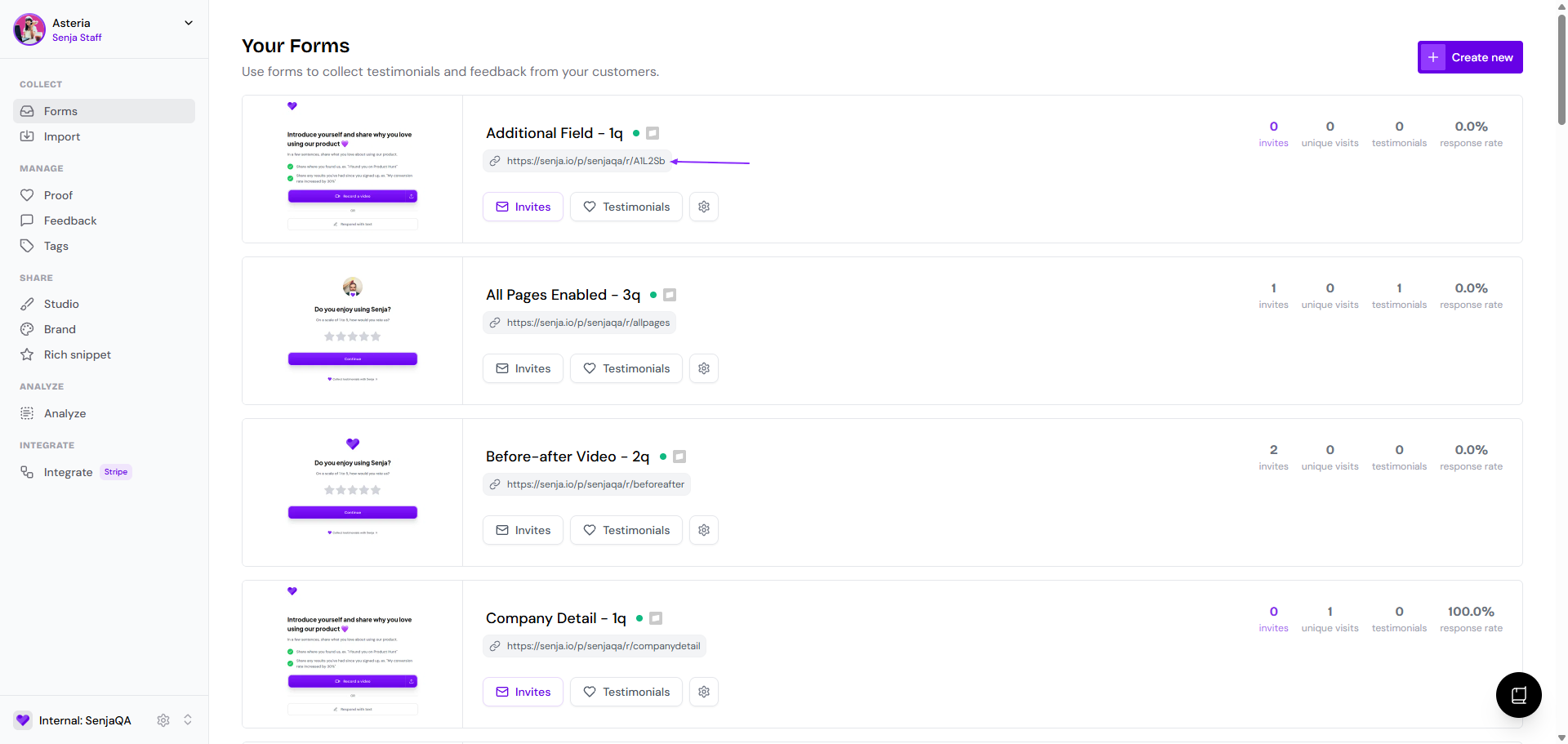
Go to your Forms page: https://app.senja.io/forms
Click the link under the form's name to copy it
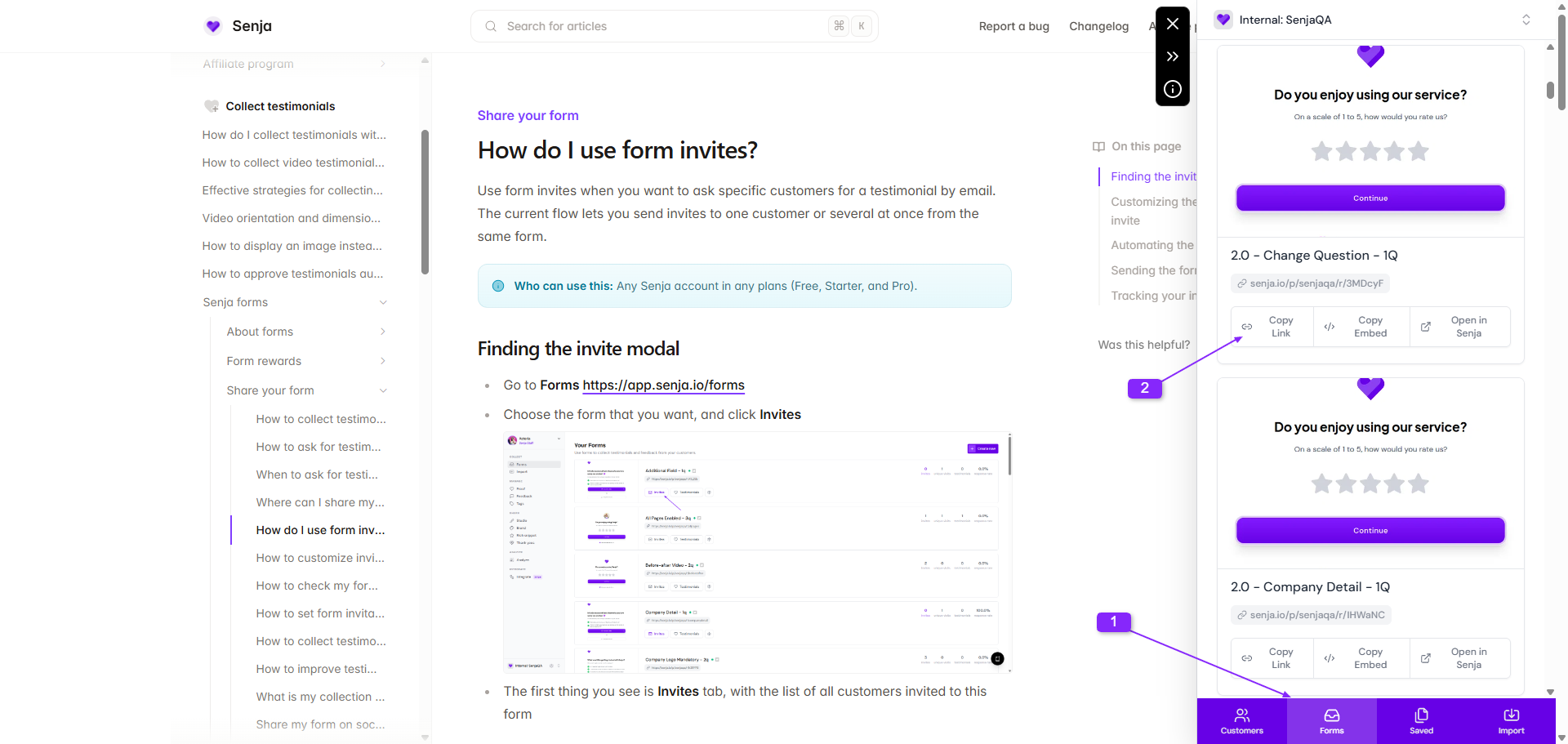
Or use the Chrome Extension
Add the link to your lesson
Create a lesson for feedback (mid-course works well for collecting more testimonials)
Write your request, then select the text you want to link
Click the link icon
Paste your form link and click OK
Click Save
Your form link is now live in your course
Automate requests with auto-collect
Use auto-collect to automatically email testimonial requests when specific Skool events happen.
Available triggers:
New paid member
Answered membership questions
Set up the automation
Go to Forms https://app.senja.io/forms
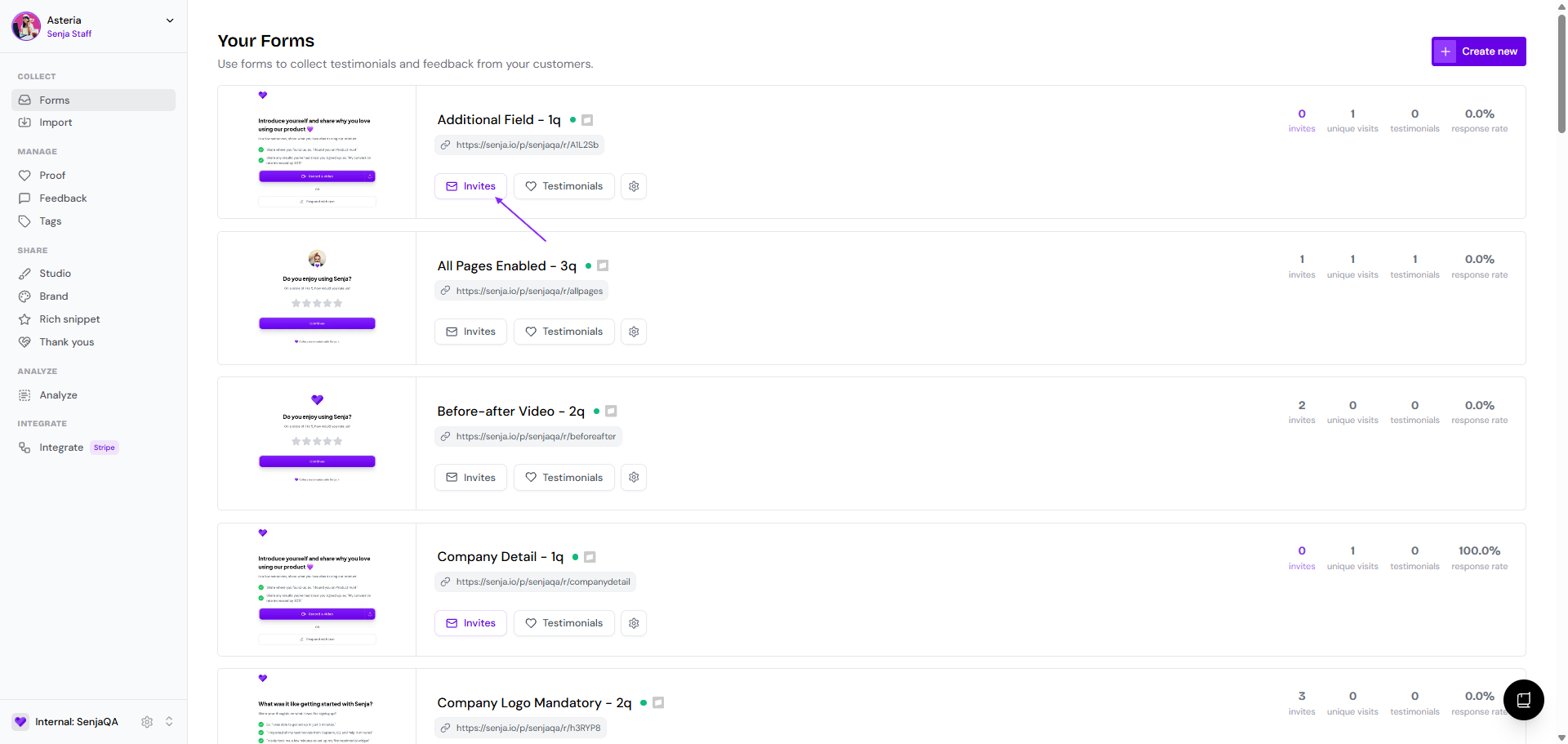
Choose the form that you want, and click Invites
Go to Automate tab
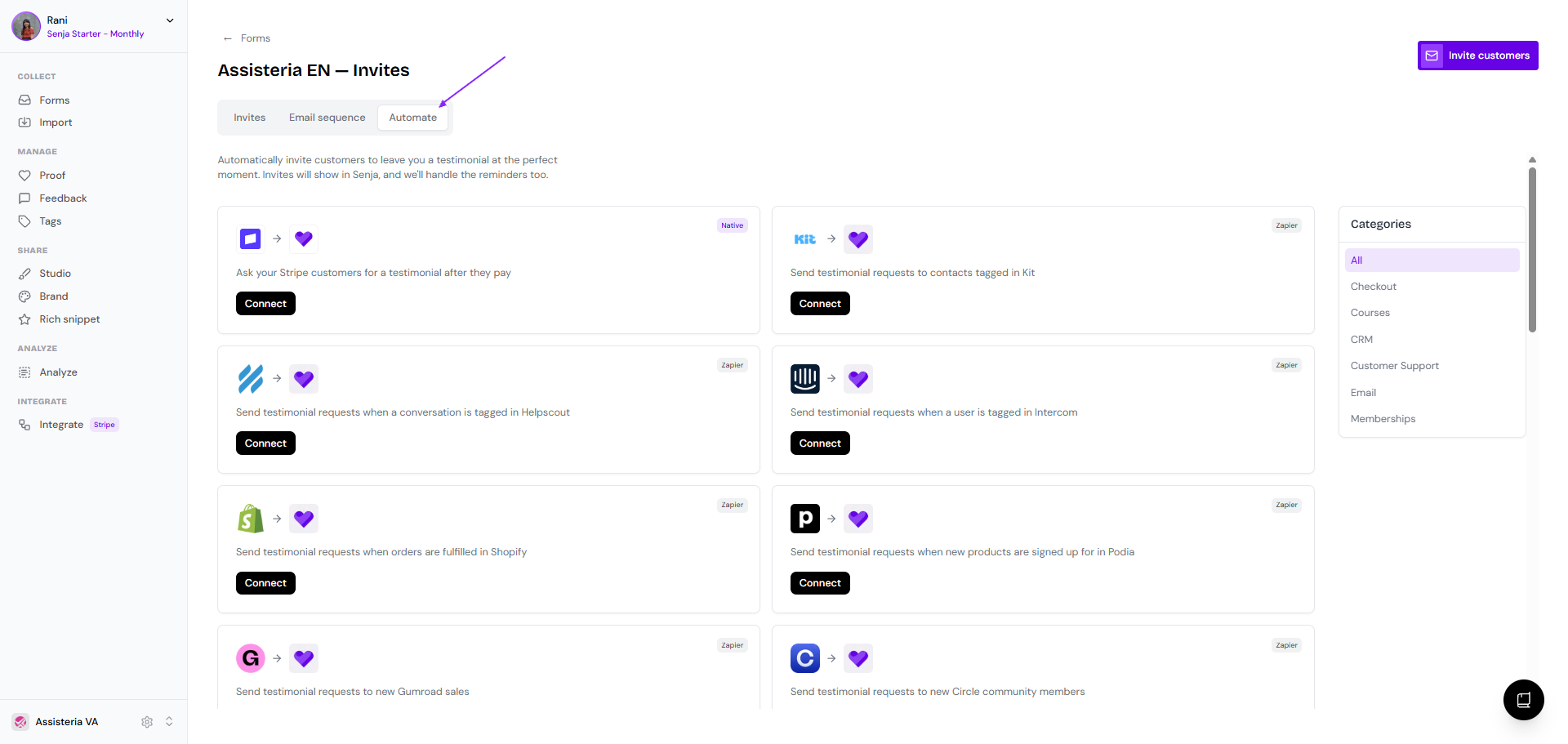
Choose Skool, click Connect
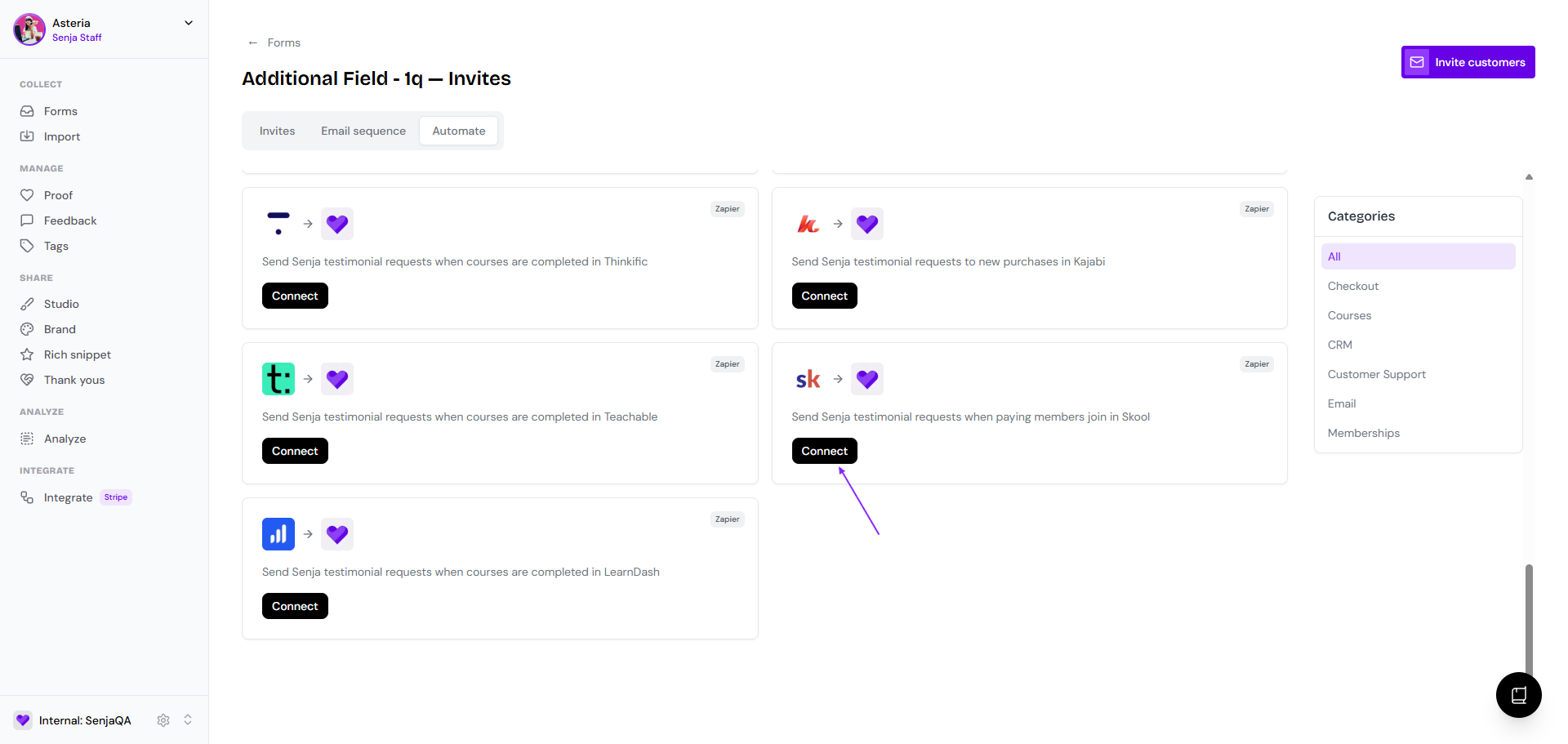
You'll be directed to Zapier login
Customize the trigger and invite settings
Enable the Zap
Senja will send follow-up reminders automatically
You can track all invites sent from your Senja account