
Collect testimonials in LearnDash
There are two ways to collect testimonials from your LearnDash students: Embed a Senja form inside your course or send automated invite emails via auto-collect.
This is available for all Senja plans, except for auto-collect which is only available on paid plans.
Embed a form inside your course
You can embed a Senja form into any lesson — at the end of your course, or earlier. Embedding it earlier usually gets you more testimonials.
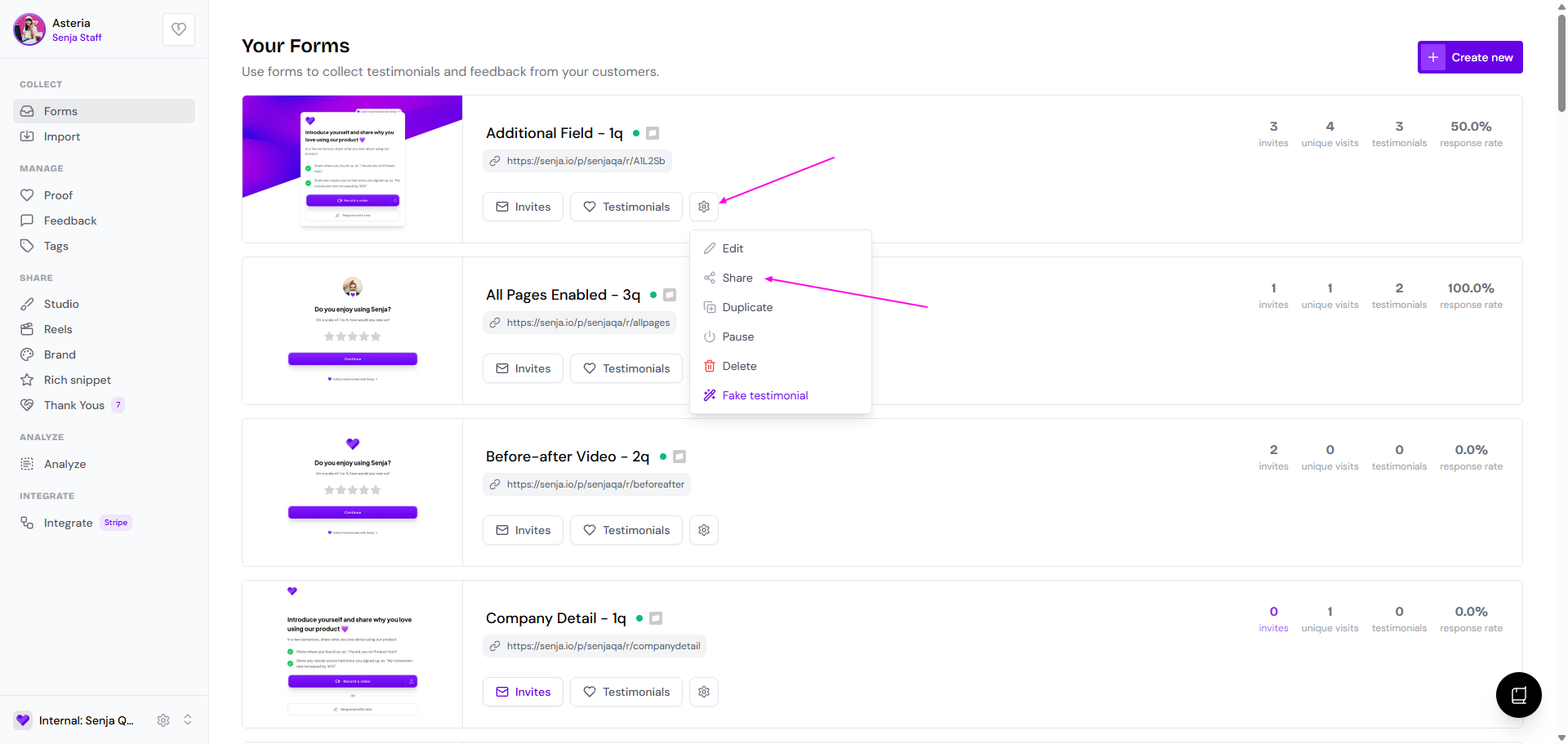
Go to your Forms page: https://app.senja.io/forms
Click the ⚙️ icon and choose Share
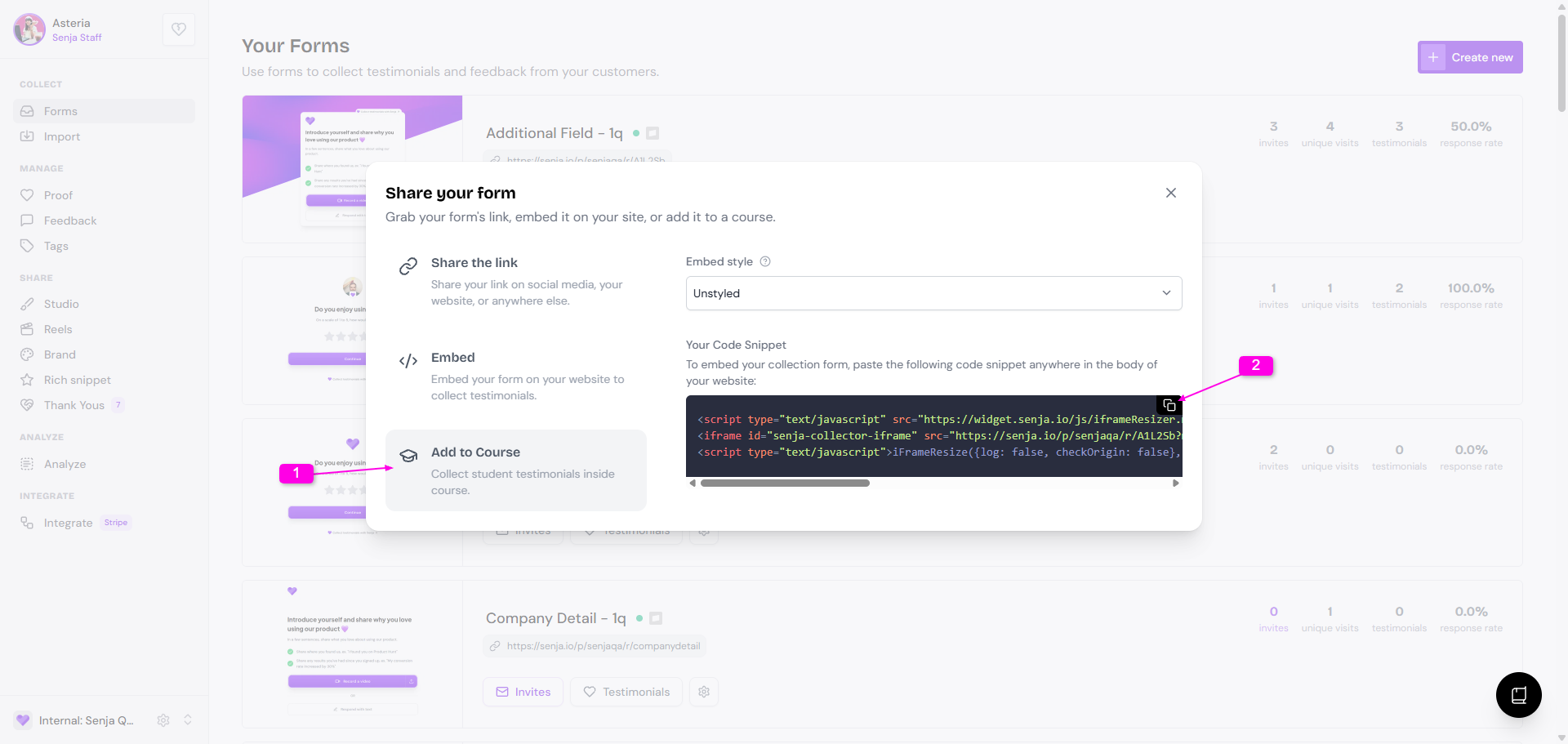
Click the Add to Course tab
Copy the embed code under Your Code Snippet
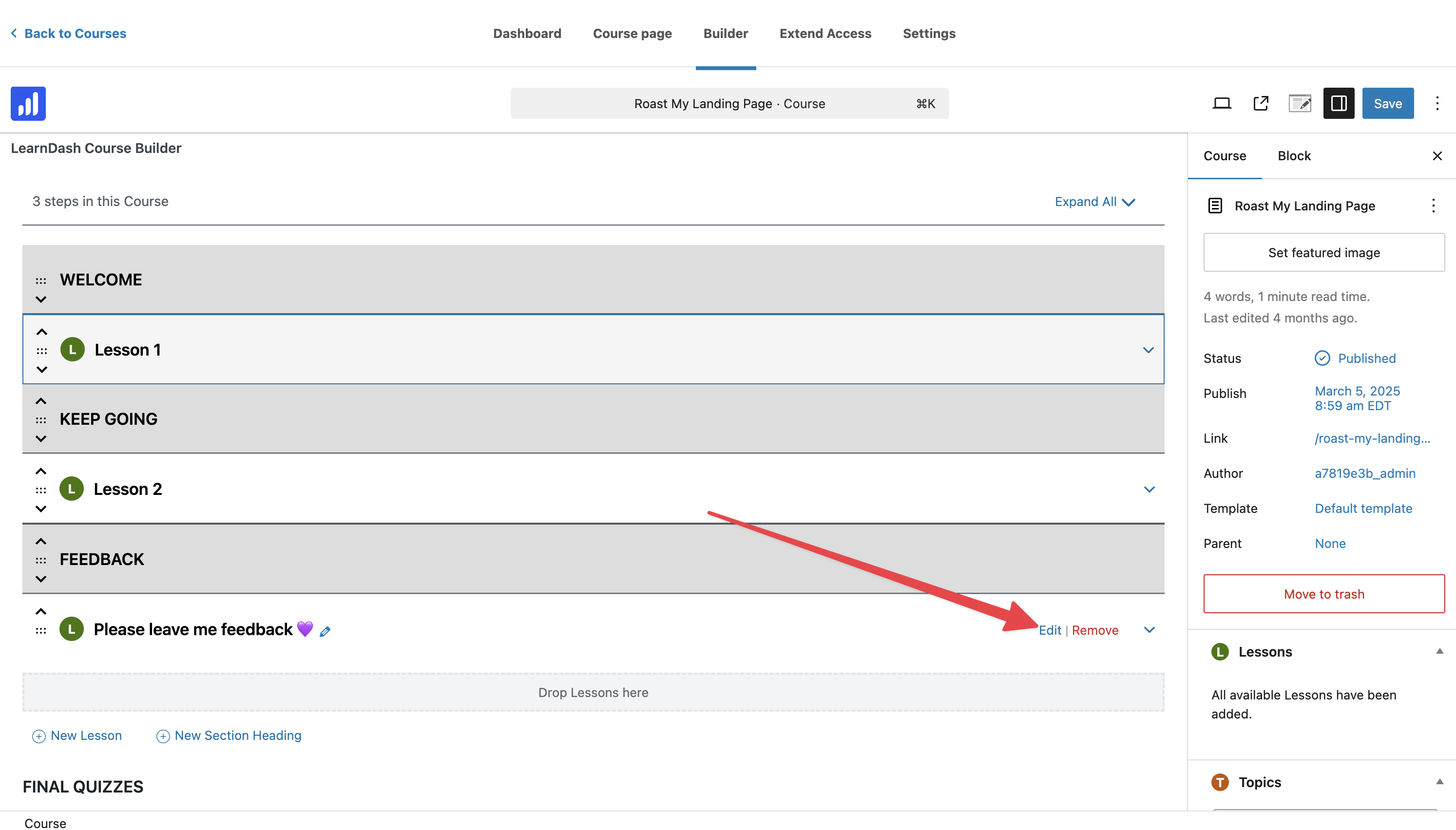
Go to your LearnDash dashboard
Create a lesson called Feedback
Click Edit
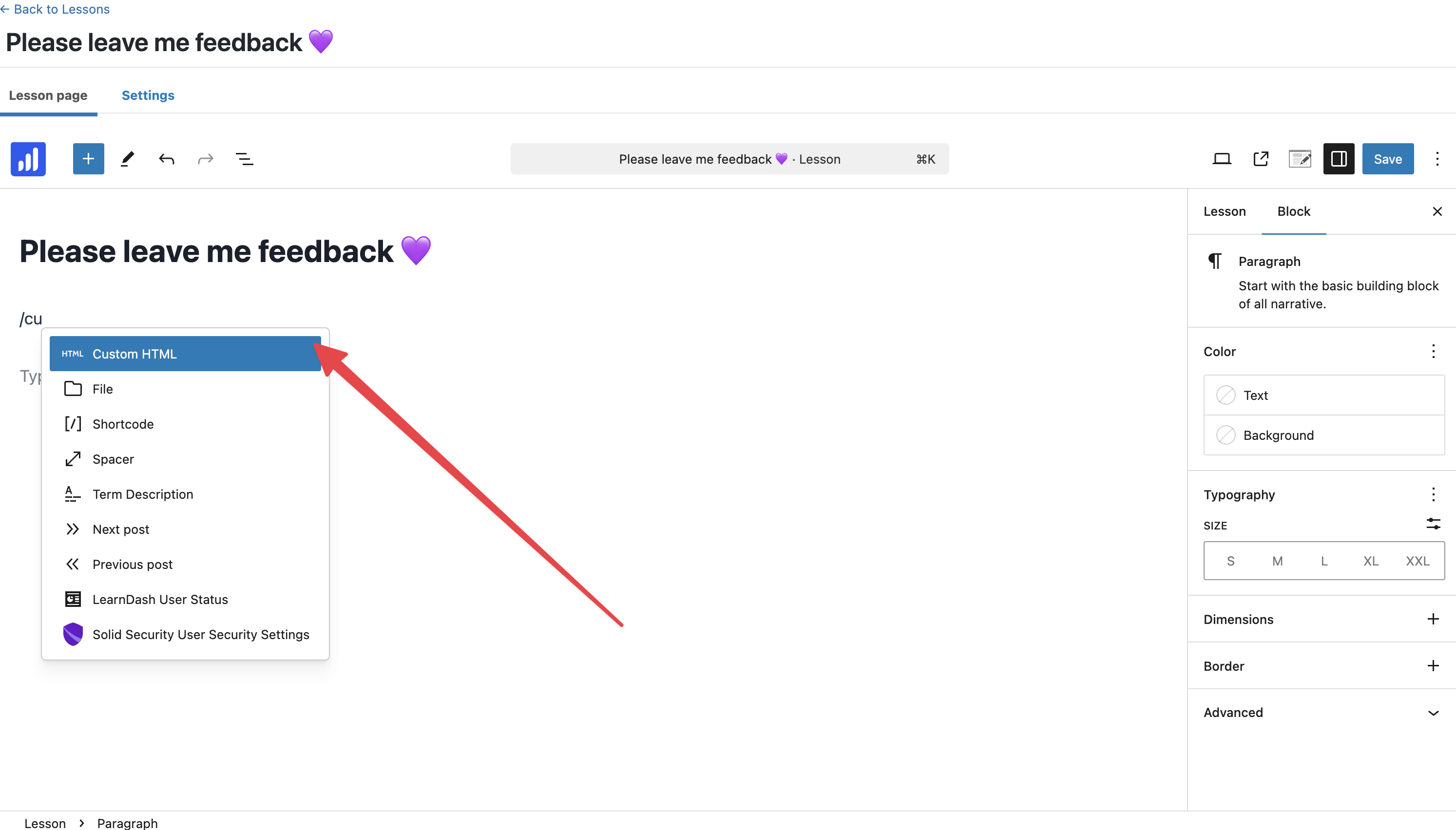
Type /custom and select Custom HTML
Paste the form embed code
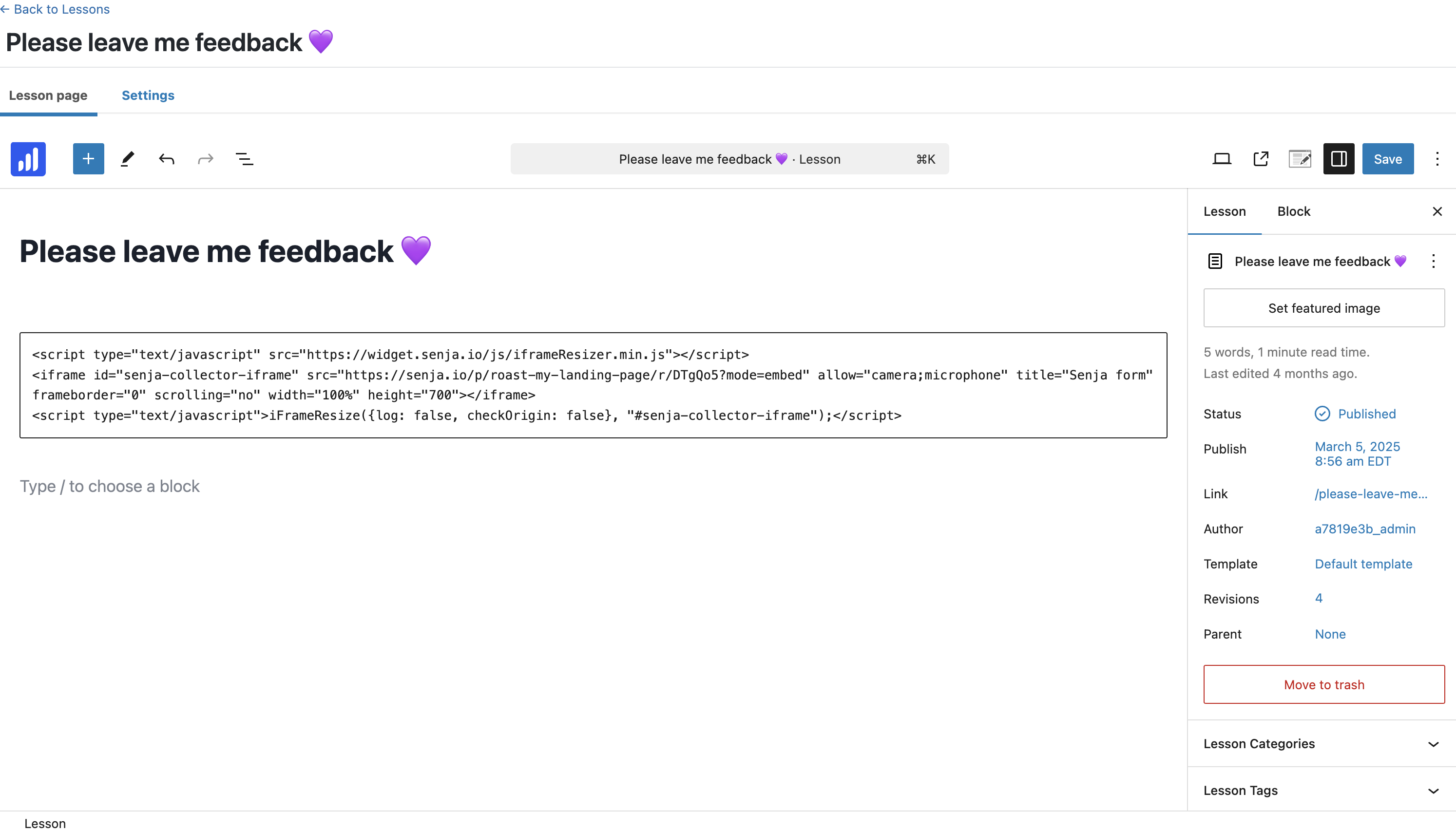
Click Preview
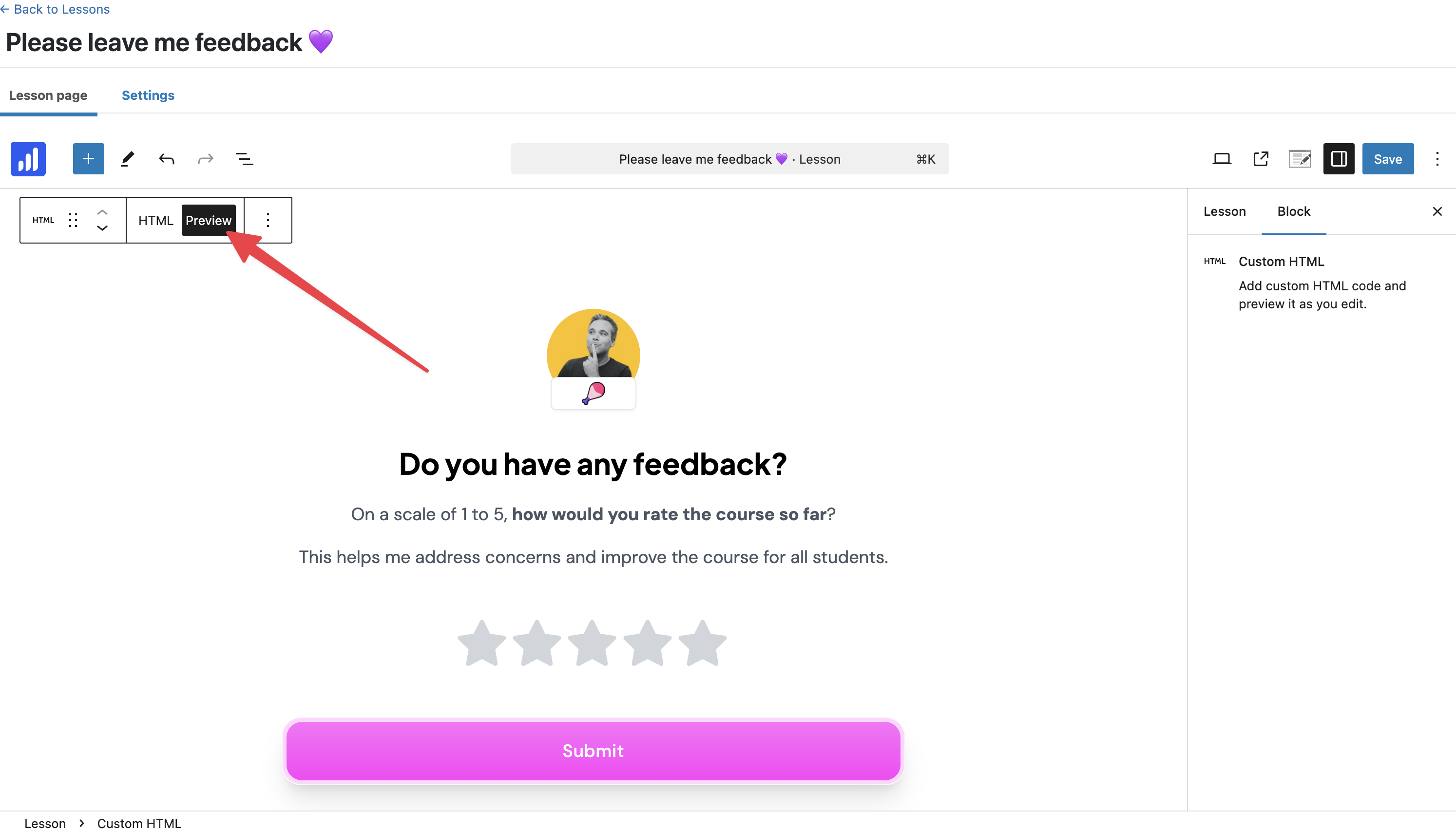
Click Save and now your form is live in your course
Here's what it looks like
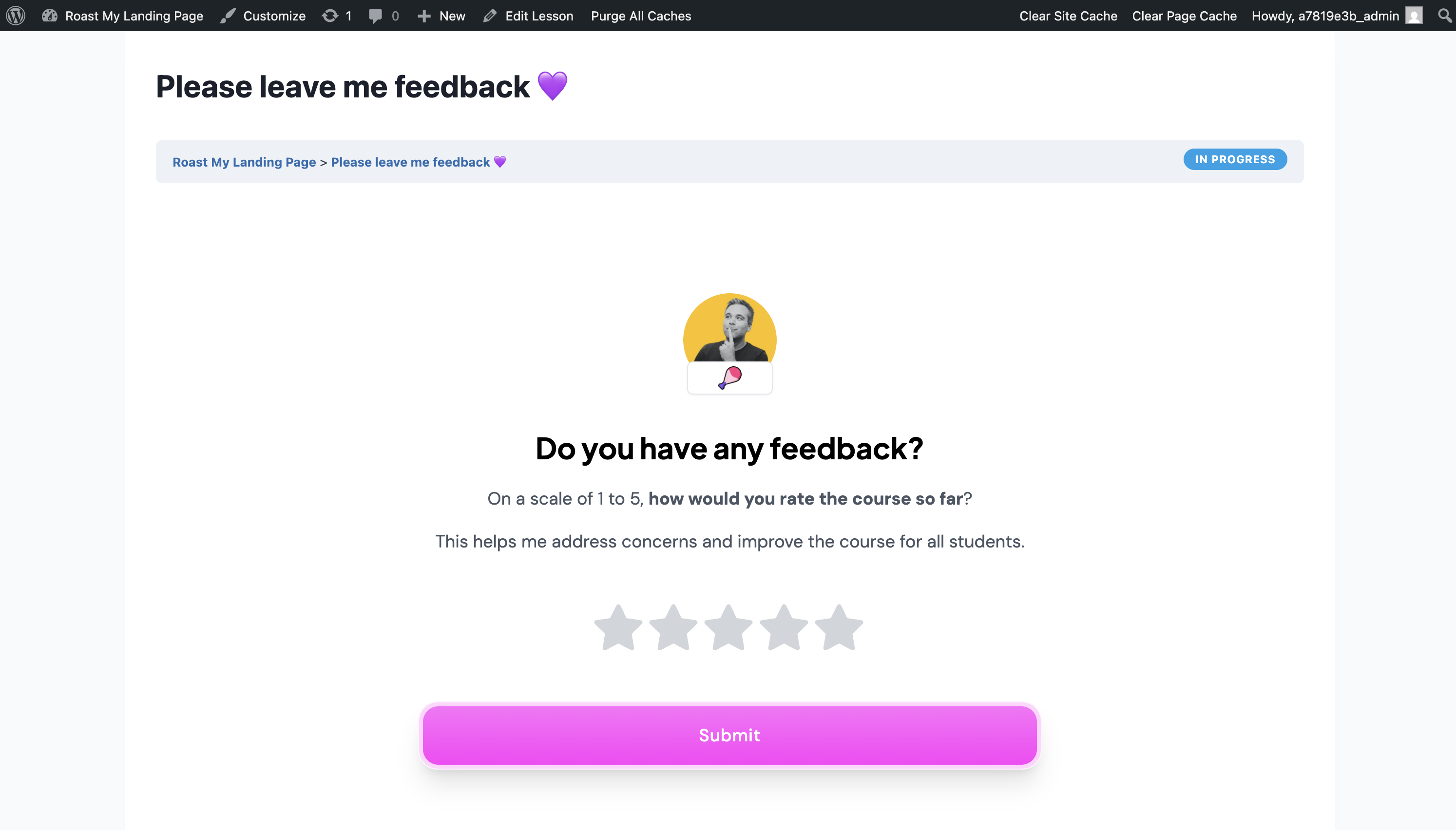
You're now collecting student testimonials 24/7 inside your course!
Collect testimonials with auto-collect
Auto-collect sends a testimonial request email to your students when something happens in your LearnDash account.
Available triggers:
Course completed
Lesson completed
Quiz taken
Enrolled into course
Senja will also send follow-up reminders automatically, so you collect even more testimonials. You can view all invites sent in your Senja account.
How to set it up
Go to your Forms page: https://app.senja.io/forms/
Click Invites on the form that you want to use
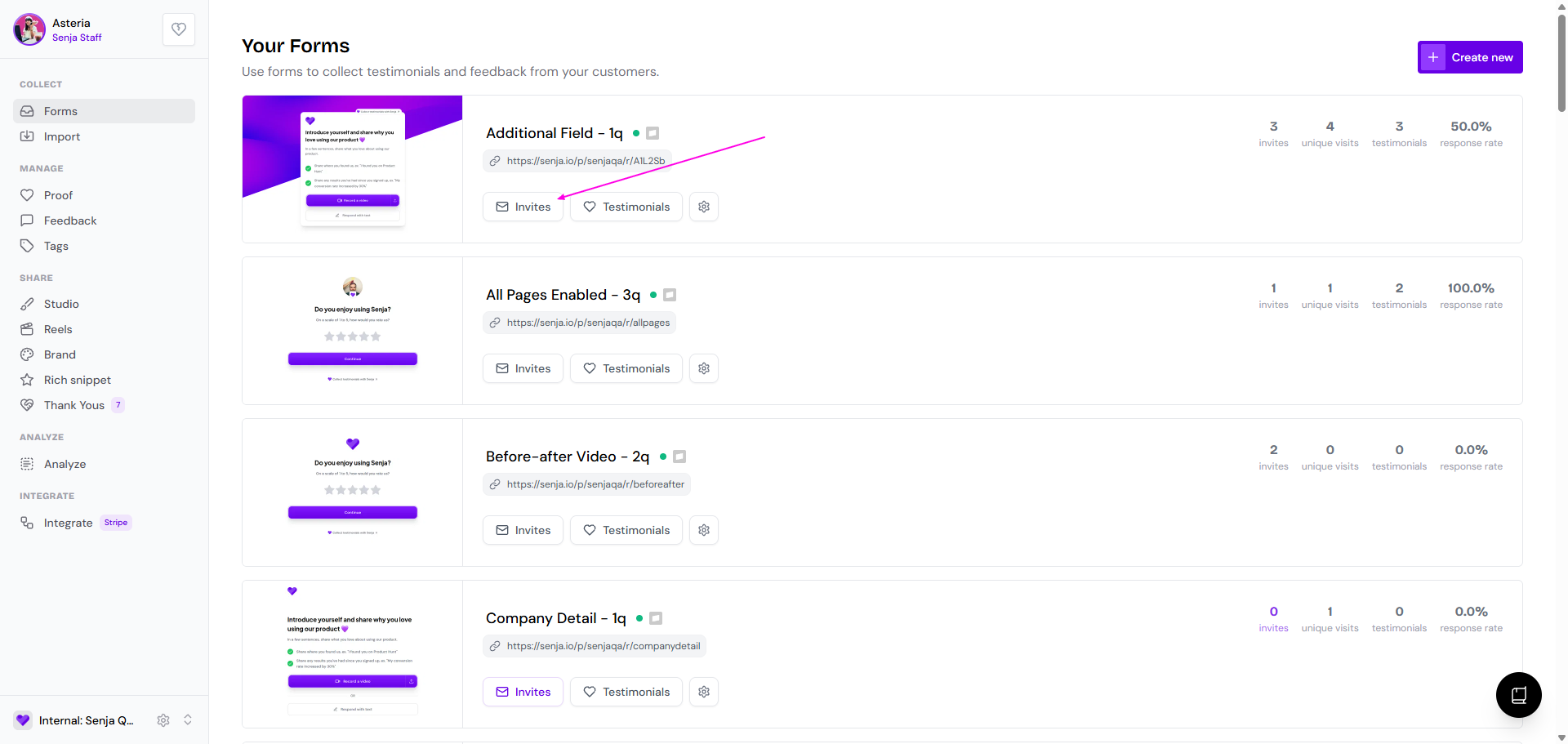
Go to Automate tab
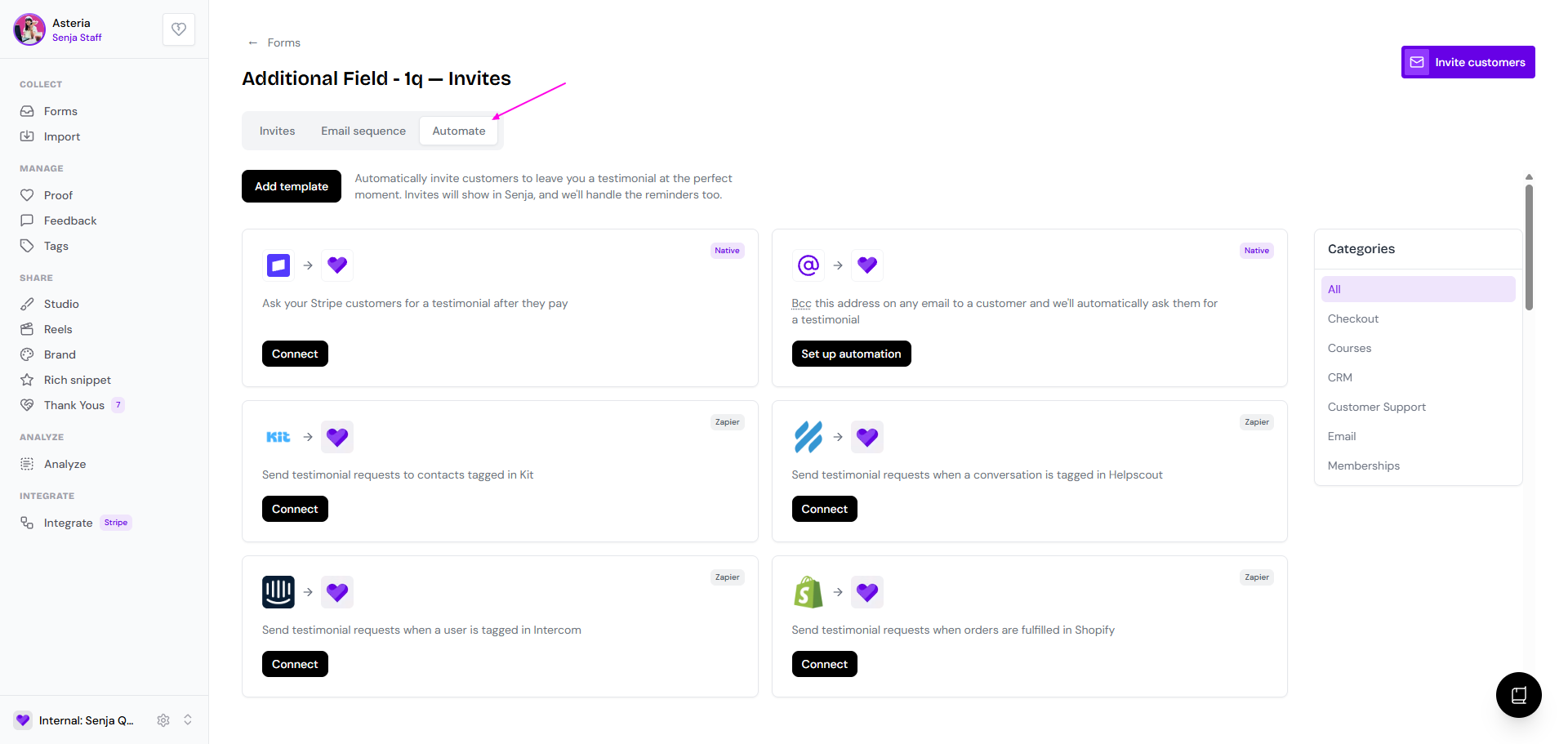
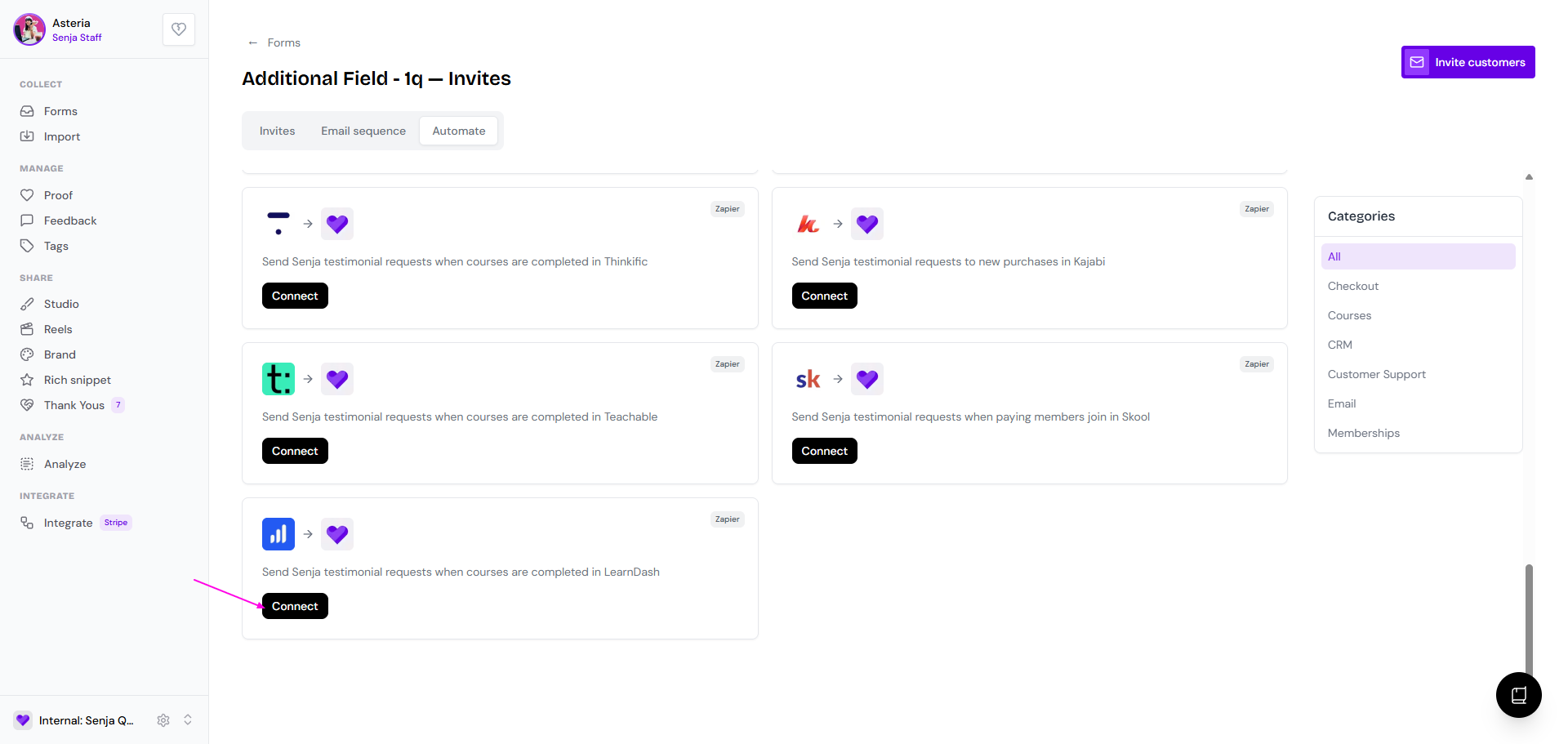
Find LearnDash and click Connect
Update the Zap to reflect your preferences for the trigger and invites