
Collect testimonials in Thinkific
There are 2 ways to collect testimonials in Thinkific: Embed a Senja form inside your course or send automated invite emails via auto-collect
This is applicable on all Senja plans, except for the auto-collect method which requires paid plan.
Embed a form inside your course
You can embed a Senja form directly into any lesson — at the end of your course, or earlier. Embedding it earlier usually gets you more testimonials.
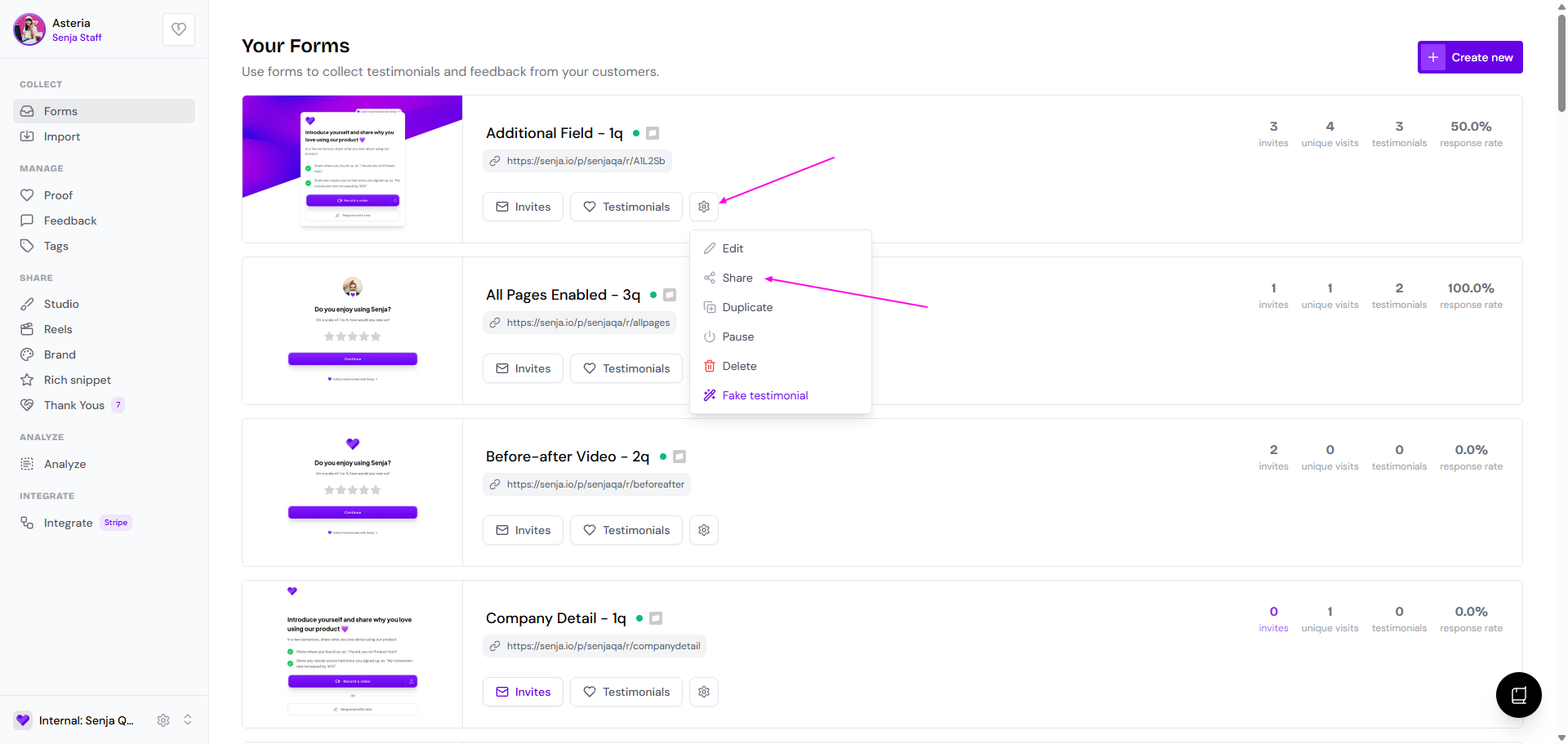
Go to your Forms page: https://app.senja.io/forms
Click the ⚙️ icon and choose Share
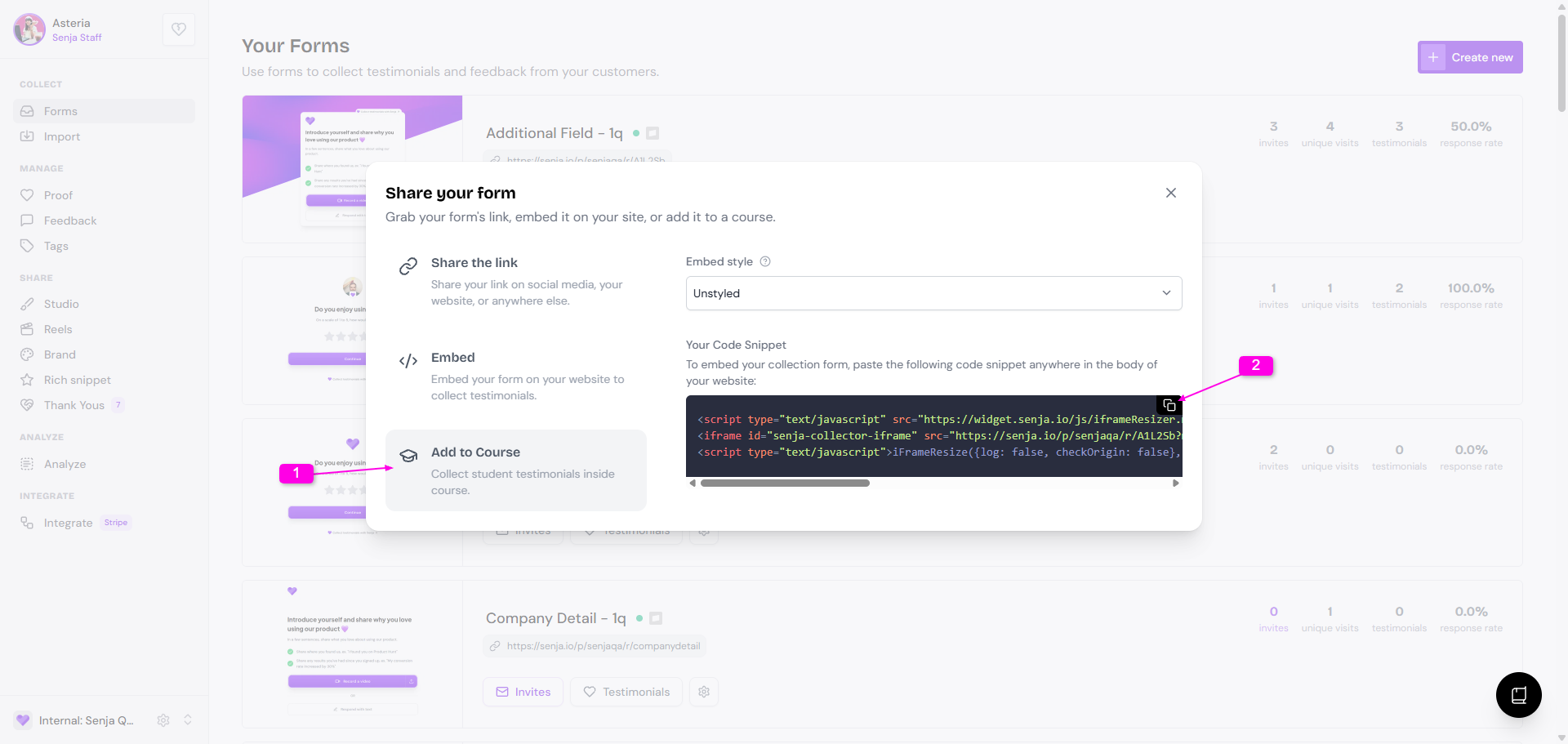
Click the Add to Course tab
Copy the embed code under Your Code Snippet
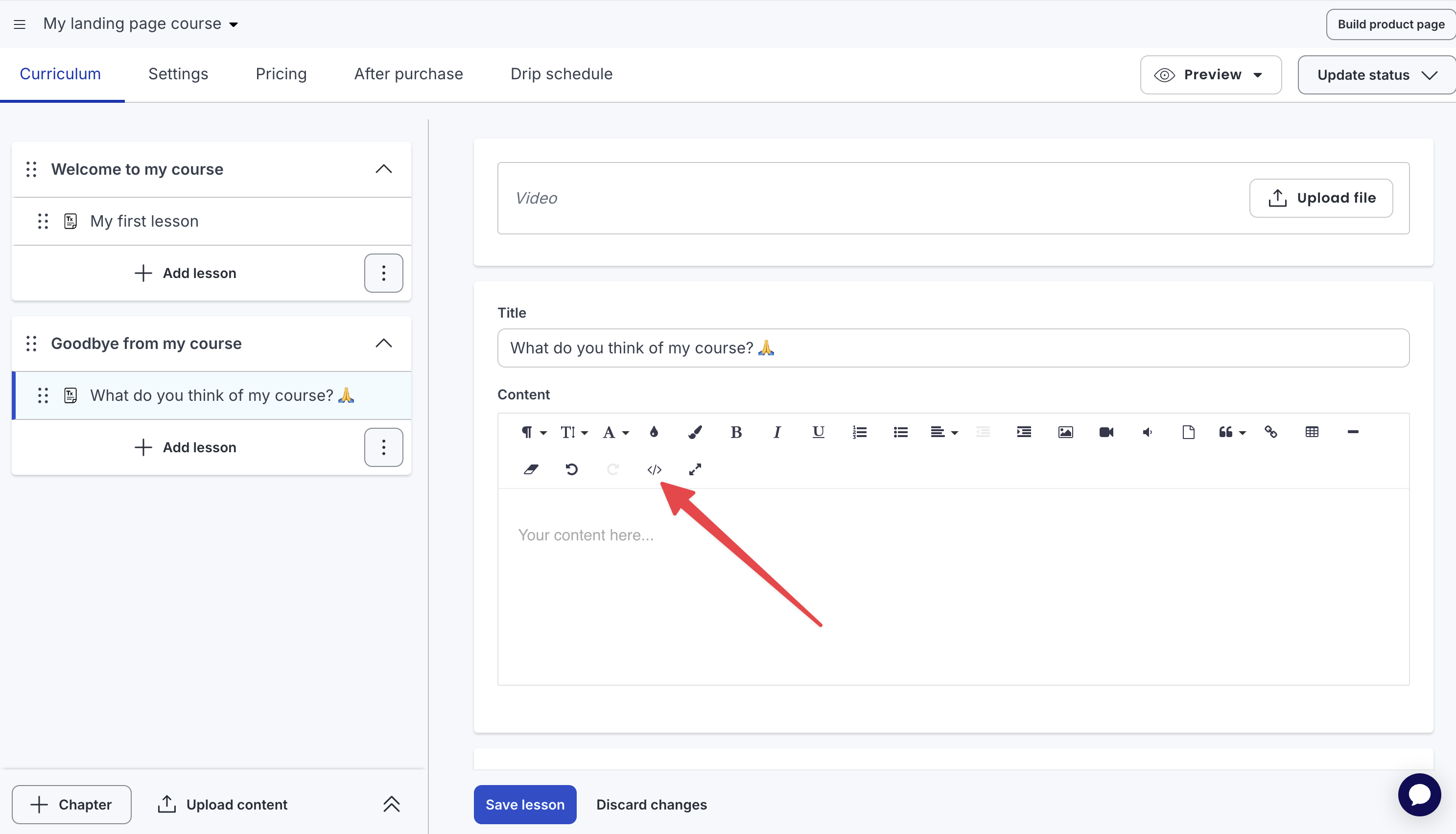
Go to your Thinkific course
Click on Code View </>
Paste your form embed code
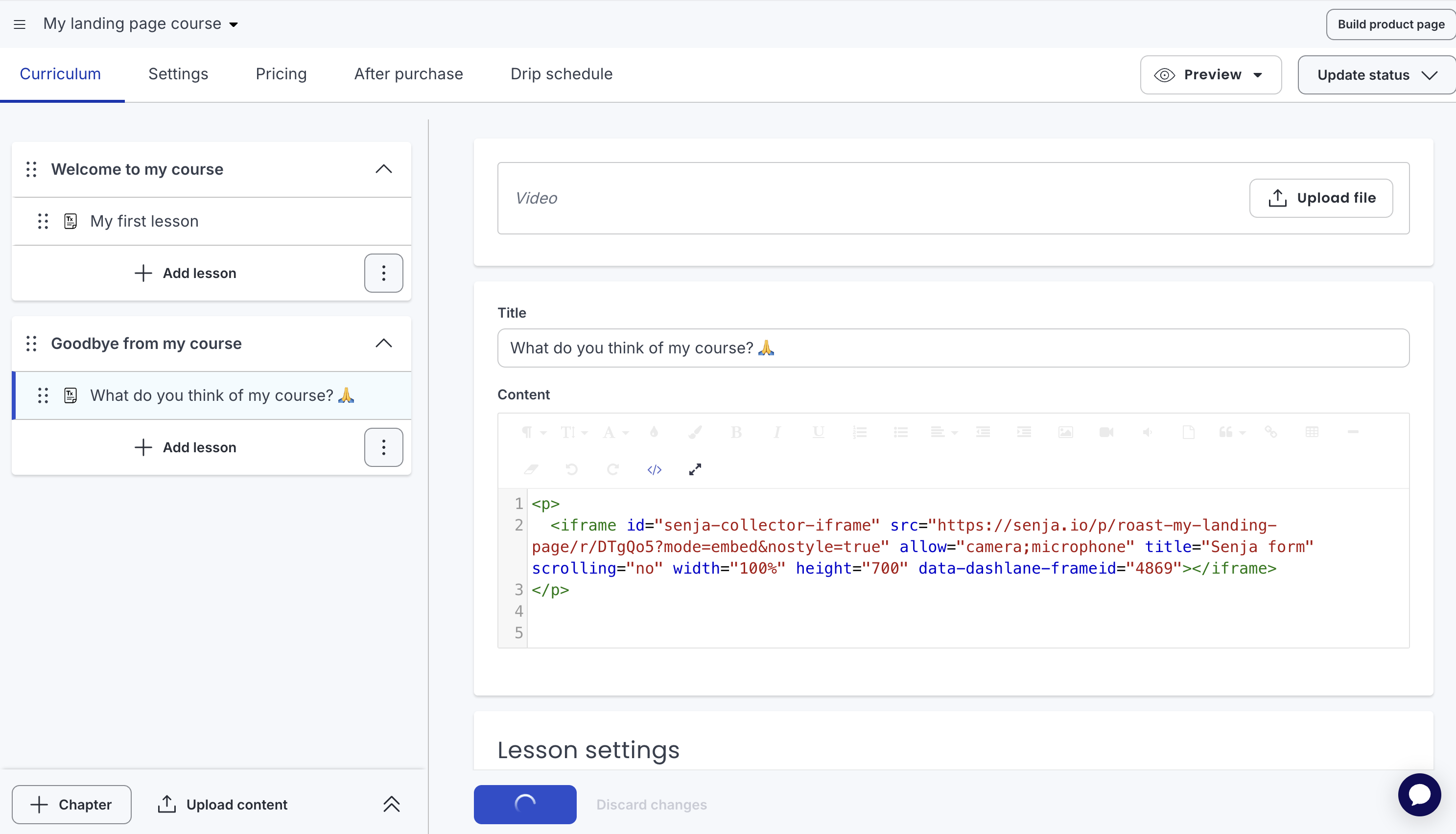
Click on Code View </> to get you back to the normal lesson view
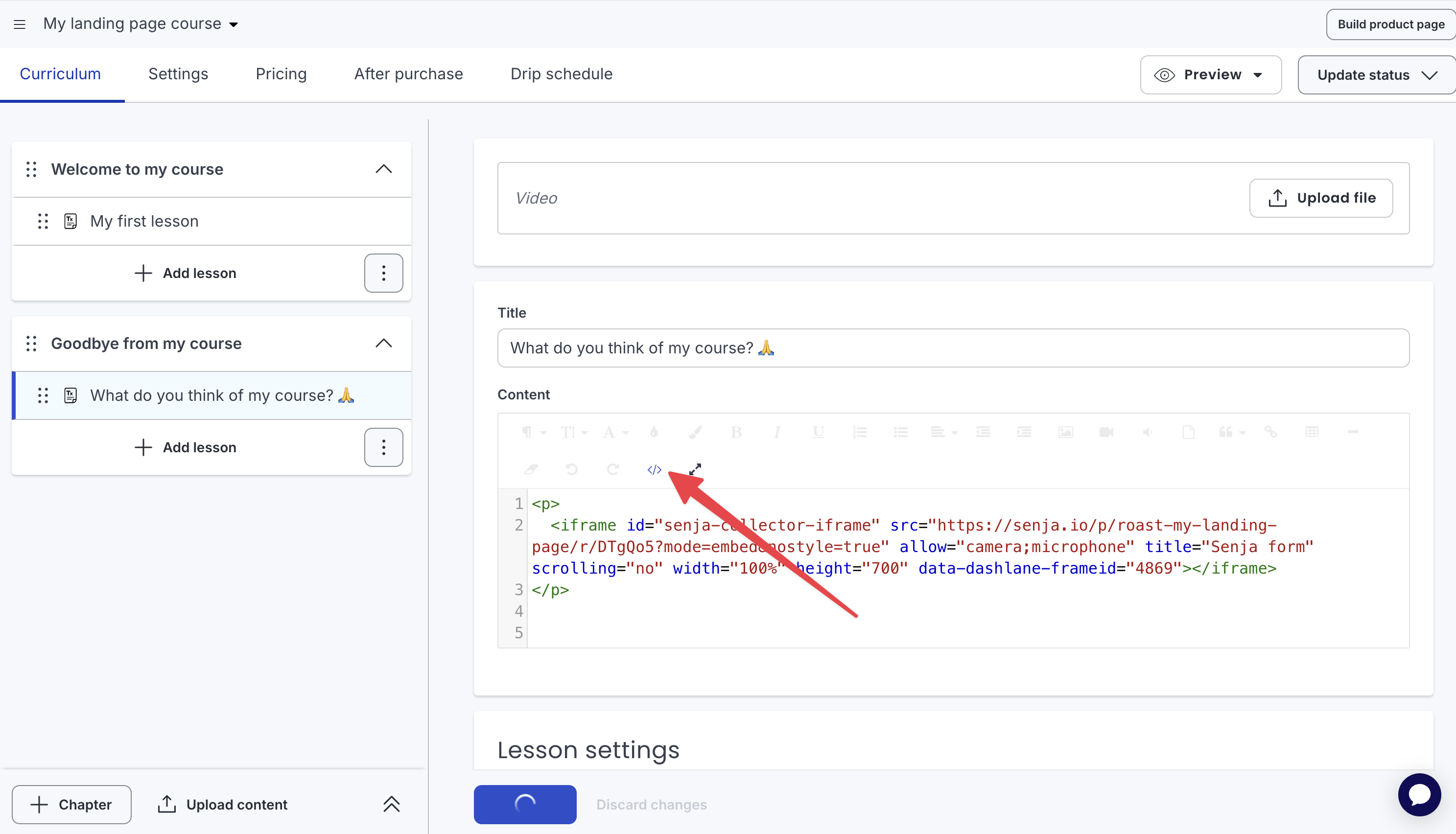
Your form is live in your course
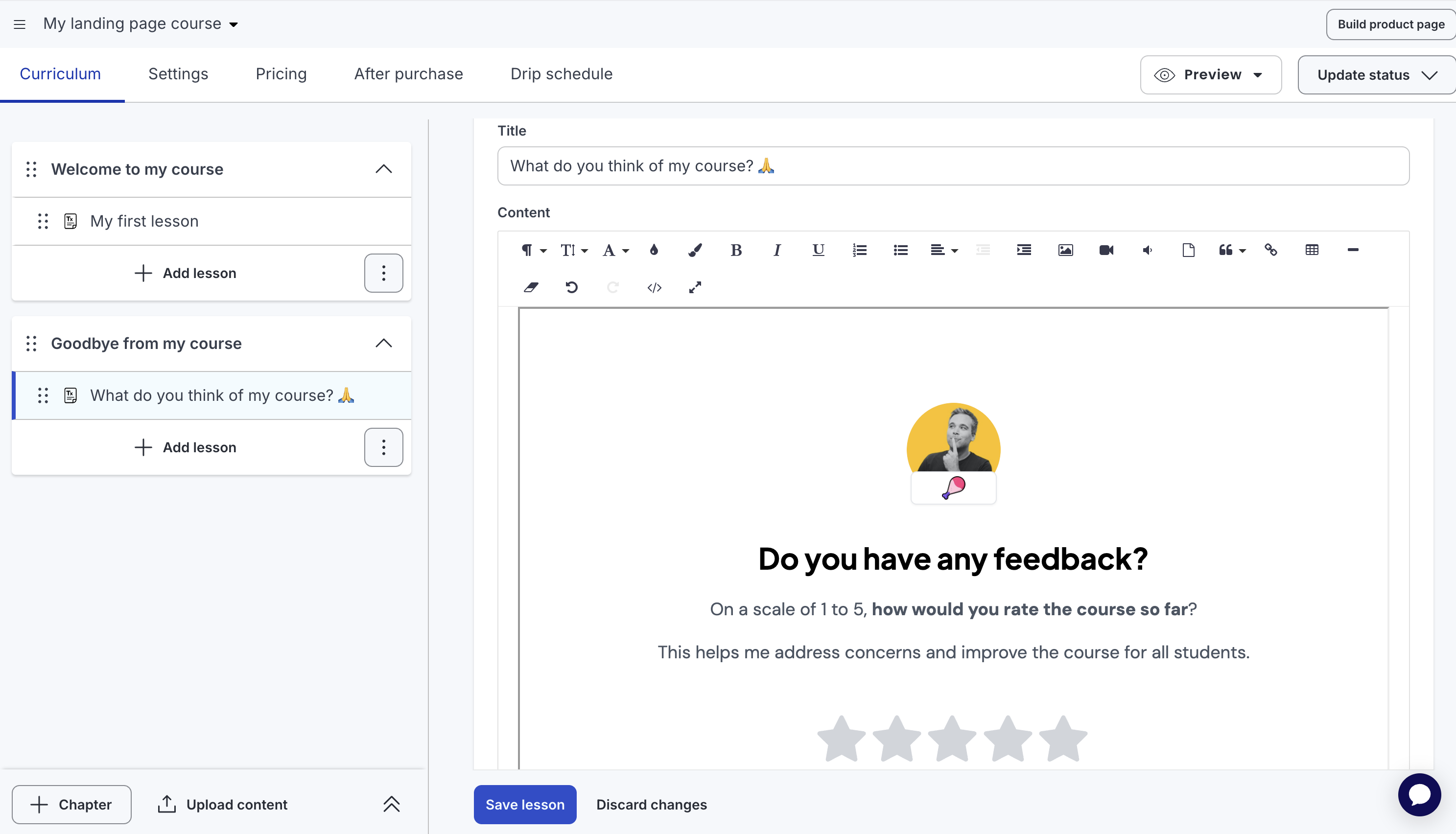
You're now collecting testimonials 24/7 inside your course!
Collect testimonials with auto-collect
Auto-collect sends a testimonial request email to your students when something happens in your Thinkific account — like completing a course or a lesson or putting new order.
Go to your Forms page: https://app.senja.io/forms/
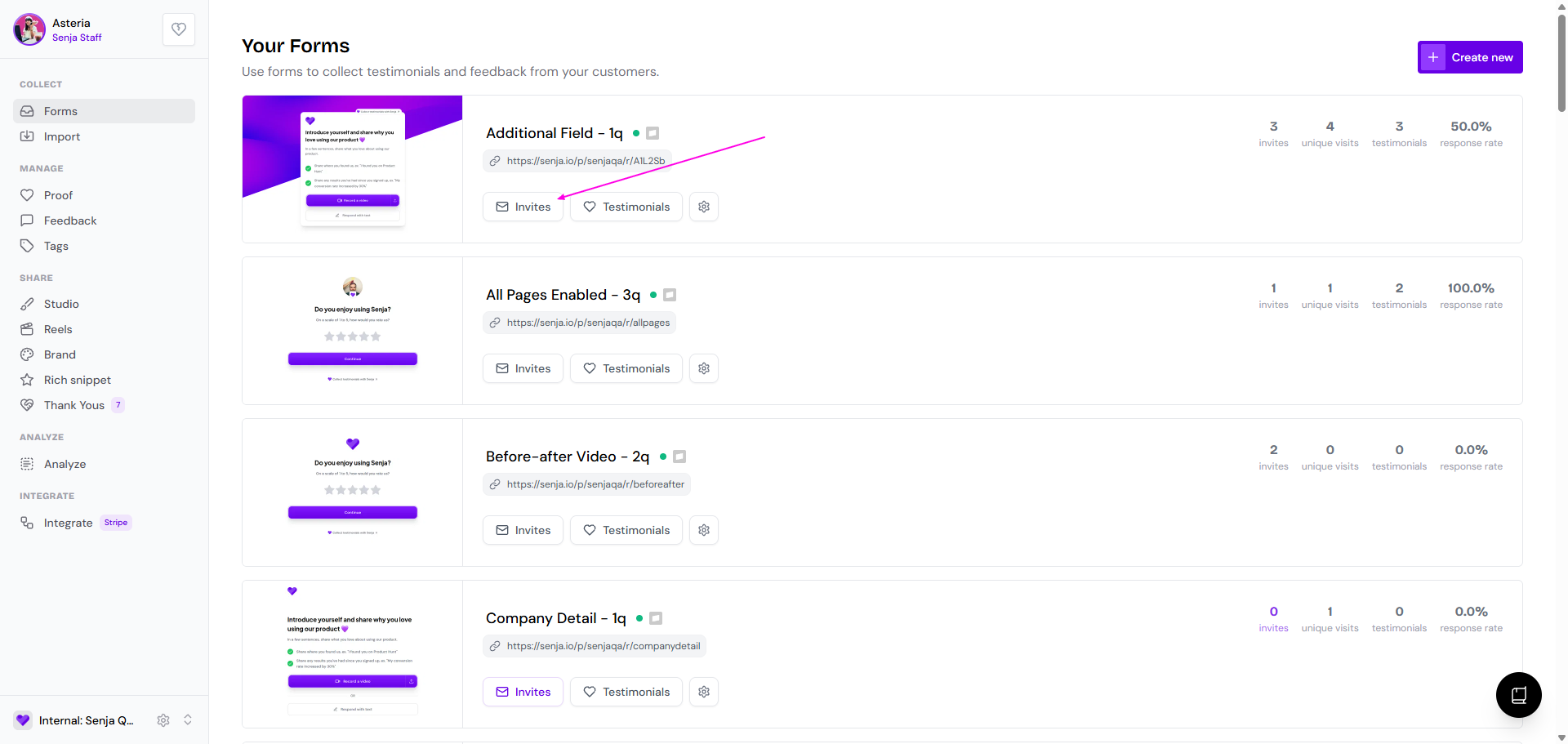
Click Invites on the form that you want to use
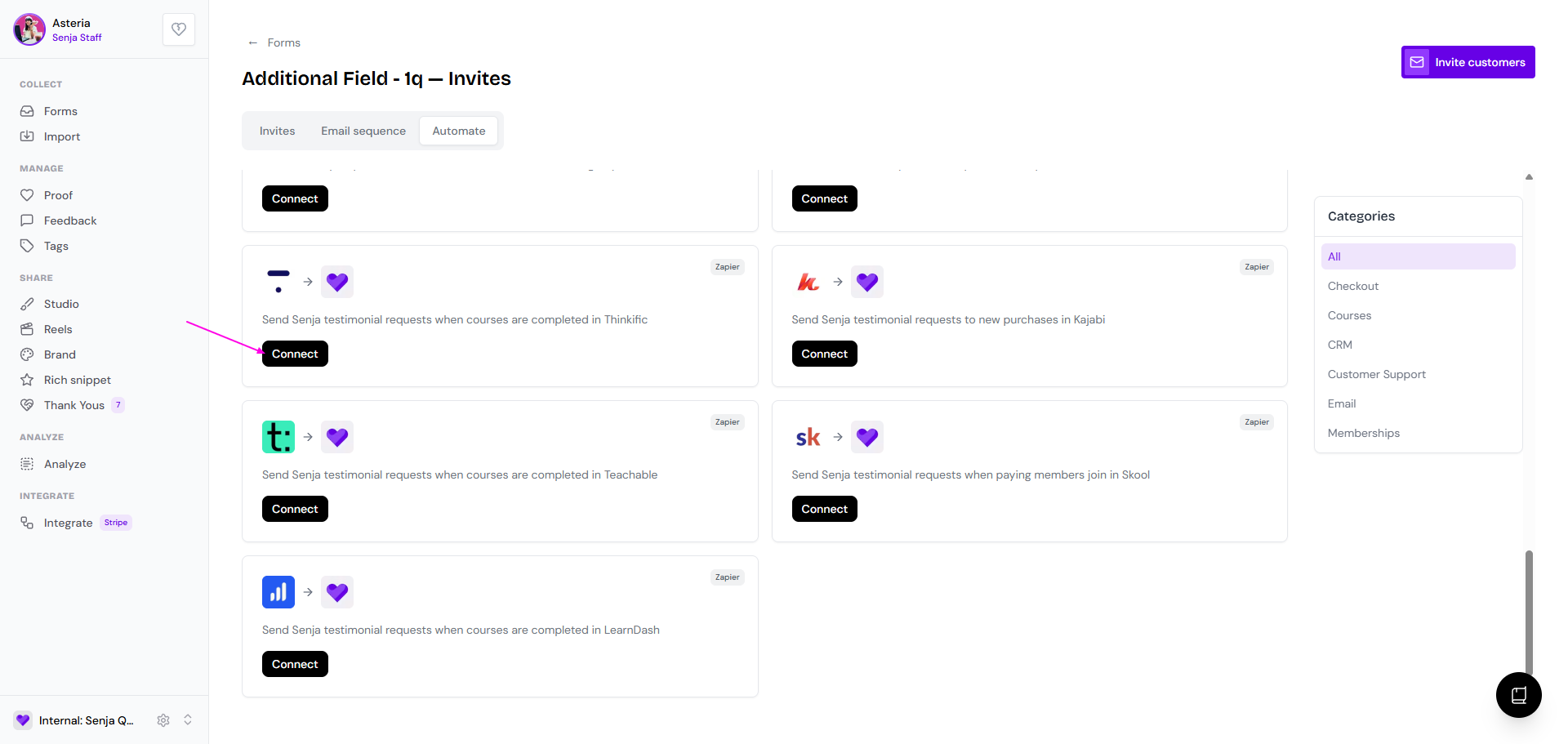
Go to Automate tab
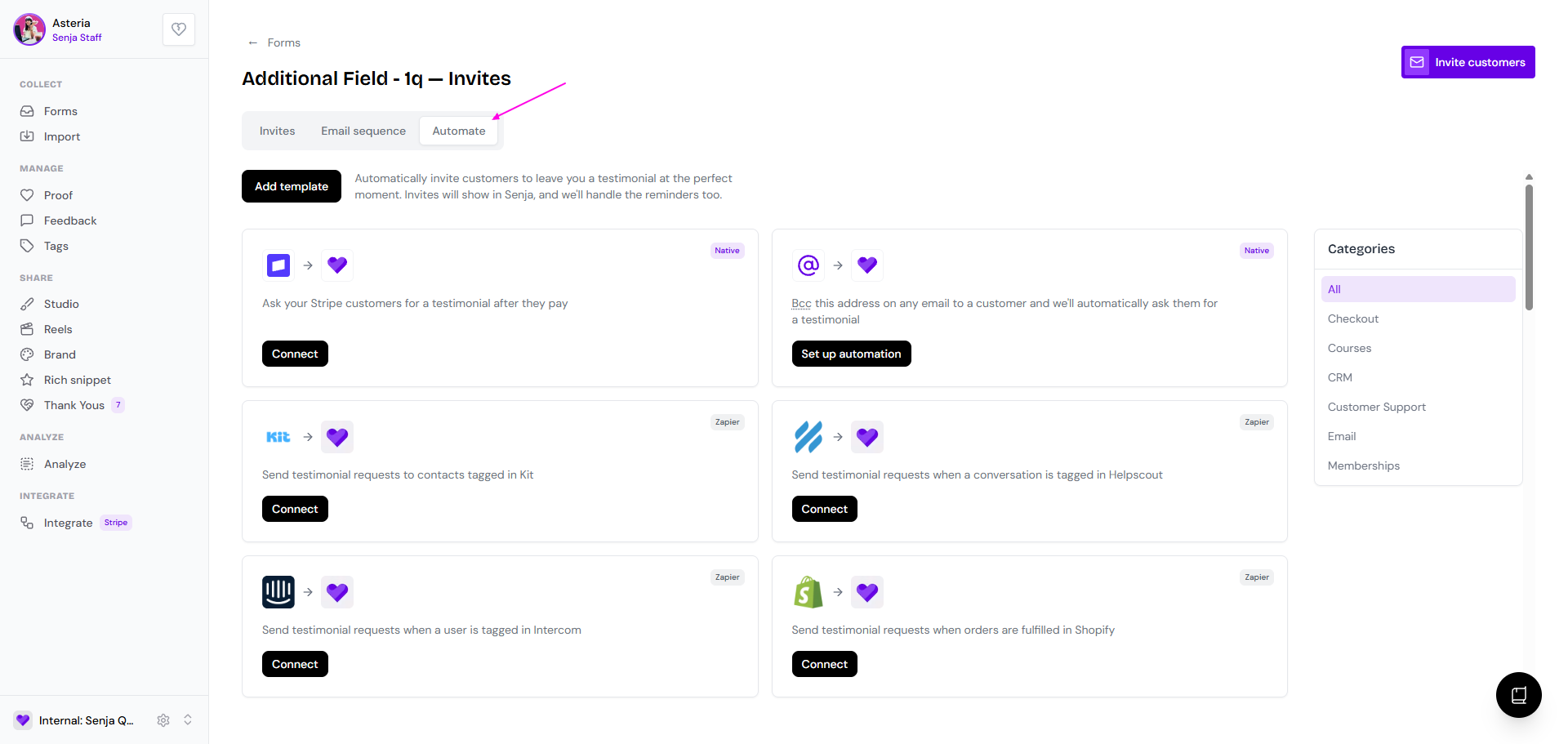
Find Thinkific and click Connect
Once a trigger fires, Senja will:
Send a testimonial request email to that student
Send follow-up reminders automatically to collect even more testimonials