
How do I edit the Thank you & word of mouth page in my form?
The Thank you & word of mouth page is the last screen customers see in your form, right after they submit their testimonial. You can change the message, add a video, send them to another page, or invite them to share their testimonial.
This is available on all Senja plans: Free, Starter, and Pro. Thank you videos, custom calls to action, and social sharing need a paid plan (Starter or Pro).
Not the same as Thank Yous
Senja has three things with "thank you" in the name. This article covers the first one.
Feature | What it is | Where to find it |
|---|---|---|
Thank you & word of mouth page | The screen customers see in your form after they submit | Form editor → Form tab |
Confirmation email | The automatic email customers get after they submit, which also delivers any reward | Form editor → Settings tab → Send confirmation email |
Thank Yous | A separate feature for sending personal thank you emails to any customer, at any time, with a video, coupon, or gift | Thank Yous in the left sidebar. See How do I send thank you notes to my customers? |
Edit the page
Go to your Forms page: https://app.senja.io/forms
Click the ⚙️ icon on your form and choose Edit
Go to the Form tab and scroll down to the Thank you & word of mouth page
Update the text in the right sidebar
Click Save changes
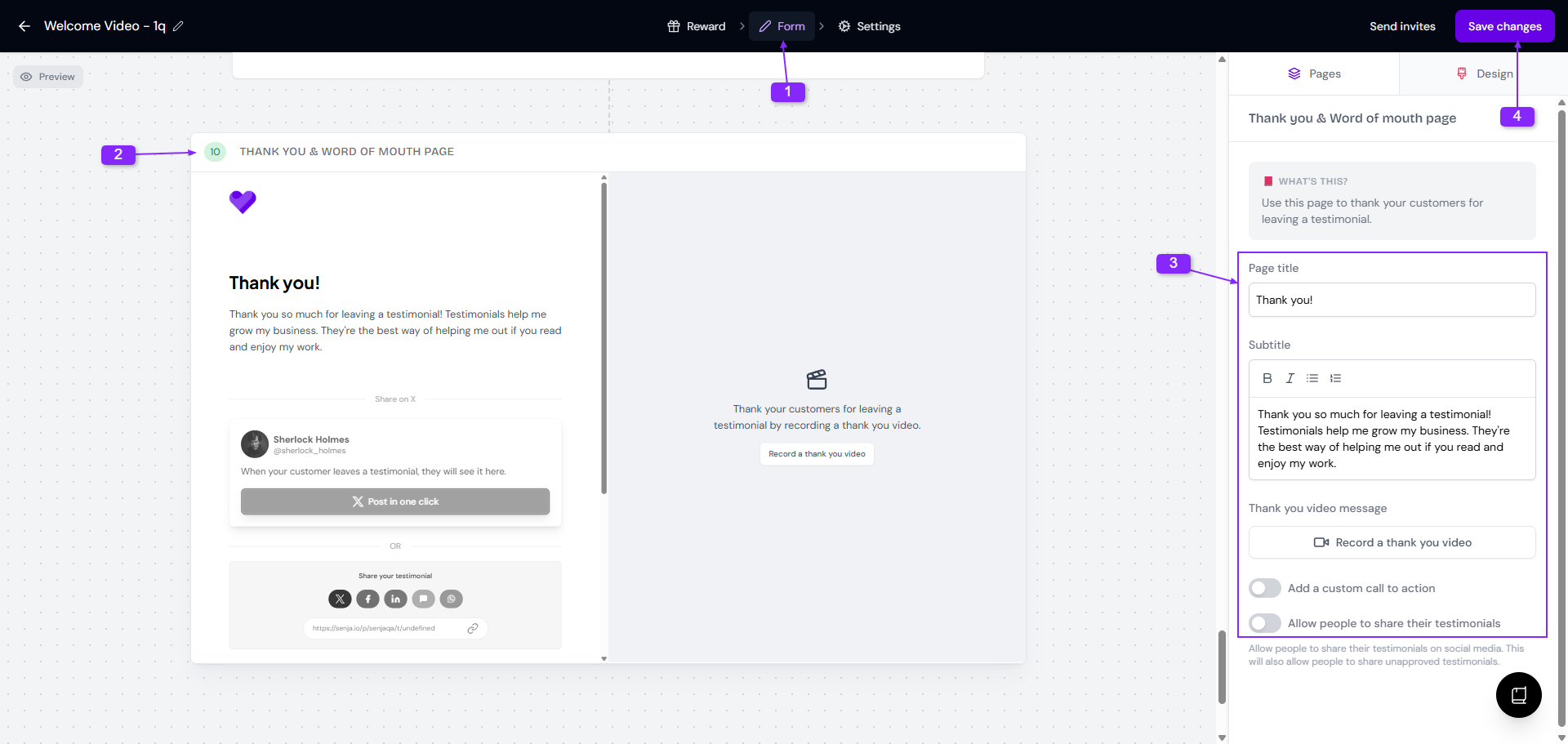
If your form has a reward, customers see it on this page too. To set one up, see How to reward customers for testimonials.
Add a thank you video
Thank you videos need a paid plan: Starter or Pro.
A short video from you makes the thank you feel personal.
On the Thank you & word of mouth page, click Record a welcome video
Record your video or upload one
Click Save changes
Send customers to another page
Custom calls to action need a paid plan: Starter or Pro.
Add a button that takes customers somewhere else once they're done, like a product page, your booking page, or a review site where you'd like them to leave a review too.
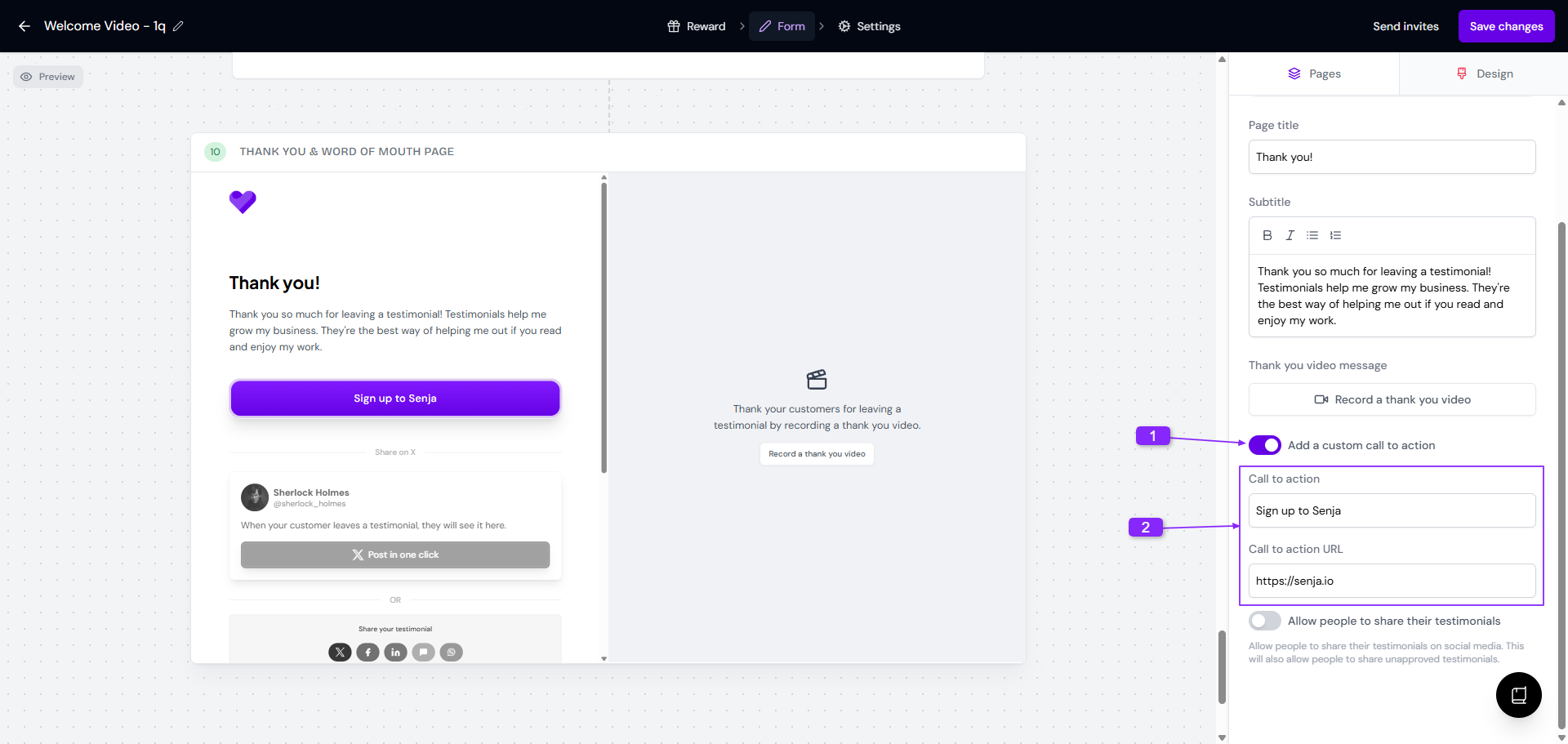
On the Thank you & word of mouth page, turn on Add a custom call to action
Write the button text in Call to action
Paste the link in Call to action URL
Click Save changes
Let customers share their testimonial
Social sharing needs a paid plan: Starter or Pro.
Customers can post their testimonial on social media in one click, with a link back to your website. That's the word of mouth part of the page.
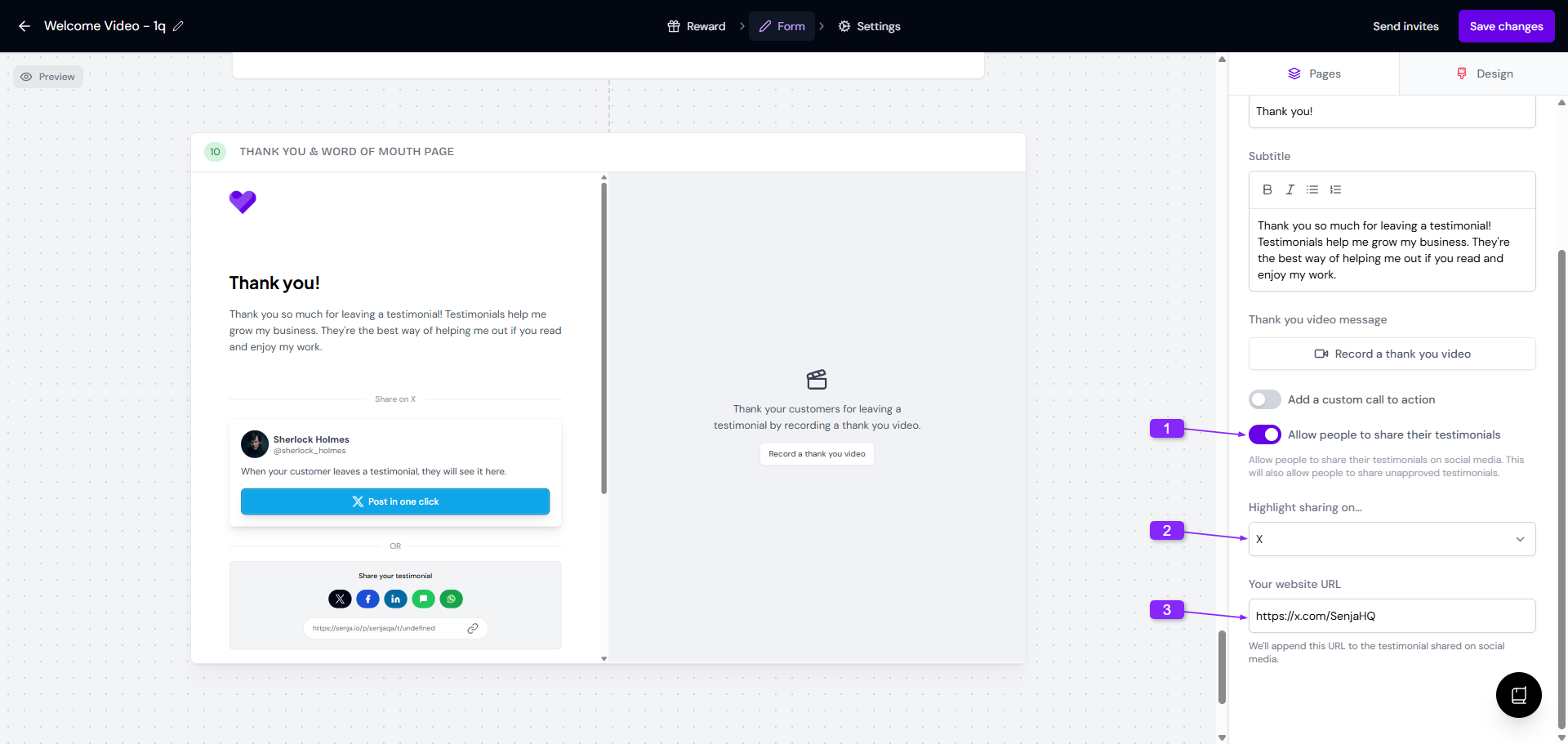
On the Thank you & word of mouth page, turn on Allow people to share their testimonials
Choose which network to feature in Highlight sharing on...
Add Your website URL
Click Save changes
When customers click Post in one click, the social network opens with their testimonial and your website link ready to post.