
How to find my registered email and website
Your Senja account has two key identifiers: the email address you use to log in, and the website URL connected to your project. Here's how to find both.
Find your registered email address
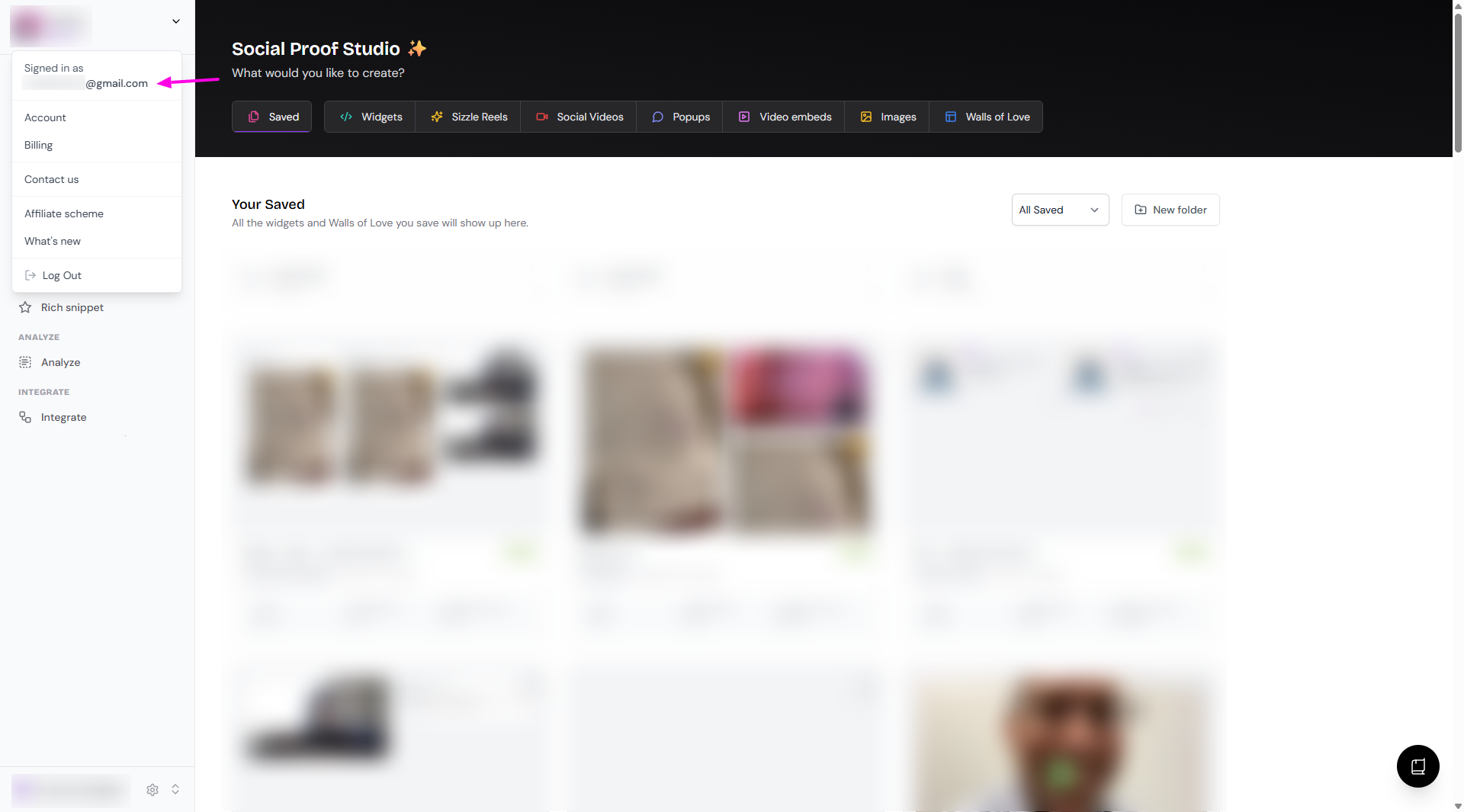
Click the avatar
Login to Senja: https://senja.io/
Click the avatar on the top left
Your email appears at the top under Signed in as
Go to account settings
Go to your Account page: https://app.senja.io/account
Find your email address under the Personal information → Email
Your account email is used for logging in and notifications. It's separate from your project website.
Find your connected website
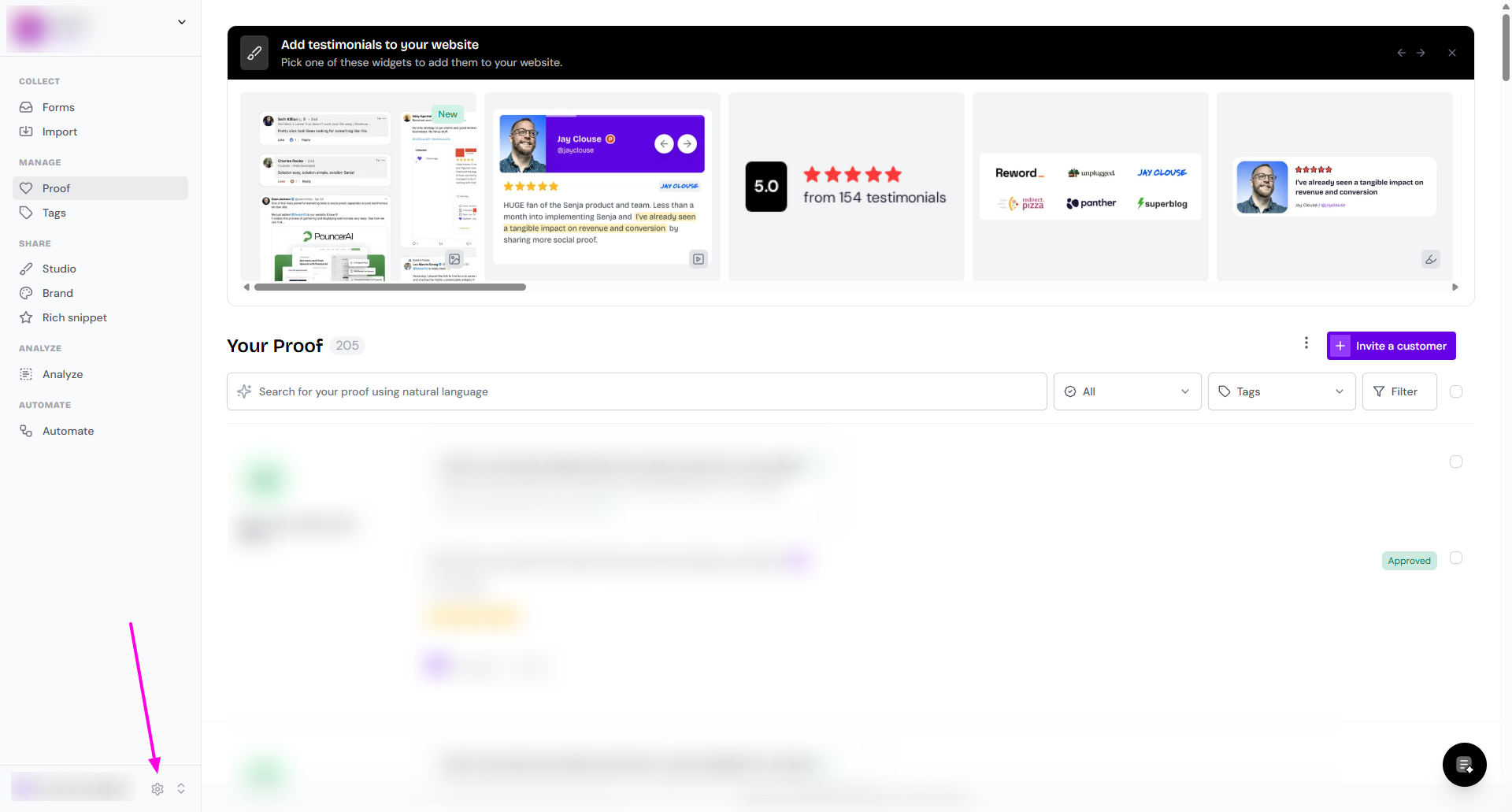
Go to Project Settings in the bottom side of the sidebar
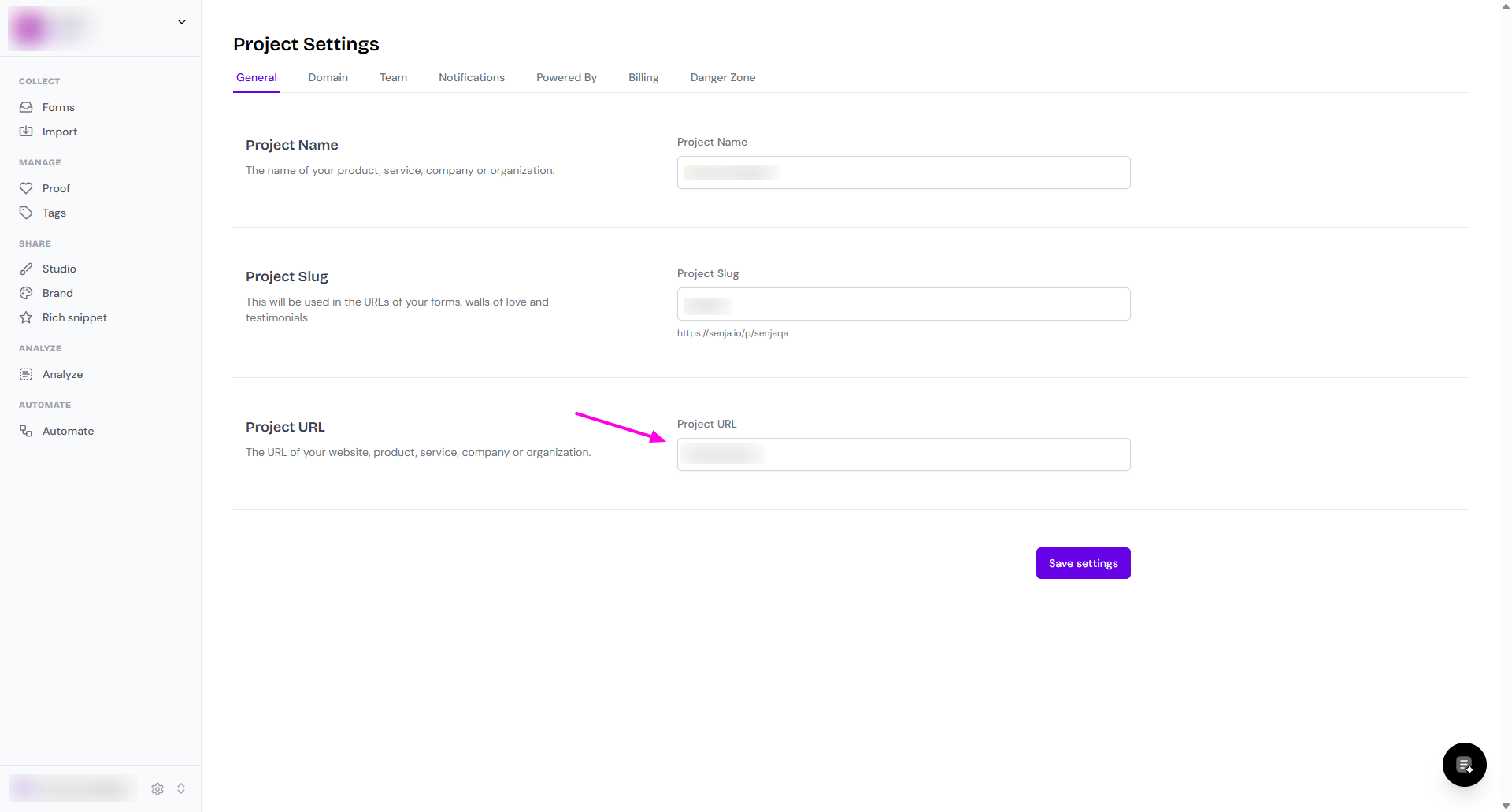
Under Project URL, you'll see the website connected to your project
If you have multiple projects, switch between them by clicking the project name in the bottom-left corner. Each project has its own connected website.