
How to get your Senja testimonials to rank on Google
You can get your Senja reviews to show up in Google search results using a Wall of Love.
This feature is available for any Senja plans: Free, Starter, and Pro.
In a nutshell
There are two things to do:
Update the SEO settings on your Wall of Love
Link to your Wall of Love from your website so Google can find it
Updating your Wall of Love SEO settings
Go to your Studio page: https://app.senja.io/studio
Open your Wall of Love (or create a new one)
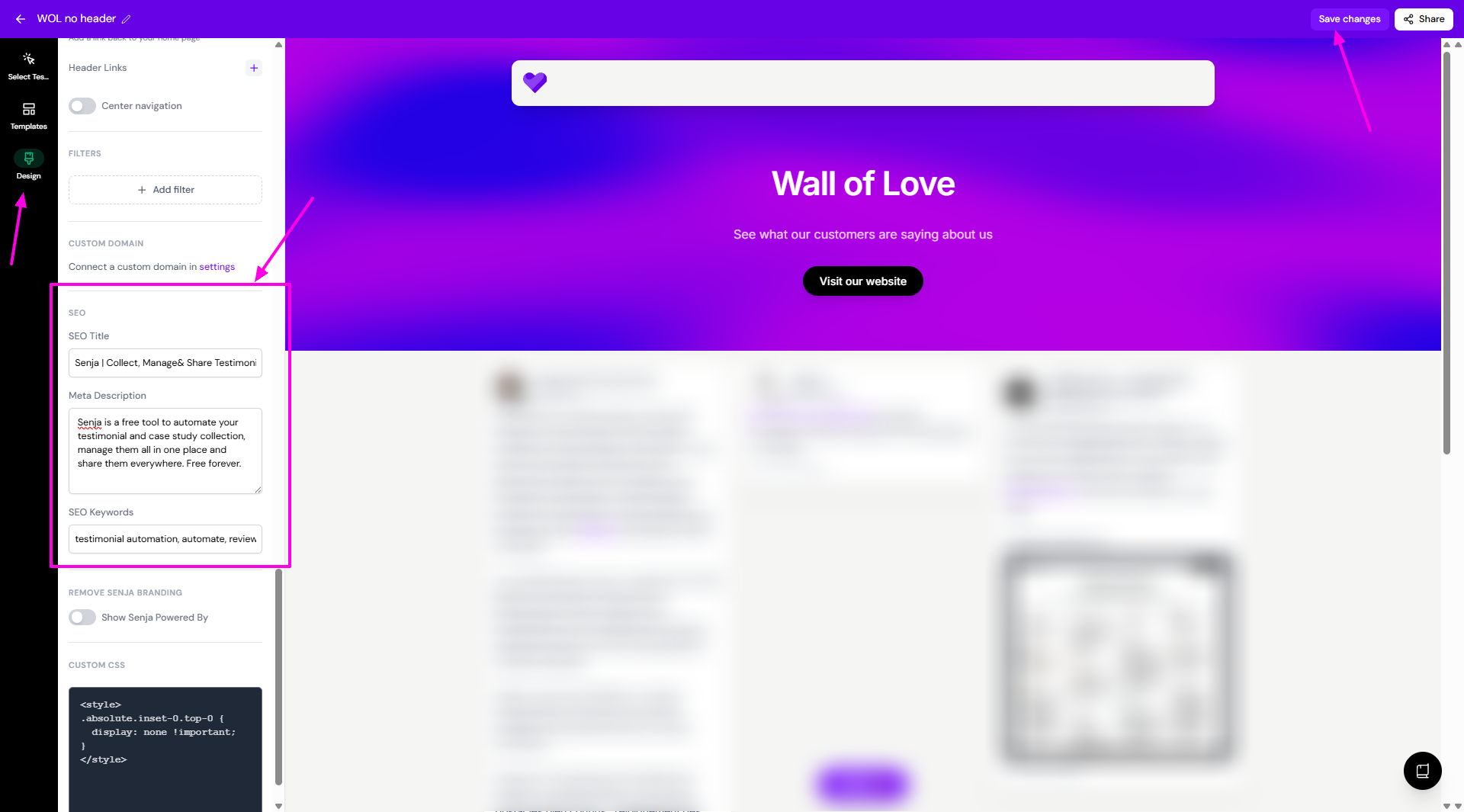
Click Design and scroll down to the SEO section
Add your SEO Title
Add your Meta Description
Add your SEO Keywords
Click Save changes when you're done
Improve SEO with rich snippets
You can also boost your click-through rate with rich snippets. Rich snippets are star ratings that show up directly in Google search results.
Learn more about rich snippets here.
Was this helpful?
Was this helpful?