
How do I embed my Wall of Love?
If you want to add your latest social proof to your website, course or any other page, you can embed your Wall of Love.
This feature is available for any Senja plans: Free, Starter, and Pro.
From Studio page
Go to your Studio page: https://app.senja.io/studio/
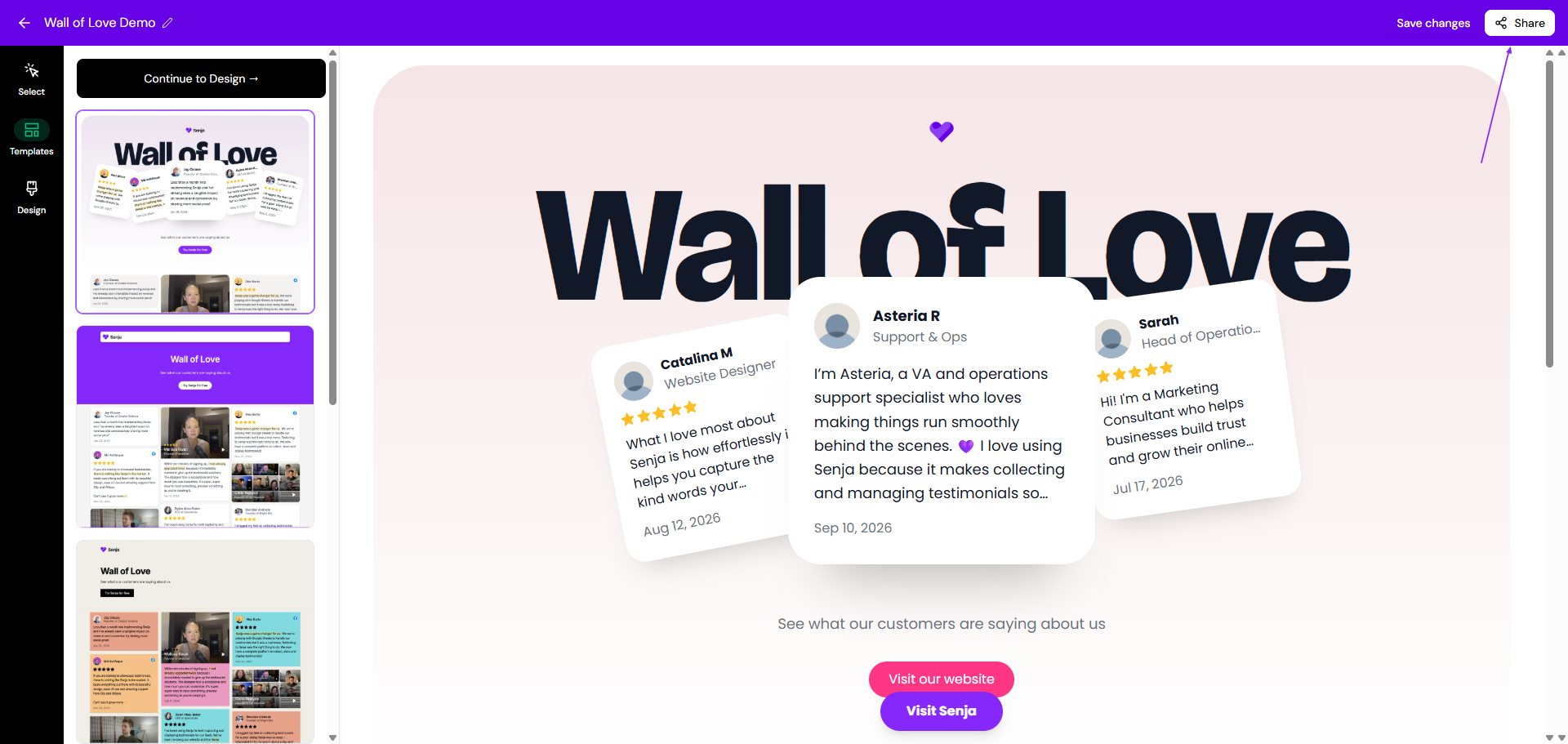
Open your Wall of Love
Click Share
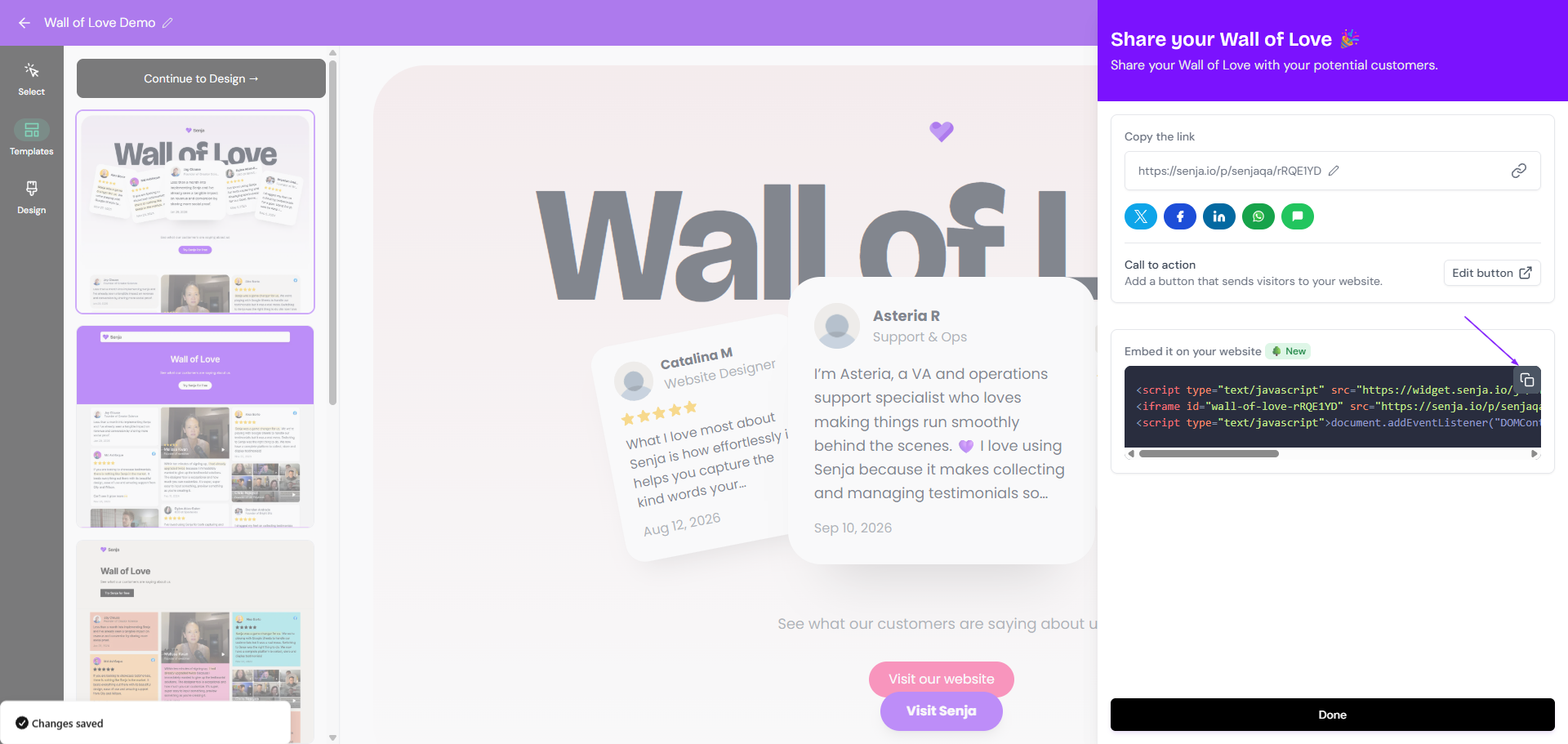
Click the copy icon under Embed it on your website section
Paste the embed code to your website
From the Chrome extension
With Senja's free Chrome Extension you have instant access to all your proof, and your form, widget and Wall of Love links and embed code. Here's how to grab your Wall of Love embed code:
Open the page where you want to embed the Wall of Love to
Open Senja Chrome extension (the 💜 icon in your extension toolbar)
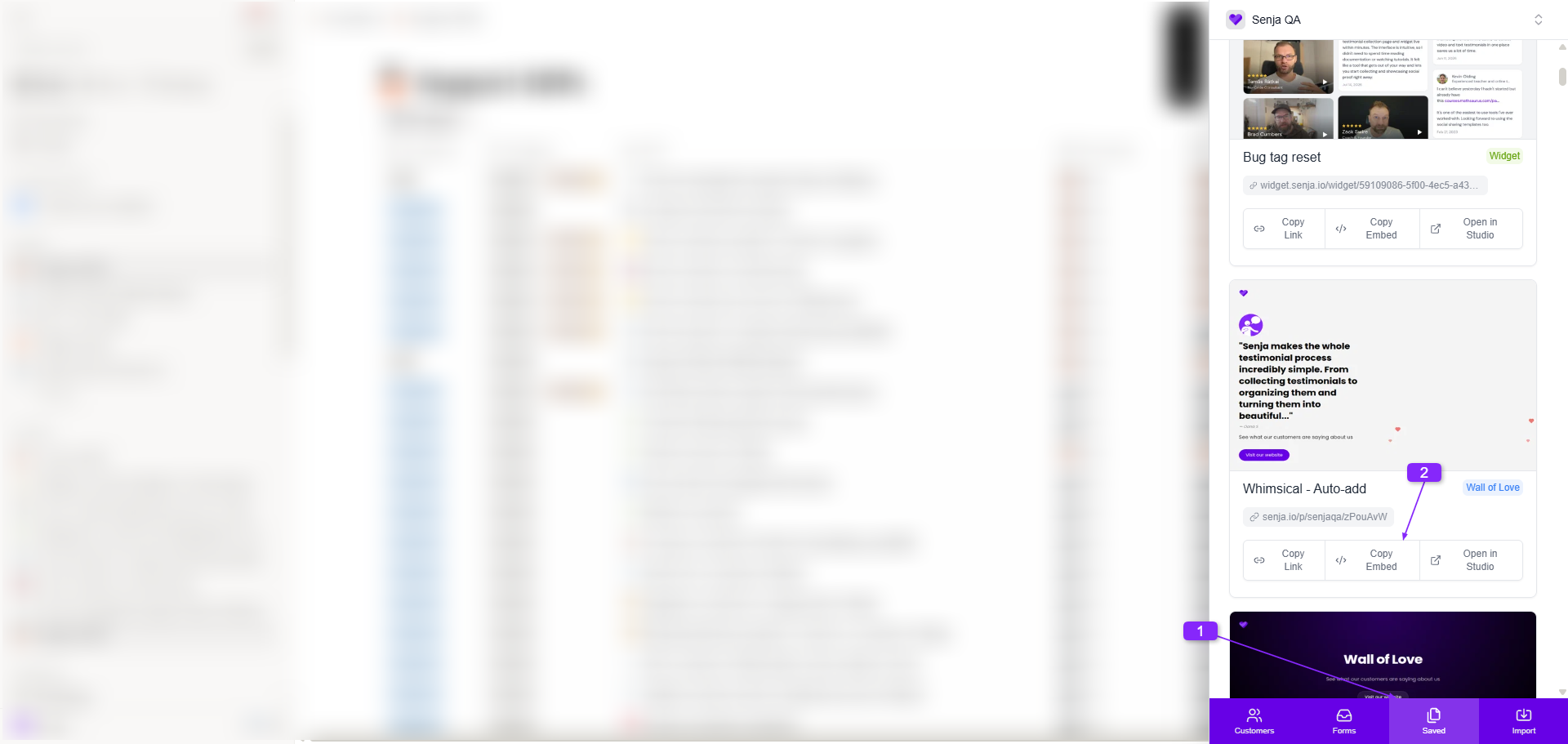
Click on Saved
Find the Wall of Love you want to embed
Click on Copy Embed
Paste it in the section that you want in your page