
How to add filter tabs to your Wall of Love
Add interactive filter tabs to your Wall of Love so visitors can browse testimonials by category, perfect for showcasing different products, industries, or use cases in one place. Visitors can explore what's most relevant to them without scrolling through everything.
This feature is available for any Senja plans: Free, Starter, Pro.
Before you start
Filter tabs only work with tagged testimonials. Visitors see clickable tabs at the top of the page.
Make sure you've:
Created tags in your project settings (e.g., Enterprise, Freelancers, Agencies)
Assigned those tags to your testimonials in the Proof page
Untagged testimonials will only show under the All tab.
How to add filter tabs
Go to your Studio page: https://app.senja.io/studio/
Open the Wall of Love you want to edit, or create a new one
Go to the Design tab
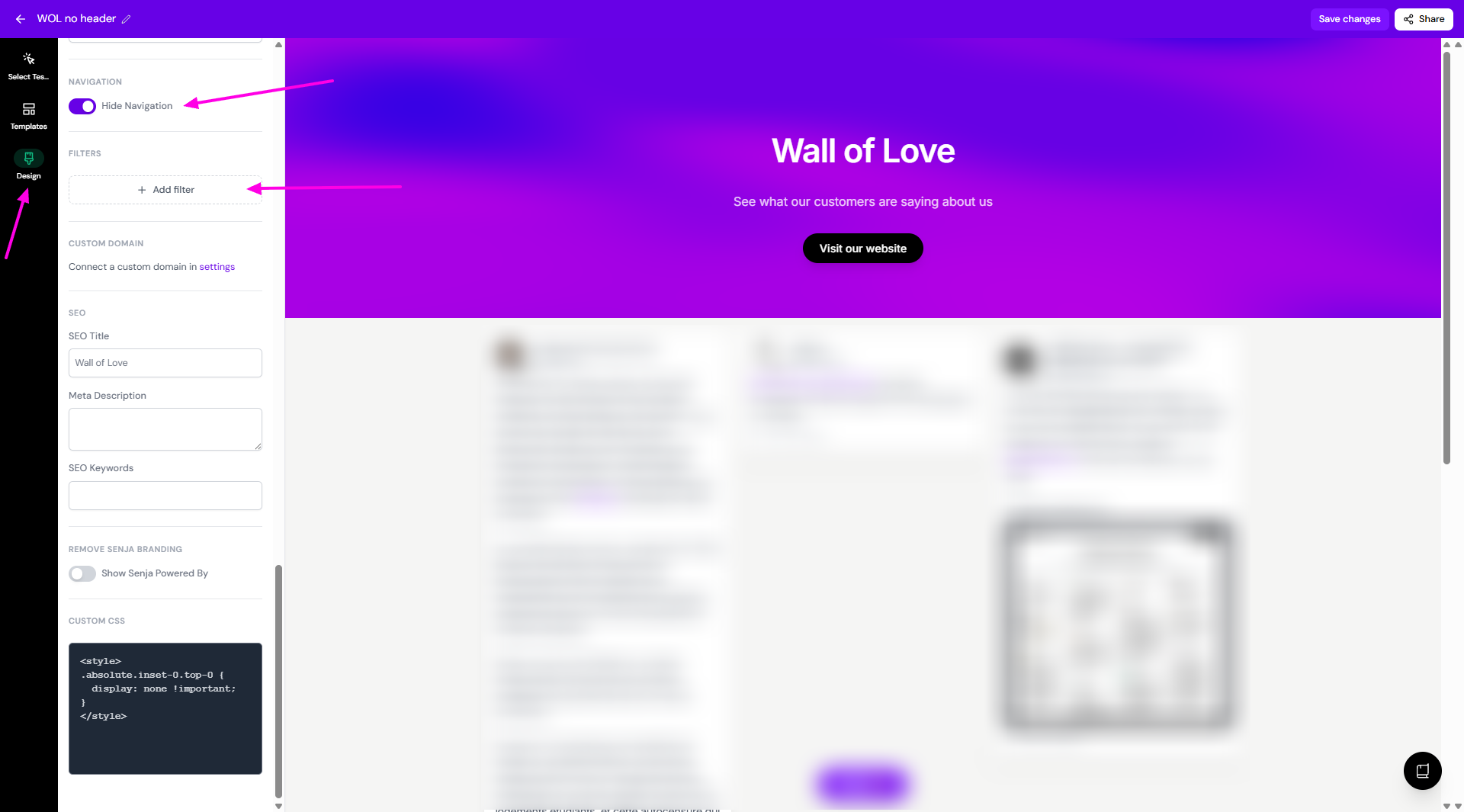
Scroll down until you find Navigation, put the toggle on for Hide Navigation
Click + Add filter button
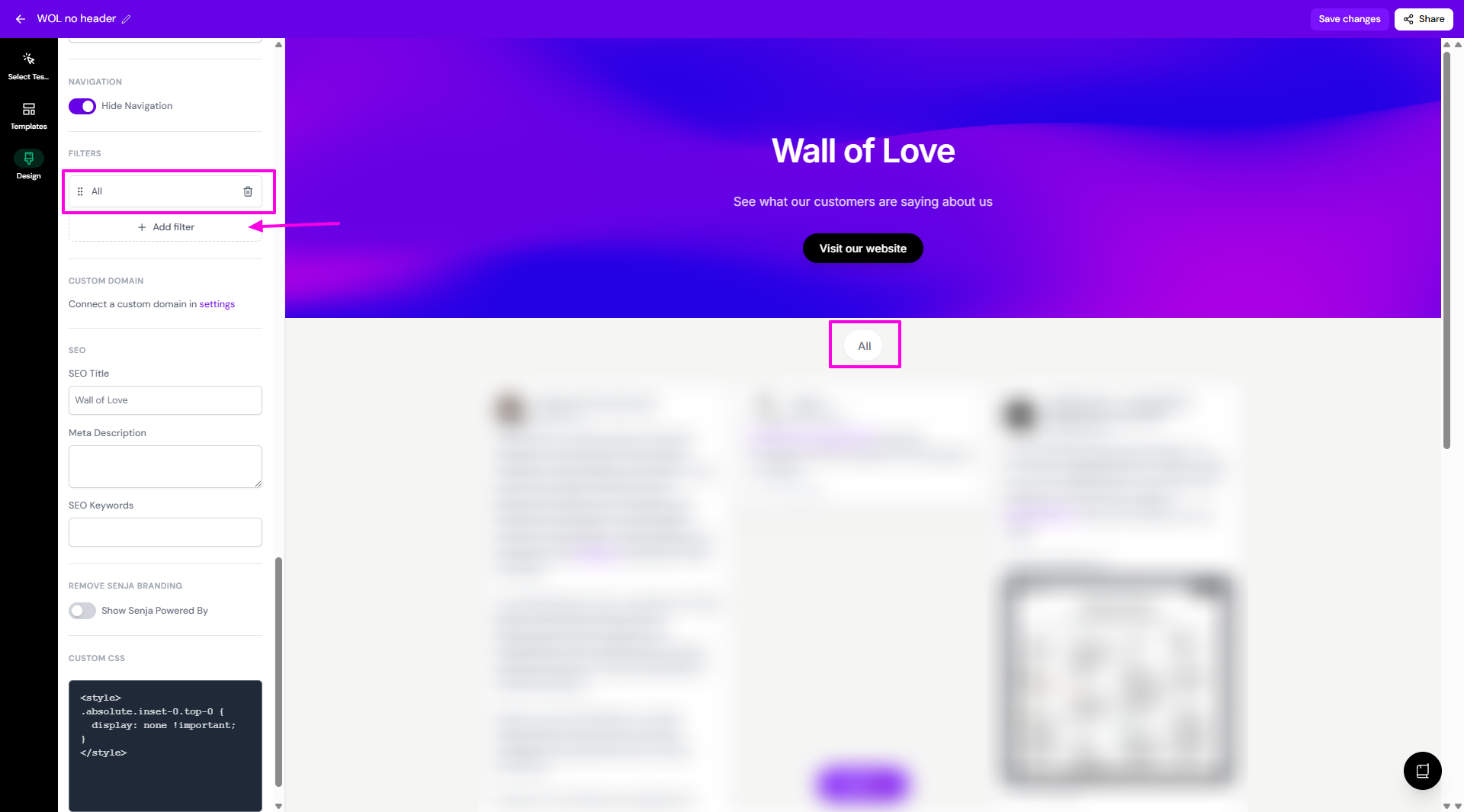
The first filter (All) will be created automatically, click + Add filter button to create a tag-based filter
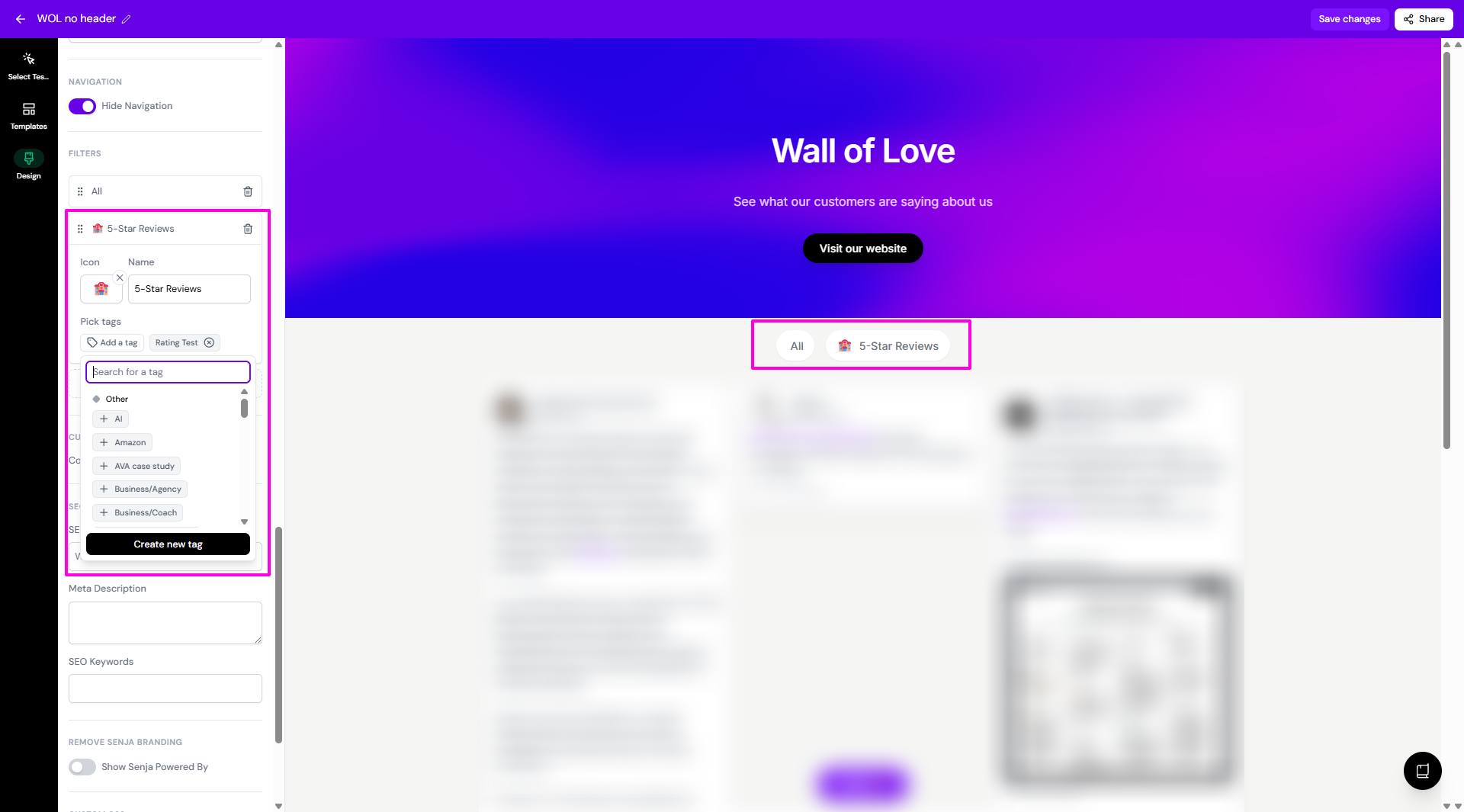
A new filter row will appear, click on it to configure the details
Icon: optional, but helps tabs stand out visually (e.g., 🚀 for Product Features, 🏢 for Enterprise)
Name: this is what visitors will see (e.g., Enterprise Customers, 5-Star Reviews)
Pick tags: search and select the tag(s) that should appear under this tab
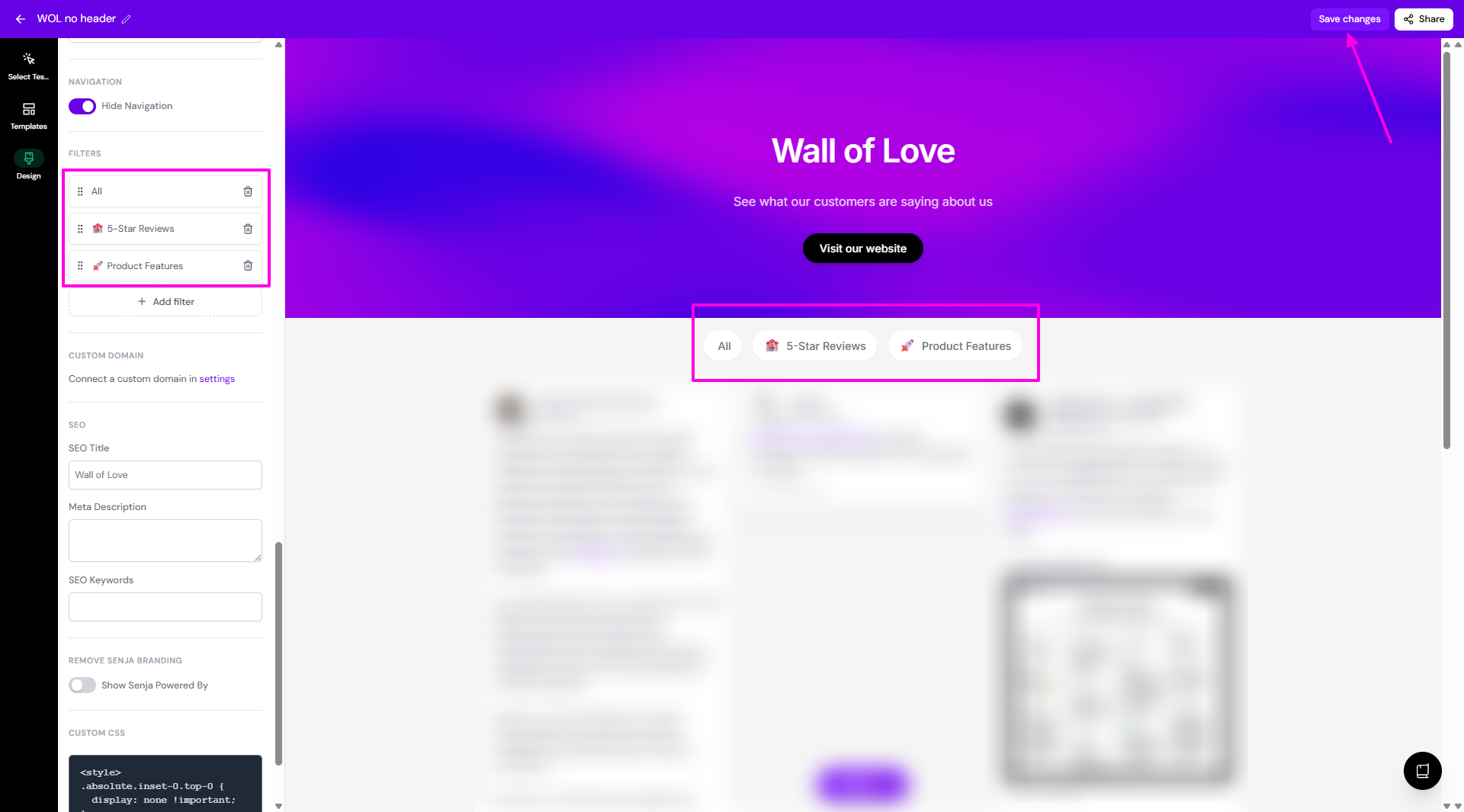
Click + Add filter again to add more tabs
Drag tabs to reorder them (the order here is the order visitors will see)
Check the live preview on the right to see your tabs in action
Click Save changes to publish
If you select multiple tags for one filter, testimonials with any of those tags will appear when visitors click that tab.
How it works for visitors
Visitors land on your Wall of Love and see a row of tabs at the top
The first tab is always All
Clicking any other tab filters the testimonials to show only those matching that category
Pro tip: Aim for 3–6 filter tabs. Too many can overwhelm visitors.
Setting a default selected tag
Setting a default selected tag on your testimonial board is not possible in Senja
When your testimonial board loads, it displays all testimonials by default
Users can then filter testimonials by selecting specific tags, but you cannot pre-select a tag to be active on page load
Troubleshooting
Tabs not showing on published page: make sure you've added at least one filter
Empty grid when clicking a tab: the testimonials for that filter haven't been tagged yet, make sure to add at least 1 tag for each filter
Tags not appearing in the picker: you need to create tags in your project settings first
Tabs missing in embedded version: check your embed URL for
?hideNavigation=trueand remove it if presentPreview not updating after adding filters: wait 1-2 seconds for auto-save, refresh the preview or check browser console for errors