
How do I create Wall of Love?
A Wall of Love is a page of your best testimonials, hosted by Senja, with its own link. Share it in your bio, emails, sales DMs or website menu, or embed it on your website.
Wall of Love is available on all Senja plans: Free, Starter and Pro. Custom CSS needs a paid plan.
Wall of Love or widget?
Wall of Love: a full page of testimonials that you link to, like a dedicated testimonials page
Widget: a smaller block, like a carousel or grid, that you add to a section of your website (see How to create a testimonial widget)
You can create as many Walls of Love as you like, with up to 120 testimonials each.
Create a Wall of Love
Go to Studio → Create → Wall of Love: https://app.senja.io/studio?tab=walls-of-love
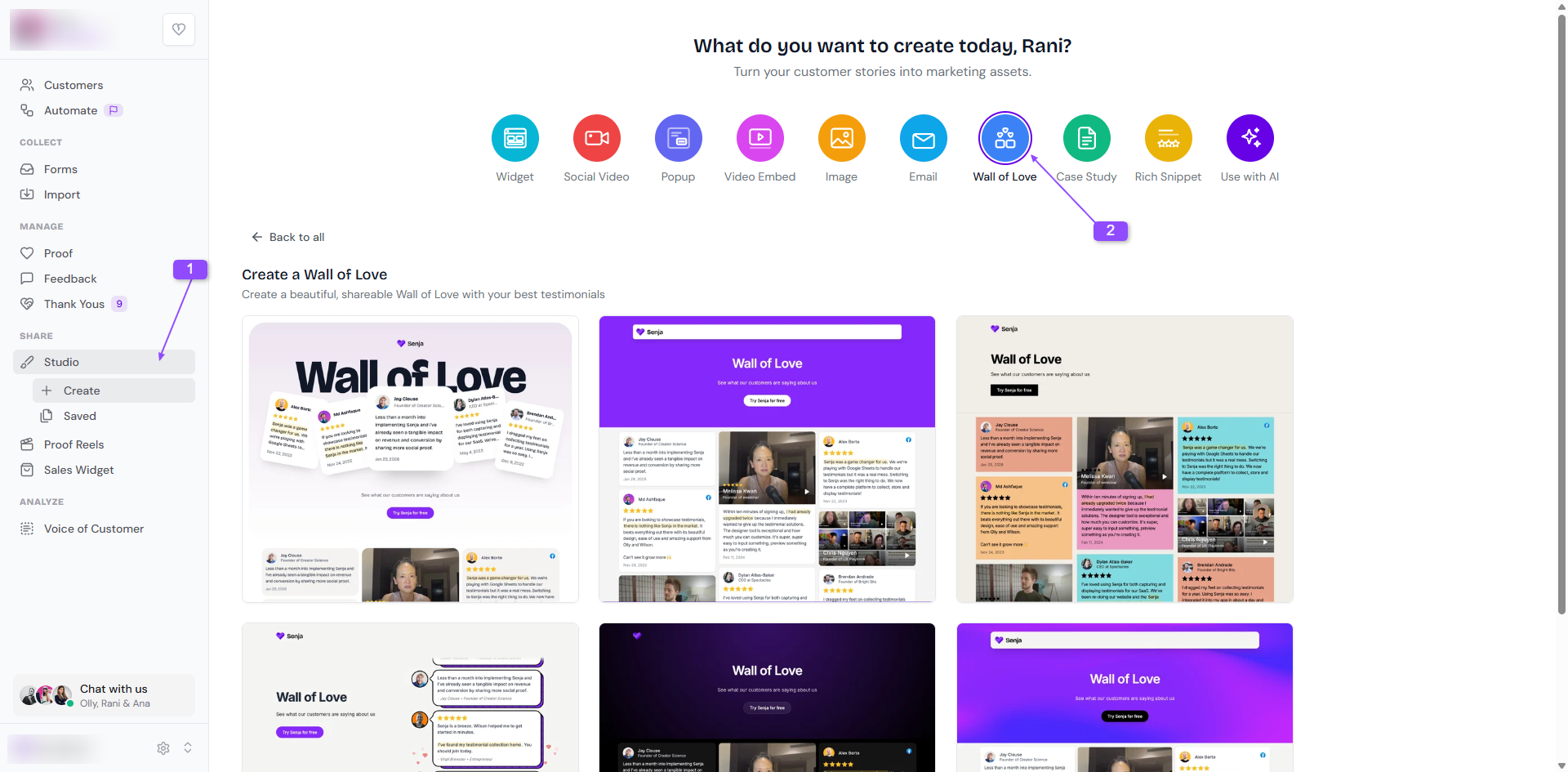
Choose a style (you can change it later)
Name your Wall of Love and click Create wall of love
Choose your testimonials
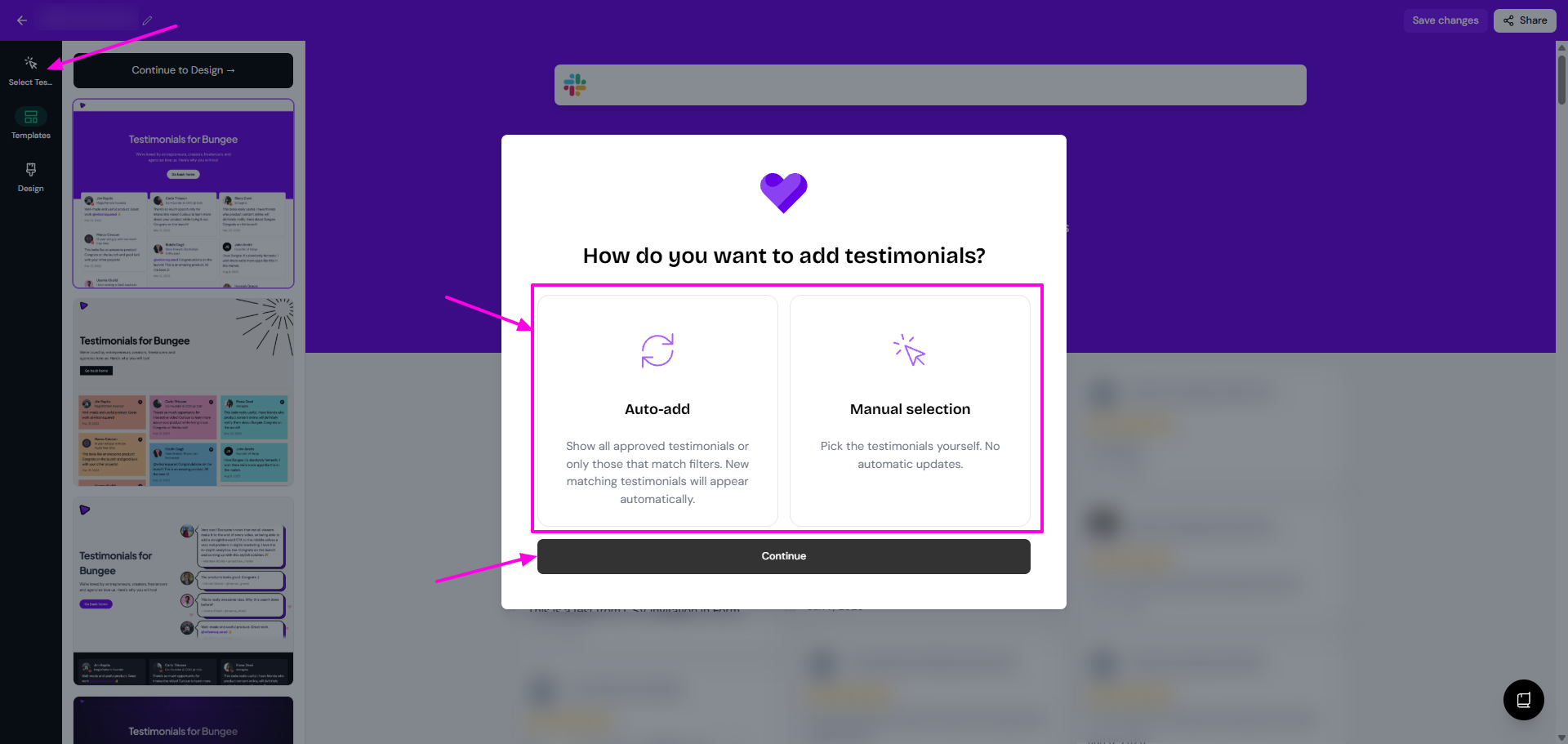
Click Select Testimonials and choose how to add them:
Auto-add: new testimonials that match your filters are added automatically
Manual selection: pick each testimonial yourself
Click Continue
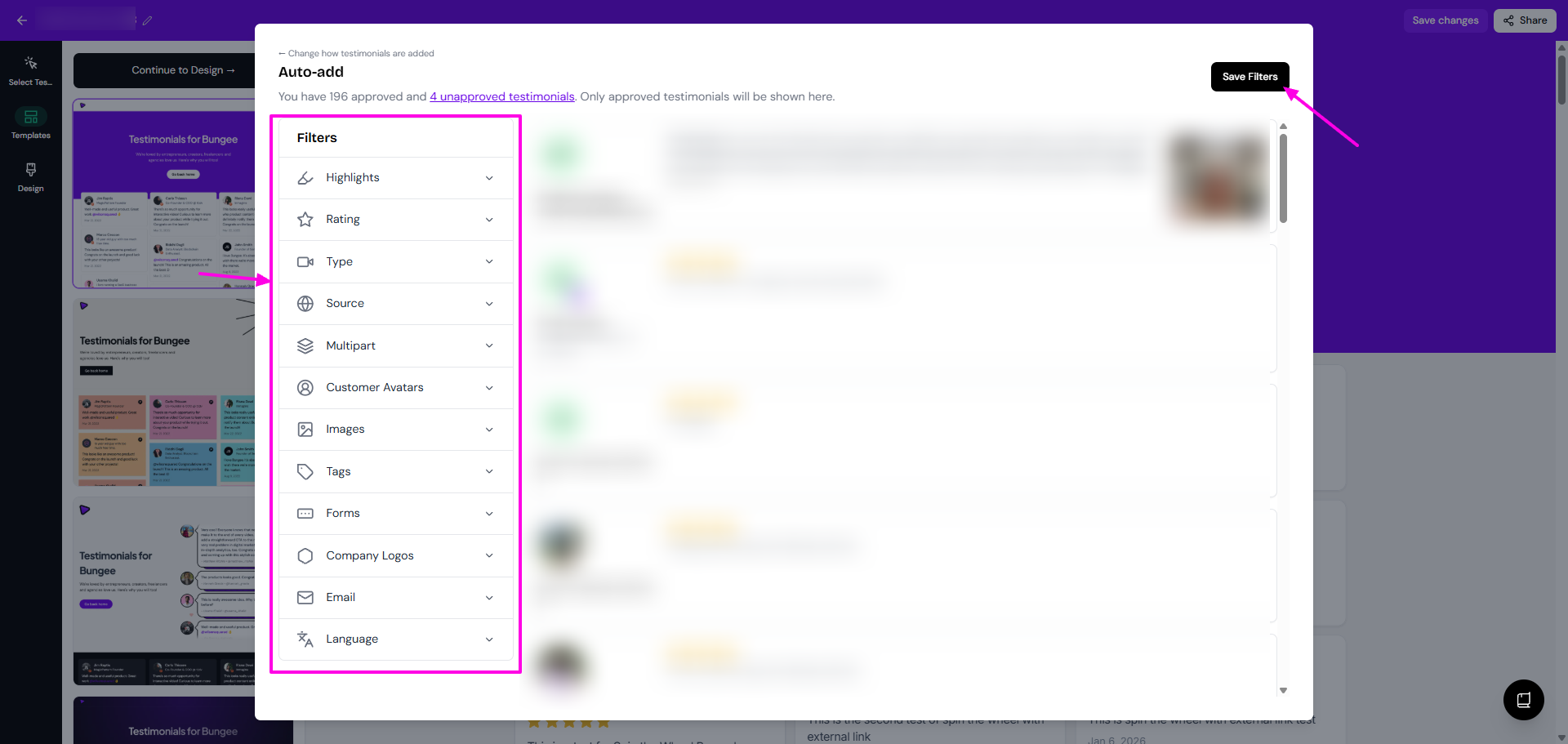
Use Filters to narrow down your testimonials, like by rating, tag or form
For Auto-add, click Save Filters
For Manual selection, tick the testimonials you want and click Save Selection
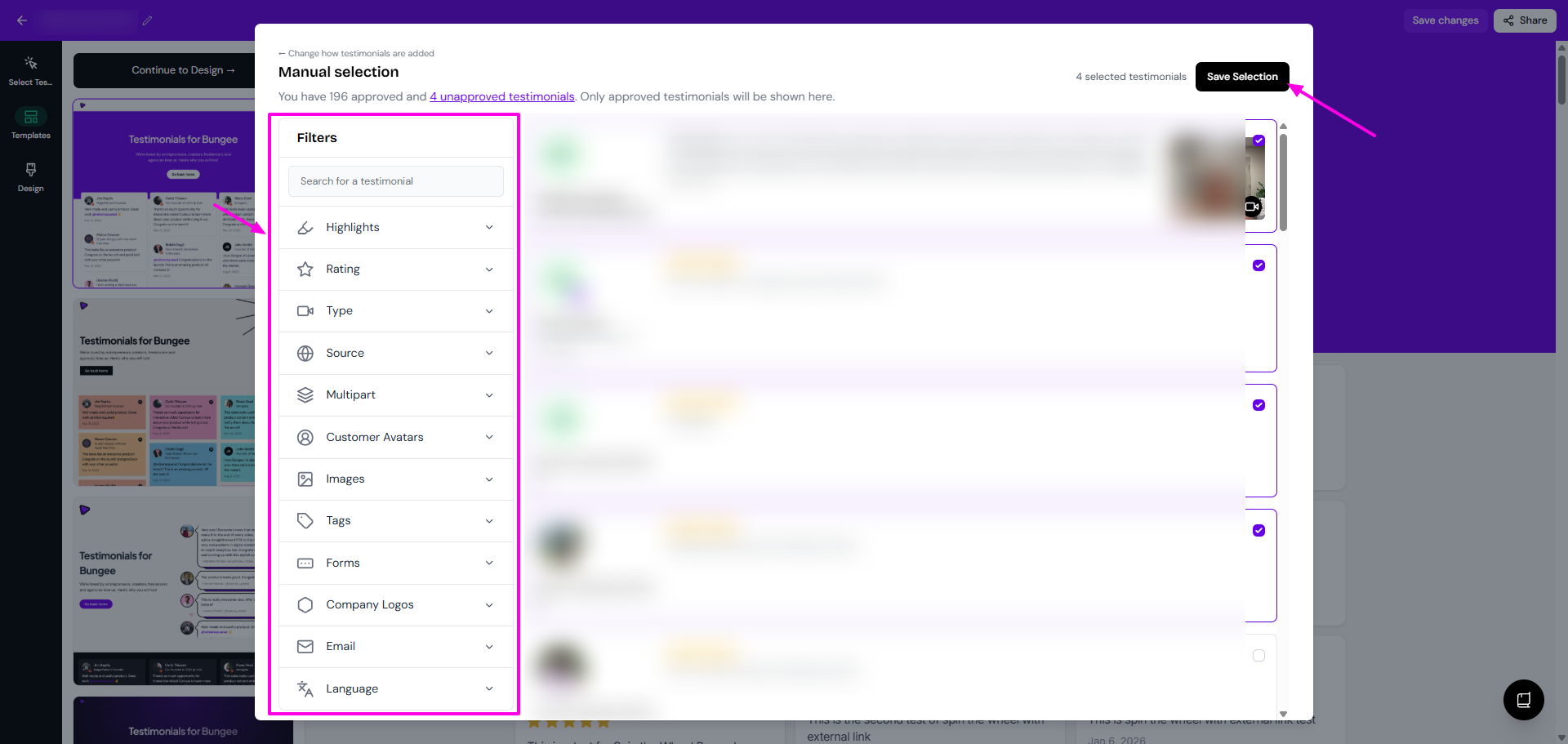
Only approved testimonials can go on a Wall of Love. For every filter, see How to select testimonials for my widget, which work the same way.
Your Walls of Love are saved in Studio → Saved.
Make it yours
What you want to do | Guide |
|---|---|
Change the style, colors, fonts and dates, or add custom CSS | |
Let visitors filter testimonials by topic | |
Put your best testimonials first | |
Add a button, like Book a call | |
Share the link, change the URL or embed it | |
Help it show up on Google |
AI tools can read your Wall of Love
Every Wall of Love can now be read by AI assistants and AI search tools. When someone asks an AI tool about your product, it can find your testimonials and use them in its answer.
This is on for every Wall of Love, on all plans
A Wall of Love is a public page, so anyone with the link can see it, and AI tools can now read it too
There's no setting to turn this off for a single Wall of Love yet
If a Wall of Love shouldn't be read by AI, for example because you only share it privately with clients, remove the testimonials you don't want read or delete the Wall. Need help? Contact Senja Support.
Examples
