
Add custom CSS to my Wall of Love
You can use custom CSS to style your Wall of Love beyond the built-in design settings — useful for hiding elements, tweaking fonts, adjusting spacing, and more.
This feature is available on paid plans only: Starter and Pro.
How to add custom CSS
Go to your Studio page: https://app.senja.io/studio
Open your Wall of Love or create a new one
Go to Design tab and scroll down to Custom CSS section
Paste your CSS snippet in the given box
Click Save changes
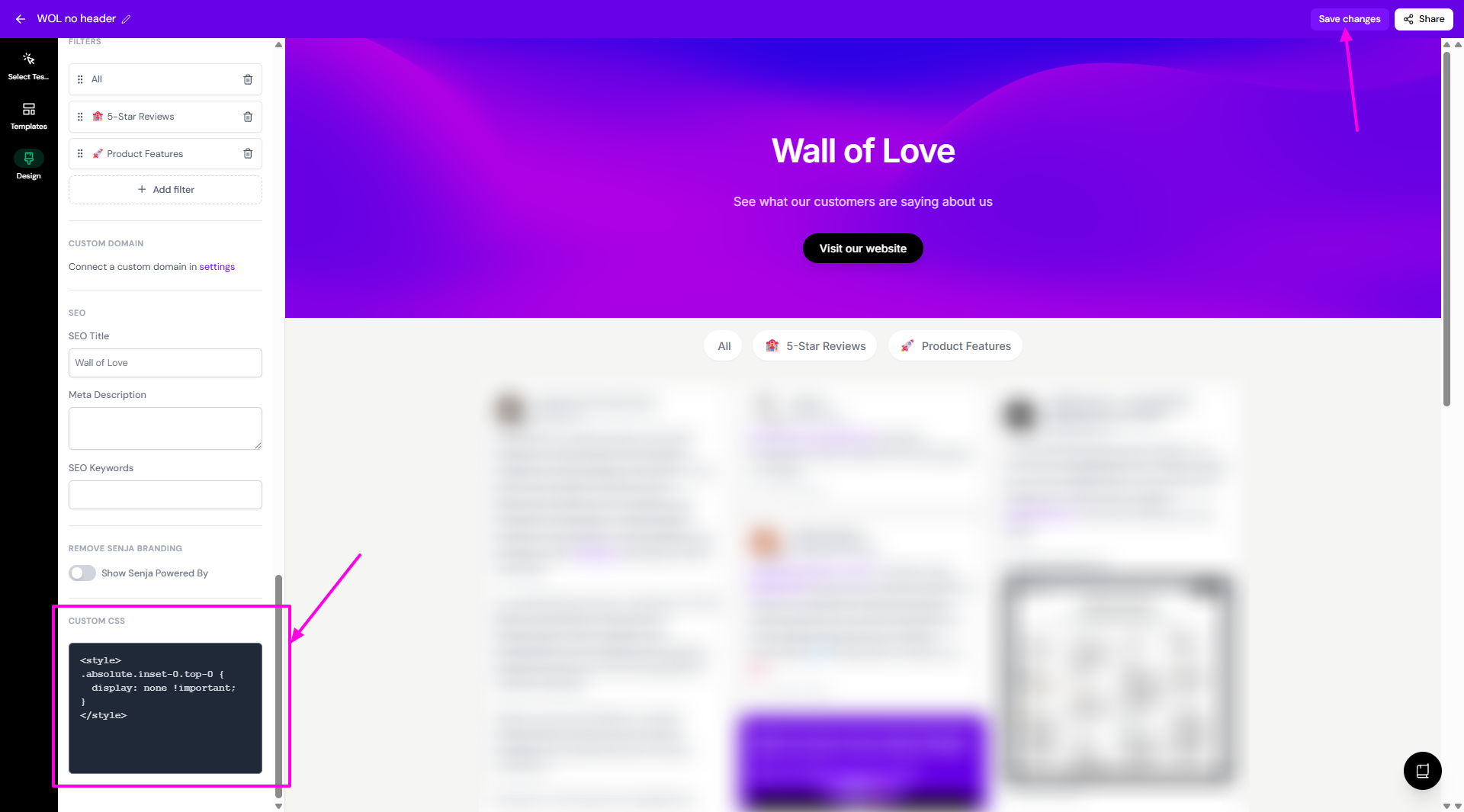
Some examples
Hide an element
<style>
.element-class {
  display: none !important;
}
</style>
Change font size
<style>
.testimonial-text {
  font-size: 16px;
}
</style>
A few things to note
Custom CSS is applied to your published Wall of Love, so test on the live page after saving
If something breaks, clear the CSS field and save to reset to default styling
Not sure which class to target? Use your browser's inspect tool to find the right element
Was this helpful?
Was this helpful?