
How do I reorder testimonials on my Wall of Love?
You can change the order testimonials appear on your Wall of Love to highlight the ones that matter most.
This feature is available for any Senja plans: Free, Starter, and Pro.
Reordering testimonials
Go to your Studio page: https://app.senja.io/studio
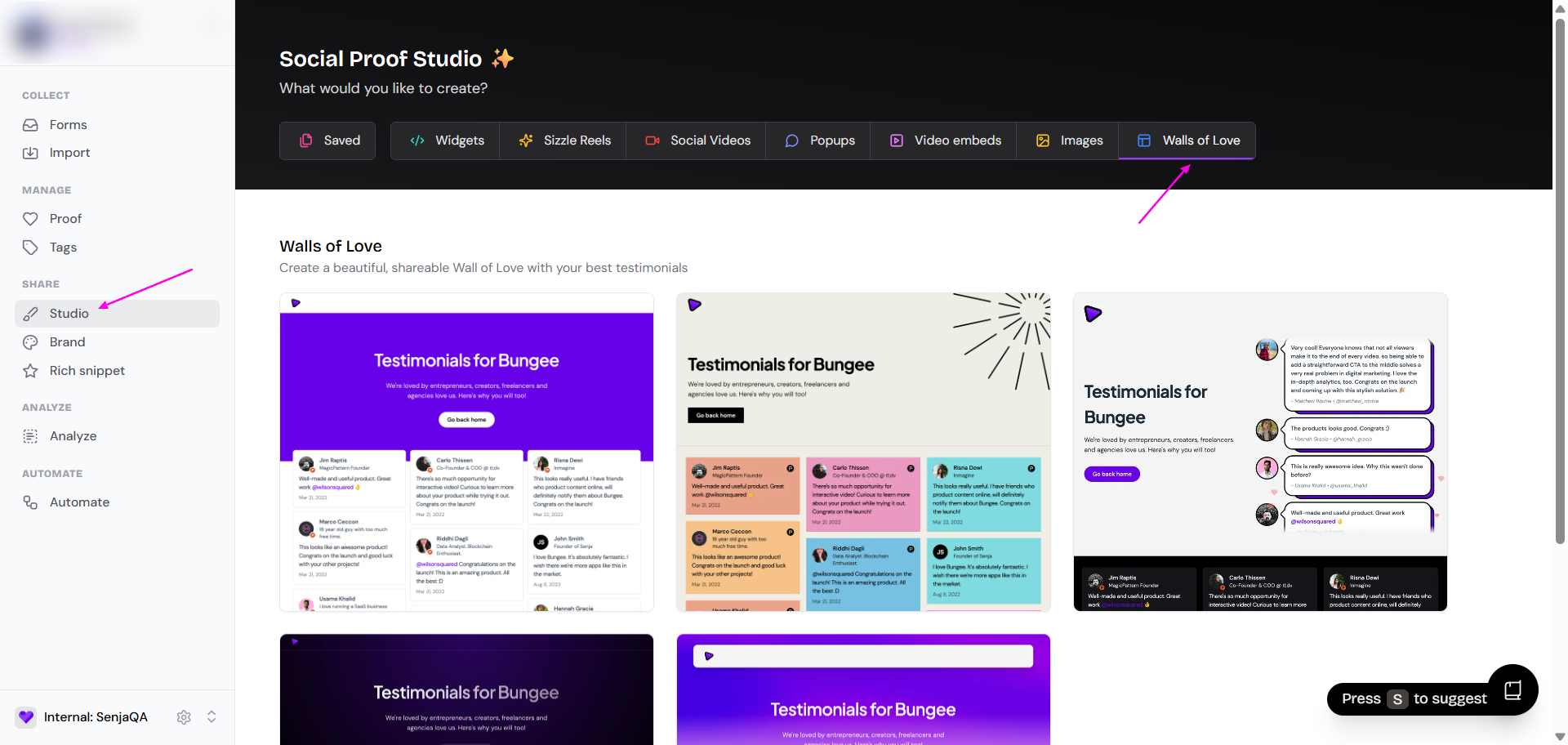
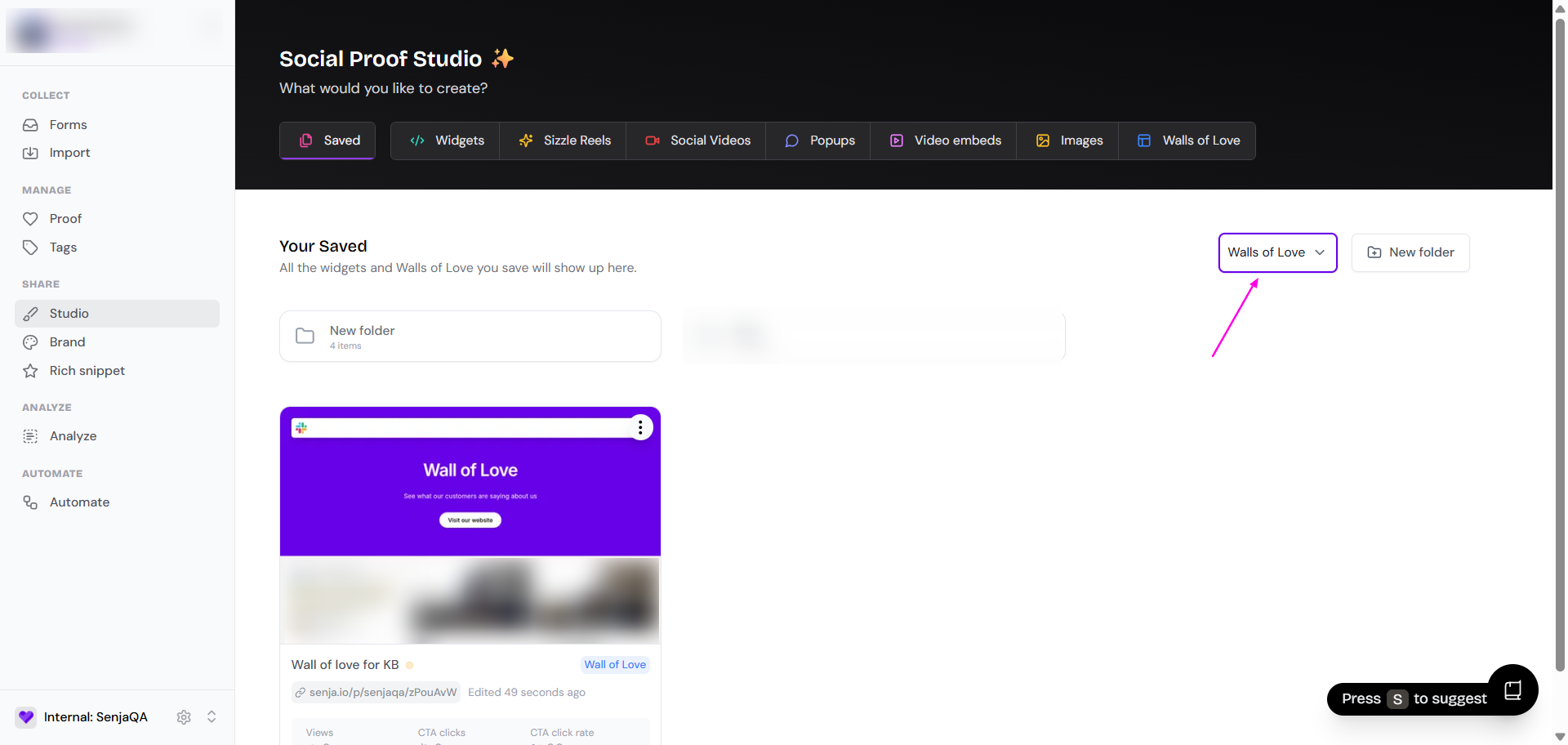
Select the Wall of Love you want to edit
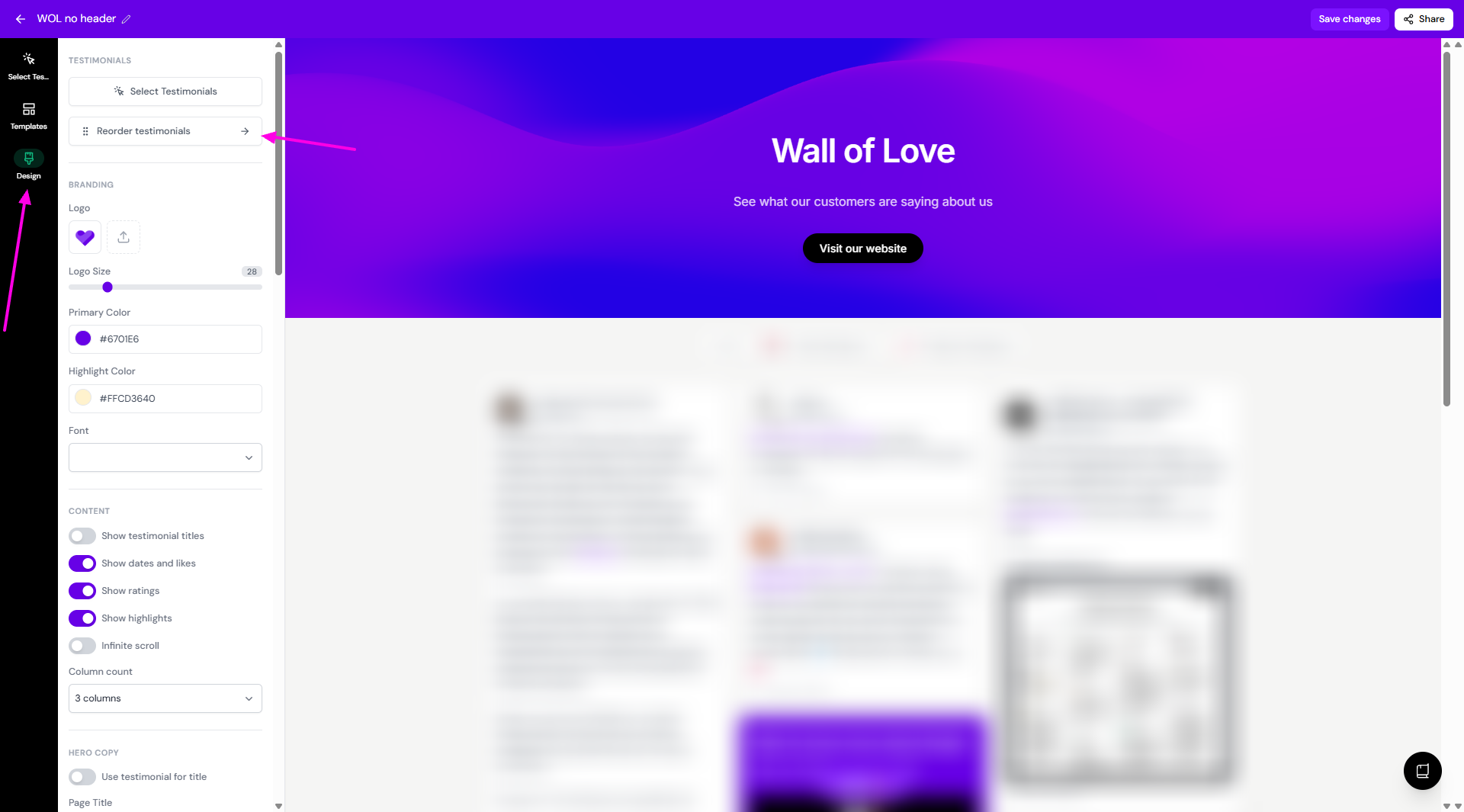
Click Design tab
Click on Reorder testimonials
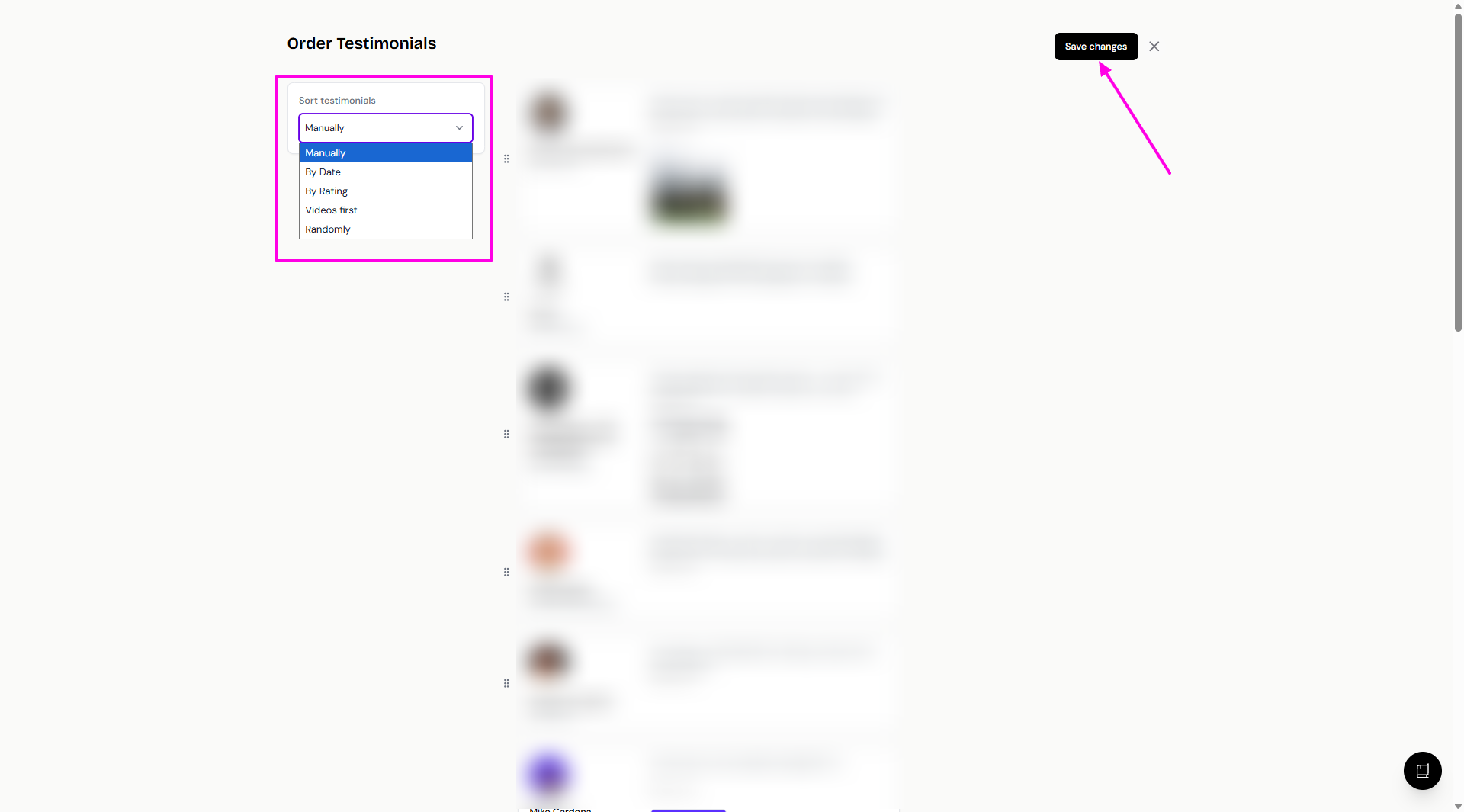
You can choose to order the testimonials like so:
Manually: drag and drop to move the testimonial cards around
By Date: sorted automatically by date of submission (newest/oldest first)
By Rating: sorted automatically by star rating (highest/lowest rated first)
Videos first: sorted automatically, videos coming first
Randomly: randomized everytime the page is loaded
Click Save changes when you're done
Also Save changes in the main preview of your Wall of Love
Pinned testimonials
When you reorder the testimonials by date, rating, videos, or randomly, the order of appearing will keep changing every time new testimonials are added to your Wall of Love.
In the case where you want specific testimonial(s) to always be on the first display, use the Pinned testimonial function.
Go to the Reorder testimonials page
Click the 📌 icon next to the testimonial you want to prioritize
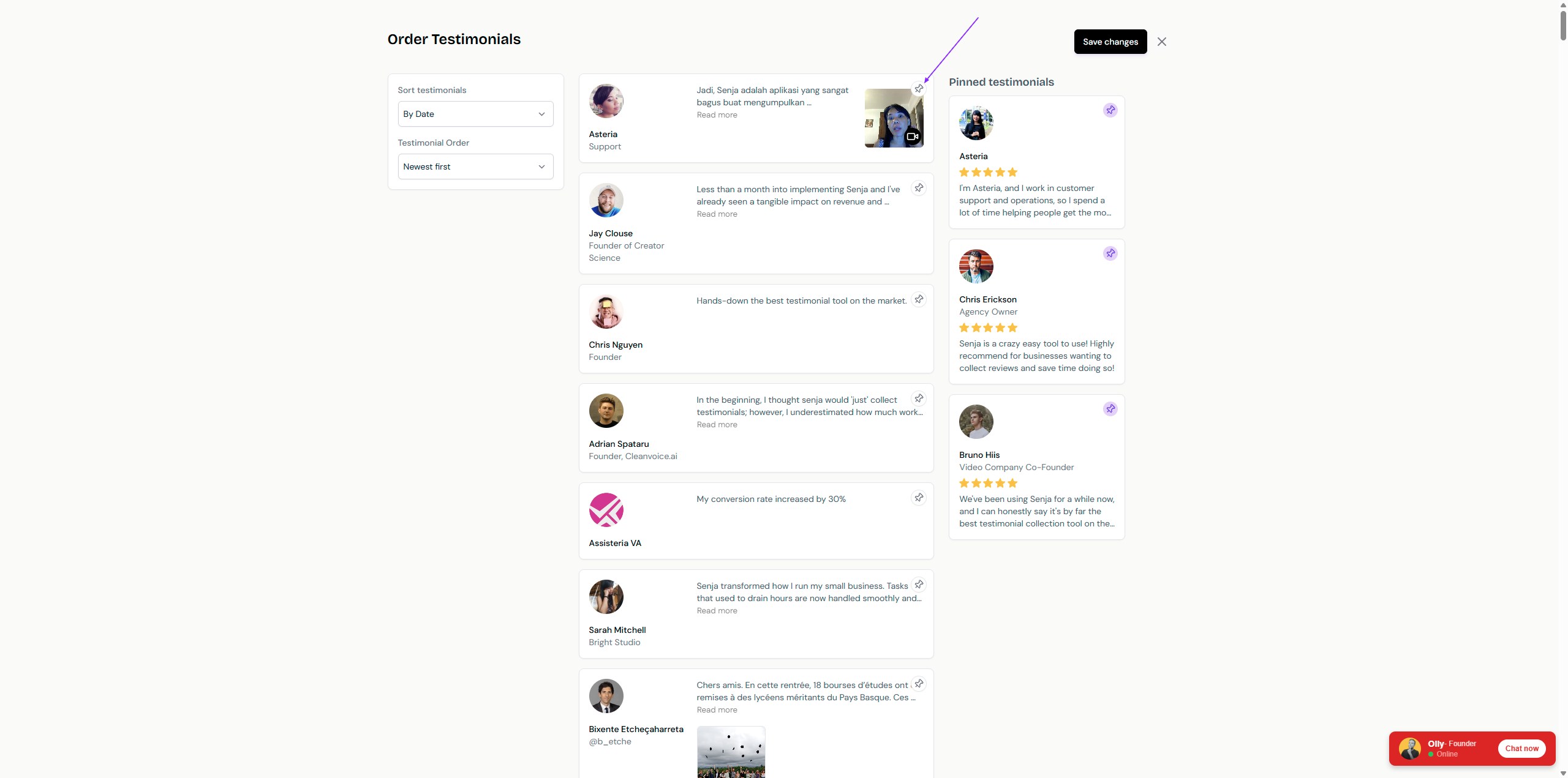
All pinned testimonials will be shown on the right side
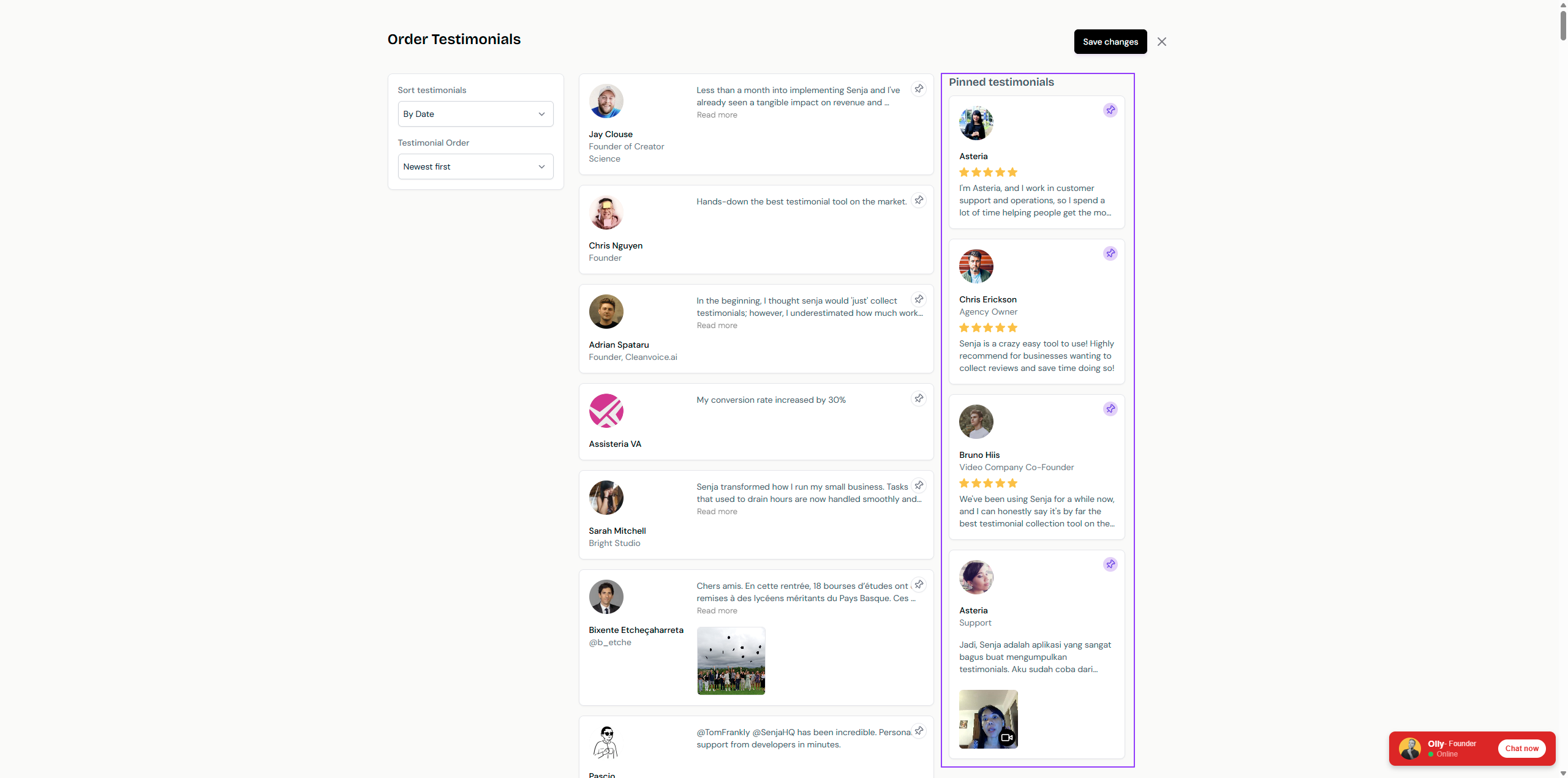
You can rearrange the order of pinned testimonials by drag and drop