
How to add CTA to Wall of Love
Add a call-to-action (CTA) to your Wall of Love to turn visitors into leads.
You can add two types of CTAs: a hero CTA at the top of the page, or an inline CTA that appears as visitors scroll. As an extra, you can also add a CTA when you share your Wall of Love as link.
This is applicable for all Senja plans: Free, Starter, and Pro.
Add a hero CTA
The hero CTA appears at the top of your Wall of Love page.
Go to your Studio page: https://app.senja.io/studio
Open your Wall of Love or create a new one
Go to Design
Scroll down until you find Hero call to action section
Put the toggle on for Enable CTA
Set the CTA Title and CTA URL
Click Save changes
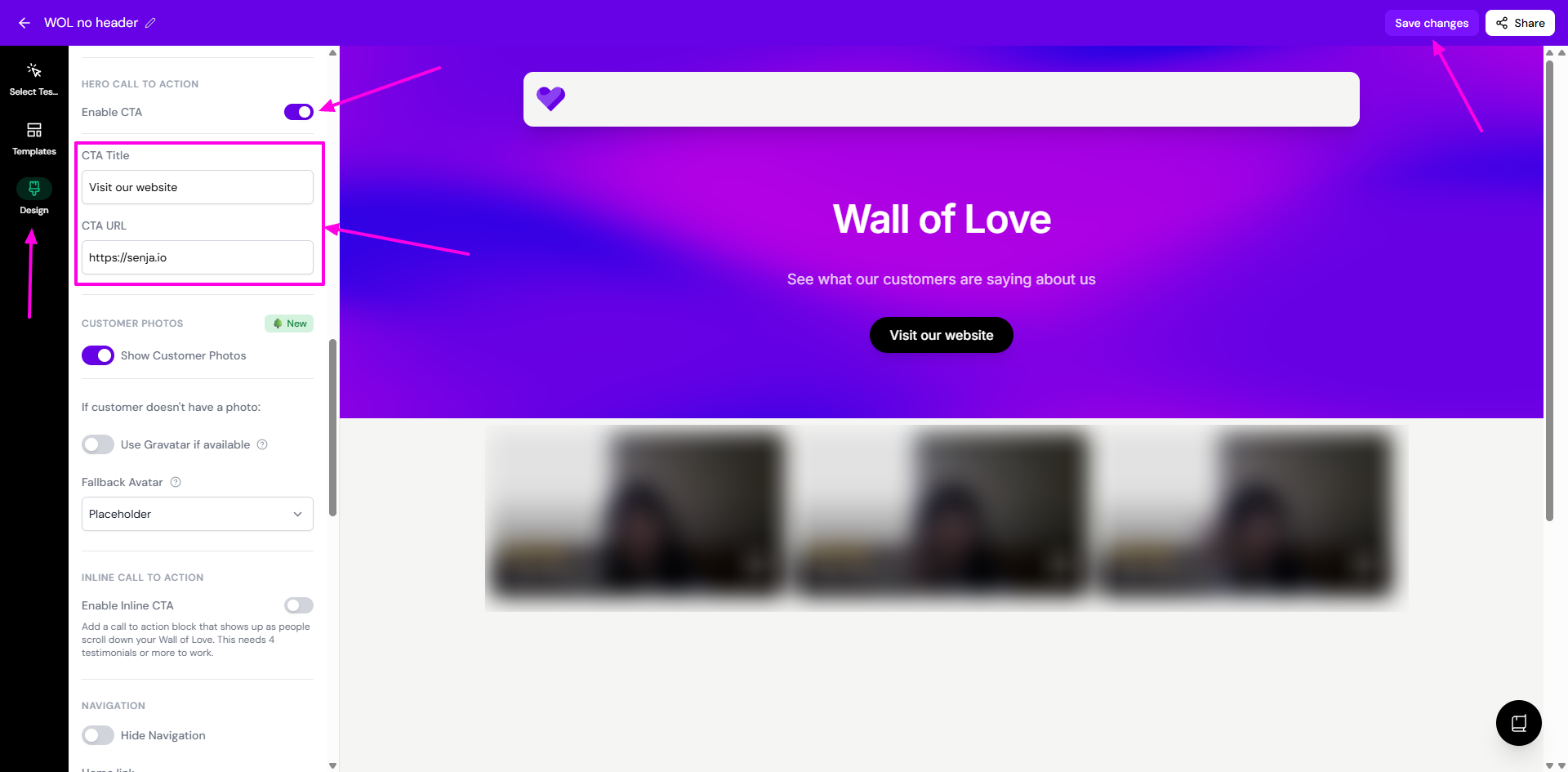
Add an inline CTA
The inline CTA appears as a block between testimonials while visitors scroll through your Wall of Love.
Go to your Studio page: https://app.senja.io/studio
Open your Wall of Love or create a new one
Go to Design
Scroll down until you find Inline call to action section
Put the toggle on for Enable Inline CTA
Set the Inline CTA Title, Inline CTA Subtitle, Inline CTA Text, and Inline CTA URL
Click Save changes
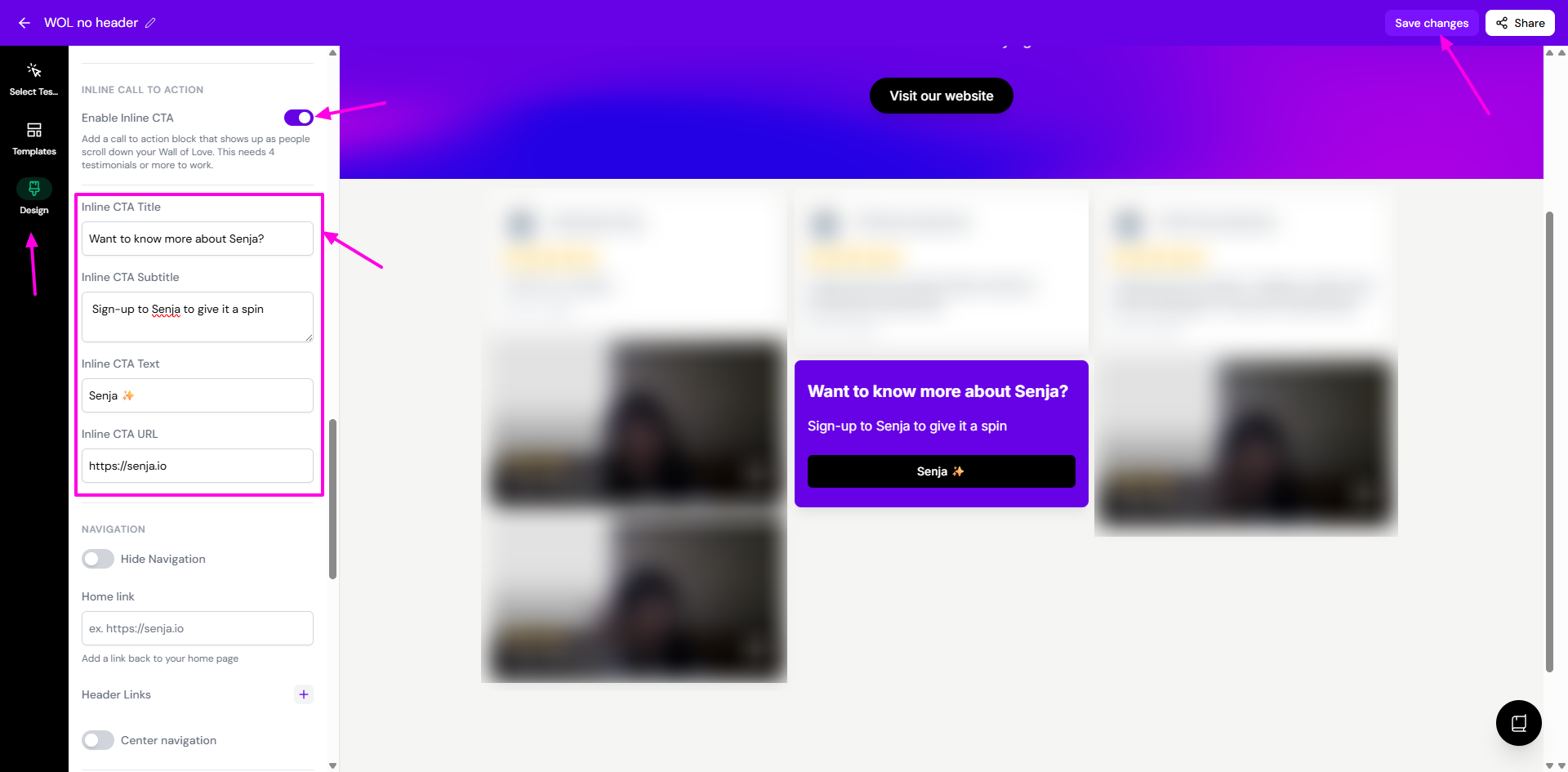
You can see how the inline CTA will look like directly in the Wall of Love preview
Inline CTAs only work if your Wall of Love has 4 or more testimonials.
Adding a CTA to a shared link of Wall of Love
Go to your Studio page: https://app.senja.io/studio
Open your Wall of Love
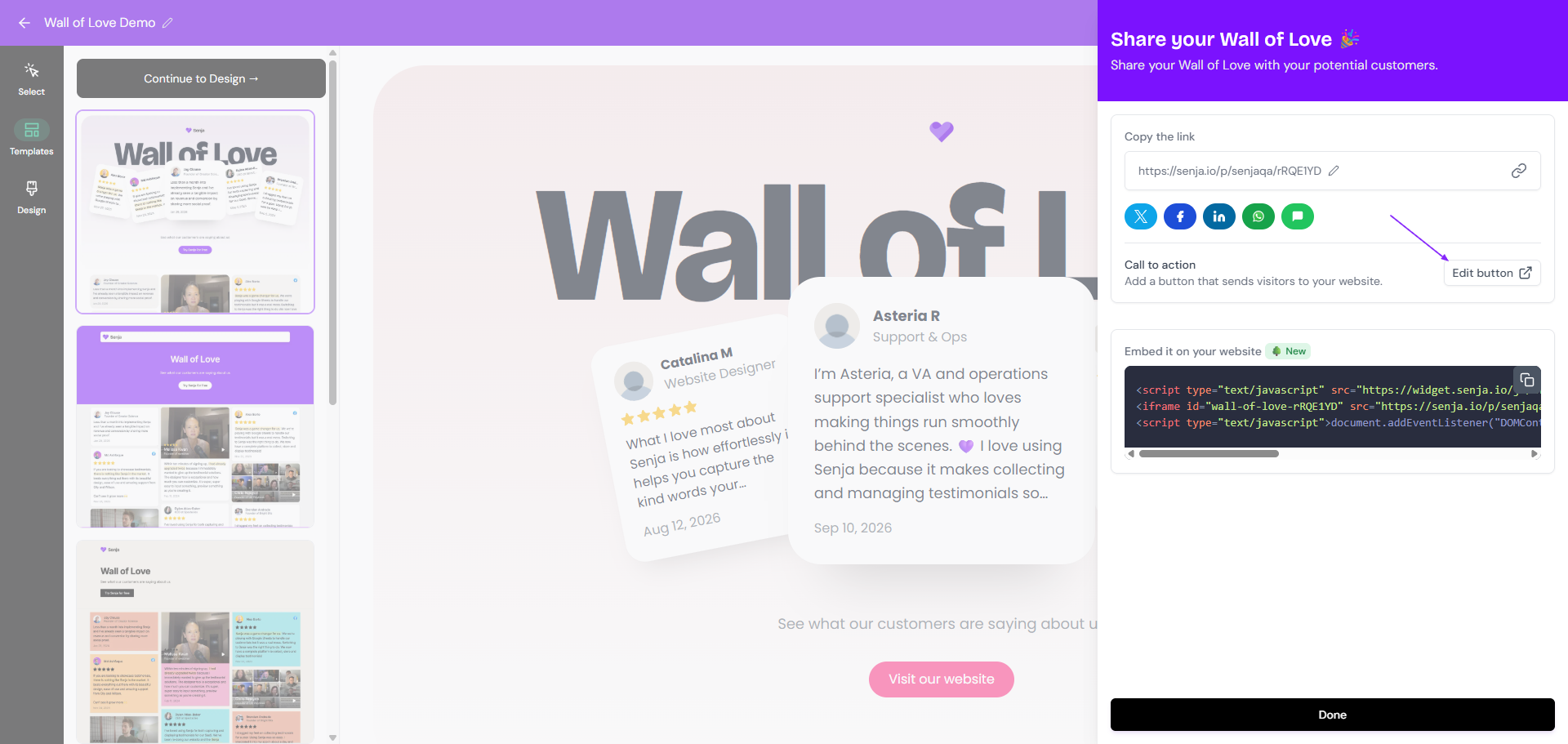
Click Share on top right

Click Add button next to the Call to action section to add a CTA

Setup your CTA
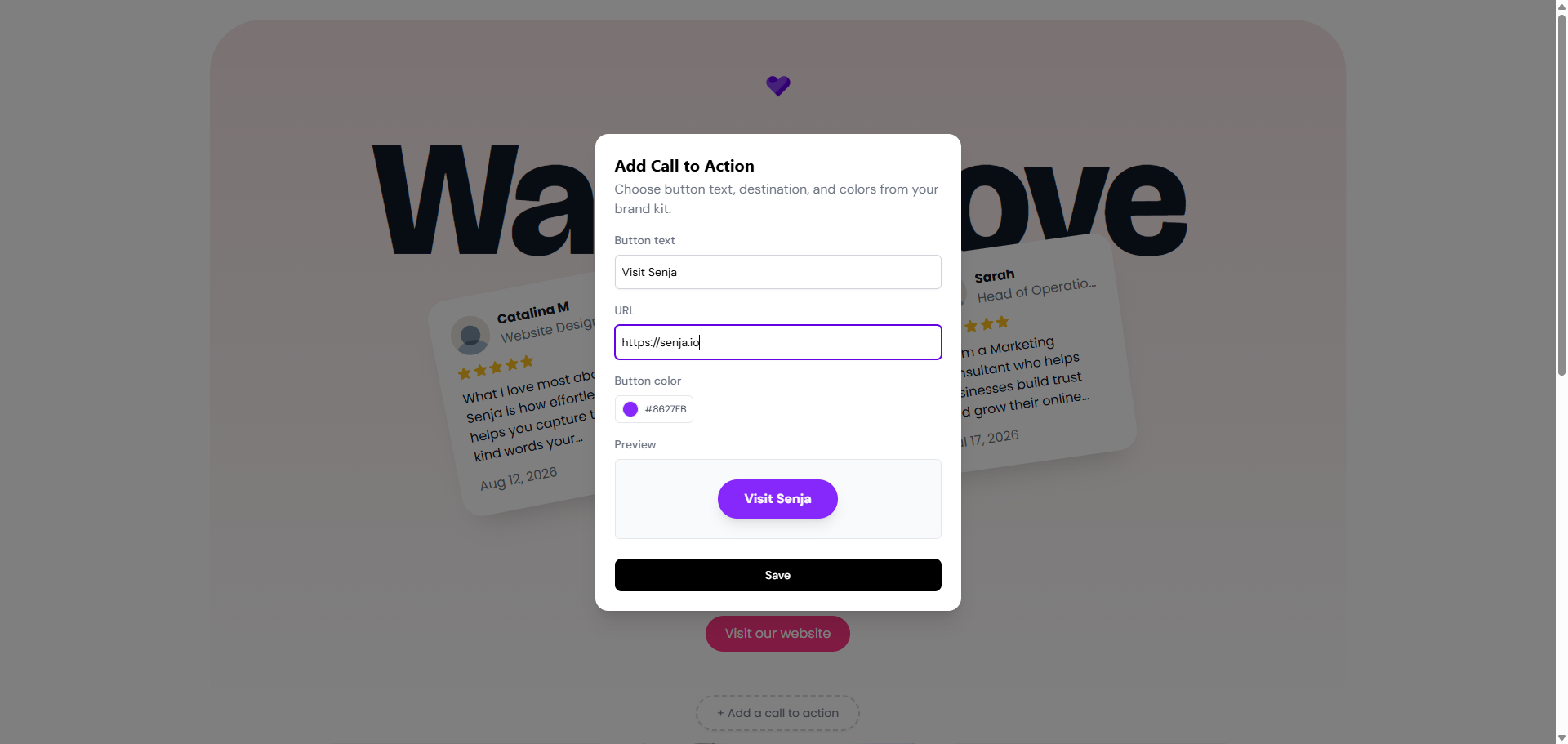
If you have added any CTA before, click Edit button to update or remove the CTA
What's next
Embed your Wall of Love on your website
Add a custom URL to your Wall of Love
Share the Wall of Love URL directly to your audience or post it in your socials