
How to disable rewards on Senja forms?
Reward notes like "🎁 30% off" or "Spin the Wheel" appear on your testimonial forms when you've enabled rewards. If you've toggled rewards off but still see these notes, this guide will help you fully disable them and verify the changes.
This is applicable for all Senja plans: Free, Starter, and Pro.
How to disable rewards on a form
Follow these steps for each form where you want to remove reward notes:
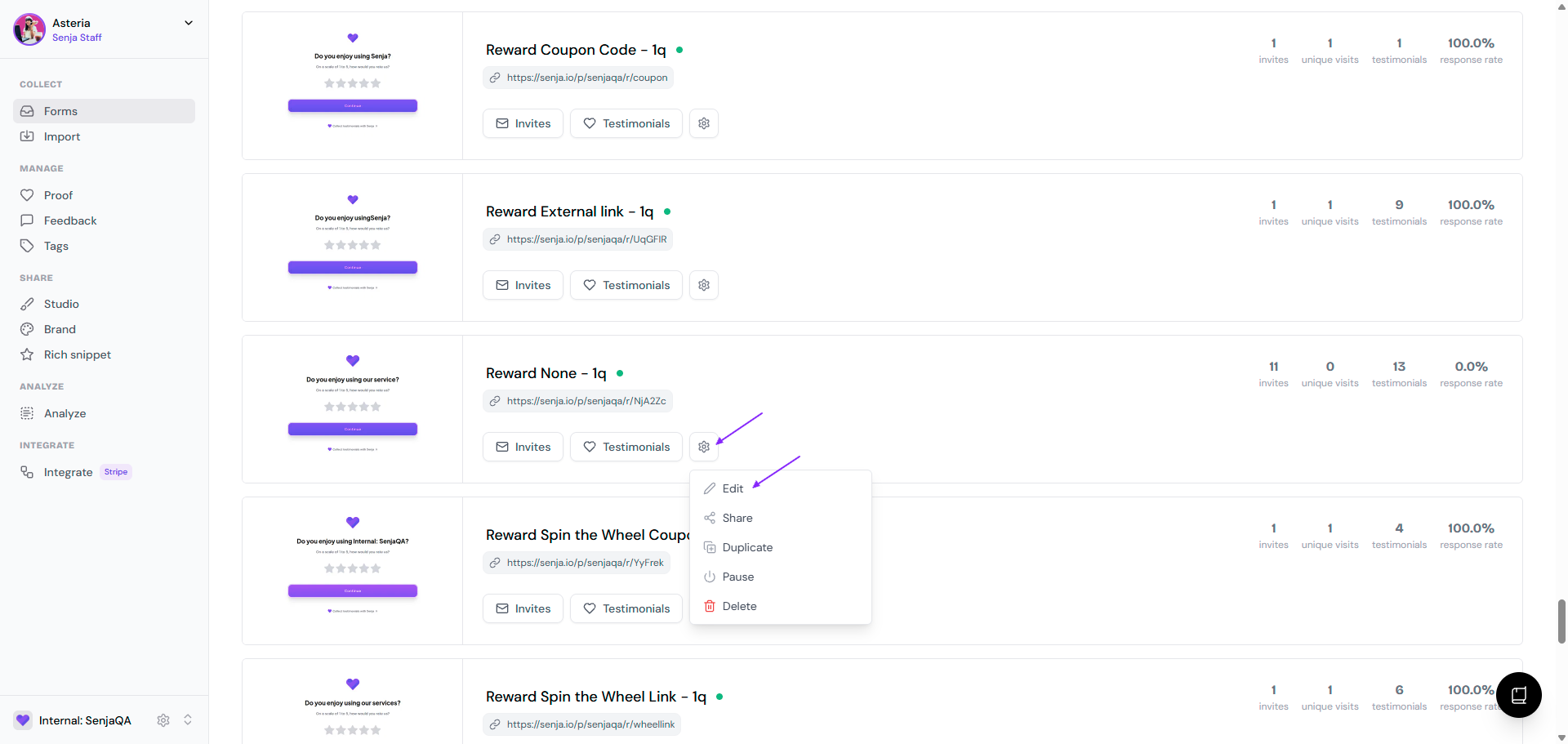
Go to your Forms page: https://app.senja.io/forms
Pick the form you want to add rewards to
Click the ⚙️ icon and choose Edit
Stay at the Rewards tab
Select the No Reward card (gray icon with a broken heart)
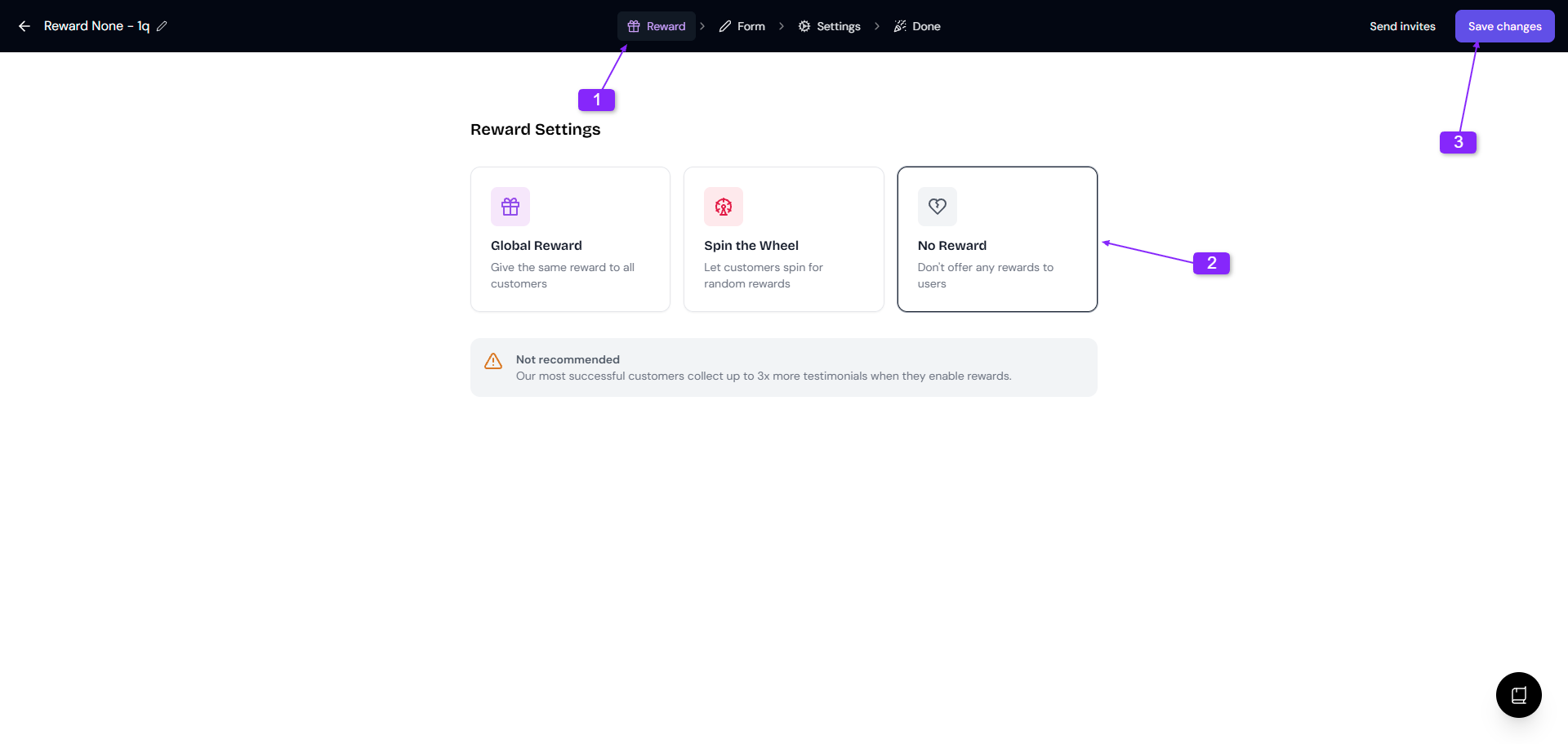
Click Save changes in the top-right corner
Repeat these steps for every form you have. Each form has its own reward settings, so disabling rewards on one form won't affect others.
Verify the reward note is gone
After saving changes, confirm the reward notes have been removed:
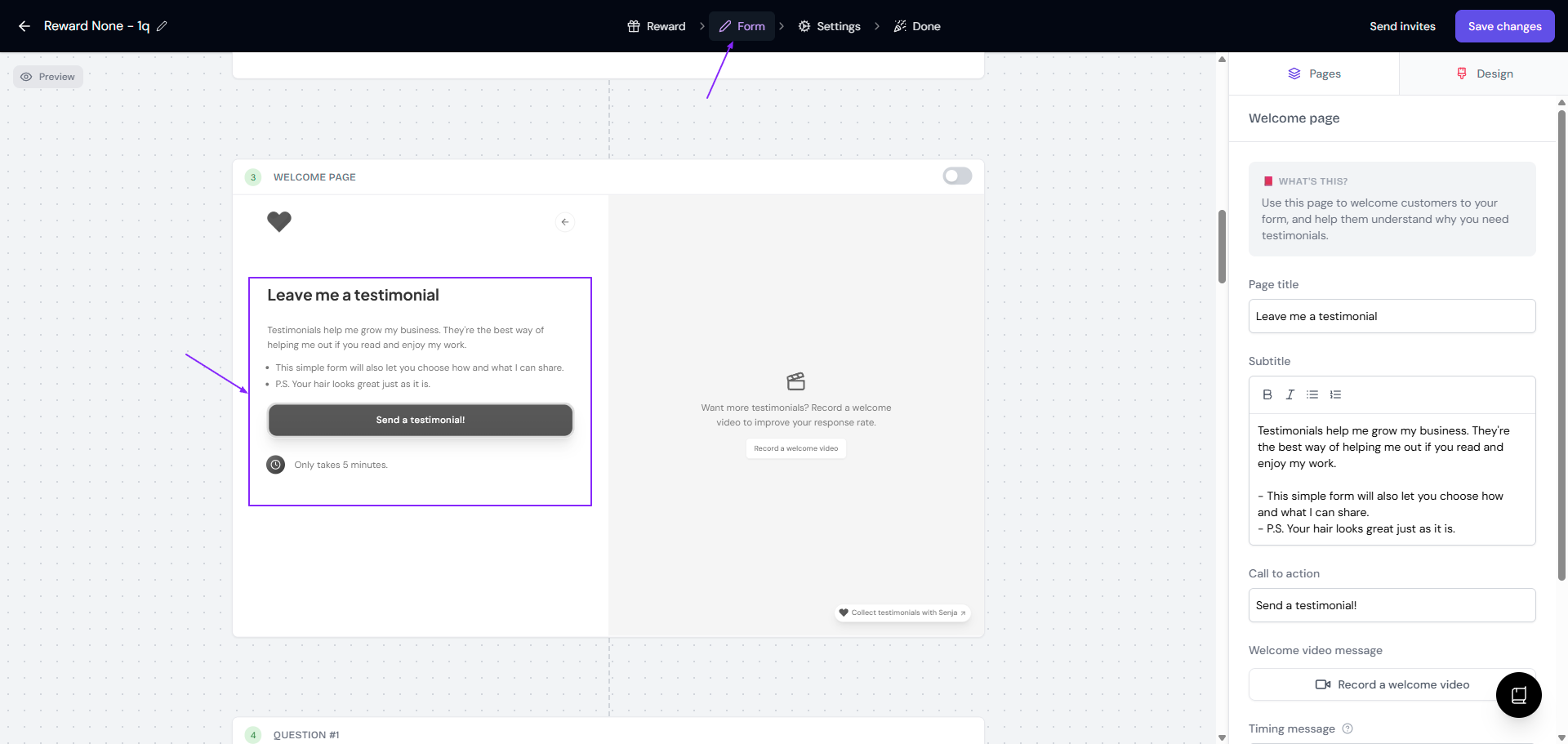
Go to Form tab
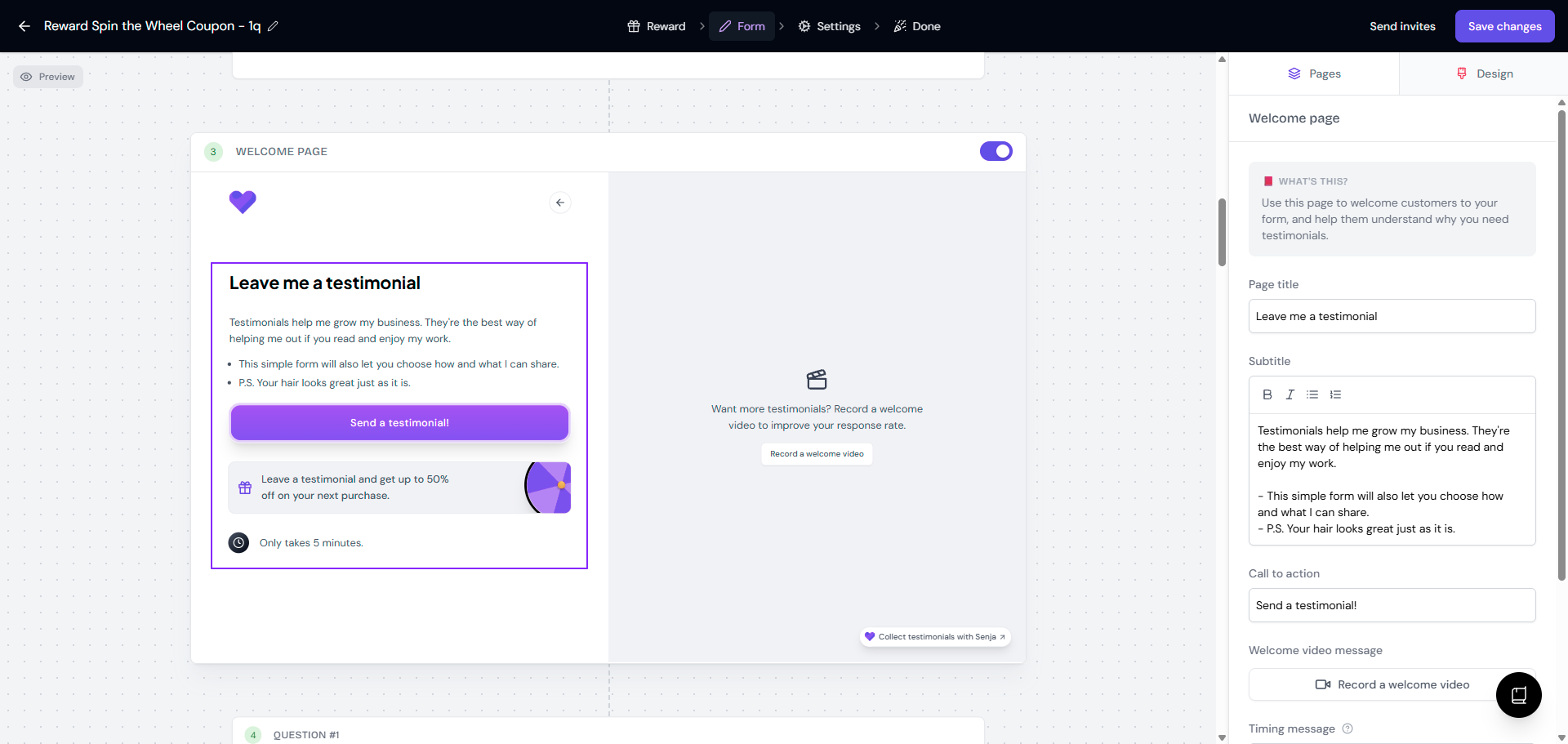
If the reward is correctly removed, the Welcome page will show no reward description text
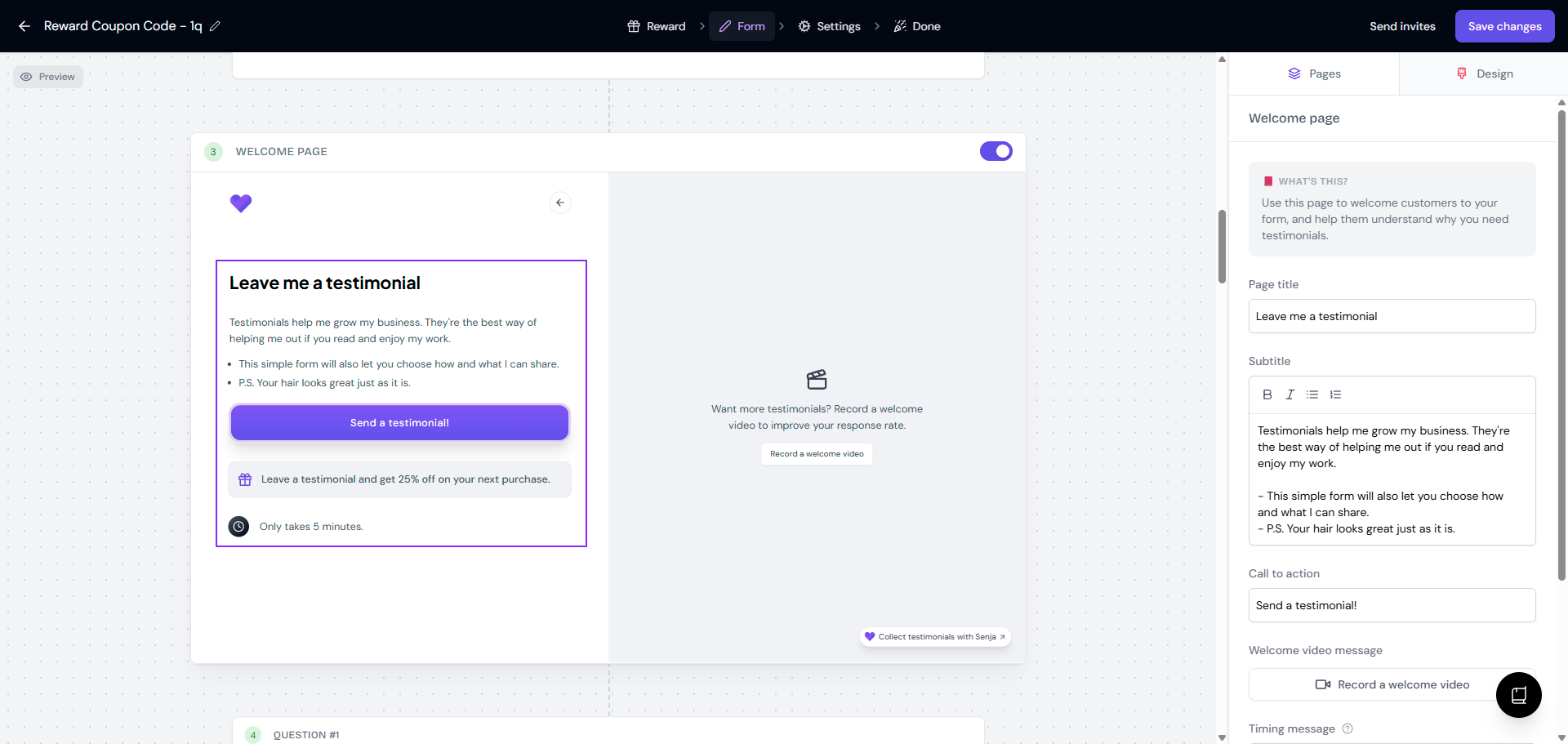
This is how it's displayed when the reward is still on:
Coupon code or external link reward
Spin the wheel reward
Troubleshooting: Reward notes still visible
If reward notes persist after following the steps above, work through these solutions:
Confirm changes were saved
The most common issue is unsaved changes. Make sure you:
Clicked Save changes after selecting No Reward
Saw the green success toast: Saved form successfully
Didn't navigate away before saving (you'll see a browser prompt if you have unsaved changes)
Refresh your browser
Your browser may be showing a cached version of the form:
Hard refresh the page (Ctrl+Shift+R on Windows, Cmd+Shift+R on Mac)
Close and reopen the Form Editor
Clear your browser cache completely
Verify all forms individually
Reward settings are form-specific. If you see reward notes on your live form:
Double-check you edited the correct form
Go through each form in your Forms list
Confirm No Reward is selected and saved for every form
When to contact support
If you've tried all troubleshooting steps and reward notes still appear, reach out to Senja Support with:
Screenshots showing the No Reward card selected and saved
Screenshots of the reward note still appearing in your preview or live form
The name or URL of the affected form
Your account plan type (Free, Starter, or Pro)
Want to use rewards strategically instead of disabling them completely? Check out How to improve testimonial invite response rate for guidance on when and how to use incentives effectively.