
How do I set up Coupon Code rewards?
Want to sweeten the deal for people leaving testimonials? Coupon Code rewards let you offer a discount code right after someone submits. They'll see it on the thank-you screen and get it in an automated email too.
This is applicable for all Senja plan: Free, Starter, and Pro.
Setting up your Coupon Code
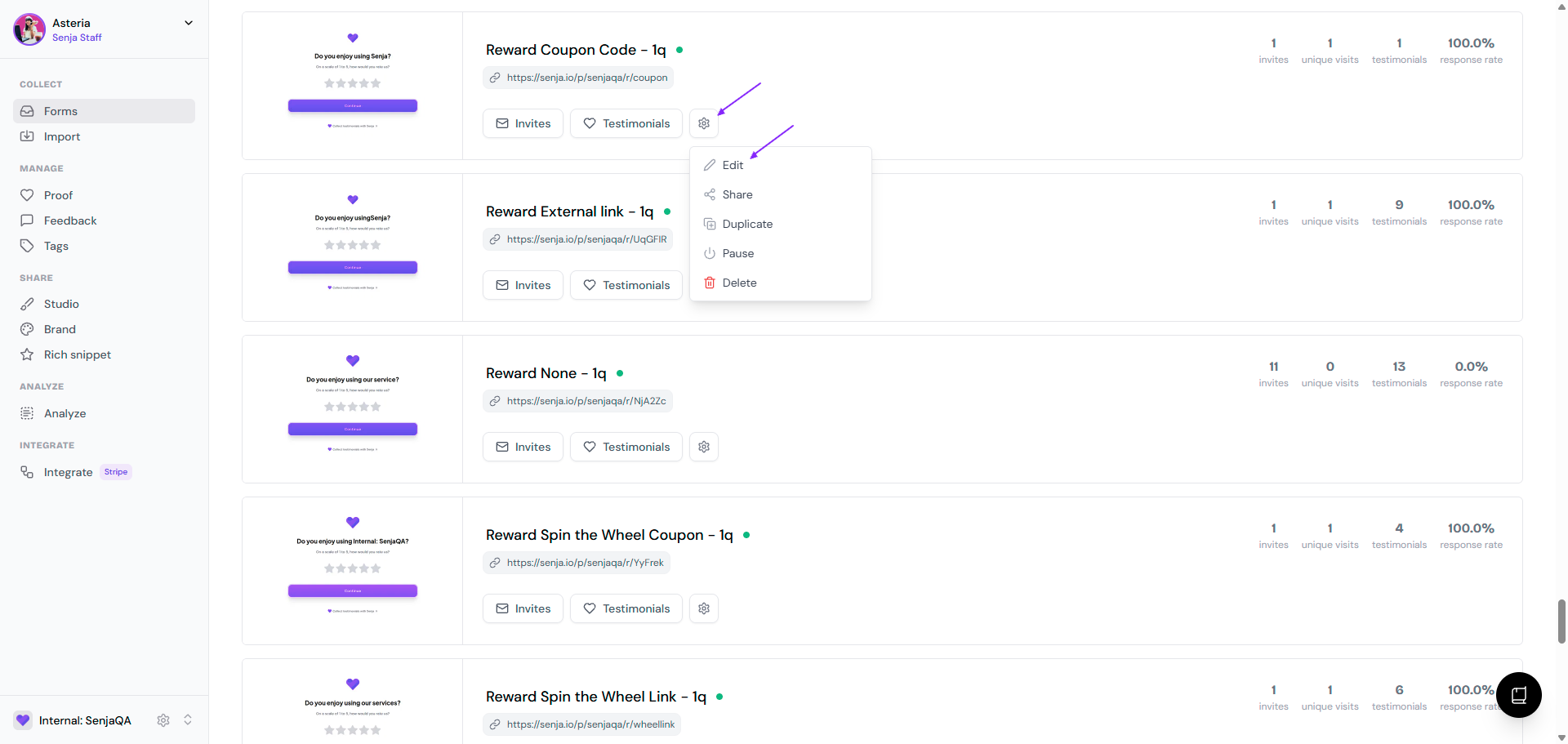
Head to your Forms dashboard
Pick the form you want to add rewards to
Click the ⚙️ icon and choose Edit
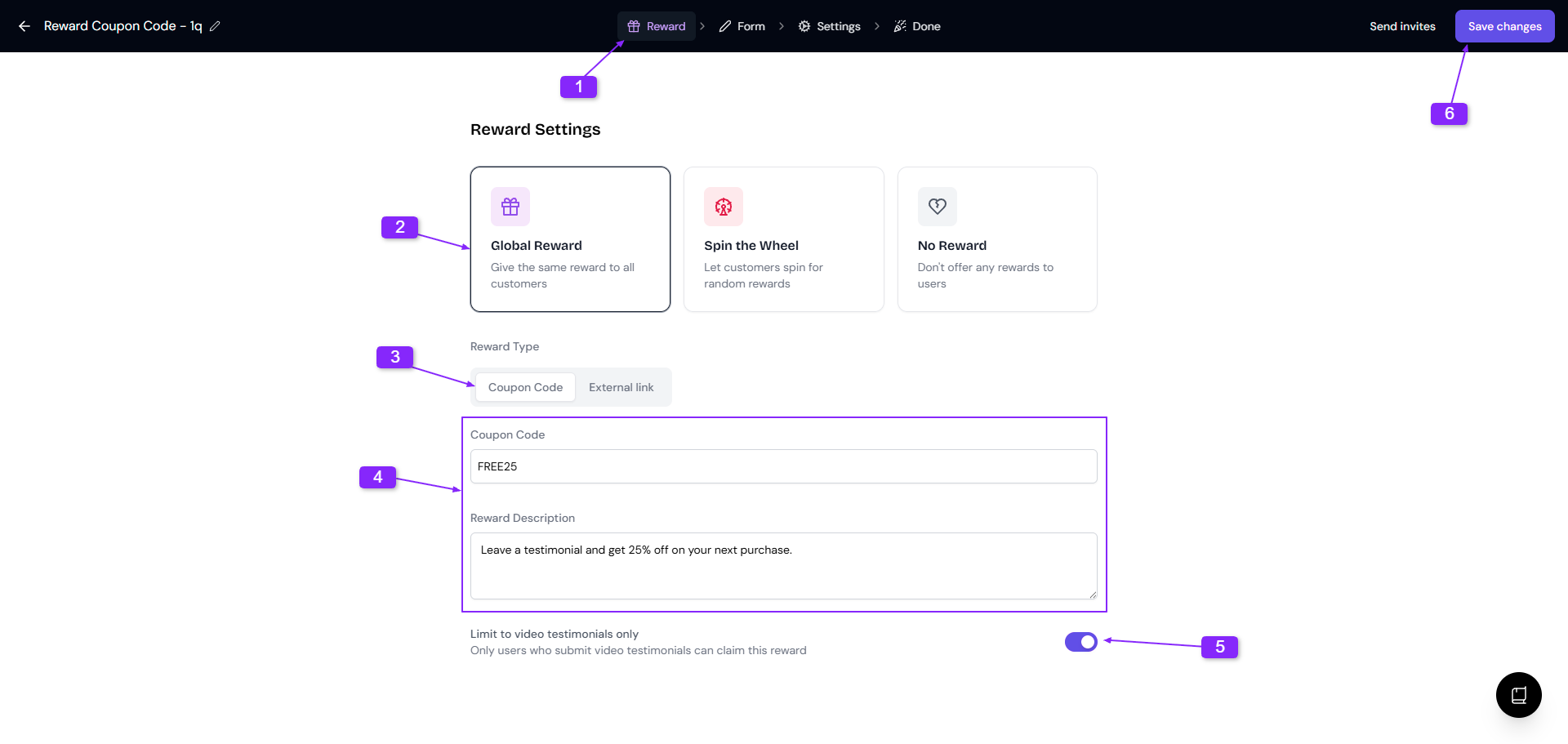
Stay at the Rewards tab
Select the Global Reward → Coupon Code
Type your coupon code in the Coupon Code field
Add a Reward Description to tease what they'll get
This shows up on the welcome screen. Use the Reward Description to get people excited without spoiling the surprise. Try something like: "Submit your review to unlock an exclusive discount!"
Don't put the actual code here, save that surprise for later.
Turn on the Limit to video testimonials only toggle if you only want video submitters to get the code
Save your changes and you're done!
If you turned on Limit to video testimonials only, people who only submit text won't see the reward screen or get the code.
What your customers see
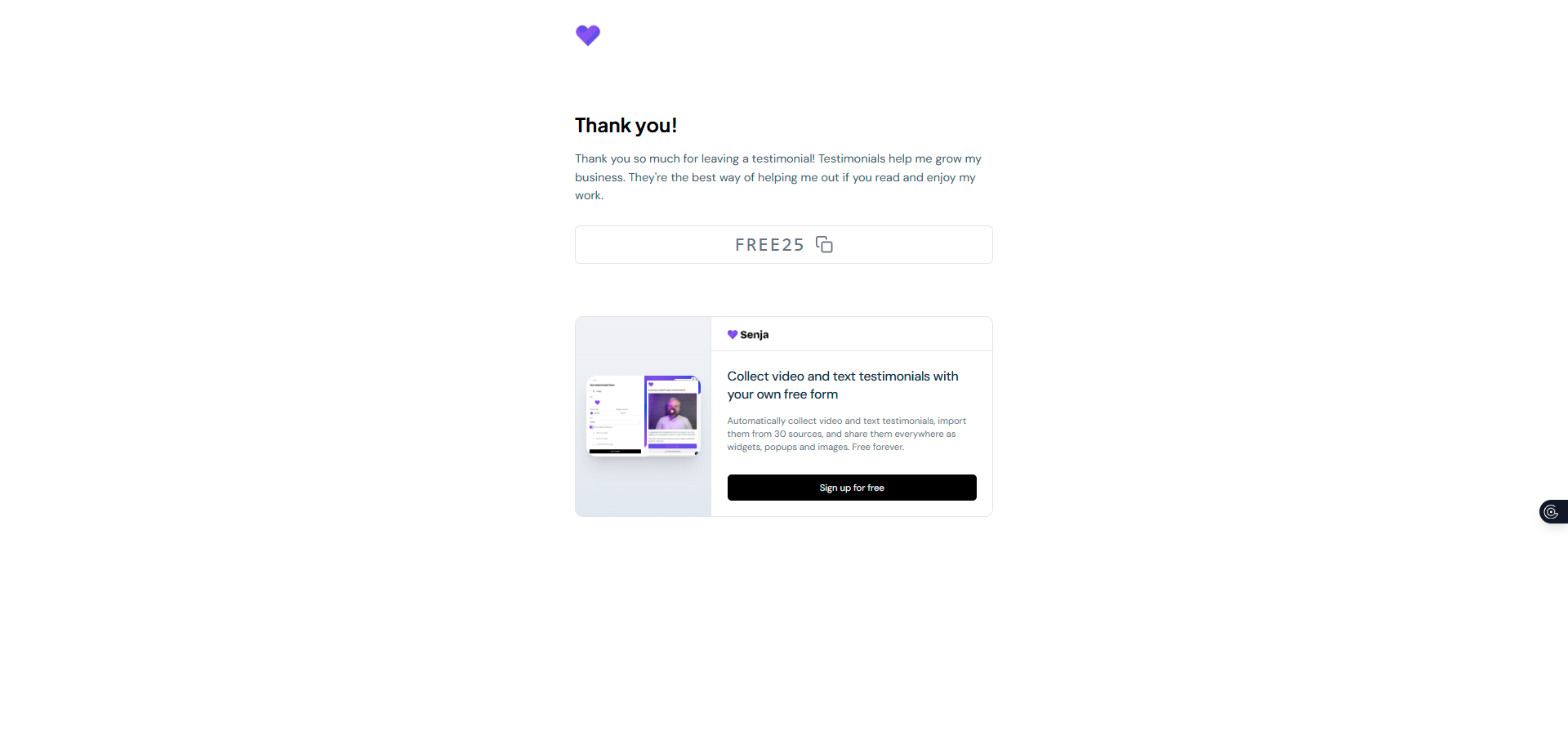
After someone submits a testimonial, they'll see the coupon code in two spots:
Thank-you screen: The code pops up right away on the Thank you & word of mouth page
Automated email: If you've made the email field required, Senja fires off a thank-you email with the coupon code
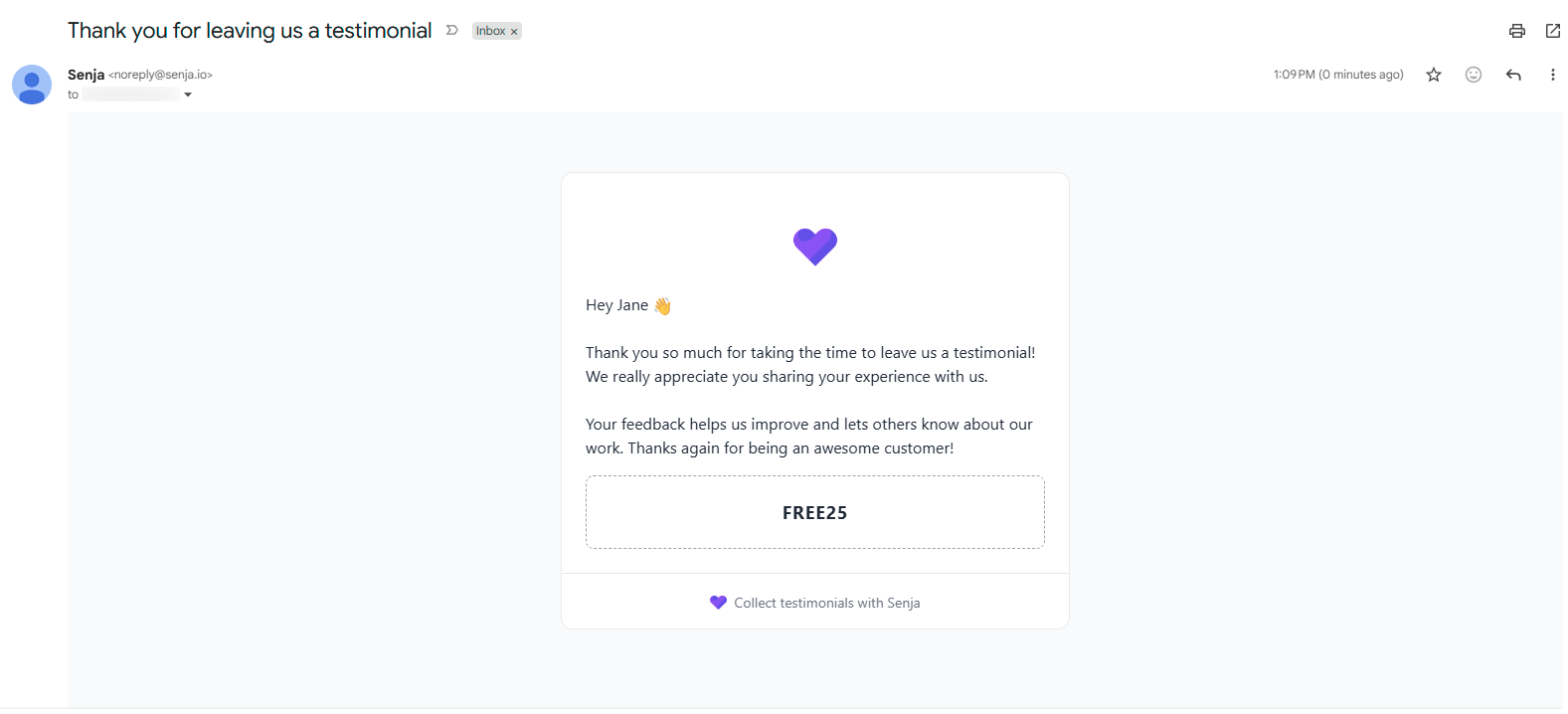
If you want the code to be sent via email, make sure you've got a required customer email field in your form.
Good to know
No expiry tracking
Senja shows the code but doesn't check if it's expired or how many times it's been used. You'll need to track that in your own e-commerce or billing system.
Same code for everyone
Global rewards give the same code to all customers. Need unique codes for each person? You'll have to manage that outside Senja.
Email field is a must
To send codes via email, your form needs a customer email field and it has to be required.
Don't put the actual coupon code in the Reward Description field! Customers will see that before they submit, which kills the whole incentive. Save that field for teaser copy only.
Troubleshooting
If customers aren't seeing the code after submitting a video testimonial:
Check the Limit to video testimonials only toggle
Turn it off if you want everyone (text and video) to get the reward