
How to share or embed your Wall of Love
Share your Wall of Love as a link, give it a clean custom URL, or embed it on your website, course or any other page.
This is available on all Senja plans: Free, Starter and Pro.
Open the Share window
Go to Studio → Saved and open your Wall of Love
Click Share in the top right
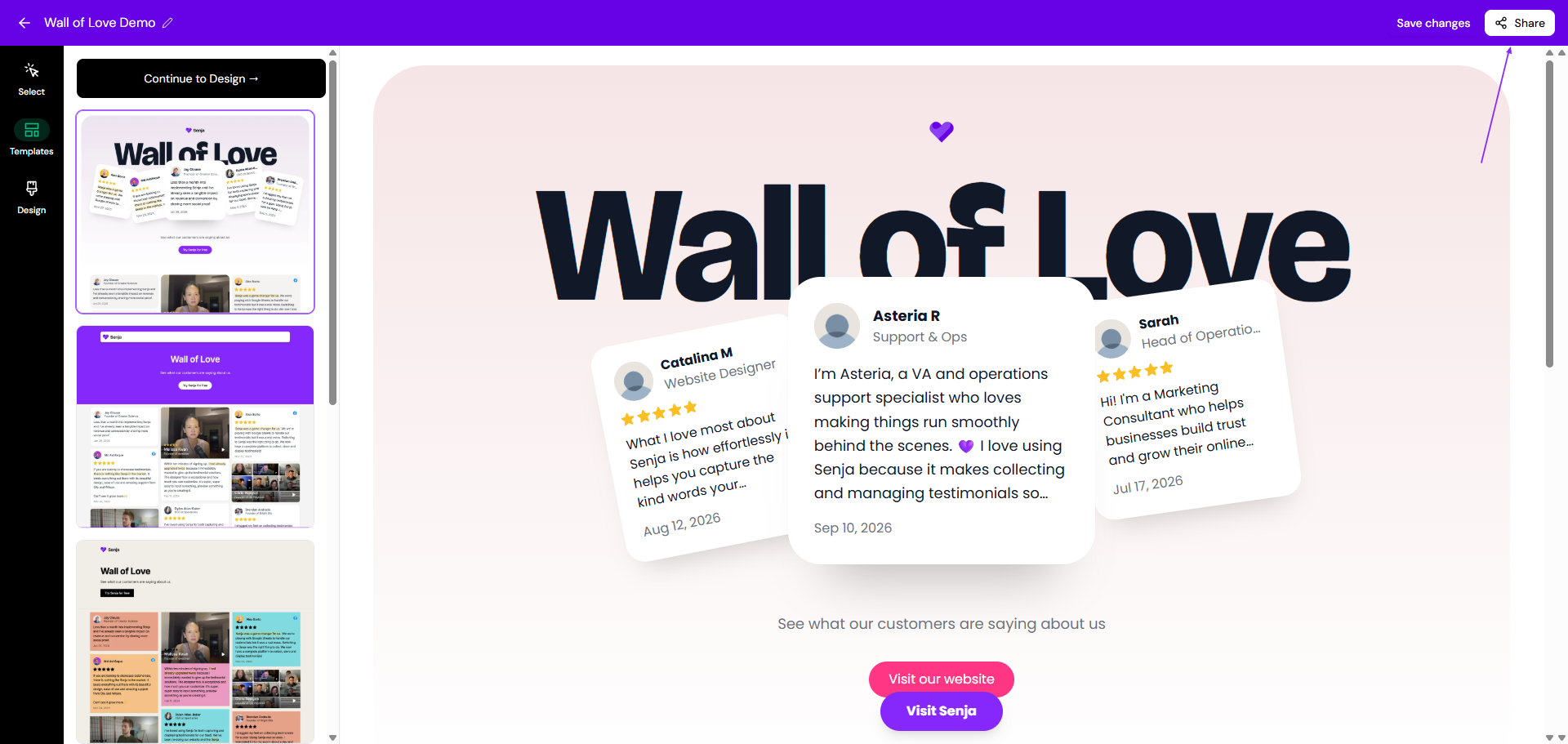
Share the link
In the Share window, click the 🔗 icon under Copy the link
Paste the link anywhere: your bio, emails, sales DMs or your website menu
Want a button on the page, like Book a call? You can add one before you copy the link, see How do I share a link to my testimonials?
Change the URL
Swap the random link for a clean one that's easy to remember, like /customers or /love. Changing the URL breaks the old link. Update it anywhere you've already shared it.
In the Share window, click the ✏️ icon under Copy the link

Change the text under Edit Slug
Click Save
Your new link is ready to copy
Want the link on your own domain? See Can I add a custom domain?
Embed it on your website
In the Share window, click the copy icon under Embed it on your website
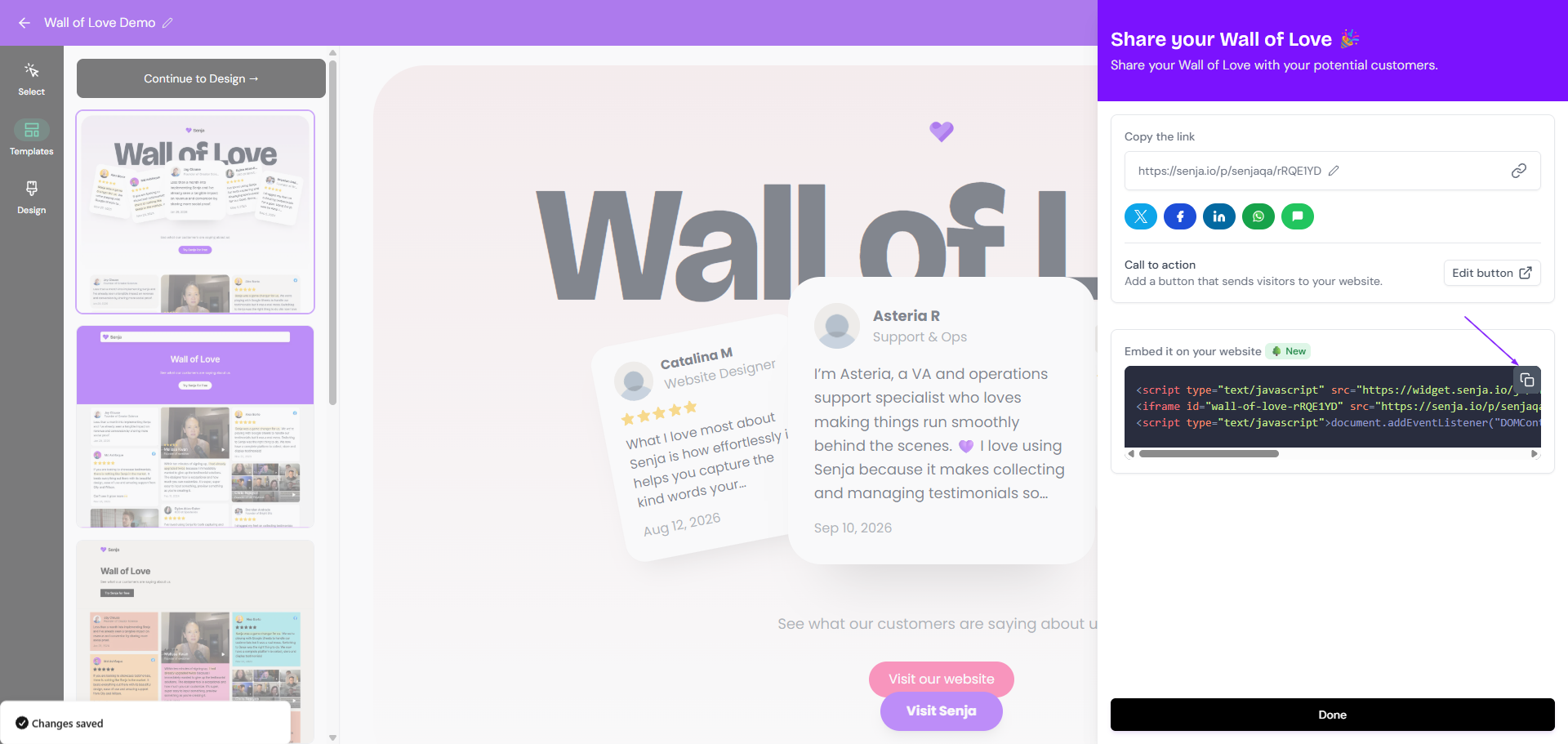
Paste the code where you want your Wall of Love to show on your page, like in an HTML or embed block
Save and publish your page
For steps on your website builder, see Add testimonials to your website.
Copy the embed code from the Chrome extension
Open the page where you want to add your Wall of Love
Open the Senja Chrome extension (the 💜 icon in your toolbar)
Click Saved and find your Wall of Love
Click Copy Embed
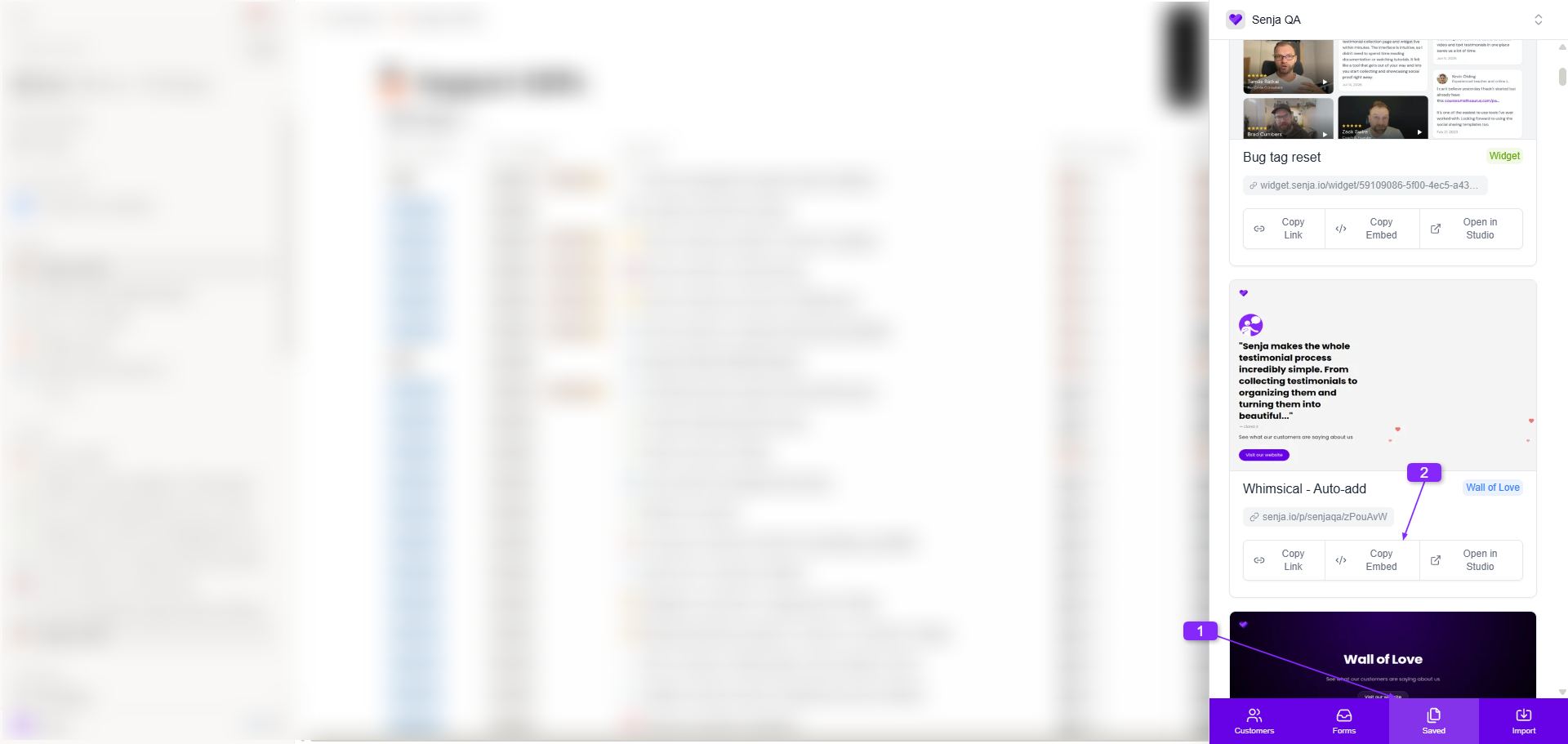
Paste it where you want it on your page
See How to use the Senja Chrome extension for everything else the extension can do.
Using filter tabs? If they don't show on your embedded Wall of Love, check that the embed URL doesn't include ?hideNavigation=true. See How to add filter tabs to your Wall of Love.